1. Танилцуулга
This manual provides detailed instructions for the operation and maintenance of your QFX R-37-BL 6-Band Bluetooth Solar Radio with LED Flashlight. Please read this manual thoroughly before using the device to ensure proper function and safety. This versatile radio is designed for portability and includes multiple power options, making it suitable for various indoor and outdoor activities.
2. Бүтээгдэхүүний онцлог
- 6-Band Radio: Receives AM, FM, and Shortwave (SW1-SW4) frequencies.
- Bluetooth холболт: Wirelessly connect your devices for audio playback.
- Нэгдсэн LED гар чийдэн: Provides illumination for various situations.
- Нарны цэнэглэгч: Built-in solar panel for eco-friendly battery recharging.
- Цэнэглэдэг батерей: Includes a removable lithium-ion battery.
- USB ба TF карт тоглуулах: Аудио тоглуулах files directly from USB drives or TF cards.
- USB цэнэглэх порт: Output for charging external 5V USB devices.
- Чихэвчний Жак: Хувийн сонсох зориулалттай.
- Телескоп антен: Радио дохио хүлээн авах чадварыг сайжруулдаг.
- Авсаархан, зөөврийн дизайн: Lightweight with a carrying strap for easy transport.
2.1 Бүтээгдэхүүн дууссанview
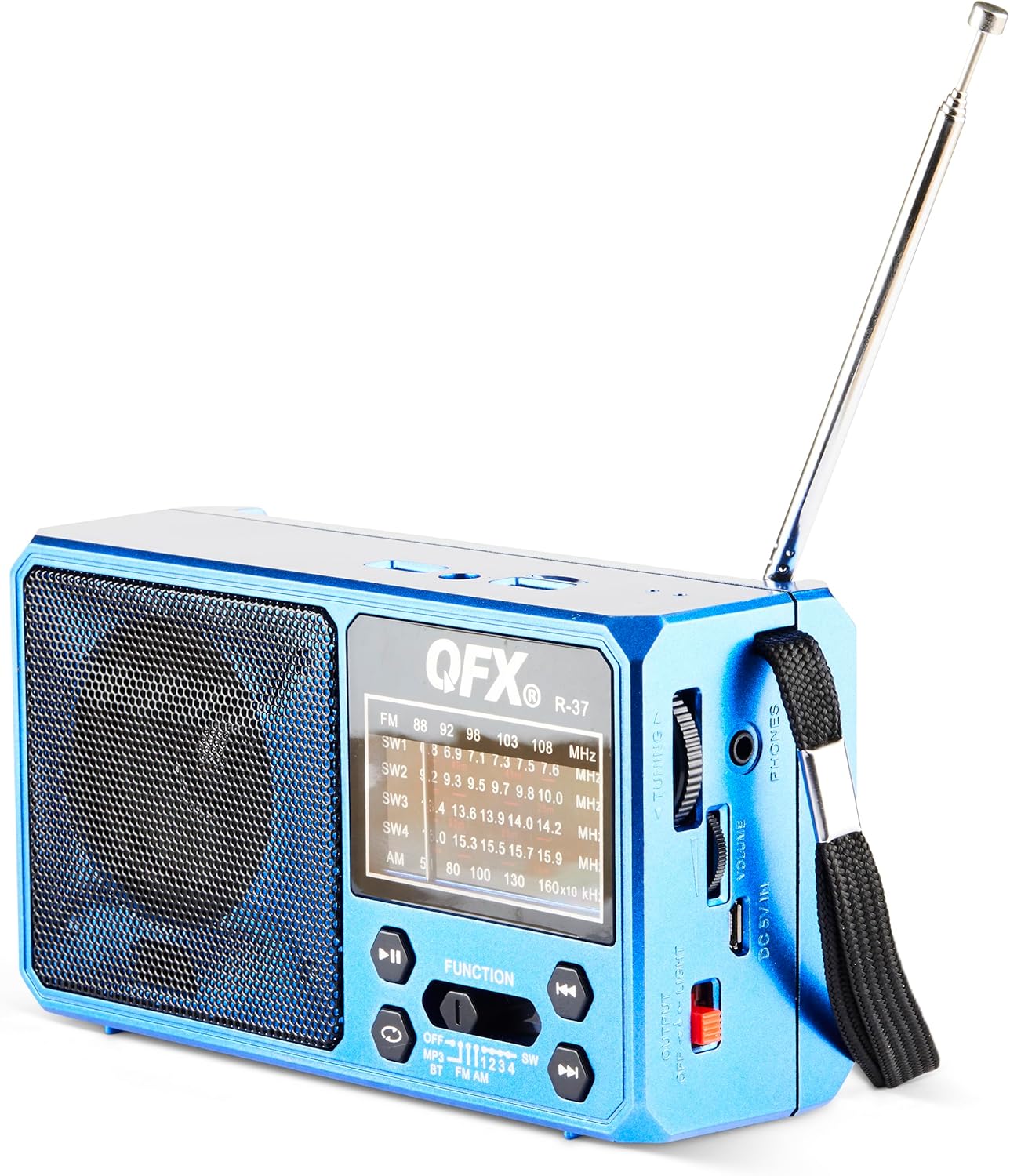
Зураг 1: Урд view of the QFX R-37-BL radio, displaying the speaker, frequency display, and main control buttons.

Figure 2: Detailed diagram highlighting key components of the QFX R-37-BL, including the solar panel, LED flashlight, USB and TF card ports, charging port, and various controls.

Зураг 3: Хажуу тал view of the radio, illustrating the tuning dial, volume control, headphone jack, DC 5V input, and the flashlight power switch.
3. Аюулгүй байдлын мэдээлэл
- Do not expose the device to extreme temperatures, direct sunlight for prolonged periods (beyond charging), or high humidity.
- Төхөөрөмжийг ус болон бусад шингэнээс хол байлга.
- Төхөөрөмжийг задлах эсвэл өөрчлөх гэж бүү оролдоорой. Энэ нь баталгааг хүчингүй болгож, эвдрэл гэмтэл учруулж болзошгүй.
- Use only the specified charging cable and power adapter (if applicable) to charge the device.
- Орон нутгийн дүрмийн дагуу батерейг хаях.
- Хүүхдийн гар хүрэхгүй газар хадгална.
4. Тохиргоо
4.1 Battery Installation and Initial Charging
- Радиогийн арын хэсэгт зайны тасалгааг ол.
- Тасалгааны тагийг нээ.
- Зөв туйлшралыг хангахын тулд дагалдах цэнэглэдэг лити-ион батерейг оруулна уу.
- Зайны тасалгааны тагийг сайтар хаа.
- For first use, fully charge the radio using the included USB charging cord connected to a 5V USB power source. The charging indicator light will illuminate during charging and turn off when fully charged.
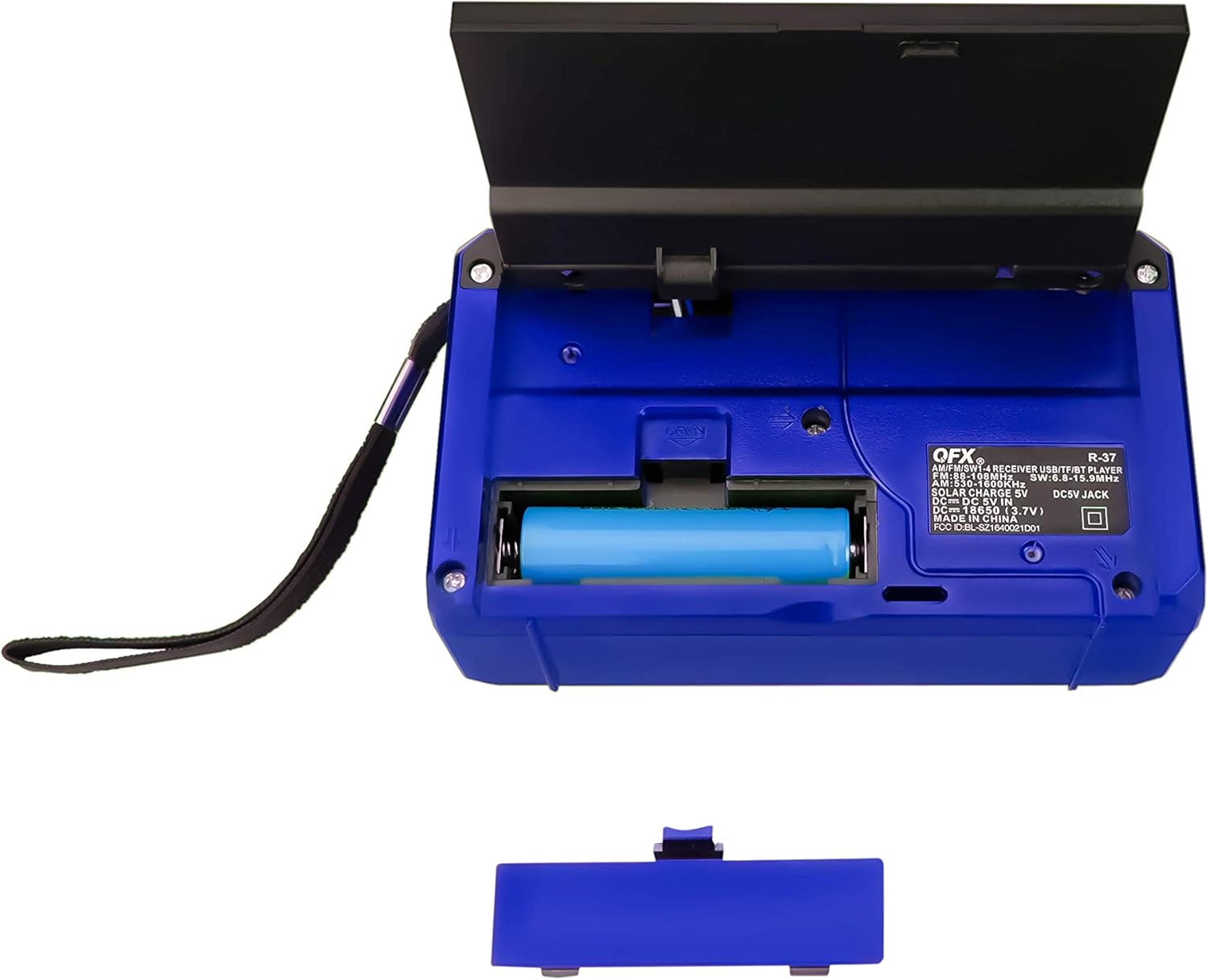
Зураг 4: Ар талд view of the radio with the battery compartment open, showing the removable rechargeable battery.
4.2 Нарны эрчим хүчээр цэнэглэх
The radio features a built-in solar panel for convenient charging. Place the radio with the solar panel facing direct sunlight. The solar charging indicator will light up. Solar charging is slower than USB charging and is best used for maintaining charge or in emergency situations.
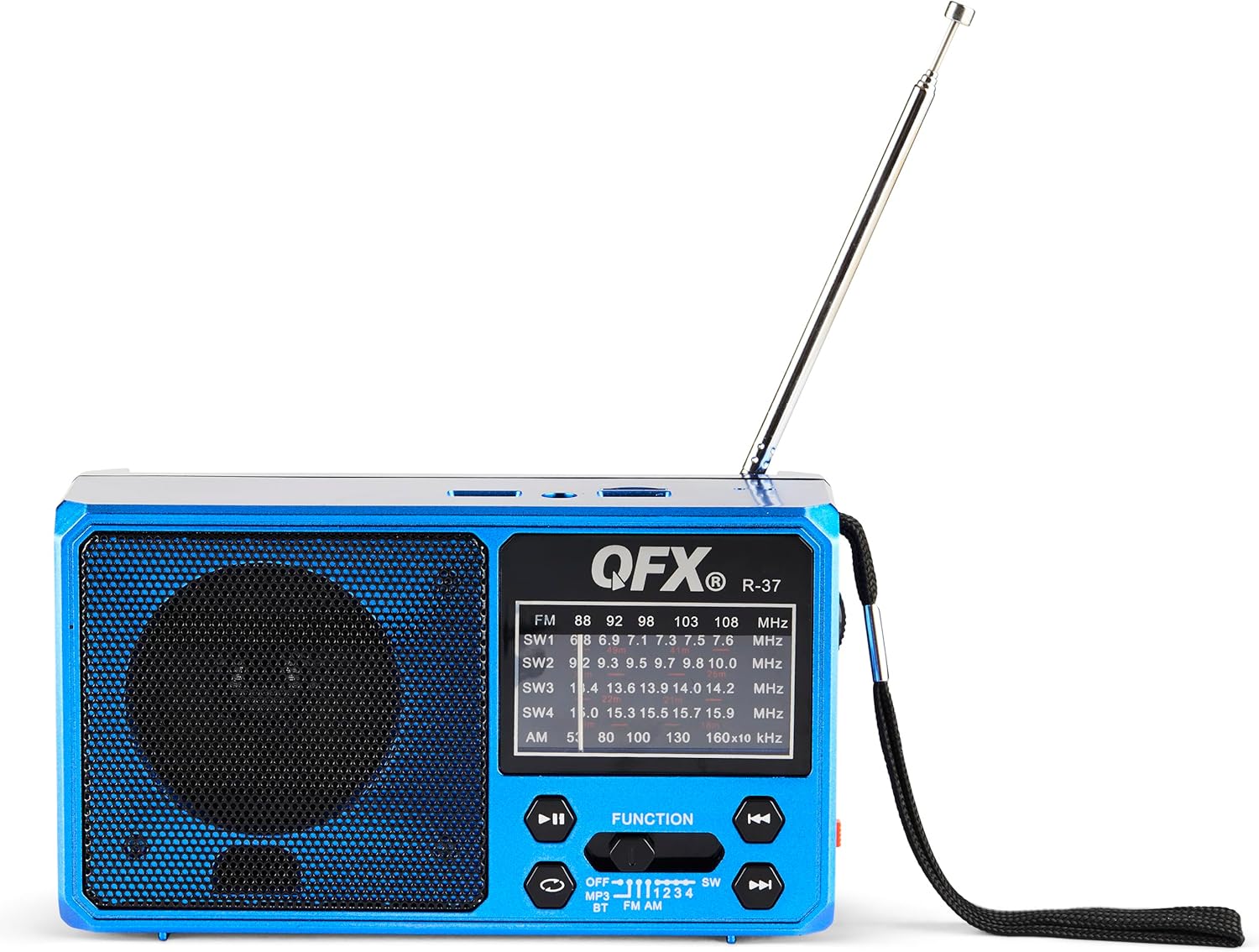
Figure 5: The solar panel on the side of the radio, shown in an extended position for optimal sun exposure.
5. Ашиглалтын заавар
5.1 Асаах/унтраах
Locate the power switch (usually a slider) on the front or side of the unit. Slide it to the 'ON' position to power on the radio. Slide it to 'OFF' to power off.
5.2 Радио ажиллагаа (AM/FM/SW)
- Илүү сайн хүлээн авахын тулд дурангийн антенныг сунгана уу.
- Use the 'FUNCTION' button or switch to select the desired band: FM, AM, SW1, SW2, SW3, or SW4.
- Rotate the 'TUNING' dial (located on the side) to scan for radio stations.
- 'ДУУНЫ ТҮВШИН' товчлуурыг өөрийн хүссэн сонсох түвшинд тохируулна уу.
5.3 Bluetooth холболт
- Switch the radio to Bluetooth mode (often labeled 'BT' or indicated by a Bluetooth icon). The radio will enter pairing mode, usually indicated by a flashing light or an audible prompt.
- Мобайл төхөөрөмж дээрээ Bluetooth-г идэвхжүүлж, боломжтой төхөөрөмжүүдийг хай.
- Select 'QFX R-37' (or similar name) from the list of devices to pair.
- Хосолсоны дараа та радиогоор дамжуулан төхөөрөмжөөсөө аудио тоглуулах боломжтой.
5.4 USB/TF карт тоглуулах
- Insert a USB flash drive or TF card (with compatible audio files) холбогдох порт руу.
- Switch the radio to MP3 mode (often labeled 'MP3' or 'USB/TF'). The radio should automatically begin playing audio files.
- Use the playback control buttons (Play/Pause, Next/Previous Track) on the radio to manage your audio.
5.5 LED гар чийдэнгийн ажиллагаа
Locate the flashlight switch (often a slider or button) on the side of the radio. Slide or press it to turn the LED flashlight on or off.
5.6 Гадаад төхөөрөмжийг цэнэглэх
The radio features a 5V USB output port. Connect your external device (e.g., smartphone) to this port using its USB charging cable. The radio's internal battery will provide power to charge your device. Note that this will drain the radio's battery.
6. Засвар үйлчилгээ
- Радиог зөөлөн, хуурай даавуугаар цэвэрлээрэй. Зүлгүүрийн цэвэрлэгч эсвэл уусгагч хэрэглэж болохгүй.
- Ensure the solar panel is clean and free of debris for efficient charging.
- If the radio will not be used for an extended period, fully charge the battery and store it in a cool, dry place.
- Periodically check the battery for any signs of damage or leakage.
7. Алдаа засах
| Асуудал | Боломжит шалтгаан | Шийдэл |
|---|---|---|
| Радио асахгүй байна. | Батерей дууссан эсвэл зөв суурилуулаагүй байна. | Ensure battery is correctly installed and fully charged. |
| Радио хүлээн авалт муу. | Антенн сунгагдаагүй, дохио сул эсвэл хөндлөнгийн оролцоотой байна. | Телескоп антенныг бүрэн сунгана. Радиогийн байршлыг өөрчлөхийг оролдоно уу. |
| Bluetooth төхөөрөмжийг холбох боломжгүй. | Radio not in pairing mode, device too far, or already paired. | Радио Bluetooth холболтын горимд байгаа эсэхийг шалгана уу. Төхөөрөмжийг ойртуулна уу. Бусад Bluetooth төхөөрөмжүүдээс салга. |
| USB/TF карт тоглохгүй байна. | Incorrect mode, unsupported file format, or corrupted card. | Ensure radio is in MP3 mode. Check file formats (e.g., MP3). Try a different USB drive or TF card. |
| Гар чийдэн ажиллахгүй байна. | Battery is low or flashlight switch is off. | Charge the radio's battery. Ensure the flashlight switch is in the 'ON' position. |
8. Техникийн үзүүлэлтүүд
- Загвар: R-37-BL
- Хэмжээ: 6.1 x 2.28 x 3.43 инч (15.5 x 5.8 x 8.7 см)
- Жин: 15.8 унц (448 грамм)
- Радио хамтлагууд: AM, FM, SW1, SW2, SW3, SW4
- Холболт: Bluetooth, USB, TF карт
- Эрчим хүчний эх үүсвэр: Solar Powered, Rechargeable Lithium-Ion Battery, DC 5V USB Input
- Оруулсан бүрэлдэхүүн хэсгүүд: Radio, removable rechargeable battery, USB charging cord
9. Баталгаат хугацаа ба дэмжлэг
Баталгаат мэдээлэл, техникийн дэмжлэг эсвэл үйлчилгээний лавлагаа авахыг хүсвэл албан ёсны QFX-д зочилно уу webсайт эсвэл харилцагчийн үйлчилгээний хэлтэстэй холбогдоно уу. Худалдан авалтын баримтаа баталгаат нэхэмжлэлд зориулж худалдан авалтын баталгаа болгон хадгална уу.


