Танилцуулга
Худалдан авалт хийсэнд баярлалааasing the DELTACO GAMING Chair, Model GAM-080. This ergonomic gaming chair is designed to provide comfort and support during long gaming sessions, featuring adjustable components and integrated RGB lighting. Please read this manual carefully before assembly and use to ensure proper operation and longevity of your chair.
Аюулгүй байдлын мэдээлэл
- Хэрэглэхийн өмнө бүх эд ангиудыг найдвартай бэхэлсэн эсэхийг шалгаарай.
- Сандал дээр бүү зогс.
- Хэрэв ямар нэгэн эд анги нь гэмтсэн эсвэл байхгүй бол сандлыг бүү ашиглаарай.
- Тохируулга хийх үед гар, хуруугаа хөдөлж буй хэсгээс хол байлга.
- This chair is designed for a maximum weight of 120 kg (264 lbs). Exceeding this limit may cause damage or injury.
- The RGB lighting requires a USB power source. Ensure the cable is not pinched or damaged.
Багцын агуулга
Угсарч эхлэхийн өмнө бүх эд ангиуд байгаа бөгөөд гэмтэлгүй эсэхийг шалгаарай. Хэрэв ямар нэг эд анги дутуу эсвэл гэмтсэн бол хэрэглэгчийн дэмжлэгтэй холбоо барина уу.
- Арын суудал
- Суудлын суурь
- Гарын түшлэг (2)
- Оддын суурь
- Кастер (5)
- Хийн өргөх цилиндр
- Хийн өргөх бүрхүүл
- Механизмын хавтан
- Бүсэлхий нурууны дэр
- Толгойн түшлэгийн дэр
- Угсрах тоног төхөөрөмж (эрэг, угаагч, Аллен түлхүүр)
- RGB алсын удирдлага
- USB Power Cable for RGB
Тохиргоо ба угсралт
Please follow these steps carefully for proper assembly. It is recommended to assemble the chair on a soft, clean surface to prevent damage.
- Оддын суурь дээр дугуйг бэхлэх: Таван дугуй тус бүрийг одны суурийн төгсгөлд байгаа нүхэнд найдвартай тогших хүртэл нь оруулна.
- Хийн өргөгчийг оруулах: Хийн өргөгч цилиндрийг од хэлбэрийн суурийн төв нүхэнд байрлуул. Үүнийг хийн өргөгч таглаагаар таглана.
- Attach Mechanism Plate to Seat Base: Align the mechanism plate with the pre-drilled holes on the underside of the seat base. Ensure the front of the mechanism plate faces the front of the seat. Secure with screws.
- Attach Armrests to Seat Base: Secure the armrests to the sides of the seat base using the provided screws. Ensure they are firmly attached.
- Арын түшлэгийг суудлын суурьтай холбох: Align the backrest with the mounting brackets on the seat base. Secure with screws.
- Суудлыг хийн өргөгчтэй холбох: Угсарсан суудал болон түшлэгийг хийн өргөгч цилиндр дээр болгоомжтой байрлуулж, төвд нь байрлуулж, тогтвортой байлгана.
- Attach Headrest and Lumbar Cushions: Secure the headrest pillow and lumbar cushion to the chair using their respective straps.

Image: The DELTACO GAMING Chair fully assembled, showcasing its ergonomic design and RGB lighting strips along the edges.
Ашиглалтын заавар
Өндөр тохируулга
Сандлын өндрийг тохируулахын тулд суудлын баруун талд байрлах хөшүүргийг дээш татна уу. Суух зуураа сандлыг өргөхийн тулд жингээ авч хаях эсвэл буулгахын тулд суусан хэвээр байгаарай. Өндрийг түгжихийн тулд хөшүүргийг суллана уу.
Нурууны түшлэг
The backrest can be reclined between 90 and 180 degrees. Pull the recline lever, typically located on the right side of the chair, and lean back or forward to achieve your desired angle. Release the lever to lock the backrest in position.

Image: An illustration demonstrating the chair's ability to recline from an upright position to a nearly flat position, indicated by an orange arrow.
RGB Lighting Operation
The chair features integrated RGB lighting with 332 LED modes. To activate the lighting, connect the chair's USB cable to a 5V USB power source (e.g., a power bank, computer USB port, or USB wall adapter). Use the included remote control to change colors, modes, and brightness.
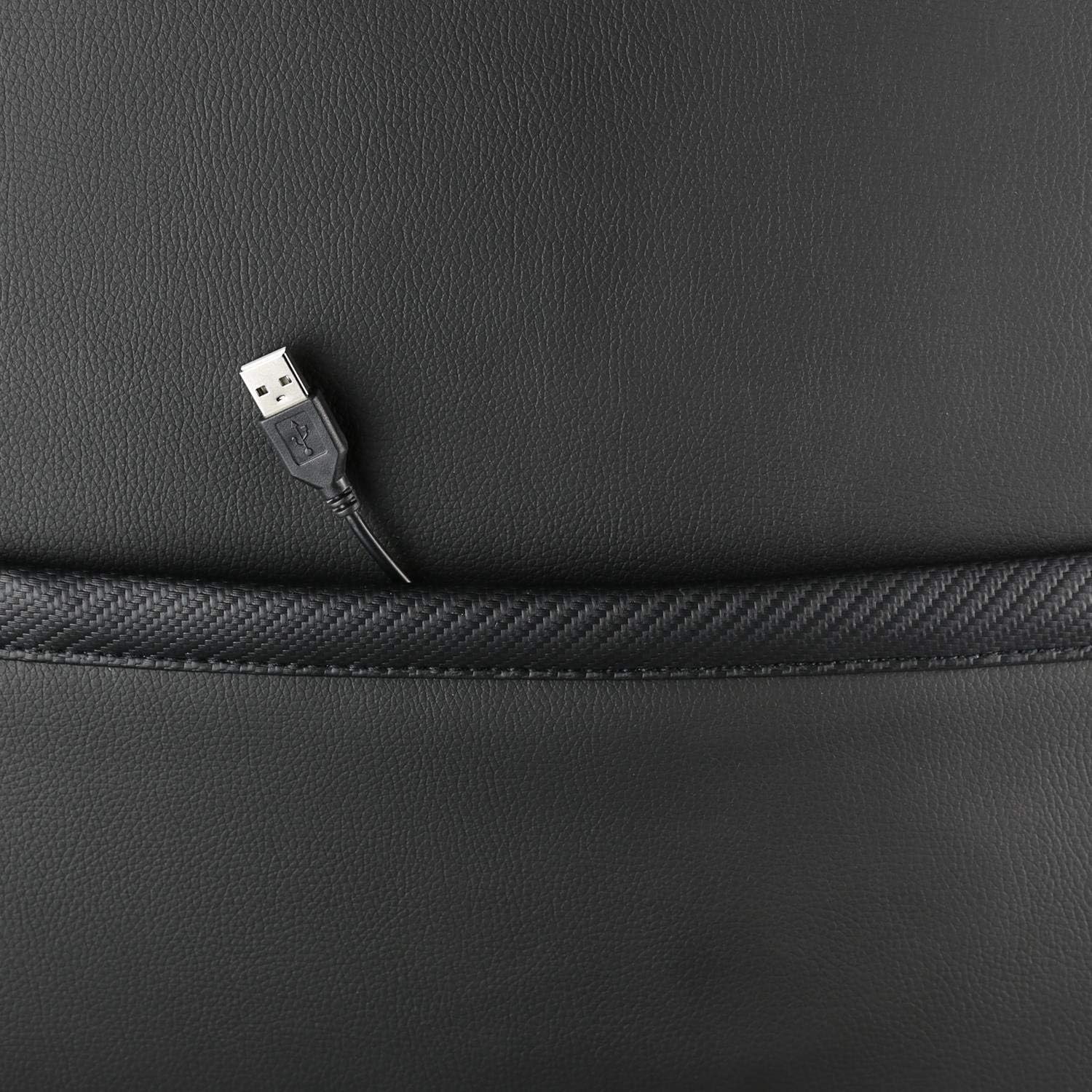
Зураг: Ойрын зураг view showing the USB power cable emerging from a pocket on the chair, used to power the RGB lighting.

Зураг: Бүтэнview image of the DELTACO GAMING RGB Gaming Chair highlighting features such as remote control for RGB lights, adjustable headrest, included lumbar cushion, and adjustable backrest from 90-180 degrees, along with 332 LED modes.
Засвар үйлчилгээ, арчилгаа
- Цэвэрлэгээ: Зар сурталчилгаагаар цэвэрлэamp cloth. Do not use harsh chemicals or abrasive cleaners, as this may damage the faux leather.
- Шалгалт: Бүх шураг, боолтыг нягт байгаа эсэхийг шалгахын тулд үе үе шалгана. Шаардлагатай бол дахин чангална.
- Хадгалах: Store the chair in a cool, dry place away from direct sunlight to prevent material degradation.
- USB кабель: Ensure the USB power cable for the RGB lighting is not kinked or damaged.
Алдааг олж засварлах
| Асуудал | Боломжит шалтгаан | Шийдэл |
|---|---|---|
| Сандал нь өндрийг тохируулдаггүй. | Хийн өргөгч цилиндрийн эвдрэл эсвэл хөшүүрэг ажиллахгүй байна. | Ensure the height adjustment lever is fully pulled. If the issue persists, the gas lift may need replacement. |
| Нурууны түшлэг нь хэвтдэггүй, түгжигддэггүй. | Хэвтээ механизм гацсан эсвэл хөшүүрэг ажиллахгүй байна. | Check for obstructions around the recline mechanism. Ensure the recline lever is fully engaged. |
| RGB гэрэлтүүлэг ажиллахгүй байна. | USB power not connected, cable damaged, or remote control battery low. | Verify the USB cable is securely connected to a working 5V power source. Check the cable for damage. Replace remote control battery if necessary. |
| Сандал гуйвж байна. | Loose screws or casters not fully inserted. | Tighten all assembly screws. Ensure all casters are fully inserted into the star base. |
Үзүүлэлтүүд
| Онцлог | Дэлгэрэнгүй |
|---|---|
| Загварын нэр | ГАМ-080 |
| Брэнд | DELTACO GAMING |
| Өнгө | Хар |
| Материал | Faux leather, Foam |
| Хамгийн их жингийн зөвлөмж | 120 килограмм (264 фунт) |
| Бүтээгдэхүүний хэмжээ (L x W x H) | 22.44 x 26.77 x 57.87 инч |
| Зүйлийн жин | 46.2 фунт |
| Онцлог шинж чанарууд | RGB Lighting, Adjustable Backrest (90-180°), Adjustable Height, Lumbar Cushion, Headrest Pillow |
| Power Source for RGB | USB 5V |
Баталгаат болон дэмжлэг
This DELTACO GAMING Chair (Model GAM-080) comes with a 1-year spare part availability duration within the EU, as per manufacturer specifications.
For technical support, warranty claims, or inquiries regarding spare parts, please contact DELTACO GAMING customer support. Refer to your purchase documentation for specific contact details or visit the official DELTACO GAMING webсайт.
Note: Proof of purchase may be required for warranty services.


