1. Танилцуулга
This manual provides detailed instructions for the safe and efficient operation of your TOTAL Digital Sound Level Meter, model Tetsl01. Please read this manual thoroughly before using the device and keep it for future reference. This device is designed for measuring sound levels in various environments.
2. Аюулгүй байдлын мэдээлэл
Төхөөрөмжийг гэмтээх, гэмтээхээс сэргийлэхийн тулд дараах аюулгүй байдлын урьдчилан сэргийлэх арга хэмжээг үргэлж дагаж мөрдөөрэй.
- Do not attempt to open or modify the device. Internal repairs should only be performed by qualified personnel.
- Төхөөрөмжийг хэт өндөр температур, чийгшил, нарны шууд тусгалд оруулахаас зайлсхий.
- Төхөөрөмжийг хүчтэй соронзон орноос хол байлга.
- Батерейг туйлшралын тэмдэглэгээний дагуу зөв оруулсан эсэхийг шалгаарай. Хэрэв төхөөрөмжийг удаан хугацаагаар ашиглахгүй бол батарейг нь салга.
- Төхөөрөмжийг зөөлөн, хуурай даавуугаар цэвэрлэ. Зүлгүүрийн цэвэрлэгч, уусгагчийг бүү ашигла.
- This device is not waterproof. Avoid contact with liquids.
3. Бүтээгдэхүүний бүрэлдэхүүн хэсгүүд
Familiarize yourself with the main components of your sound level meter:

Зураг 3.1: Урд View of the Sound Level Meter. This image displays the front of the TOTAL Digital Sound Level Meter Tetsl01, showing the display screen, microphone with foam windscreen, and control buttons including Power, F/S (Fast/Slow), REC (Record), RAN (Range), and UNIT. The brand "TOTAL" is visible above the screen, and "TETSL01 Digital Sound Level Meter" is printed below the buttons.

Зураг 3.2: Буцах View of the Sound Level Meter. This image shows the back of the TOTAL Digital Sound Level Meter Tetsl01. A red battery compartment cover is visible, with a "CAUTION" label and text indicating compliance standards (EN61010-1, EN61326-1) and battery type (DC1.5V x 3 AAA). A CE mark and a crossed-out wheeled bin symbol are also present, along with a serial number "H12B-Q098922".
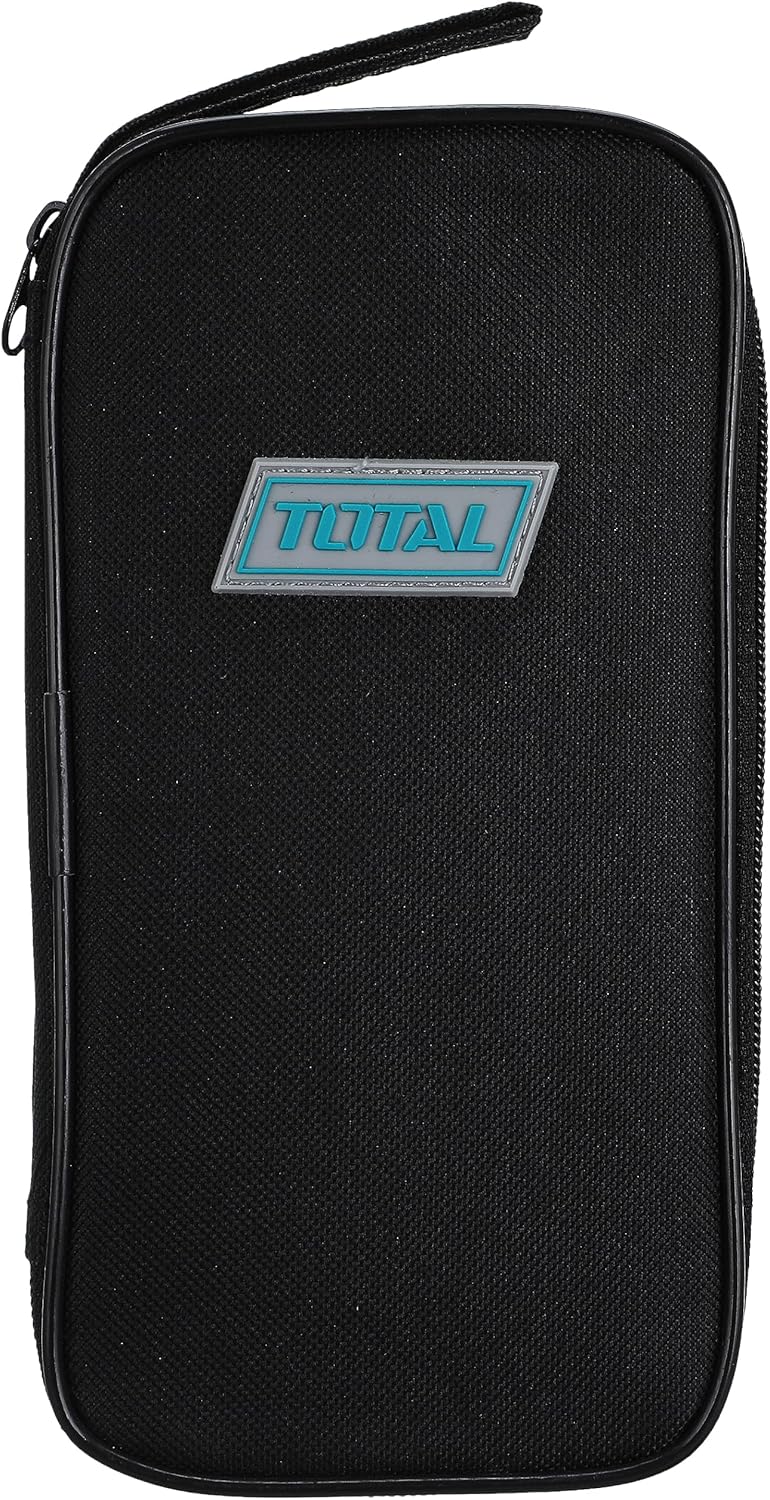
Figure 3.3: Carrying Case. This image features a black zippered carrying case for the TOTAL Digital Sound Level Meter. The case has a rectangular shape with rounded corners and a prominent "TOTAL" logo badge in blue and white on the front.

Зураг 3.4: Төхөөрөмжийн хэмжээс. This image illustrates the approximate dimensions of the TOTAL Digital Sound Level Meter Tetsl01 in relation to a hand. The device measures approximately 4.7 inches (11 cm) in length.
4. Тохиргоо
4.1. Зай суурилуулах
- Төхөөрөмжийн ар талд байрлах батерейны хэсгийг олоорой (Зураг 3.2-ийг үзнэ үү).
- Carefully slide or unscrew the battery compartment cover to open it.
- Тасалгааны дотор заасны дагуу зөв туйлшралыг (+/-) баталгаажуулж, гурван (3) AAA батерейг оруулна уу.
- Зайны тасалгааны тагийг найдвартай солино.
4.2. Анхдагч асаалттай
дээр дарна уу Хүч button (usually marked with an 'I/O' symbol) to turn on the device. The display should illuminate, showing current sound level readings or a standby screen.
5. Ашиглалтын заавар
5.1. Үндсэн хэмжилт
- ашиглан төхөөрөмжийг асаана уу Хүч товч.
- Hold the meter with the microphone pointed towards the sound source.
- The display will show the current sound level in decibels (dB).
5.2. Fast/Slow Response Time
дээр дарна уу F/S button to switch between Fast and Slow response times. Fast response is suitable for capturing sudden noise peaks, while Slow response provides an average reading for more stable measurements.
5.3. Recording Data (REC)
дээр дарна уу REC button to activate data recording. The device may store minimum and maximum readings or a series of measurements, depending on the model's capabilities. Refer to the on-screen indicators for recording status.
5.4. Range Selection (RAN)
-г ашиглана уу РАН button to adjust the measurement range. Selecting an appropriate range ensures accuracy. If the reading is outside the current range, an "OVER" or "UNDER" indicator may appear.
5.5. Unit Selection (UNIT)
The НЭГЖ button allows you to cycle through different measurement units or weighting functions (e.g., dBA, dBC), if supported by the device. dBA is commonly used for environmental noise measurements.
6. Засвар үйлчилгээ
6.1. Цэвэрлэгээ
Wipe the device exterior with a soft, dry, lint-free cloth. Do not use liquid cleaners, aerosols, or solvents, as these can damage the casing or internal components. Ensure the microphone foam windscreen is free of dust and debris for accurate readings.
6.2. Хадгалах
When not in use, store the sound level meter in its protective carrying case (refer to Figure 3.3) in a cool, dry place, away from direct sunlight and extreme temperatures. Remove batteries if storing for extended periods to prevent leakage.
6.3. Шалгалт тохируулга
For professional applications requiring high accuracy, periodic calibration by a certified laboratory is recommended. Consult the manufacturer's webТохируулгын үйлчилгээний талаар сайтаас эсвэл дэмжлэгтэй холбогдоно уу.
7. Алдаа засах
| Асуудал | Боломжит шалтгаан | Шийдэл |
|---|---|---|
| Төхөөрөмж асахгүй байна. | Дууссан эсвэл буруу суурилуулсан батерей. | Батерейны туйлшралыг шалгана уу. Шинэ AAA батерейгаар солино. |
| Буруу уншилтууд. | Microphone obstructed, incorrect range, or device needs calibration. | Ensure microphone is clear. Adjust measurement range. Consider professional calibration. |
| Display shows "OVER" or "UNDER". | Sound level is outside the current measurement range. | дээр дарна уу РАН button to select a different measurement range. |
| Товчнууд хариу өгөхгүй байна. | Temporary software glitch or low battery. | Turn the device off and on again. Replace batteries. |
8. Техникийн үзүүлэлтүүд
| Онцлог | Дэлгэрэнгүй |
|---|---|
| Брэнд | НИЙТ |
| Загварын дугаар | Tetsl01 |
| Зүйлийн жин | 5 грамм |
| Бүтээгдэхүүний хэмжээс | 12 x 6.1 x 4.6 см |
| Өнгө | Олон өнгийн |
| Батерей шаардлагатай | Yes (3 x AAA) |
| Эхний боломжтой огноо | 8 оны дөрөвдүгээр сарын 2021 |
| Дагаж мөрдөх | EN61010-1, EN61326-1 (as per device marking) |
9. Баталгаат хугацаа ба дэмжлэг
9.1. Баталгаат хугацааны мэдээлэл
This product comes with a standard manufacturer's warranty. For specific warranty terms and conditions, please refer to the warranty card included with your purchase or visit the official TOTAL webсайт. Баталгаат нэхэмжлэл гаргахын тулд худалдан авалтаа нотлох баримтаа хадгалаарай.
9.2. Хэрэглэгчийн дэмжлэг
If you encounter any issues not covered in the troubleshooting section or require further assistance, please contact TOTAL customer support. Contact details can typically be found on the product packaging or the official TOTAL webсайт.
For online resources and frequently asked questions, visit: www.totaltools.com (This is a placeholder link, replace with actual support link if available).