1. Танилцуулга
This manual provides essential information for setting up, operating, and maintaining your VIZIO 32-inch D-Series Full HD 1080p Smart TV (Model D32f4-J01). This television features a Full Array LED backlight for enhanced contrast and uniformity, brilliant 1080p Full HD resolution, and an ultra-fast VIZIO IQ processor. It supports immersive audio pass-through for Dolby Atmos and DTS:X. The D-Series also includes the V-Gaming Engine for optimized gaming performance and the SmartCast platform with built-in apps, Apple AirPlay 2, and Chromecast.
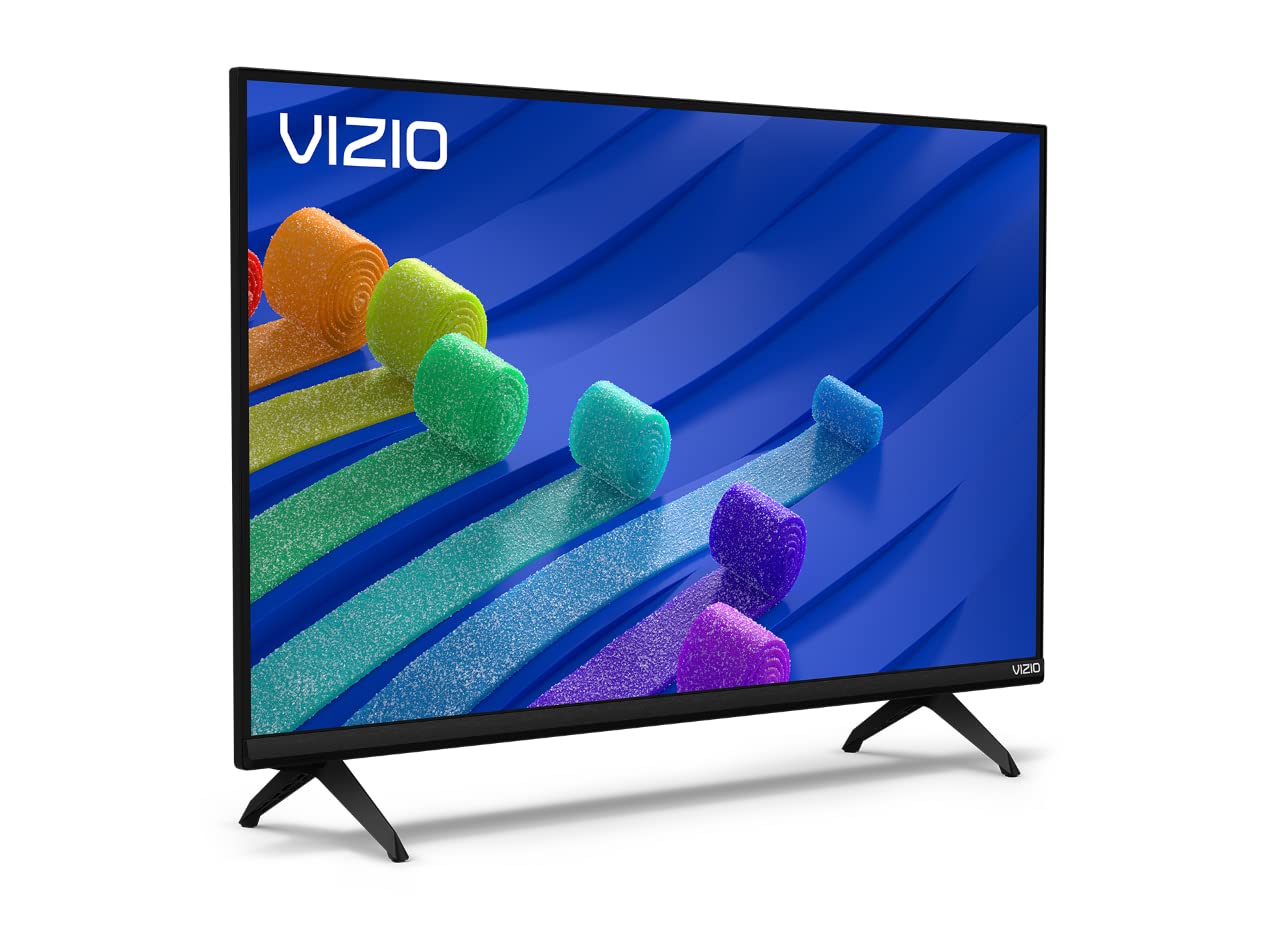
Figure 1: VIZIO 32-inch D-Series Full HD 1080p Smart TV.
2. Хайрцагт юу байна
Upon unboxing your VIZIO D-Series TV, ensure all components are present:
- VIZIO D-Series Full HD Smart TV
- Цахилгаан кабель
- Алсын удирдлага
- TV Stand (2 feet)

Figure 2: Included accessories with your VIZIO D-Series TV.
3. Тохиргоо
3.1 Телевизийн тавиурыг бэхлэх
If you plan to place your TV on a flat surface, attach the included stand feet. Ensure the TV is placed face down on a soft, clean surface to prevent screen damage.
- Carefully align each stand foot with the corresponding slots on the bottom of the TV.
- Secure each foot using the provided screws. Tighten firmly but do not overtighten.
Video 1: VIZIO D-Series Unboxing and Stand Assembly. This video demonstrates the unboxing process and how to attach the stand feet to your VIZIO D-Series TV.
3.2 Эрчим хүчний холболт
Connect the power cable to the TV's power input and then to a wall outlet. The power cable is typically attached to the rear of the TV.
3.3 Анхны тохиргоо
Once powered on, follow the on-screen instructions to complete the initial setup, including language selection, network connection, and channel scanning.
4. Ашиглалтын заавар
4.1 Алсын удирдлага
The included remote control provides full functionality for navigating your VIZIO Smart TV. Insert the provided batteries into the remote control.

Figure 3: The VIZIO Mobile App can also serve as a remote control.
4.2 Үндсэн навигаци
- Эрчим хүч: Press the power button on the remote or TV to turn the TV on/off.
- Оруулах: Use the 'Input' button to switch between connected devices (HDMI, USB, etc.).
- Эзлэхүүн: +/- товчлууруудыг ашиглан дууны түвшинг тохируулна уу.
- SmartCast Home: Press the 'Home' button to access the SmartCast platform.
5. SmartCast Features
VIZIO SmartCast provides instant access to a wide selection of built-in apps and streaming services.
5.1 Built-in Apps
Access popular streaming services like Netflix, Disney+, YouTube, HBO Max, and many more directly from your TV's home screen.

Figure 4: The VIZIO SmartCast platform offers a wide array of streaming applications.
5.2 WatchFree+
Enjoy free access to live TV and hundreds of free channels right out of the box with WatchFree+.

Figure 5: WatchFree+ provides free live TV and on-demand content.
5.3 Apple AirPlay 2 & Chromecast Built-in
Mirror content from your Apple or Android devices directly to your TV for seamless sharing of photos, videos, and apps.

Figure 6: Stream or mirror content using Apple AirPlay 2 and Chromecast.
5.4 Дуут туслахын нийцтэй байдал
The VIZIO D-Series TV is compatible with popular voice assistants like Alexa, Google Assistant, and Apple HomeKit, allowing for convenient voice control.

Figure 7: VIZIO D-Series TVs integrate with various smart home ecosystems.
6. Тоглоомын онцлог
The VIZIO D-Series is equipped with the V-Gaming Engine to enhance your gaming experience.
- V-Gaming Engine: Automatically optimizes picture mode for gaming.
- Variable Refresh Rate (VRR) with AMD FreeSync: Гөлгөр, нулимсгүй тоглоомыг хангана.
- Автомат тоглоомын горим: Reduces input lag for more responsive gaming.
Video 2: VIZIO V-Gaming Engine. This video highlights the gaming features of VIZIO TVs, including low input lag and Auto Game Mode.

Figure 8: VIZIO Gaming TVs offer features like Auto Game Mode and low input lag.
7. Холболт
Your VIZIO D-Series TV offers various ports for connecting external devices.
- HDMI портууд: Connect high-definition devices such as gaming consoles, Blu-ray players, and cable boxes.
- USB порт: USB хөтчүүдээс медиа тоглуулах зориулалттай.
- Антен/Кабель оролт: Антен эсвэл кабелийн ТВ холбох зориулалттай.
- Нийлмэл оролт: RCA кабель ашигладаг хуучин төхөөрөмжүүдийн хувьд.
- Аудио гаралт: Гадаад аудио системийг холбоход зориулагдсан.

Зураг 9: Арын самбарын холболтын сонголтууд.
8. Засвар үйлчилгээ
To ensure the longevity and optimal performance of your VIZIO TV, follow these maintenance guidelines:
- Дэлгэц цэвэрлэх: Зөөлөн, хөвөнгүй даавуугаар дэлгэцийг зөөлөн арчина. Зөрүүд тэмдгүүдийн хувьд дэлгэцэн дээр шууд биш харин даавуунд түрхсэн дэлгэцийн тусгай цэвэрлэгээний уусмалыг хэрэглээрэй.
- Засгийн газрын цэвэрлэгээ: Зурагтын шүүгээг цэвэрлэхдээ зөөлөн, хуурай даавуу ашиглаарай. Зүлгүүрийн цэвэрлэгч эсвэл уусгагч бодис хэрэглэхээс зайлсхий.
- Агааржуулалт: Хэт халалтаас сэргийлэхийн тулд ТВ-ийн агааржуулалтын нүхийг хаагаагүй эсэхийг шалгаарай.
- Цахилгааны утас: Цахилгааны утсанд гэмтэл байгаа эсэхийг тогтмол шалгана уу. Гэмтсэн утсыг бүү ашигла.
9. Алдаа засах
If you encounter issues with your VIZIO D-Series TV, refer to the following common solutions:
- Эрчим хүчгүй: Цахилгааны кабелийг ТВ болон ажиллаж байгаа ханын залгуурт найдвартай холбосон эсэхийг шалгаарай. Өөр залгуураар оролдоно уу.
- Зураг/дуу чимээ байхгүй: Verify the correct input source is selected. Check all cable connections (HDMI, antenna, etc.) are secure.
- Алсын удирдлага ажиллахгүй байна: Алсын удирдлага дахь батерейг солино уу. Алсын удирдлага болон ТВ-ийн IR мэдрэгчийн хооронд ямар ч саад бэрхшээл байхгүй эсэхийг шалгаарай.
- Сүлжээний холболтын асуудлууд: Restart your router and modem. Check the TV's network settings to ensure it's connected to the correct Wi-Fi network.
- Зургийн чанарын асуудал: Adjust picture settings (brightness, contrast, sharpness) in the TV menu. Ensure the content source is high quality.
10. Техникийн үзүүлэлтүүд
| Онцлог | Дэлгэрэнгүй |
|---|---|
| Брэнд | VIZIO |
| Загварын дугаар | D32F4-J01 |
| Дэлгэцийн хэмжээ | 32 инч |
| Дэлгэцийн технологи | LCD with Full Array LED Backlight |
| Шийдвэр | 1080p бүрэн HD |
| Сэргээх хурд | 60 Гц |
| Онцлог шинж чанарууд | Flat, SmartCast, Apple AirPlay 2, Chromecast Built-in, Alexa Compatibility, V-Gaming Engine, IQ Picture Processor |
| Холболтын технологи | HDMI, USB |
| Дэмжигдсэн интернет үйлчилгээ | Apple TV+, Crackle, Discovery+, Disney+, Fandango, fuboTV, HBO Max, Hulu, iHeartRadio, Netflix, Pandora, Paramount+, Peacock, Prime Video, Redbox, Sling TV, Tubi, Vudu, XUMO, YouTube, YouTube TV |
| Зүйлийн жин | 8.5 фунт |
| Бүтээгдэхүүний хэмжээс | 28.09 x 7.1 x 16.59 инч |
| Өнгө | Хар |
11. Баталгаат хугацаа ба дэмжлэг
For warranty information and technical support, please refer to the VIZIO Quick Start Guide included with your product or visit the official VIZIO support website. You may also find additional support resources and FAQs online.


