
1. Танилцуулга
Thank you for choosing the Pipishell Full Motion TV Monitor Wall Mount. This manual provides detailed instructions for the safe and proper installation, operation, and maintenance of your PISF1 or PIMF2 wall mount. Please read this manual thoroughly before installation to ensure correct setup and to prevent damage or injury.
Аюулгүй байдлын чухал мэдээлэл
- Энэхүү гарын авлагад агуулагдсан бүх заавар, сэрэмжлүүлгийг уншиж, ойлгож дуустал суулгалтыг бүү эхлүүл.
- Суурилуулалтын гадаргуу нь угсралт болон дэлгэцийн нийт жинг найдвартай дааж чадах эсэхийг шалгаарай.
- Always use a stud finder to locate wood studs. Do not mount to drywall alone.
- If mounting to concrete or brick, ensure appropriate anchors are used and the wall is structurally sound.
- Өгөгдсөн бүх тоног төхөөрөмжийг ашиглаарай. Сэлбэг хэрэгслийг сольж болохгүй.
- If you have any questions or require assistance, contact Pipishell customer support.
2. Бүтээгдэхүүний онцлог
The Pipishell Full Motion TV Monitor Wall Mounts (PISF1 & PIMF2) offer versatile viewing options and robust construction.
- Олон-Viewөнцөг Allows for tilt adjustment (5° upward, 15° downward) to reduce glare and swivel (up to 90° left or right, depending on TV size) for optimal viewянз бүрийн албан тушаалаас ирсэн.
- Extend and Retract: Extends the TV up to 17 inches from the wall and retracts back to 2.2 inches, providing flexibility for viewing and space-saving.
- Stable and Reliable Construction: Constructed with premium alloy steel materials, featuring ultra-strong arms for durability and flexibility. Stress-tested to hold 4 times its rated weight capacity.
- Universal TV Compatibility:
- PISF1: Compatible with most 13"-42" TVs/monitors with VESA patterns from 75x75mm to 200x200mm. Max. weight capacity up to 44 lbs.
- PIMF2: Compatible with most 13"-55" TVs with VESA patterns from 75x75mm to 400x400mm. Max. weight capacity up to 66 lbs.
- Diverse Wall Compatibility: Can be mounted to single wood stud walls and solid concrete/brick walls (anchors included). Ганцаараа хуурай хананд бүү бэхлээрэй.
- Хялбар суурилуулалт: Designed for quick and straightforward installation with provided hardware and a detailed graphical guide.

Image: Key design details of the PIMF2 mount, emphasizing its sturdy build and single stud compatibility.
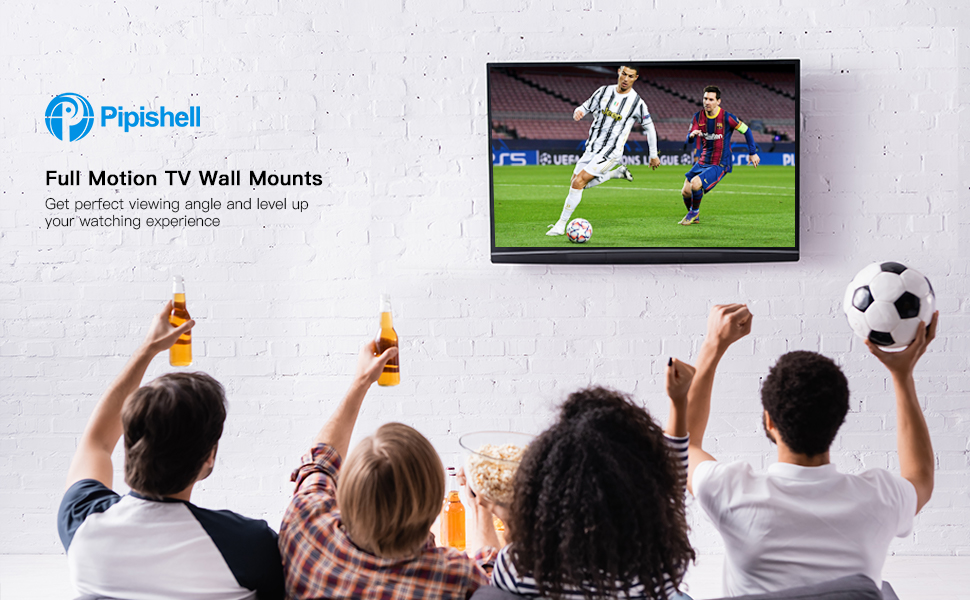
Image: A group of people enjoying a soccer game on a TV mounted with a Pipishell full motion mount, showcasing сайжруулсан viewтуршлага.
3. Багцын агуулга
Please verify that all components are present and undamaged before proceeding with installation. If any parts are missing or damaged, do not attempt to install and contact customer support.
Оруулсан ердийн бүрэлдэхүүн хэсгүүд:
- Wall Plate Assembly (x1)
- TV Bracket Arms (x2 or x4, depending on model)
- Суурилуулалтын тоног төхөөрөмжийн иж бүрдэл (янз бүрийн эрэг, жийргэвч, зурагт болон хананд зориулсан зай)
- Concrete/Brick Anchors (if applicable)
- Bubble Level (x1)
- Hex Key / Wrench (x1)
- Суулгах гарын авлага (энэ баримт бичиг)
4. Суулгах заавар
Аюулгүй, амжилттай суулгахын тулд эдгээр алхмуудыг анхааралтай дагаж мөрдөөрэй.
4.1 Суурилуулалтын өмнөх шалгалт
- Check TV Compatibility: Verify your TV's size, weight, and VESA pattern (the four mounting holes on the back of your TV) are within the limits of your specific Pipishell mount model (PISF1 or PIMF2).
- PISF1 VESA: 75x75mm, 100x100mm, 100x200mm, 200x100mm, 200x200mm. Max 44 lbs.
- PIMF2 VESA: 75x75mm, 100x100mm, 200x100mm, 200x200mm, 300x200mm, 300x300mm, 400x200mm, 400x300mm, 400x400mm. Max 66 lbs.
- Ханын төрлийг тодорхойлох: Identify if your wall is a wood stud wall, solid concrete, or brick. This will determine the appropriate mounting hardware and procedure.
- Цуглуулах хэрэгсэл: You will need a drill, stud finder (for wood studs), level, pencil, and a Phillips head screwdriver.

Image: VESA compatibility chart for the PISF1 mount, indicating supported hole patterns and maximum weight/size.

Image: VESA compatibility chart for the PIMF2 mount, detailing various supported hole patterns.
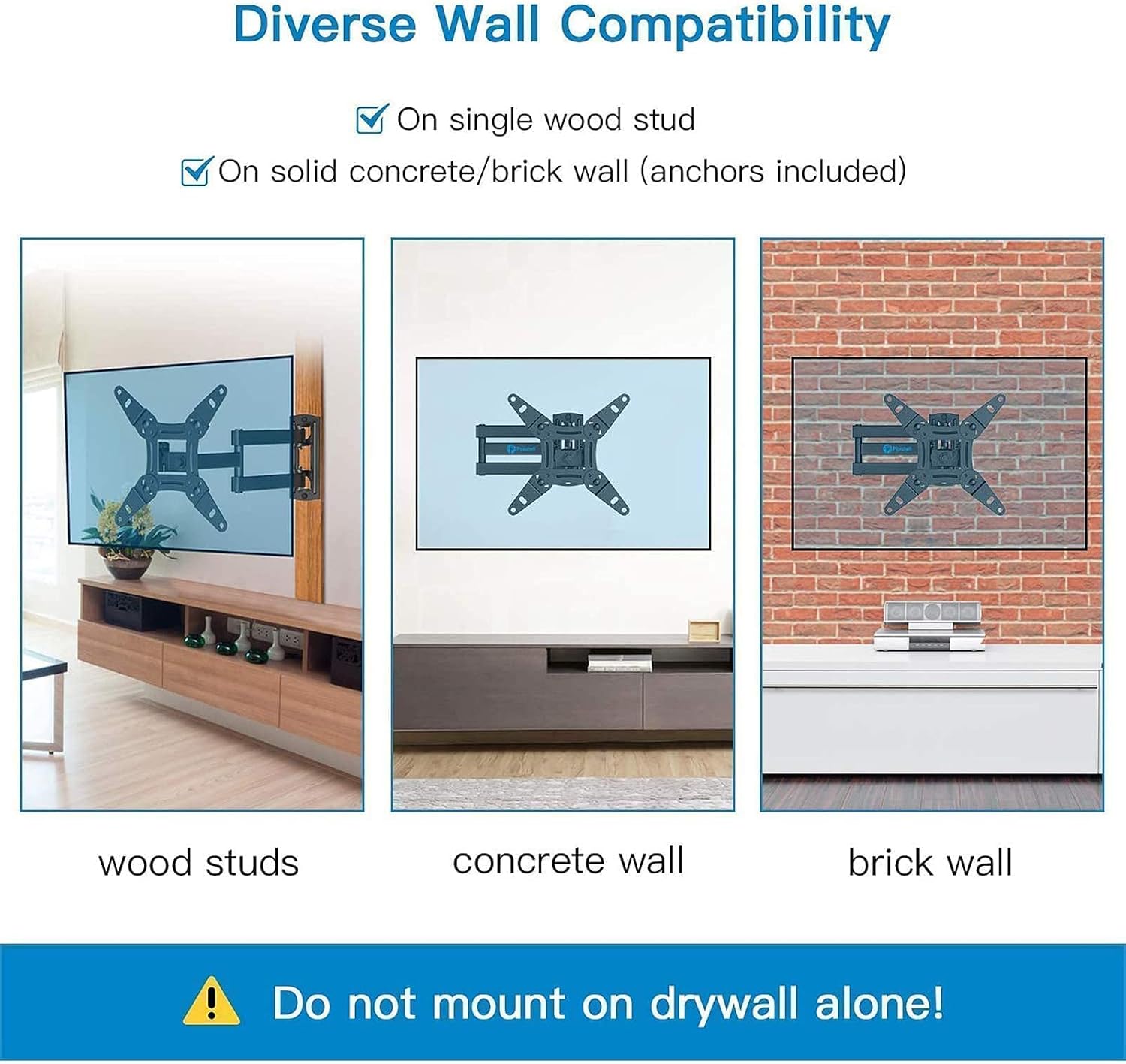
Зураг: Жишээ ньamples of PISF1 mount installation on different wall types: wood studs, concrete, and brick. A warning states not to mount on drywall alone.
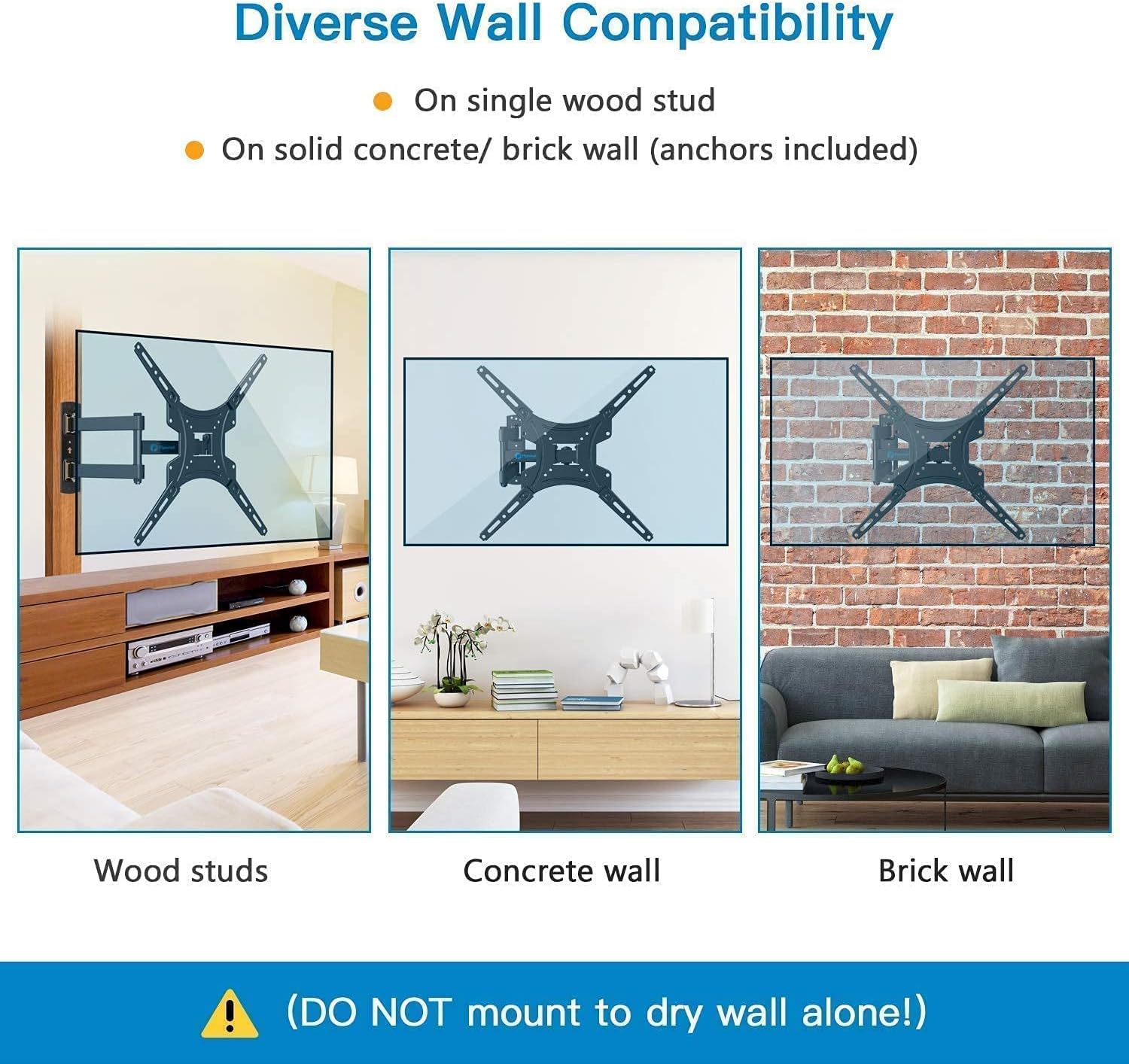
Зураг: Жишээ ньamples of PIMF2 mount installation on different wall types: wood studs, concrete, and brick. A warning states not to mount on drywall alone.
4.2 Mounting Steps (3-in-1 Easy Installation)
The installation process is simplified into three main steps:

Image: A visual guide to the three-step installation process: attaching brackets to the TV, installing the wall plate, and hanging the TV onto the wall plate.
- ТВ-д хаалт хавсаргах: Carefully place your TV face down on a soft, clean surface. Align the TV bracket arms with the VESA mounting holes on the back of your TV. Select the correct screws, washers, and spacers from the hardware kit that fit your TV. Secure the brackets to the TV, ensuring they are firmly attached but do not overtighten.
- Ханын хавтанг суурилуулах:
- Модон хананы хувьд: Use a stud finder to locate the center of a single wood stud at your desired mounting height. Mark the drill holes. Drill pilot holes (refer to manual for specific drill bit size). Secure the wall plate to the stud using the provided lag bolts and washers. Use a level to ensure the wall plate is perfectly horizontal before tightening all bolts.
- Бетон/Тоосгон хананы хувьд: Mark the drill holes at your desired mounting height. Drill pilot holes (refer to manual for specific drill bit size). Insert the concrete anchors into the drilled holes. Secure the wall plate to the wall using the provided lag bolts and washers, ensuring the anchors are fully engaged. Use a level to ensure the wall plate is perfectly horizontal before tightening all bolts.
- ТВ өлгөх: With assistance, carefully lift the TV with the attached brackets and hook them onto the wall plate. Ensure the TV is securely seated on the wall plate. Some models may have safety screws or locking mechanisms to prevent accidental dislodging; engage these as per the specific instructions for your mount.
5. Зурагтын суурьгаа ажиллуулах
Your Pipishell full motion mount allows for various adjustments to achieve the best viewтуршлага.
5.1 Тохируулах Viewing Angings
- Налалтын тохируулга: The mount allows for tilting the TV 5° upward and 15° downward. Loosen the tilt adjustment knobs/bolts on the TV brackets, adjust to the desired angle to reduce glare, and then re-tighten securely.
- Эргэлтийн тохируулга: The articulating arm allows you to swivel the TV left or right up to 90° (maximum angle depends on TV size and distance from wall). Gently push or pull the TV to the desired swivel position.
- Сунгалт ба Татан буулгалт: Extend the TV away from the wall for greater flexibility or retract it back to a minimum distance of 2.2 inches to save space. Gently pull or push the TV to extend or retract the arm.

Image: Illustrations demonstrating the 360° rotation capability for portrait or landscape viewing and the 180° swivel for flexible positioning.

Image: Visual representation of the mount's extension range (2.2" to 14.5") and tilt adjustment (+5° to -15°) for anti-glare viewing.

Зураг: Нарийвчилсан view of the PIMF2 mount's full motion capabilities, including extension up to 17 inches, tilt from +5° to -15°, and 90° swivel.
6. Засвар үйлчилгээ
Тогтмол засвар үйлчилгээ нь таны телевизийн суурийн удаан эдэлгээ, аюулгүй ажиллагааг хангана.
- Цэвэрлэгээ: Dust the mount regularly with a soft, dry cloth. For stubborn marks, use a slightly damp даавуу болон зөөлөн угаалгын нунтагаар арчиж, дараа нь хатаана. Зүлгүүрийн цэвэрлэгч эсвэл уусгагчаас зайлсхий.
- Холболтуудыг шалгах: Periodically (e.g., every 6 months) check all screws and bolts to ensure they are still tight and secure. Do not overtighten.
- Гэмтлийг шалгах: Visually inspect the mount for any signs of wear, corrosion, or damage. If any damage is found, do not use the mount and contact customer support.
7. Алдаа засах
Суулгах явцад болон дараа нь асуудал гарвал дараах нийтлэг асуудал, шийдлүүдийг үзнэ үү.
| Асуудал | Боломжит шалтгаан | Шийдэл |
|---|---|---|
| Суулгасны дараа ТВ тэгш биш байна. | Wall plate not level; TV brackets not adjusted correctly. | Ensure the wall plate is perfectly level during installation. Some mounts have a post-installation leveling adjustment feature on the TV brackets; consult your specific model's instructions. |
| Уул нь сул эсвэл гуйвж байгаа мэт мэдрэгддэг. | Mounting bolts not fully tightened; incorrect wall anchors used; wall not strong enough. | Re-check and tighten all mounting bolts. Ensure correct anchors were used for your wall type. If the wall is insufficient, consult a professional. |
| ТВ нь бэхэлгээнд тохирохгүй байна. | Incorrect VESA pattern; TV too heavy or too large. | Verify your TV's VESA pattern, weight, and size against the mount's specifications. Ensure you have the correct Pipishell model (PISF1 or PIMF2) for your TV. |
| Хазайлт/эргэлтийг тохируулахад бэрхшээлтэй. | Adjustment bolts are too tight. | Slightly loosen the adjustment bolts/knobs, make the adjustment, then re-tighten to secure the position. Do not loosen excessively. |
8. Техникийн үзүүлэлтүүд
| Онцлог | Тодорхойлолт |
|---|---|
| Брэнд | Пипишелл |
| Хамгаалагдсан загварууд | PISF1, PIMF2 |
| Суурилуулах төрөл | Ханын бэхэлгээ |
| Хөдөлгөөний төрөл | Swivel, Tilt, Articulating |
| Материал | Хайлш ган |
| Өнгө | Хар |
| Тохиромжтой хамгийн бага хэмжээ | 13 инч |
| Maximum Compatible Size (PISF1) | 42 инч |
| Maximum Compatible Size (PIMF2) | 55 инч |
| Max. Weight Capacity (PISF1) | 44 фунт |
| Max. Weight Capacity (PIMF2) | 66 фунт |
| VESA Compatibility (PISF1) | 75x75мм-ээс 200x200мм хүртэл |
| VESA Compatibility (PIMF2) | 75x75мм-ээс 400x400мм хүртэл |
| Налалтын өнцөг | +5°-аас -15° хүртэл |
| Эргэдэг өнцөг | Up to 90° left/right (TV size dependent) |
| Ханан дээрх өргөтгөл | 2.2 инч (ухраасан)-аас 17 инч (сунгасан) хүртэл |
| Тохиромжтой төхөөрөмжүүд | Монитор, Телевиз |
9. Баталгаат хугацааны мэдээлэл
Pipishell products are manufactured with quality and care. This product is covered by a limited warranty against defects in materials and workmanship. For specific warranty terms and conditions, please refer to the warranty card included with your product or visit the official Pipishell webсайт. Худалдан авалтын баримтаа худалдан авалтын баталгаа болгон хадгалаарай.
10. Хэрэглэгчийн дэмжлэг
If you have any questions, require technical assistance, or need to report missing/damaged parts, please contact Pipishell customer support. Our team is available to help you with your product.
- Webсайт: Visit the official Pipishell webТүгээмэл асуултууд болон туслах эх сурвалжуудын сайт.
- Имэйл: Refer to your product packaging or the Pipishell webхарилцагчийн үйлчилгээний имэйл хаягийн сайт.
- Утас: Refer to your product packaging or the Pipishell website for customer service phone contact.
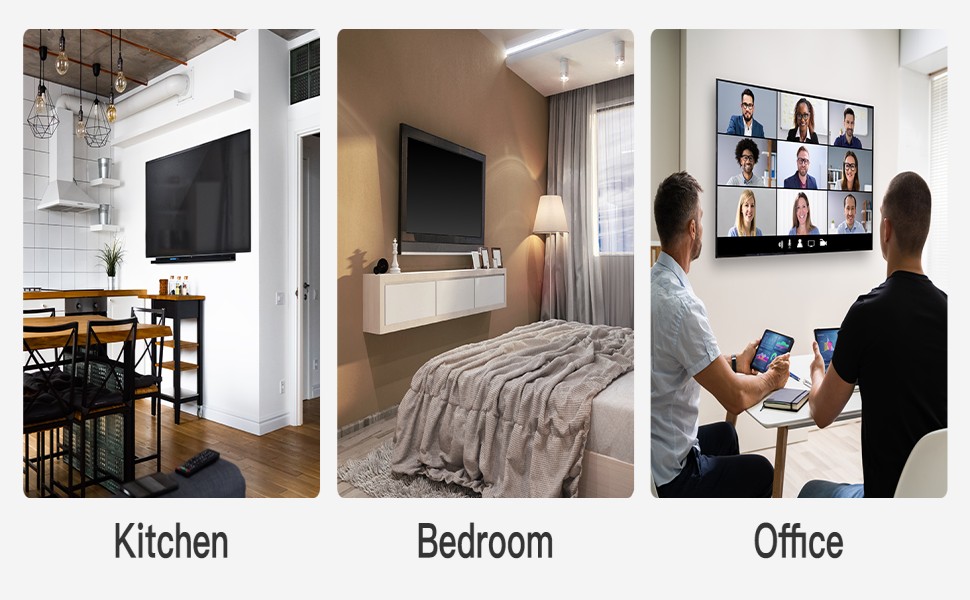
Зураг: Жишээ ньamples of Pipishell TV mounts in various home and office settings, demonstrating their versatility.


