1. Танилцуулга
The Dell S2722DGM is a 27-inch curved gaming monitor designed to provide an immersive visual experience. It features a QHD (2560 x 1440) resolution, a 1500R curvature, and a high refresh rate for smooth gameplay and clear visuals.
Гол онцлогууд нь:
- 165 Гц сэргээх хурд: Ensures fluid motion and faster reaction times.
- 1ms MPRT / 2ms Gray to Gray Response Time: Minimizes motion blur for crisp images.
- 1500R Curved QHD Display: Enhances field of vision and reduces distortion, glare, and reflection.
- Gaming Console VRR Support: Compatible with Variable Refresh Rate technologies for tear-free gaming.
- Тохируулах тавиур: Offers height and tilt adjustments for ergonomic viewing.
2. Хайрцагт юу байна
Савлагаанд бүх бүрэлдэхүүн хэсгүүд байгаа эсэхийг шалгана уу:
- Хяналт
- Тавиур өргөгч ба суурь
- DisplayPort to DisplayPort cable (ver 1.2) (1.8m)
- Цахилгаан кабель
- HDMI кабель
- Шуурхай тохируулах гарын авлага
- Аюулгүй байдал/Байгаль орчин/Зохицуулалтын мэдээлэл
3. Тохиргоо
3.1 Мониторын угсралт
Attach the stand riser to the monitor panel, then secure the base to the riser. Ensure all connections are firm.
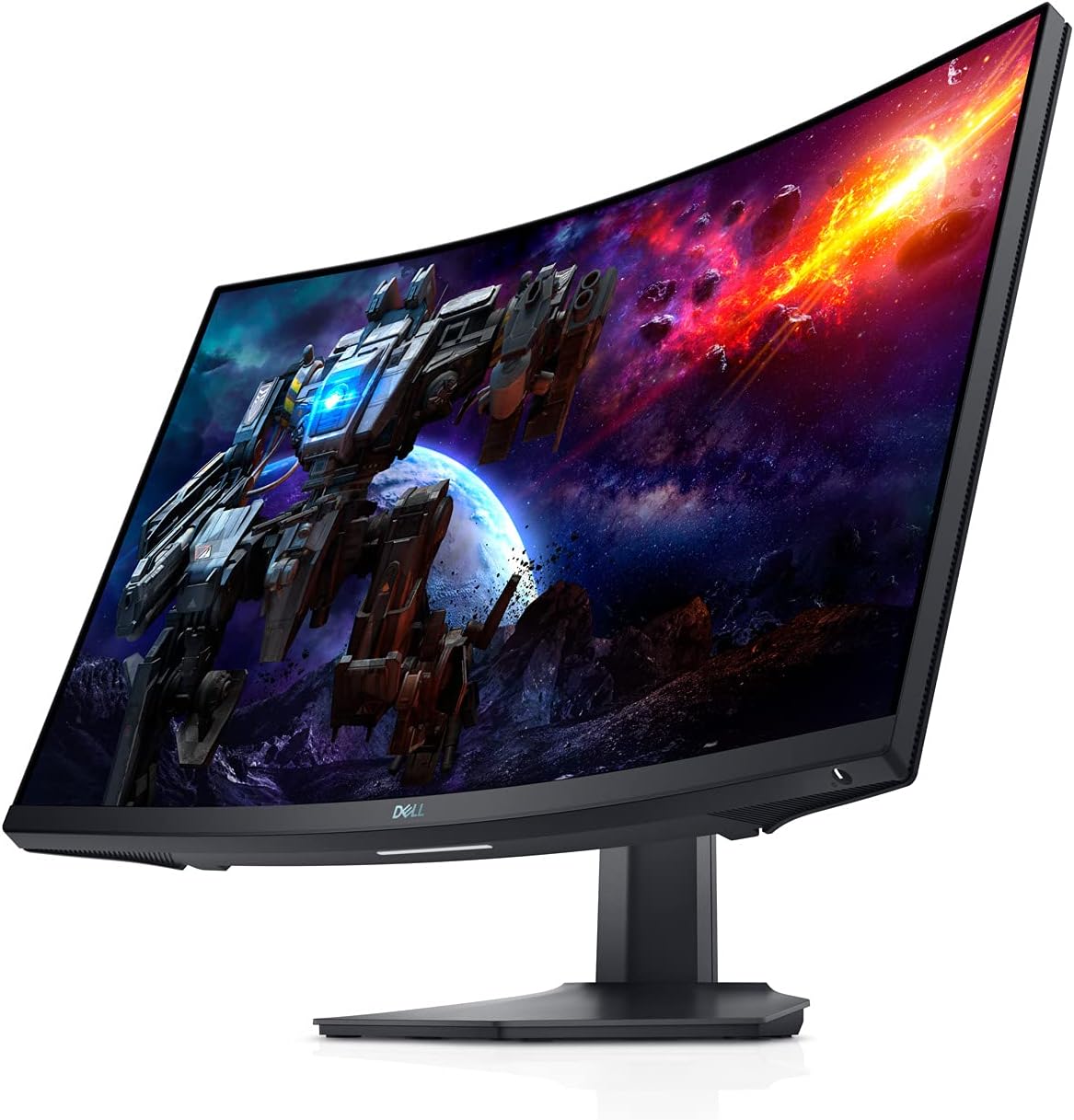
Зураг 3.1: Урд view of the Dell S2722DGM Curved Gaming Monitor with stand.

Figure 3.2: Monitor dimensions, showing the curved screen and stand.
3.2 Мониторыг холбох
Connect the power cable to the monitor and a power outlet. Use either the provided DisplayPort or HDMI cable to connect the monitor to your computer or gaming console. The monitor features multiple input ports for versatile connectivity.
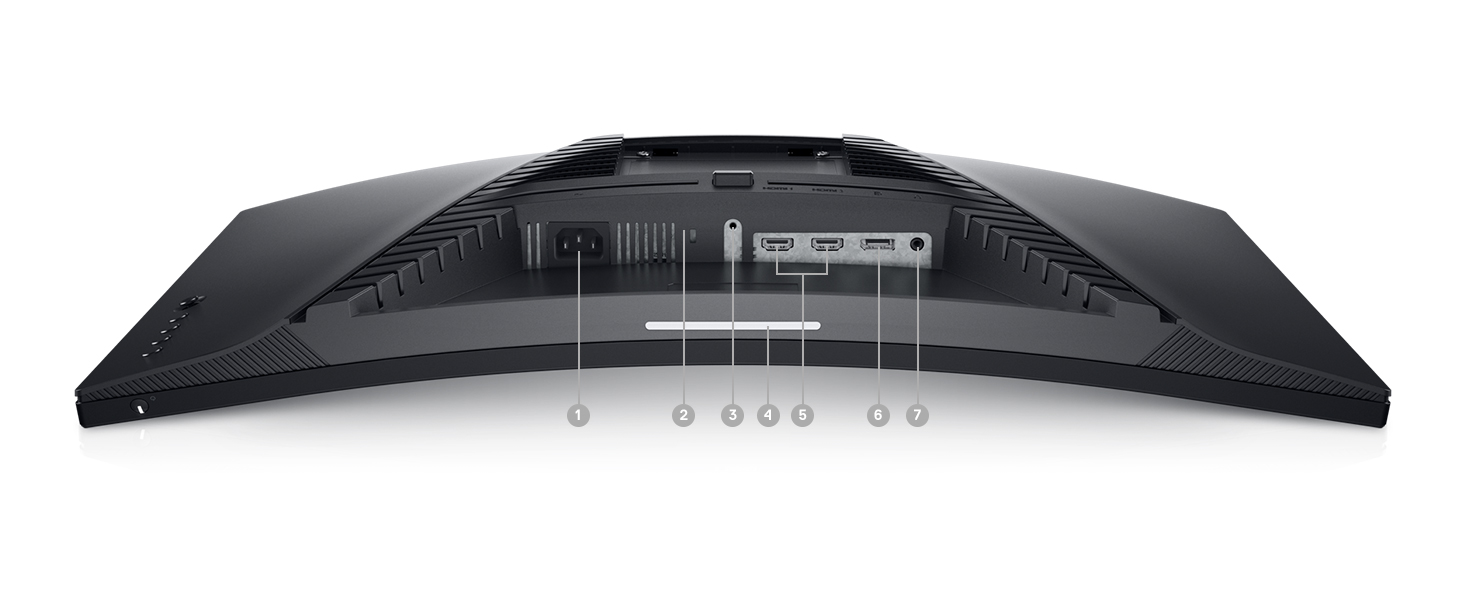
Зураг 3.3: Ар талд view of the monitor, highlighting the power input, DisplayPort, HDMI ports, and audio output.
Монитор нь дараахь зүйлийг агуулдаг.
- Цахилгаан холбогч
- 2х HDMI порт
- 1x DisplayPort
- Аудио дамжуулах порт
4. Мониторыг ажиллуулах
4.1 Асаах/унтраах
Асаах товчлуур нь дэлгэцийн баруун доод буланд байрладаг. Мониторыг асаах эсвэл унтраахын тулд үүнийг дарна уу.
4.2 Дэлгэц дээрх дэлгэцийн (OSD) удирдлага
The OSD menu allows you to adjust various monitor settings such as brightness, contrast, color, input source, and gaming features. The control buttons are located on the back right side of the monitor. Use these buttons to navigate the menu and make selections.

Зураг 4.1: Хажуу тал view of the monitor, showing the OSD control buttons for menu navigation.
4.3 Тавиурыг тохируулах
The monitor stand supports height and tilt adjustments. Gently adjust the monitor to your preferred viewing angle and height for optimal comfort.
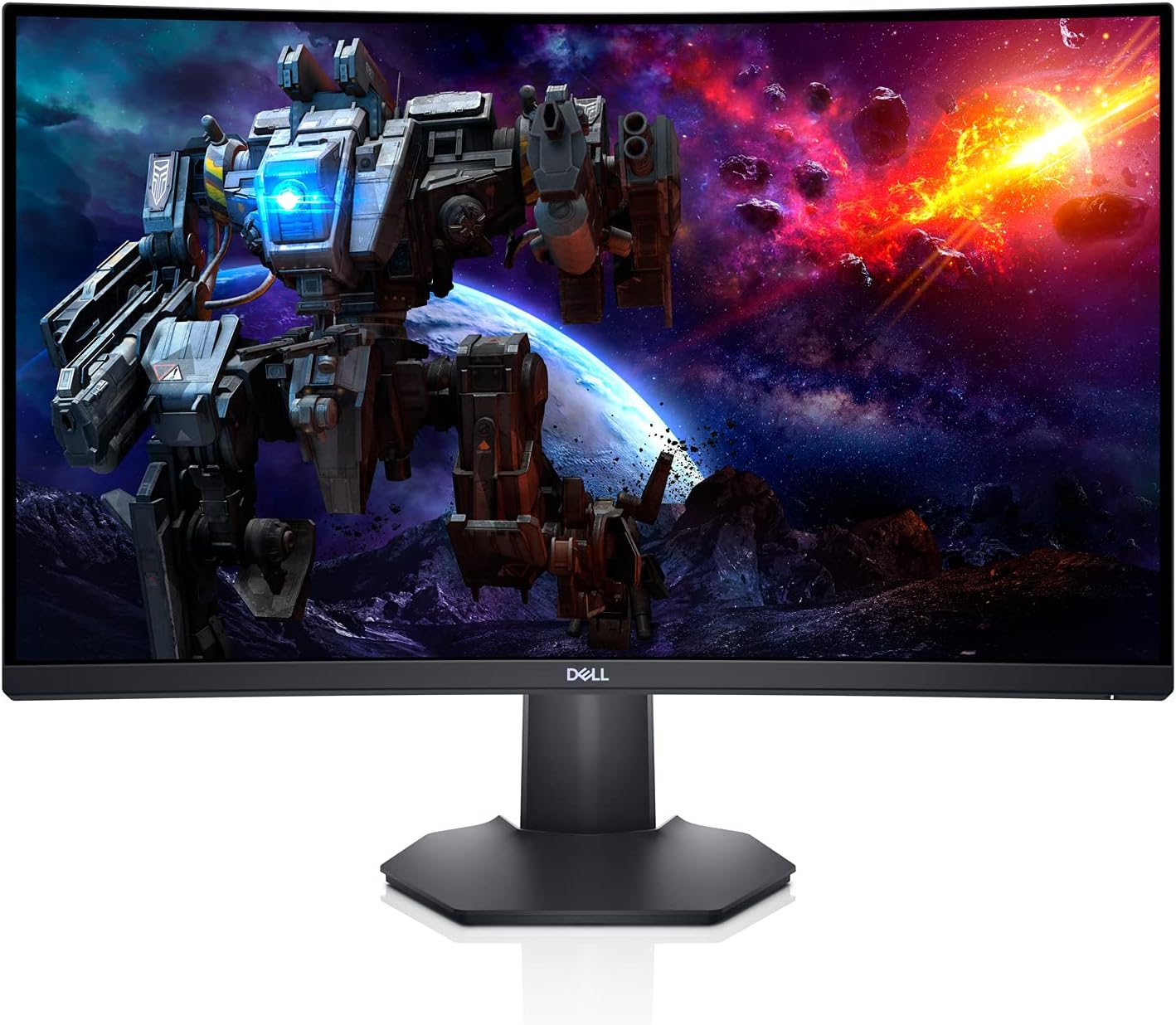
Зураг 4.2: Side profile of the monitor, illustrating the adjustable stand.
5. Онцлогууд
- Immersive Curved Display: The 1500R curved screen with a 3-sided narrow border enhances your field of vision, providing a more engaging experience for gaming and media consumption.
- High Refresh Rate & Fast Response Time: Experience smooth, tear-free visuals with a 165Hz refresh rate and a rapid 1ms MPRT (Moving Picture Response Time) or 2ms Gray to Gray response time, crucial for fast-paced games.
- QHD нягтрал: The 2560 x 1440 resolution offers 77% more screen content compared to Full HD, providing sharper details and more workspace.
- AMD FreeSync Premium: This technology synchronizes the monitor's refresh rate with your GPU, eliminating screen tearing and stuttering for a fluid gaming experience.
- Ambient Downlight: A subtle downlight feature provides ambient lighting during low-light gaming sessions, adding to the aesthetic and reducing eye strain.
- Сайжруулсан дулаан ялгаруулалт: Uniquely designed vents located at the back of the monitor help maintain optimal operating temperatures during extended use.
Video 5.1: Official Dell S2722DGM Gaming Monitor overview, showcasing key features like refresh rate, response time, and curved display.
Video 5.2: Product feature video demonstrating the monitor's design and visual capabilities.
6. Техникийн үзүүлэлтүүд
| Онцлог | Тодорхойлолт |
|---|---|
| Байнгын дэлгэцийн хэмжээ | 27 инч |
| Дэлгэцийн нягтрал | 2560x1440 (QHD өргөн 1440p) |
| Хамгийн их дэлгэцийн нягтрал | 2560 x 1440 пиксел |
| Сэргээх хурд | 165 Гц (DisplayPort) |
| Хариу өгөх хугацаа | 1ms MPRT / 2ms Gray to Gray |
| Харьцаа | 16:9 |
| Дэлгэцийн гадаргуугийн тодорхойлолт | Матт |
| Холболт | HDMI, DisplayPort |
| Зүйлийн жин | 5.76 фунт |
| Бүтээгдэхүүний хэмжээ (LxWxH) | 23.95 x 3.79 x 14.34 инч |
| Өнгө | Хар |
7. Засвар үйлчилгээ
To ensure the longevity and optimal performance of your Dell S2722DGM monitor, follow these maintenance guidelines:
- Дэлгэц цэвэрлэх: Зөөлөн, хөвөнгүй даавуугаар дэлгэцийг зөөлөн арчина. Зөрүүд толбоны хувьд бага зэрэг dampen the cloth with water or a non-ammonia, non-alcohol based glass cleaner. Avoid spraying liquid directly onto the screen.
- C цэвэрлэхasing: Мониторыг зөөлөн, хуурай даавуугаар цэвэрлэх casing. Зүлгүүрийн цэвэрлэгч эсвэл уусгагчаас зайлсхий.
- Агааржуулалт: Хэт халалтаас урьдчилан сэргийлэхийн тулд дэлгэцийн агааржуулалтын нүхнүүд цэвэр, саадгүй байгаа эсэхийг шалгаарай.
- Эрчим хүчний менежмент: Эрчим хүч хэмнэж, ашиглалтын хугацааг уртасгахын тулд мониторыг удаан хугацаагаар ашиглаагүй бол унтраа.
8. Алдаа засах
Хэрэв танд монитортой холбоотой асуудал гарвал дараах нийтлэг алдааг олж засварлах алхмуудыг үзнэ үү.
- Эрчим хүчгүй:
- Цахилгааны кабель нь дэлгэц болон тэжээлийн залгуурт найдвартай холбогдсон эсэхийг шалгана уу.
- Өөр төхөөрөмжийг залгаснаар цахилгааны залгуур ажиллаж байгаа эсэхийг шалгаарай.
- Дэлгэц дээрх цахилгаан товчийг дарна уу.
- Сүлжээ алга:
- Verify that the video cable (HDMI or DisplayPort) is securely connected to both the monitor and your computer/console.
- Дэлгэцийн дэлгэцийн цэс дээр зөв оролтын эх үүсвэр сонгогдсон эсэхийг шалгаарай.
- Боломжтой бол өөр видео кабель эсвэл портыг туршаад үзээрэй.
- Display Issues (e.g., flickering, distorted image):
- Check the video cable for damage.
- Adjust the resolution and refresh rate settings on your computer/console to match the monitor's specifications.
- Perform a factory reset through the OSD menu.
- No Audio (if using monitor's audio output):
- Ensure external speakers or headphones are properly connected to the monitor's audio line-out port.
- Check the audio settings on your computer/console and the monitor's OSD menu.
For more detailed troubleshooting, refer to the comprehensive user manual available on the Dell support webсайт.
9. Баталгаат хугацаа ба дэмжлэг
The Dell S2722DGM Curved Gaming Monitor comes with a standard limited hardware warranty. For specific warranty terms and conditions, please refer to the 'Safety/Environmental/Regulatory Information' document included in your product packaging or visit the official Dell support webсайт.
Техникийн туслалцаа, драйвер татаж авах болон нэмэлт дэмжлэгийн эх сурвалжуудыг авахыг хүсвэл зочилно уу www.dell.com/support and search for your model (S2722DGM).


