1. Танилцуулга
The C-LOGIC 5100 is a manual ranging digital multimeter designed for precise electrical measurements. This versatile instrument is capable of measuring AC/DC voltage, AC/DC current, resistance, capacitance, frequency, temperature, and transistor hFE. It features a durable rubber housing for enhanced grip and comfort, along with a hinged bracket for convenient table-top operation. This manual provides essential information for the safe and effective use of your C-LOGIC 5100 Digital Multimeter.
2. Аюулгүй байдлын мэдээлэл
Always observe the following safety precautions when operating the C-LOGIC 5100 Digital Multimeter to prevent personal injury or damage to the instrument:
- Ensure the multimeter is set to the correct function and range before connecting the test leads to any circuit.
- Do not exceed the maximum input values specified for each function. The C-LOGIC 5100 is rated for CAT III 600V.
- Disconnect the test leads from the circuit before changing functions or ranges.
- Inspect test leads for damaged insulation or exposed metal before each use. Replace damaged leads immediately.
- Хэрэв мультиметр эвдэрсэн эсвэл хайрцаг нь нээлттэй байвал түүнийг бүү ажиллуул.
- Ботьтой ажиллахдаа маш болгоомжтой байгаарайtag60V DC эсвэл 30V AC RMS-ээс дээш хүчдэлтэй байдаг тул эдгээр нь цахилгаан цочролын аюул учруулдаг.
- Remove test leads from the multimeter before opening the battery compartment or fuse cover.
3. Бүтээгдэхүүний онцлог
The C-LOGIC 5100 Digital Multimeter incorporates several features designed for user convenience and functionality:
- Резинэн орон сууц: Provides improved grip and protection against accidental drops.
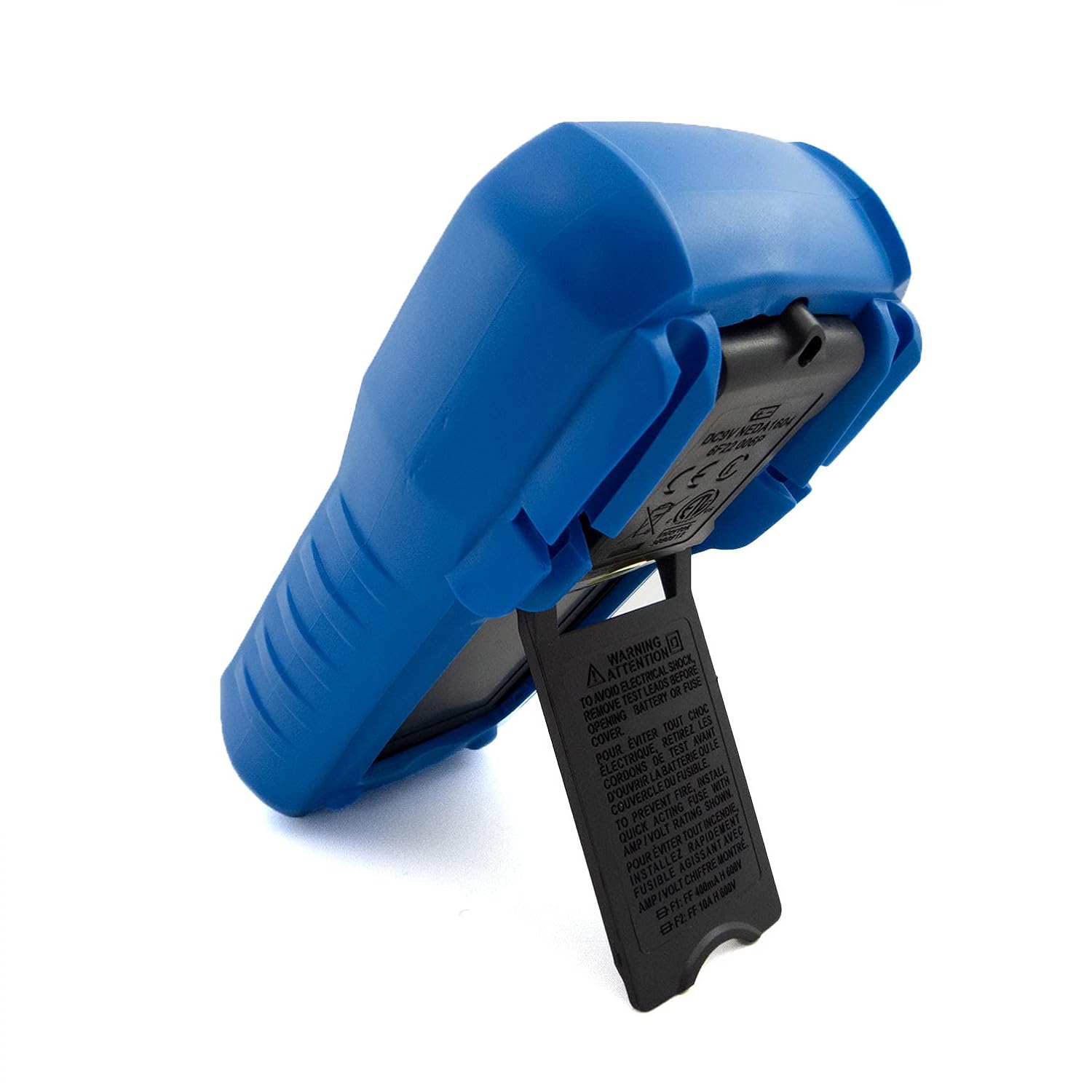
- Hinged Bracket: Allows the multimeter to stand upright for hands-free operation on a workbench.
- Хэмжих чадвар: AC/DC Voltage, AC/DC Current, Resistance, Capacitance, Frequency, Temperature, and Transistor hFE.
- Дэлгэцийн тоо: Тодорхой заалт өгөх 2000 тооллын дижитал дэлгэц.
- Автомат унтрах (APO): Automatically turns off the device after a period of inactivity to conserve battery life.
- Өгөгдөл хадгалах: Тохиромжтой бичлэг хийхийн тулд дэлгэц дээрх уншилтыг хөлдөөдөг.
- Low Battery Display (LBD): Indicates when the battery needs replacement.
- Diode Test and Continuity Buzzer: For testing diodes and checking circuit continuity.
4. Бүрэлдэхүүн хэсэг ба удирдлага

Зураг 1: Урд view of the C-LOGIC 5100 Digital Multimeter, showing the display, function selector, and input jacks.
Мультиметрийнхээ үндсэн бүрэлдэхүүн хэсгүүдтэй танилцана уу.
- LCD дэлгэц: Хэмжилтийн заалт, нэгж, функцийн үзүүлэлтүүдийг харуулна.
- Function/Range Selector Dial: Хүссэн хэмжилтийн функц болон хүрээг сонгоход ашиглана.
- HOLD товч: Дэлгэц дээрх одоогийн заалтыг царцаах бол дарна уу. Суллахын тулд дахин дарна уу.
- ON/OFF унтраалга: Powers the multimeter on or off.
- Жак оролт:
- VΩHzTemp: Эзлэхүүний эерэг оролтtage, resistance, frequency, temperature, capacitance, diode, and continuity measurements.
- COM: Бүх хэмжилтийн нийтлэг (сөрөг) оролт.
- мА: Positive input for current measurements up to 200mA.
- 10А: Positive input for current measurements up to 10A (MAX 30 sec. every 15 min.). This input is fused.
- hFE залгуур: For testing transistor hFE (DC current gain).
5. Тохиргоо
5.1 Батерей суурилуулах
The C-LOGIC 5100 requires one 9V 6F22 battery (not included). To install or replace the battery:
- Мультиметр унтарсан эсэхийг шалгаад бүх туршилтын утсыг оролтын залгуураас салга.
- Төхөөрөмжийн ар талд байрлах батерейны тасалгааны тагийг олоорой.
- Unscrew the retaining screw(s) and carefully remove the cover.
- Зөв туйлшралыг ажиглаж, 9V батерейг батерейны хавчаарт холбоно.
- Зайг тасалгаанд байрлуулж, тагийг нь боолтоор нь бэхлэнэ.
5.2 Туршилтын залгуурын холболт
Туршилтын утсыг зөв холбох нь нарийвчлалтай, аюулгүй хэмжилт хийхэд чухал үүрэгтэй:
- Ихэнх хэмжилтийн хувьд (ботьtage, resistance, capacitance, frequency, temperature, diode, continuity), insert the улаан туршилтын хар тугалга руу VΩHzTemp Жак болон хар туршилтын хар тугалга руу COM Жак.
- For current measurements up to 200mA, insert the улаан туршилтын хар тугалга руу mA Жак болон хар туршилтын хар тугалга руу COM Жак.
- For current measurements up to 10A, insert the улаан туршилтын хар тугалга руу 10 А Жак болон хар туршилтын хар тугалга руу COM Жак.
6. Ашиглалтын заавар

Зураг 2: The C-LOGIC 5100 Digital Multimeter actively measuring voltagцахилгаан самбар дээр.
Follow these general steps for making measurements:
- Turn the multimeter ON using the ON/OFF switch.
- Select the desired function and appropriate range using the rotary dial. If unsure of the range, start with the highest range and work downwards.
- Туршилтын утсыг туршигдаж буй хэлхээ эсвэл эд ангитай холбоно уу.
- LCD дэлгэц дээрх хэмжилтийн утгыг уншина уу.
- After measurement, disconnect the test leads and turn the multimeter OFF.
6.1 Тодорхой хэмжилтийн функцууд
- DC ботьtage (V=): Select the V= range. Connect the red lead to the positive side and the black lead to the negative side of the DC voltagзэрэгцээ эх сурвалж.
- AC ботьtage (V~): Select the V~ range. Connect the test leads across the AC voltage source in parallel. Polarity is not critical for AC voltage.
- DC Current (A=): Select the A= range (mA or 10A jack). Disconnect power to the circuit. Open the circuit where current is to be measured and connect the multimeter in series. Reapply power.
- AC Current (A~): Select the A~ range (mA or 10A jack). Follow the same series connection procedure as for DC current.
- Эсэргүүцэл (Ω): Select the Ω range. Ensure the circuit is de-energized. Connect the test leads across the component to measure its resistance.
- Тасралтгүй байдлын тест (♫): Select the continuity function. If resistance is below approximately 50Ω, the buzzer will sound, indicating continuity.
- Диодын туршилт (→|→): Select the diode function. Connect the red lead to the anode and the black lead to the cathode of the diode. The display will show the forward voltage дусал. Утаснуудыг эргүүлэх; Сайн диодын хувьд дэлгэц дээр 'OL' (нээлттэй гогцоо) харагдах ёстой.
- Багтаамж (F): Select the F range. Ensure the capacitor is discharged before connecting the test leads.
- Давтамж (Гц): Select the Hz range. Connect the test leads across the signal source.
- Температур (температур): Select the Temp range. Connect a K-type thermocouple (if included or purchased separately) to the VΩHzTemp and COM jacks.
- Transistor hFE: Insert the transistor's emitter, base, and collector leads into the corresponding holes in the hFE socket, ensuring correct NPN/PNP type selection.
7. Засвар үйлчилгээ
7.1 Батерейг солих
When the low battery indicator appears on the display, replace the 9V battery as described in Section 5.1. Using a multimeter with a low battery can lead to inaccurate readings.
7.2 Цэвэрлэгээ
Мультиметрийг цэвэрлэхийн тулд хайрцгийг зараар арчинаamp cloth and a mild detergent. Do not use abrasive cleaners, solvents, or alcohol, as these may damage the casing or display. Ensure the multimeter is completely dry before use.
7.3 Гал хамгаалагч солих
If the 10A current measurement function stops working, the fuse may need replacement. This procedure should only be performed by qualified personnel. Refer to the specifications for the correct fuse type and rating. Always disconnect test leads and power off the unit before opening the case.
8. Алдаа засах
If your C-LOGIC 5100 Multimeter is not functioning as expected, refer to the following common issues and solutions:
- Дэлгэц байхгүй: Check if the multimeter is turned ON. Verify the 9V battery is correctly installed and has sufficient charge. Replace the battery if necessary.
- Буруу уншилтууд: Ensure the correct function and range are selected for the measurement. Check that the test leads are securely connected to the correct input jacks and to the circuit. Verify the battery is not low.
- 'OL' (Overload) Indication: This indicates that the input value exceeds the selected range. Switch to a higher range or ensure the input is within the multimeter's maximum specifications.
- Тасралтгүй дуугаралт байхгүй: Check if the continuity function is selected. Ensure the circuit is de-energized.
- Одоогийн хэмжилт ажиллахгүй байна: Check the fuse for the current input (especially the 10A input). Replace if blown. Ensure test leads are connected to the correct current jacks (mA or 10A) and the multimeter is in series with the circuit.
9. Техникийн үзүүлэлтүүд

Зураг 3: Detailed specifications and features of the C-LOGIC 5100 Digital Multimeter.
| Хэмжилт | Хүрээ/утга |
|---|---|
| DC ботьtage | 600 В хүртэл |
| AC ботьtage | 600 В хүртэл |
| DC гүйдэл | 10А хүртэл |
| АС гүйдэл | 10А хүртэл |
| Эсэргүүцэл | Up to 200MΩ |
| Багтаамж | Up to 100µF |
| Давтамж | 20kHz хүртэл |
| Температур | -20°C-аас 1000°C / 1°F-ээс 1832°F хүртэл |
| Тооцоог харуулах | 2000 |
| Эрчим хүчний хангамж | 1x 9V 6F22 батерей |
| Бүтээгдэхүүний хэмжээ (LxWxH) | 18.8 x 9.3 x 5 см (7.4 x 3.7 x 1.96 инч) |
| Бүтээгдэхүүний жин | 380 гр (0.84 фунт) |
| Аюулгүй байдлын үнэлгээ | CAT III 600 В |
| Гэрчилгээ | CE, ETL, RoHS |
10. Үндсэн програмууд
Зураг 4: Visual representation of common domestic and electronics applications for the C-LOGIC 5100 Multimeter.
The C-LOGIC 5100 Digital Multimeter is suitable for a wide range of applications, including:
- Domestic Electrical Testing: Checking household wiring, outlets, batteries, and appliance continuity.
- Автомашины оношлогоо: Testing vehicle electrical systems, battery voltage, and component resistance.
- Electronics Troubleshooting: Хэмжилт ботьtage, current, resistance, and capacitance in electronic circuits, testing diodes and transistors.
- HVAC System Checks: Verifying voltage and current in heating, ventilation, and air conditioning systems.
- Hobbyist and DIY Projects: Essential tool for various electrical and electronic projects.
11. Баталгаат хугацаа ба дэмжлэг
For information regarding warranty coverage, technical support, or customer service, please visit the official C-LOGIC website or contact their support team directly. You can find more product details at clogic-intl.com/clogic-5100 эсвэл гол webсайт дээр clogic-intl.com.


