Танилцуулга
Thank you for choosing the BRPOM BM500-ES Car Jump Starter. This device is a portable, high-capacity power bank designed to jump start vehicles with 12V batteries, and also functions as a power source for electronic devices, an emergency flashlight, and includes additional safety features. Please read this manual thoroughly before use to ensure proper operation and safety.
Аюулгүй ажиллагааны зааварчилгаа
Always observe the following safety precautions when using the BRPOM BM500-ES Car Jump Starter:
- Битгий улаан, хар cl-г зөвшөөрөхamps to touch each other, as this may cause sparks, short circuits, or damage.
- Битгий jump start a vehicle if the battery voltage нь 10V -ээс доош байна.
- Битгий attempt to jump start a vehicle if the jump starter's battery level is below 20%.
- Битгий use the jump starter to charge vehicle batteries. It is designed for jump starting only.
- Битгий expose the product to extreme temperatures (above 60°C or below -20°C), direct sunlight, or moisture.
- Битгий disassemble, modify, or attempt to repair the unit yourself. Contact customer support for assistance.
- Хүүхдийн гар хүрэхгүй газар хадгална.
- Ашиглалтын явцад агааржуулалтыг сайтар хангана.
- Тээврийн хэрэгсэл ассанаас хойш 30 секундын дотор машины аккумулятороос асаагуурыг салга.
Багцын агуулга
Таны багцад бүх зүйл байгаа эсэхийг шалгана уу:
- BRPOM BM500-ES Car Jump Starter Unit
- Smart Jump Cables with Clamps
- USB-C цэнэглэгч кабель
- Хэрэглэгчийн гарын авлага
- Хадгалах хайрцаг

Зураг: All components of the BRPOM BM500-ES Car Jump Starter package, including the main unit, smart jump cables, USB charging cable, user manual, and a protective carrying case.
Бүтээгдэхүүн дууссанview
Familiarize yourself with the components of your jump starter:
- Үндсэн нэгж: Contains the battery, control buttons, LED indicators, and various ports.
- Smart Jump Cables: Feature intelligent protection against reverse polarity, over-current, short-circuit, over-charge, and over-temperature. They have a connector that plugs into the jump starter and red/black clamps for the vehicle battery.
- USB гаралтын портууд: For charging mobile phones, tablets, and other USB-powered devices.
- USB-C оролтын порт: Үсрэлтийн эхлэлийн нэгжийг цэнэглэхэд зориулагдсан.
- LED гар чийдэн: Integrated light with multiple modes (steady, strobe, SOS).
- Emergency Hammer: A hardened tip for breaking glass in emergencies.
- Луужин: Integrated for navigation assistance.

Зураг: Ойрын зураг view of the red and black smart jump cables, highlighting their robust construction and safety features.
Setup: Charging the Jump Starter
Before first use, fully charge the jump starter. It is recommended to recharge the unit every 3-6 months to maintain battery health, even if not used.
- Connect the provided USB-C charging cable to the USB-C input port on the jump starter.
- Connect the other end of the USB-C cable to a 5V/2A or higher USB wall adapter (not included).
- The LED indicators on the jump starter will illuminate and flash to show the charging progress. All LEDs will be solid when fully charged.

Зураг: The BRPOM BM500-ES jump starter connected to a wall adapter via its USB-C port for recharging. The LED indicators show charging status.
Ашиглалтын заавар: Тээврийн хэрэгслийг үсрэх
Машинаа асаахын тулд дараах алхмуудыг анхааралтай дагана уу:
- Гар асаагуур дор хаяж 20% цэнэглэгдсэн эсэхийг шалгаарай.
- Turn off your vehicle's ignition and all accessories (lights, radio, AC).
- Connect the blue end of the smart jump cables to the jump starter's 12V output port. Ensure a firm connection.
- Attach the red positive (+) clamp машиныхаа батерейны эерэг (+) терминал руу.
- Attach the black negative (-) clamp машиныхаа аккумуляторын сөрөг (-) терминал руу.
- Check the indicator light on the smart jump cable.
- Тод ногоон: Connection is correct and safe. Proceed to start the vehicle.
- Solid Red with Beeping: Reverse polarity detected. Disconnect clamps and reattach correctly.
- Ногоон анивчих: Батерейны эзлэхүүнtage is too low. Press the "BOOST" button on the smart cable if available, then start the vehicle within 30 seconds.
- Гэрэлгүй: Check connections or if the vehicle battery is severely damaged.
- Once the indicator is solid green, start your vehicle's engine.
- After the engine starts, immediately remove the smart jump cables from the jump starter, then disconnect the black negative (-) clamp, followed by the red positive (+) clamp тээврийн хэрэгслийн батерейгаас.
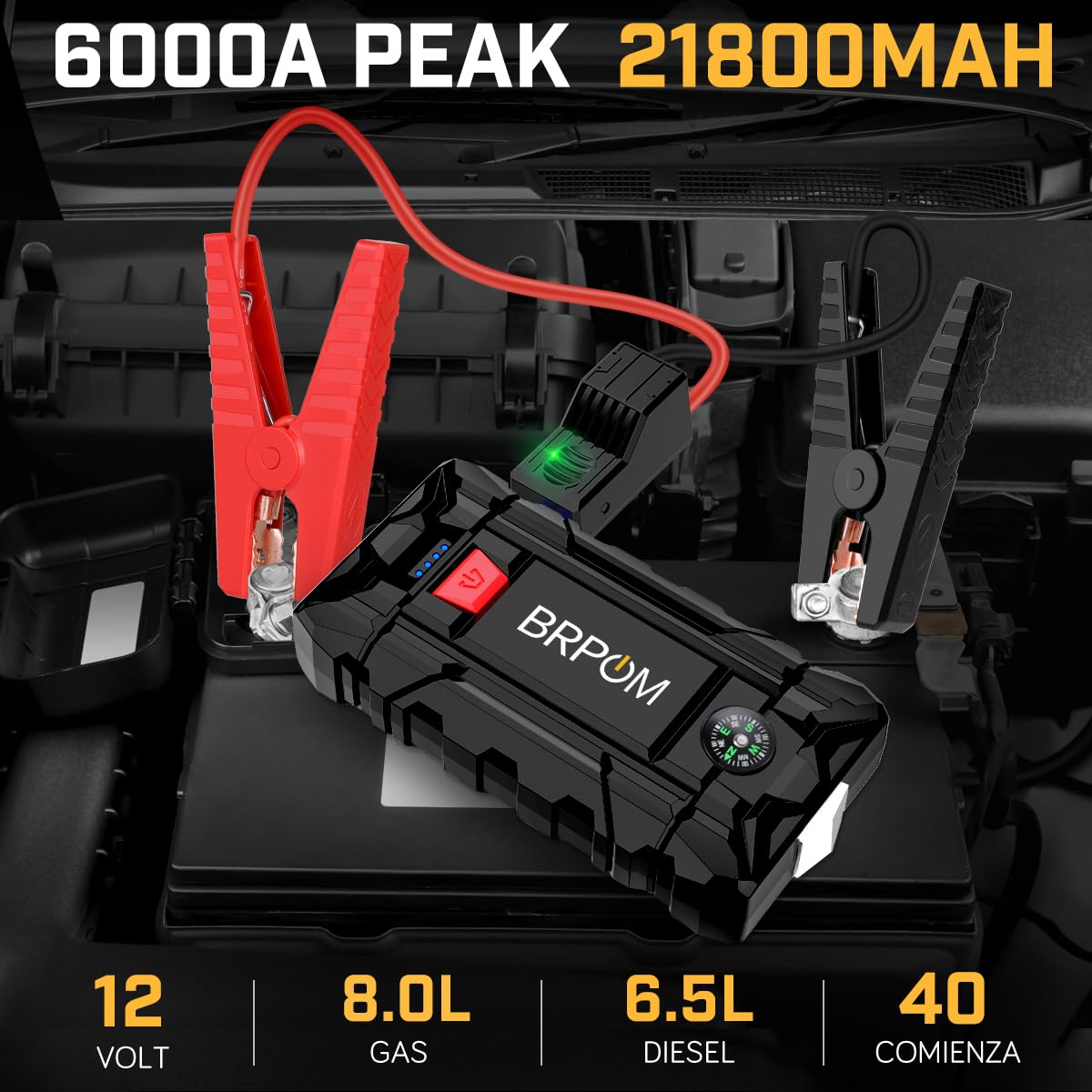
Зураг: The BRPOM BM500-ES jump starter unit connected to a vehicle battery via its smart jump cables, ready for operation. The green indicator light on the cable connector is visible.
Бусад функцууд
Power Bank функц
The jump starter can charge your electronic devices:
- Төхөөрөмжийнхөө USB цэнэглэгч кабелийг асаагуур дээрх USB гаралтын портуудын аль нэгэнд холбоно уу.
- Үсрэгч асаагуур нь таны төхөөрөмжийг автоматаар цэнэглэж эхэлнэ.
- The unit features Quick Charge 3.0 technology for faster charging of compatible devices.

Зураг: A BRPOM BM500-ES jump starter unit being used to charge a tablet via its USB output port, demonstrating its power bank capability.
LED гар чийдэн
The integrated LED flashlight offers multiple modes:
- Press and hold the power button for 3 seconds to turn on the steady flashlight.
- Press the power button again to cycle through modes: Strobe, SOS, and Off.
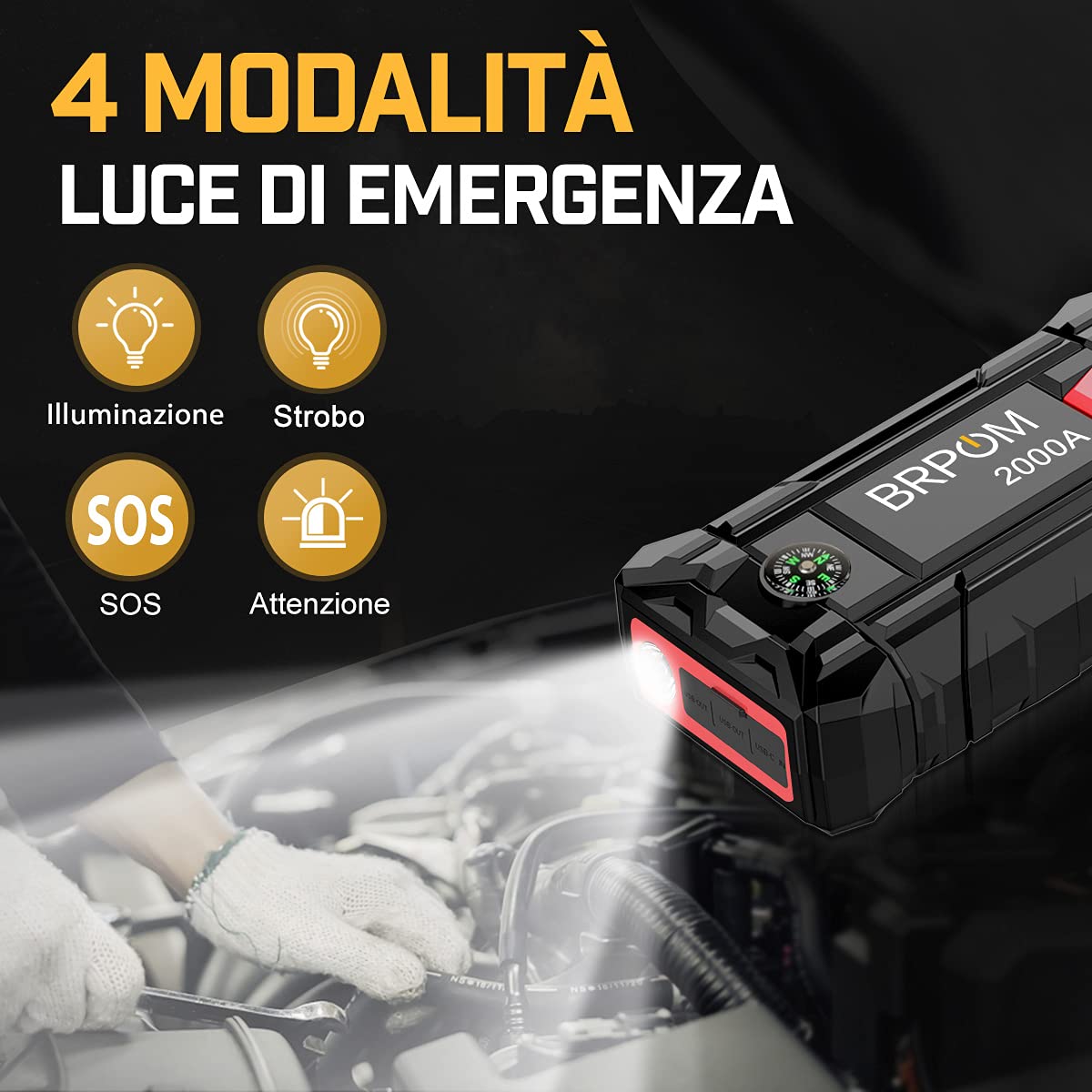
Зураг: The BRPOM BM500-ES jump starter unit with its LED flashlight illuminated, demonstrating its various lighting modes including steady, strobe, and SOS.
Яаралтай тусламжийн алх
The jump starter includes a hardened tip for emergency glass breaking:
- In an emergency, use the pointed metal tip located on the side of the unit to break vehicle windows.
- Анхааруулга: Use only in genuine emergencies.
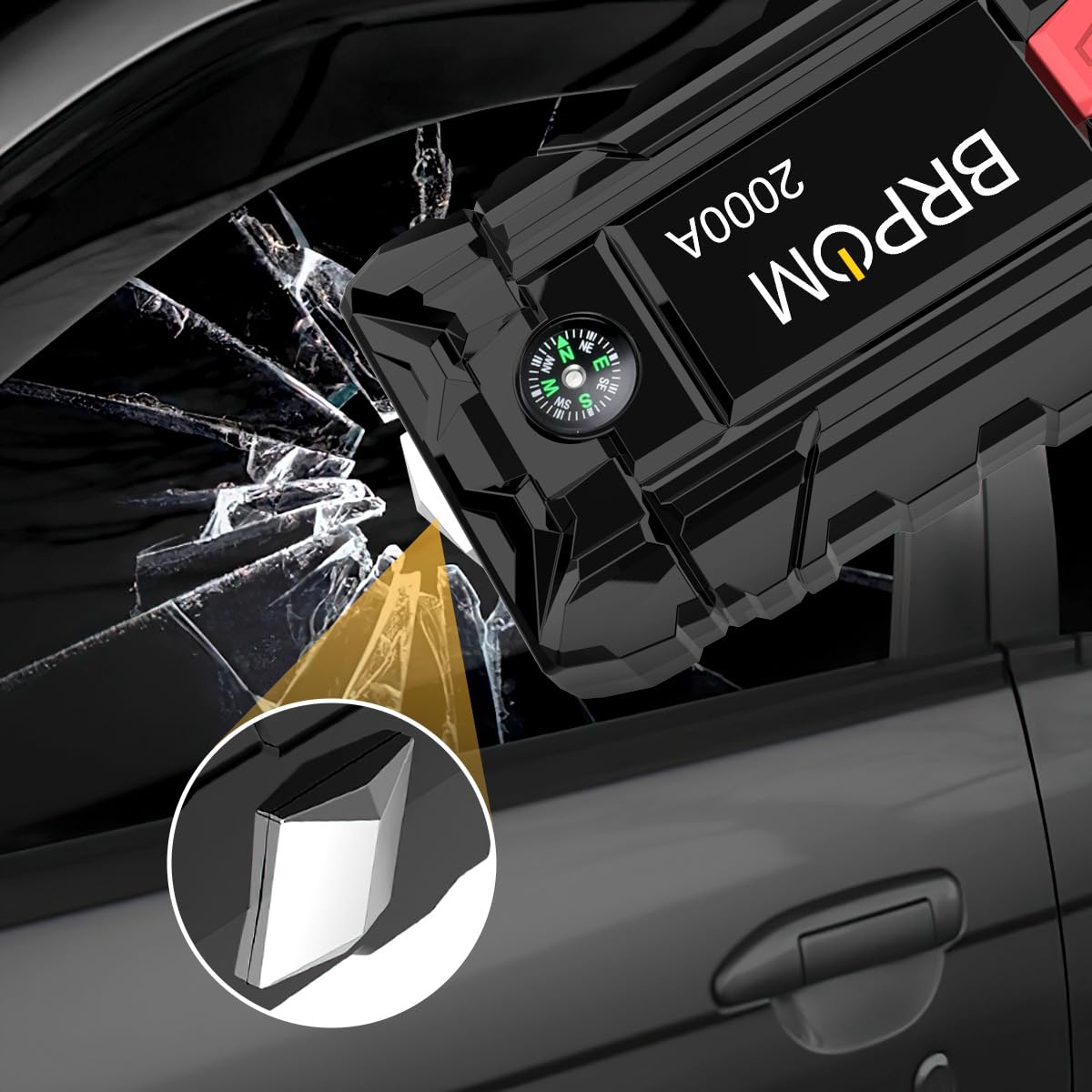
Зураг: A close-up of the BRPOM BM500-ES jump starter unit highlighting its integrated emergency hammer feature, shown breaking a car window.
Луужин
A small compass is integrated into the unit for basic directional guidance.
Засвар үйлчилгээ, хадгалалт
- Store the jump starter in a cool, dry place, away from direct sunlight and moisture.
- Recharge the unit at least once every 3-6 months to prolong battery life, even if not used.
- Төхөөрөмжийг зөөлөн, хуурай даавуугаар цэвэрлээрэй. Хүчтэй химийн бодис эсвэл зүлгүүрийн цэвэрлэгч бүү хэрэглээрэй.
- Keep the smart jump cables clean and free of corrosion.
Алдааг олж засварлах
| Асуудал | Боломжит шалтгаан | Шийдэл |
|---|---|---|
| Үсрэлт асаагч асахгүй байна. | Батерей бүрэн цэнэггүй болсон. | Үсрэлт асаагчийг бүрэн цэнэглэ. |
| Тээврийн хэрэгсэл асахгүй байна. | Буруу clamp холболт; Асаагуурын батерей хэт бага; Тээврийн хэрэгслийн батерей ноцтой гэмтсэн. | Check smart cable indicator light and re-connect; Recharge jump starter; Consult a mechanic. |
| Smart cable indicator is red and beeping. | Reverse polarity (clamps connected incorrectly). | cl-г салгаamps and reattach red to positive (+), black to negative (-). |
| Smart cable indicator is flashing green. | Тээврийн хэрэгслийн батерейtage маш бага байна. | Press the "BOOST" button on the smart cable (if present) and start the vehicle within 30 seconds. |
| Төхөөрөмжийг цэнэглэхгүй байгаа асаагуур. | Jump starter battery low; Incorrect cable. | Recharge jump starter; Ensure correct USB cable is used. |
Үзүүлэлтүүд
| Брэнд | BRPOM |
| Загвар | BM500-ES (Also referred to as BM1500, BM200-IT) |
| Оргил гаралтын гүйдэл | 2500 Amps (Product Title) / 2000 Amps (Үзүүлэлтүүд) |
| Зайны багтаамж | 15800 мАч |
| Зайны эсийн найрлага | Лити полимер |
| Ботьtage | 12 вольт |
| Хөдөлгүүрийн нийцтэй байдал | 7.0л хүртэл хий эсвэл 5.5л дизель хөдөлгүүртэй |
| Бүтээгдэхүүний хэмжээс | 10.2D x 17.8W x 12.7H Сантиметр |
| Зүйлийн жин | 970 гр |
| UPC | 725423034080 |
Тэмдэглэл: Техникийн үзүүлэлтүүдийг мэдэгдэлгүйгээр өөрчлөх боломжтой.
Баталгаат болон дэмжлэг
For warranty information and customer support, please refer to the documentation included with your product or visit the official BRPOM webсайт. Худалдан авалтын баримтаа баталгаат нэхэмжлэлд зориулж худалдан авалтын баталгаа болгон хадгална уу.
If you encounter any issues not covered in this manual, please contact BRPOM customer service for assistance.


