Танилцуулга
The FIXED FIXGRA-BK Touchpen is designed to enhance your digital interaction with compatible tablets, offering precision and a natural writing experience. This manual provides essential information for the proper setup, operation, and maintenance of your touchpen.
Багцын агуулга
- FIXED FIXGRA-BK Touchpen
- USB-C цэнэглэгч кабель
- Two (2) Spare Tips
- Хэрэглэгчийн гарын авлага (энэ баримт бичиг)
Тохиргоо
1. Анхны цэнэглэлт
Before first use, fully charge the touchpen. Connect the provided USB-C cable to the charging port on the touchpen and to a compatible USB power source. A full charge provides up to 20 hours of active use.
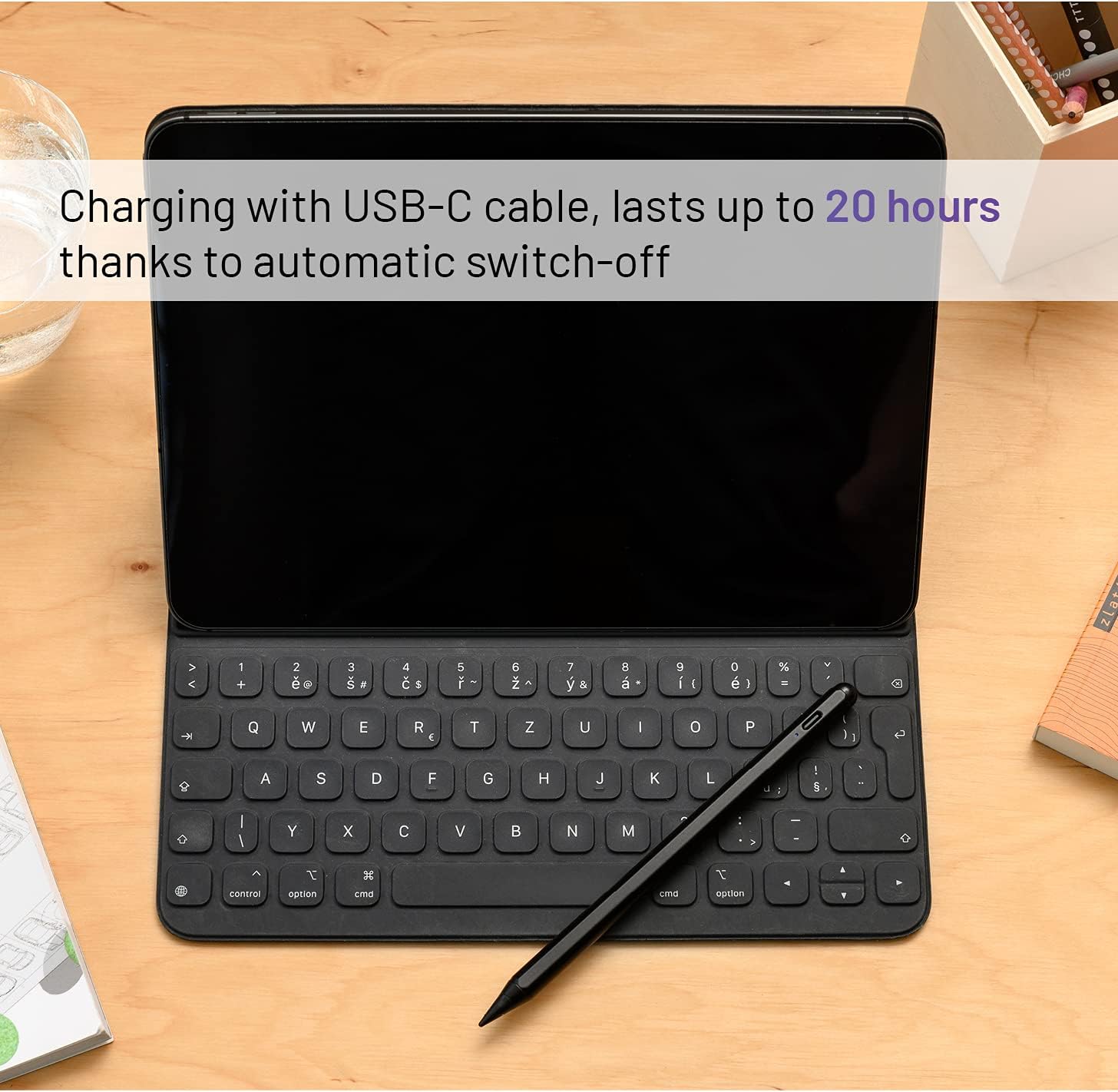
Зураг: The FIXED FIXGRA-BK Touchpen connected to a USB-C cable for charging, positioned next to an iPad with a keyboard. The image highlights the charging process and the pen's long battery life.
2. Төхөөрөмжийн нийцтэй байдал
The FIXED FIXGRA-BK Touchpen is compatible with Apple iPad models released post-2018. Ensure your iPad's operating system is updated to the latest version for optimal performance.
3. Хослуулах (Автомат)
The touchpen does not require manual Bluetooth pairing. Simply turn it on, and it will automatically connect to a compatible iPad. If the pen does not respond, ensure it is charged and your iPad is compatible.
Ашиглалтын заавар
1. Асаах/унтраах
To power on the touchpen, press the power button (if available, otherwise it's usually tap-to-wake or automatically on when picked up). The pen features an automatic shut-off function that will power it down after 5 minutes of inactivity to conserve battery.
2. Бичих, зурах
Hold the touchpen as you would a traditional pen. The fine tip allows for precise input, ideal for writing, drawing, and navigating your tablet. The pen offers 1-pixel accuracy for detailed work.

Зураг: A user interacting with an iPad using the FIXED FIXGRA-BK Touchpen. The pen is shown in active use, highlighting its precision for various tasks.

Зураг: The FIXED FIXGRA-BK Touchpen poised over an iPad screen displaying colorful artwork, illustrating its capability for precise drawing and note-taking with 1-pixel accuracy.
3. Алганы татгалзал
The touchpen supports palm rejection, allowing you to rest your hand naturally on the tablet screen while writing or drawing without unintended input. This feature ensures a comfortable and uninterrupted workflow.
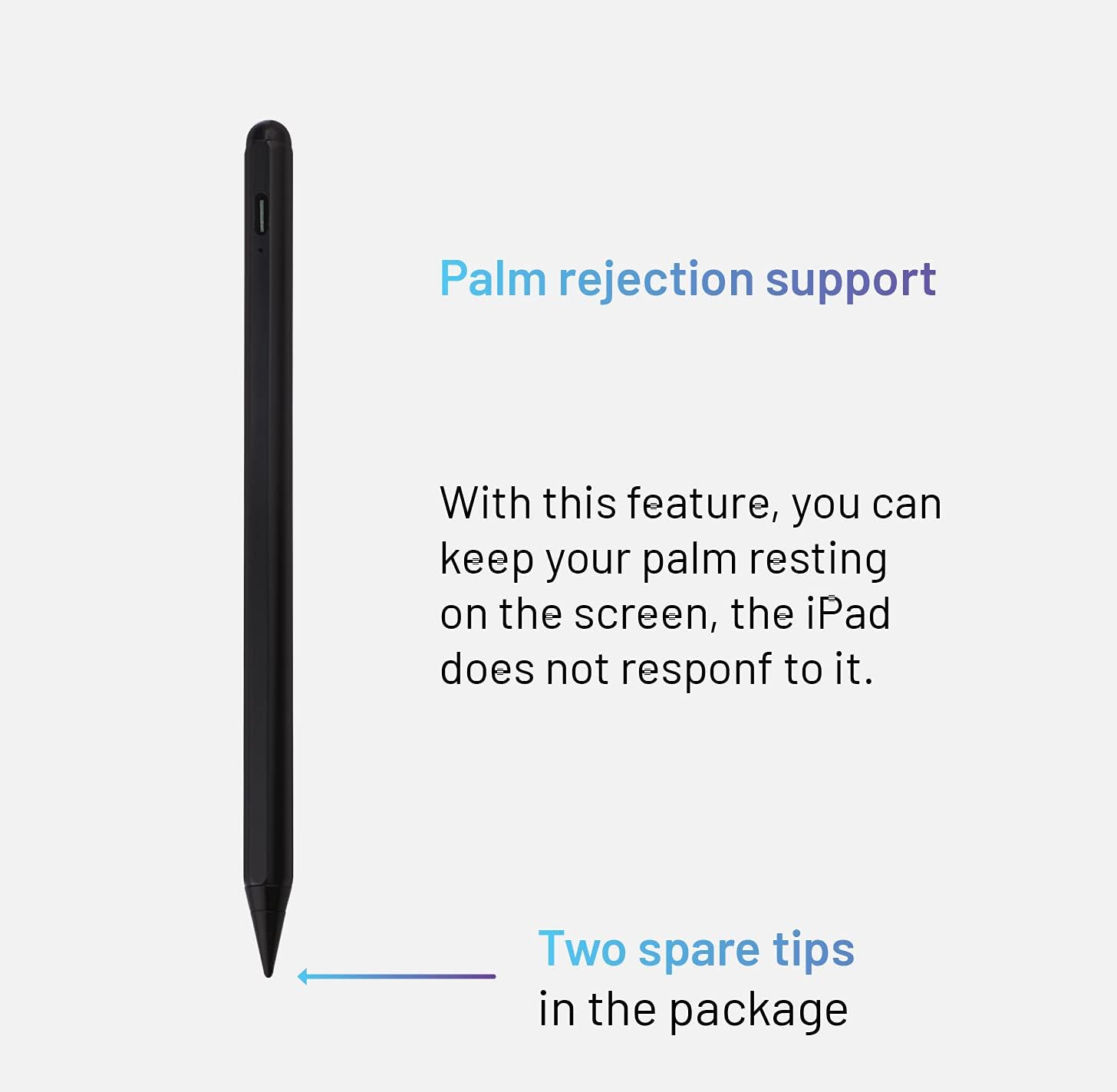
Зураг: Нарийвчилсан view of the FIXED FIXGRA-BK Touchpen, illustrating its design and the benefit of palm rejection support, which allows users to rest their hand on the screen without interference. The image also indicates the inclusion of two spare tips.
4. Хазайлтын функц
Adjust the thickness of your lines by simply tilting the touchpen. This feature mimics the natural behavior of a pencil, allowing for varied strokes in drawing and handwriting applications.

Зураг: A graphic demonstrating the tilt function of the FIXED FIXGRA-BK Touchpen. It shows how tilting the pen at different angles produces lines of varying thickness, from thin to bold.
5. Соронзон бэхэлгээ
The touchpen features built-in magnets, allowing it to securely attach to the side of your compatible iPad for convenient storage and transport.

Зураг: The FIXED FIXGRA-BK Touchpen shown magnetically attached to the side of an iPad, illustrating its convenient storage feature.
Засвар үйлчилгээ
1. Цэвэрлэгээ
Wipe the touchpen with a soft, dry, lint-free cloth. Do not use abrasive cleaners or solvents, as these may damage the finish or internal components.
2. Зөвлөгөө солих
If the pen tip becomes worn or damaged, replace it with one of the provided spare tips. Gently twist the old tip counter-clockwise to remove it, then twist a new tip clockwise until secure.
3. Хадгалах
Store the touchpen in a cool, dry place, away from direct sunlight and extreme temperatures. When not in use, attaching it magnetically to your iPad can help prevent loss.
Алдааг олж засварлах
- Үзэг хариу өгөхгүй байна:
- Ensure the pen is charged.
- Verify your iPad model is compatible (post-2018 models).
- IPad-ээ дахин эхлүүлээрэй.
- Ensure the pen tip is securely attached.
- Буруу оролт:
- Check if the pen tip is worn and replace if necessary.
- Clean the iPad screen.
- Ensure no other stylus or input device is interfering.
- Pen not charging:
- Ensure the USB-C cable is properly connected to both the pen and the power source.
- Өөр USB-C кабель эсвэл тэжээлийн адаптер ашиглаж үзнэ үү.
- Цэнэглэх портод хог хаягдал байгаа эсэхийг шалгана уу.
Үзүүлэлтүүд
| Онцлог | Дэлгэрэнгүй |
|---|---|
| Брэнд | ЗУРАГ |
| Загварын дугаар | FIXGRA-BK |
| Хэмжээ | 6.6 x 0.8 x 0.8 см |
| Жин | 70 гр |
| Материал | Хөнгөн цагаан |
| Тохиромжтой төхөөрөмжүүд | Apple iPad (post-2018 models) |
| Зайны ашиглалт | 20 цаг хүртэл (идэвхтэй хэрэглээ) |
| Цэнэглэх интерфейс | USB-C |
| Онцлог шинж чанарууд | Palm Rejection, Tilt Function, Magnetic Attachment, Automatic Shut-off, 1-pixel accuracy |
Баталгаат болон дэмжлэг
For warranty information and technical support, please refer to the official FIXED webсайт эсвэл худалдагчтайгаа холбогдоно уу. Баталгаат нэхэмжлэл гаргахын тулд худалдан авалтаа нотлох баримтаа хадгалаарай.


