1. Танилцуулга
Thank you for choosing the MAXXMEE Cordless Screwdriver Model 2112. This manual provides essential information for the safe and efficient operation, maintenance, and troubleshooting of your new tool. Please read these instructions carefully before first use and keep them for future reference.
2. Аюулгүй ажиллагааны заавар
Гал түймэр, цахилгаанд цохиулах, хувийн гэмтлийн эрсдлийг бууруулахын тулд цахилгаан хэрэгсэл ашиглахдаа үндсэн аюулгүй байдлын урьдчилан сэргийлэх арга хэмжээг үргэлж дагаж мөрдөөрэй.
- Ажлын талбайн аюулгүй байдал: Ажлын байраа цэвэр, гэрэлтүүлэг сайтай байлга. Эмх замбараагүй эсвэл харанхуй газар осол аваар гарахыг өдөөдөг. Шатамхай шингэн, хий, тоос зэрэг тэсрэх аюултай орчинд цахилгаан хэрэгслийг бүү ажиллуул.
- Цахилгааны аюулгүй байдал: Хоолой, радиатор, зуух, хөргөгч гэх мэт газардуулгатай эсвэл газардуулгатай гадаргуутай биед хүрэхээс зайлсхий. Цахилгаан хэрэгслийг бороо эсвэл нойтон нөхцөлд бүү гарга.
- Хувийн аюулгүй байдал: Always wear eye protection. Use appropriate safety equipment such as dust masks, non-skid safety shoes, hard hats, or hearing protection when necessary. Dress properly; avoid loose clothing or jewelry.
- Хэрэгслийн хэрэглээ ба арчилгаа: Цахилгаан хэрэгслийг хүчээр бүү хий. Хэрэглээнд тохирох цахилгаан хэрэгслийг ашигла. Аливаа тохируулга хийх, дагалдах хэрэгслийг солих, цахилгаан хэрэгслийг хадгалахын өмнө залгуурыг тэжээлийн эх үүсвэрээс болон/эсвэл батерейг цахилгаан хэрэгслээс салга.
- Батерейны аюулгүй байдал: This tool contains an integrated rechargeable battery. Do not incinerate the battery even if it is severely damaged or completely worn out. Batteries can explode in a fire. Do not short-circuit the battery.
3. Багцын агуулга
Бүх зүйл байгаа, сайн нөхцөлд байгаа эсэхийг шалгана уу:
- 1 x MAXXMEE Cordless Screwdriver Model 2112
- 1 x 30-piece Bit Set (various screwdriver bits and drill bits)
- 1 x цэнэглэх кабель (USB)
- 1 х хэрэглэгчийн гарын авлага

Зураг 3.1: The included 30-piece bit set, featuring various screwdriver and drill bits for diverse applications.
4. Бүтээгдэхүүн дууссанview
Familiarize yourself with the components of your MAXXMEE Cordless Screwdriver.
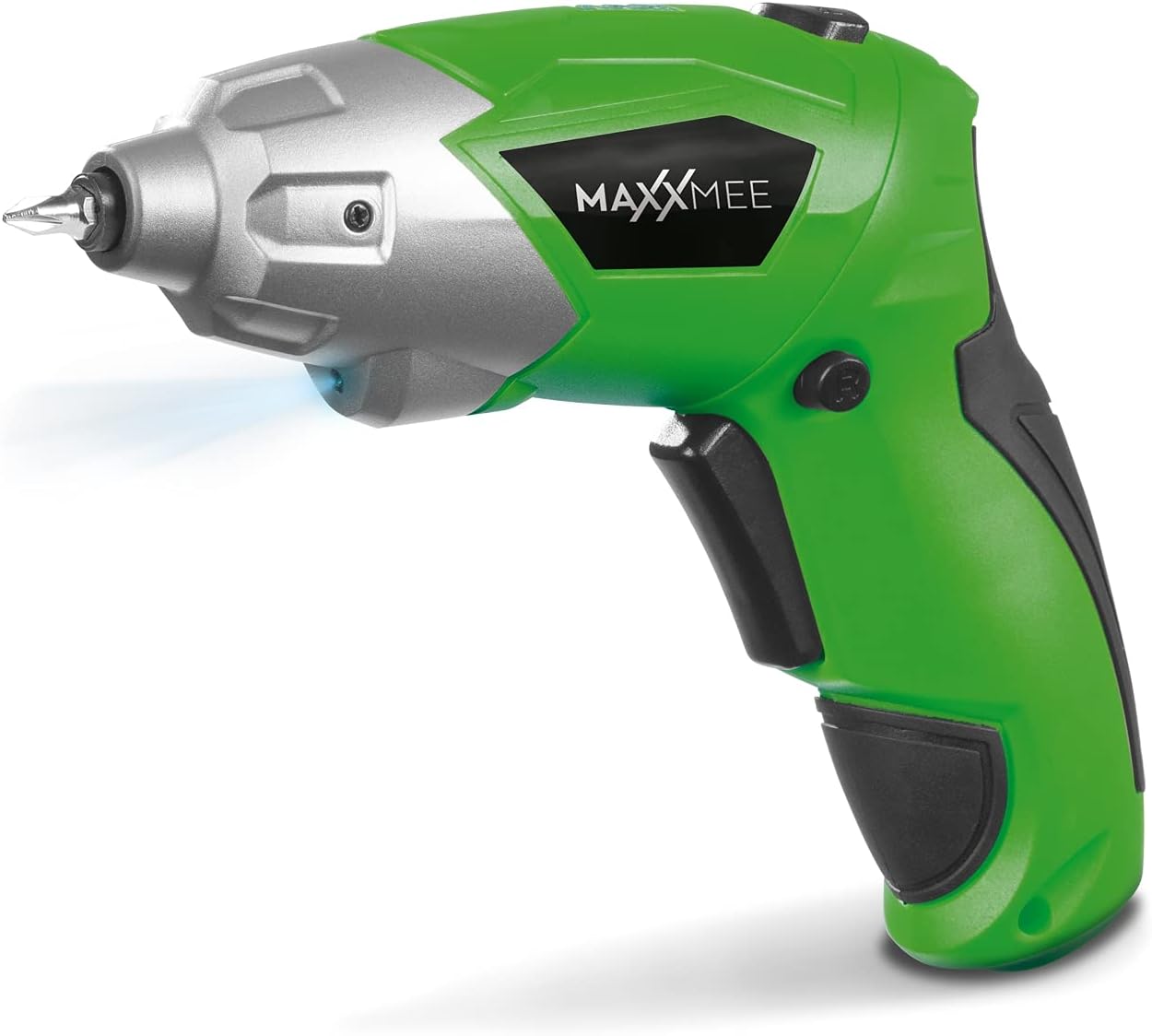
Зураг 4.1: Урд view of the MAXXMEE Cordless Screwdriver, highlighting its compact design.

Зураг 4.2: The cordless screwdriver demonstrating its flexible handle position, integrated LED light, and forward/reverse rotation switch.
- Bit Holder (Magnetic)
- LED ажлын гэрэл
- Урагшаа/Уруу эргүүлэх шилжүүлэгч
- Flexible Handle Release Button
- Триггер
- Цэнэглэх порт
- Батерейны түвшний үзүүлэлт
5. Тохиргоо
5.1. Charging the Screwdriver
Before first use, fully charge the screwdriver's integrated battery. The battery is not fully charged at the time of purchase.
- Connect the provided charging cable to the charging port on the screwdriver.
- Connect the other end of the USB charging cable to a suitable USB power adapter (not included) or a powered USB port.
- The battery indicator lights will show the charging status. Allow several hours for a full charge.
- Бүрэн цэнэглэгдсэний дараа цэнэглэгч кабелийг салга.
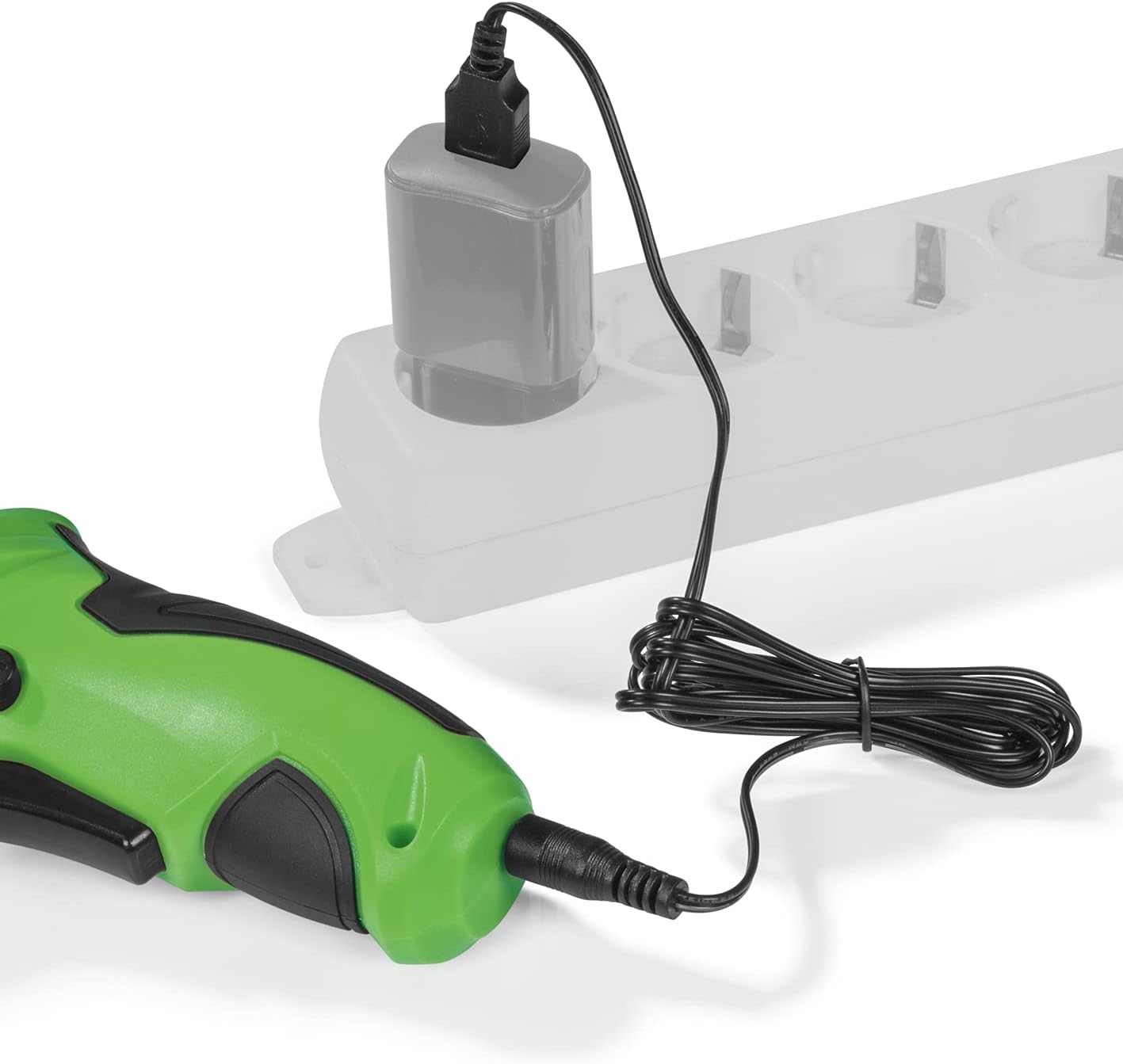
Зураг 5.1: Connecting the charging cable to the screwdriver and a power source.
5.2. Inserting Screwdriver Bits
The screwdriver features a magnetic bit holder for quick and easy bit changes.
- Халив унтраалттай, урагш/ухраах унтраалга нь төвийг сахисан (түгжигдсэн) байрлалд байгаа эсэхийг шалгаарай.
- Select the appropriate bit from the 30-piece set.
- Insert the bit firmly into the magnetic bit holder until it is securely seated.
- Устгахын тулд зүгээр л битийг сугалж ав.
6. Ашиглалтын заавар
6.1. Powering On/Off and Rotation Direction
The trigger switch activates the screwdriver, and the forward/reverse switch controls the rotation direction.
- To drive screws (forward rotation), push the forward/reverse switch to the left.
- To remove screws (reverse rotation), push the forward/reverse switch to the right.
- To lock the trigger and prevent accidental activation, place the switch in the center position.
- Press the trigger switch to operate the screwdriver. Release to stop.
6.2. Adjusting the Flexible Handle
The screwdriver features a variable curved handle for optimal comfort and access in different working conditions.
- Ensure the screwdriver is off.
- Press the flexible handle release button (refer to Figure 4.2 for location).
- Adjust the handle to the desired position (straight or pistol grip).
- Release the button to lock the handle in place. Ensure it is securely locked before use.
6.3. Using the LED Work Light
The integrated LED work light illuminates the work area for improved visibility, especially in dark or confined spaces.
- The LED light automatically activates when the trigger switch is pressed.
- It turns off when the trigger is released.
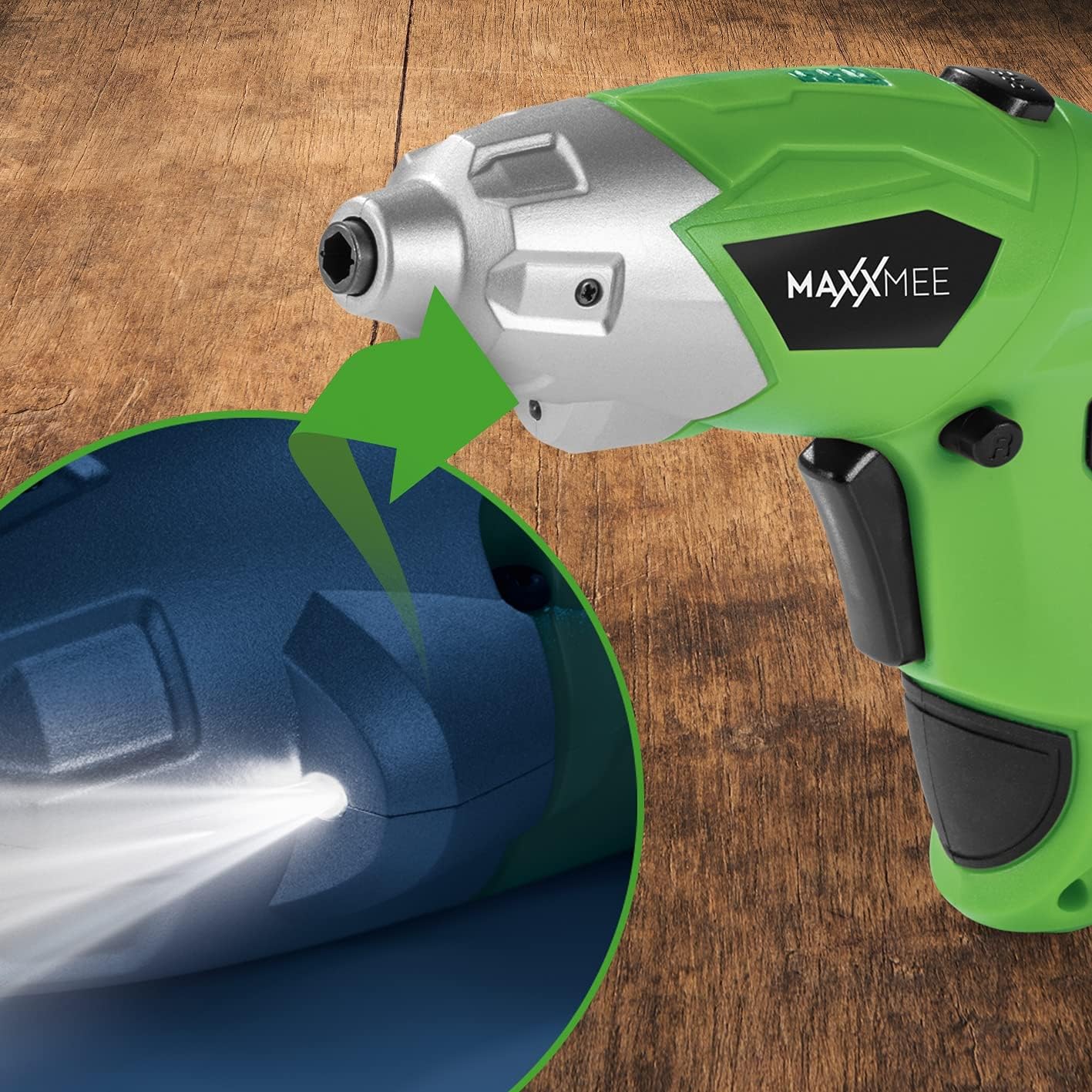
Зураг 6.1: Ойролцоогоор view of the LED work light illuminating the work surface.
6.4. Зайны түвшний заагч
The battery level indicator provides a visual representation of the remaining battery charge.
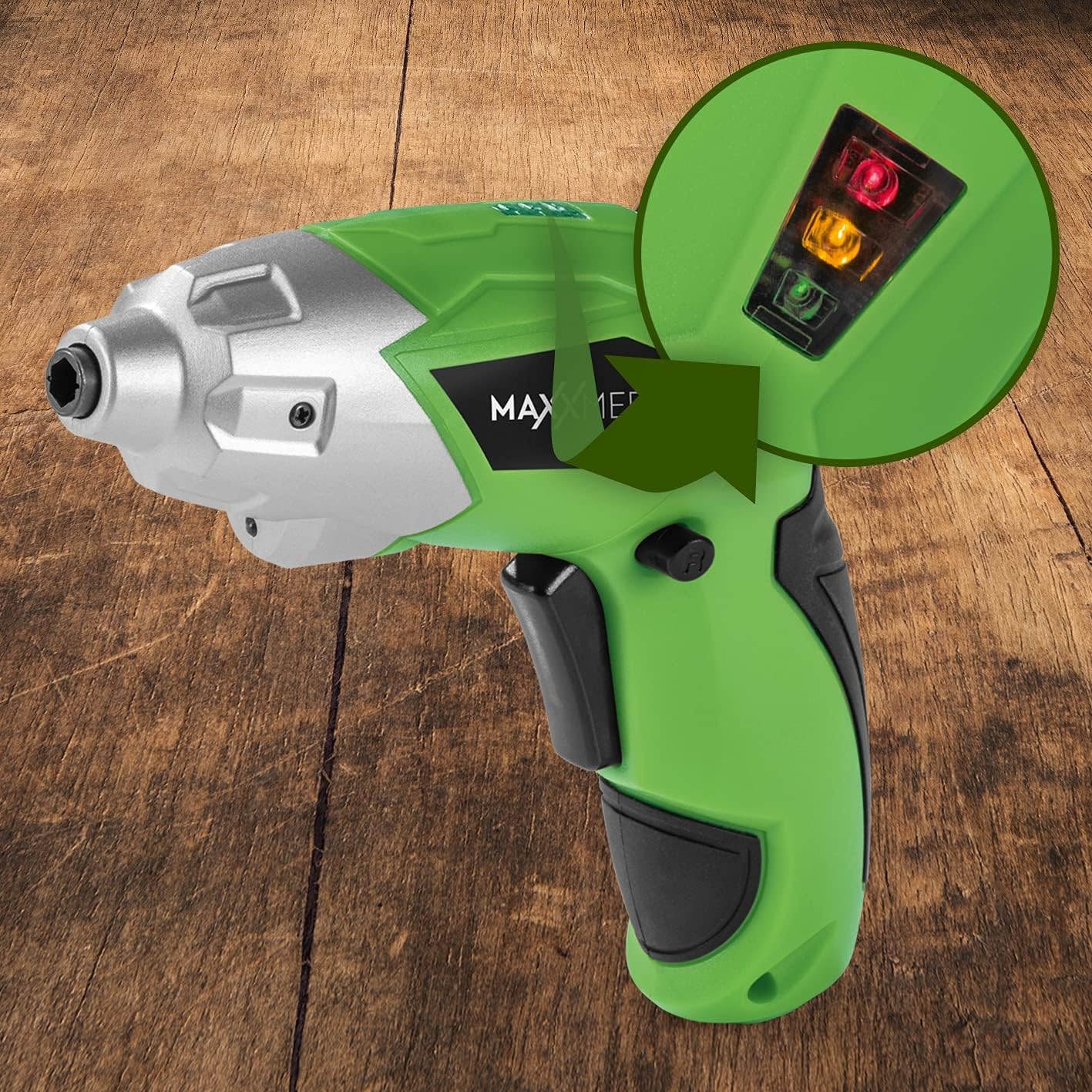
Зураг 6.2: The battery level indicator showing the charge status with colored lights.
- Green light: High charge.
- Yellow light: Medium charge.
- Red light: Low charge, recharge soon.
For optimal performance, recharge the screwdriver when the indicator shows a low charge.
7. Засвар үйлчилгээ
Proper maintenance ensures the longevity and optimal performance of your screwdriver.
- Цэвэрлэгээ: Always disconnect the screwdriver from any power source before cleaning. Use a soft, damp cloth to wipe down the exterior. Do not use harsh chemicals or abrasive cleaners. Keep ventilation openings free from dust and debris.
- Хадгалах: Store the screwdriver and its accessories in a dry, cool place, away from direct sunlight and moisture. Keep it out of reach of children.
- Батерейны арчилгаа: For long-term storage, it is recommended to charge the battery to approximately 50% every few months to maintain battery health.
8. Алдаа засах
If you encounter issues with your screwdriver, refer to the following common problems and solutions:
| Асуудал | Боломжит шалтгаан | Шийдэл |
|---|---|---|
| Халив асахгүй байна. | Батерей цэнэггүй болсон. | Батерейг бүрэн цэнэглэ. |
| Screwdriver lacks power. | Батерейны цэнэг багатай. | Зайгаа цэнэглэ. |
| Bit is loose or falls out. | Bit not fully inserted or incorrect bit size. | Ensure the bit is fully inserted into the magnetic holder. Use appropriate bit size. |
| Handle does not lock in place. | Release button not fully engaged or debris preventing lock. | Ensure the release button is fully pressed and released. Check for obstructions. |
Хэрэв эдгээр шийдлүүдийг туршиж үзсэний дараа асуудал хэвээр байвал хэрэглэгчийн дэмжлэгтэй холбогдоно уу.
9. Техникийн үзүүлэлтүүд
| Онцлог | Тодорхойлолт |
|---|---|
| Загварын дугаар | 2112 |
| Брэнд | MAXXMEE |
| Ботьtage | 3.6 вольт |
| Max torque | 4 Нм |
| Эрчим хүчний эх үүсвэр | Battery-powered (Rechargeable) |
| Материал | Металл |
| Онцлог шинж чанарууд | Cordless, Flexible Handle, LED Work Light |
| Оруулсан бүрэлдэхүүн хэсгүүд | 1 Cordless Screwdriver, 30-piece Bit Set, Charging Cable |
| Багцын хэмжээ | 15 x 15 x 7.2 см |
| Жин | 800 грамм |
10. Баталгаат хугацаа ба дэмжлэг
MAXXMEE products are manufactured to high-quality standards. In the unlikely event of a defect or malfunction, please refer to your purchase documentation for warranty details. For technical support, spare parts, or service inquiries, please contact your retailer or the MAXXMEE customer service department. Please have your model number (2112) and purchase date available when contacting support.


