Танилцуулга
Thank you for choosing the AULA F2066-II USB Wired Keyboard. This manual provides essential information for setting up, operating, and maintaining your keyboard. Please read it carefully to ensure optimal performance and longevity of your device.
Тохируулах заавар
- Гарыг задлах: Carefully remove the AULA F2066-II keyboard from its packaging. Ensure all components are present.
- Компьютерт холбогдох: Locate an available USB port on your computer or laptop. Insert the USB connector of the keyboard firmly into the USB port.
- Драйвер суурилуулах: The keyboard is plug-and-play. Your operating system (Windows, macOS, Linux) should automatically detect and install the necessary drivers. No additional software installation is typically required.
- Туршилтын функц: Open a text editor or any application that accepts text input and test typing to ensure all keys are functioning correctly.

Image: The AULA F2066-II USB Wired Keyboard, showcasing its full layout and RGB backlighting. This image illustrates the keyboard's design and key arrangement.
Ашиглалтын заавар
The AULA F2066-II keyboard features a standard layout with additional multimedia functions. It supports both English and Arabic languages.
Үндсэн хэрэглээ:
- Бичих: Use the alphanumeric keys for standard text input.
- Функцийн товчлуурууд (F1-F12): These keys perform their standard functions.
- Тоон товчлуур: The dedicated numeric keypad on the right provides quick entry for numbers and calculations.
Multimedia Key Combinations:
This keyboard includes various multimedia functions accessible via the FN key combined with other keys. Refer to the table below for specific combinations.
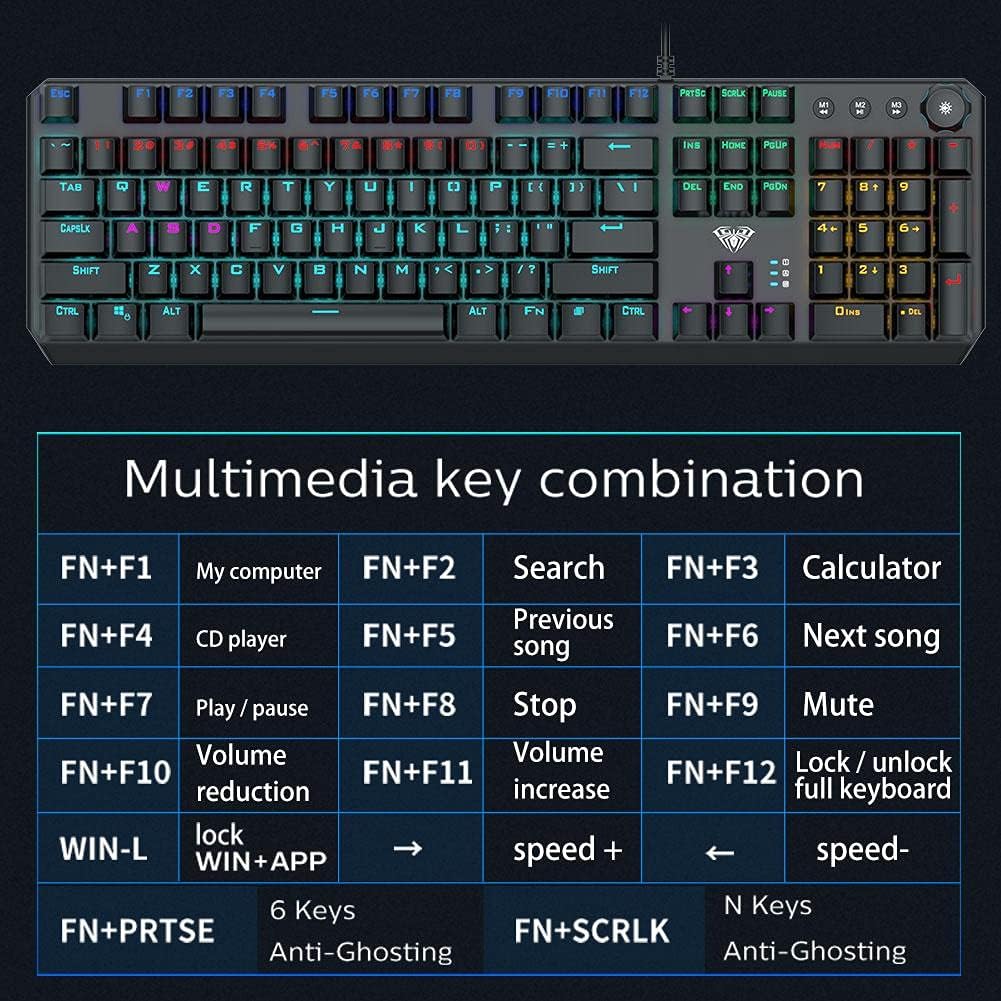
Image: A detailed table illustrating the multimedia key combinations available on the AULA F2066-II keyboard. This includes functions like volume control, media playback, and application shortcuts activated by pressing the FN key with specific function keys.
| Хослол | Чиг үүрэг |
|---|---|
| FN + F1 | Миний компьютер |
| FN + F2 | хайх |
| FN + F3 | Тооцоологч |
| FN + F4 | CD тоглуулагч |
| FN + F5 | Өмнөх дуу |
| FN + F6 | Дараагийн дуу |
| FN + F7 | Тоглуулах / Түр зогсоох |
| FN + F8 | Зогс |
| FN + F9 | Дууг хаах |
| FN + F10 | Эзлэхүүн бууруулах |
| FN + F11 | Эзлэхүүний өсөлт |
| FN + F12 | Lock / Unlock Full Keyboard |
| WIN + L | Lock WIN + APP |
| FN + PRT SC | Сүнсээс хамгаалах 6 түлхүүр |
| FN + SCRLK | N Keys Anti-Ghosting |
Засвар үйлчилгээ
Proper maintenance ensures the longevity and optimal performance of your AULA F2066-II keyboard.
- Цэвэрлэгээ: Regularly clean the keyboard with a soft, dry cloth. For deeper cleaning, use compressed air to remove dust and debris from between the keys. Avoid using harsh chemicals or abrasive materials.
- Асгаралт: Шингэн асгарсан тохиолдолд компьютерээсээ гарыг нэн даруй салга. Шингэнийг шавхахын тулд доош нь харуулаад, дахин холбохоосоо өмнө бүрэн хаттал хүлээнэ үү. Нойтон байхад нь гар ашиглах гэж бүү оролдоорой.
- Хадгалах: Удаан хугацаагаар ашиглаагүй тохиолдолд гарыг нарны шууд тусгал, хэт температураас хол, цэвэр, хуурай орчинд хадгална.
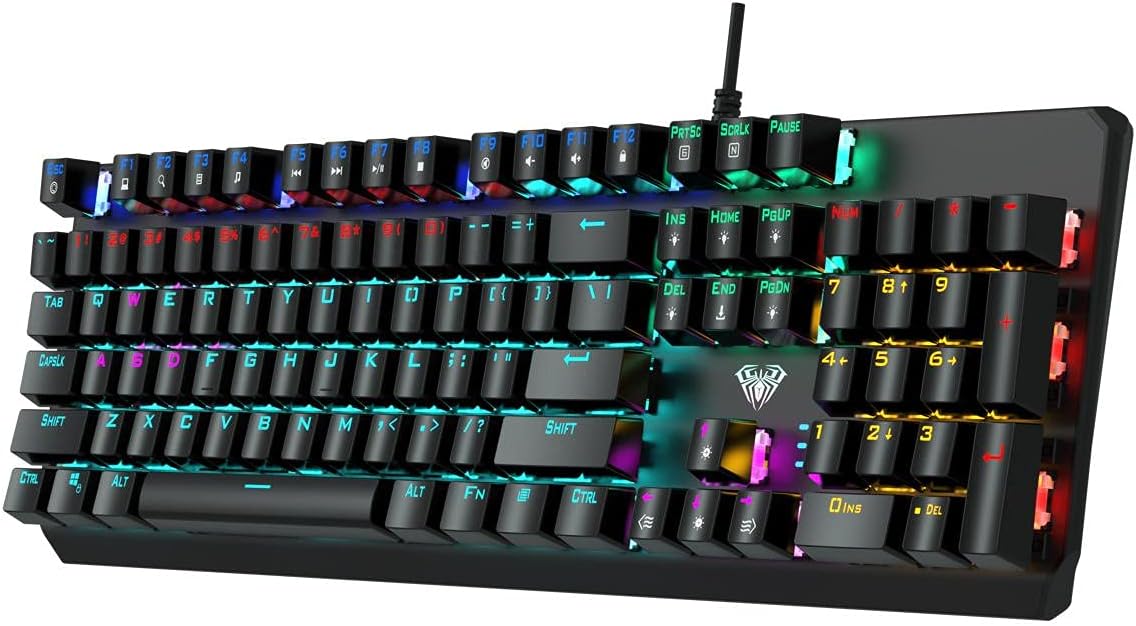
Зураг: Дээрээс доош view of the AULA F2066-II keyboard, highlighting the keycaps and their spacing. This perspective is useful for understanding how to clean between the keys.
Алдааг олж засварлах
If you encounter issues with your AULA F2066-II keyboard, refer to the following common solutions:
| Асуудал | Шийдэл |
|---|---|
| Гар хариу өгөхгүй байна. |
|
| Зарим түлхүүрүүд ажиллахгүй байна. |
|
| Backlighting is not working. |
|
Үзүүлэлтүүд
| Онцлог | Дэлгэрэнгүй |
|---|---|
| Брэнд | AULA |
| Загварын дугаар | F2066-II-Black-Panel |
| Холболтын технологи | USB утастай |
| Гарын хэл | English & Arabic |
| Тохиромжтой төхөөрөмжүүд | Компьютер, зөөврийн компьютер |
| Өнгө | Хар |
| Арын гэрлийн өнгө | Single Color (RGB effects are typically pre-set patterns, not customizable per key color) |
| Материал | Хуванцар |
| Хэмжээ (L x W x H) | 49.7 x 40.7 x 5.3 см |
| Жин | 960 грамм |
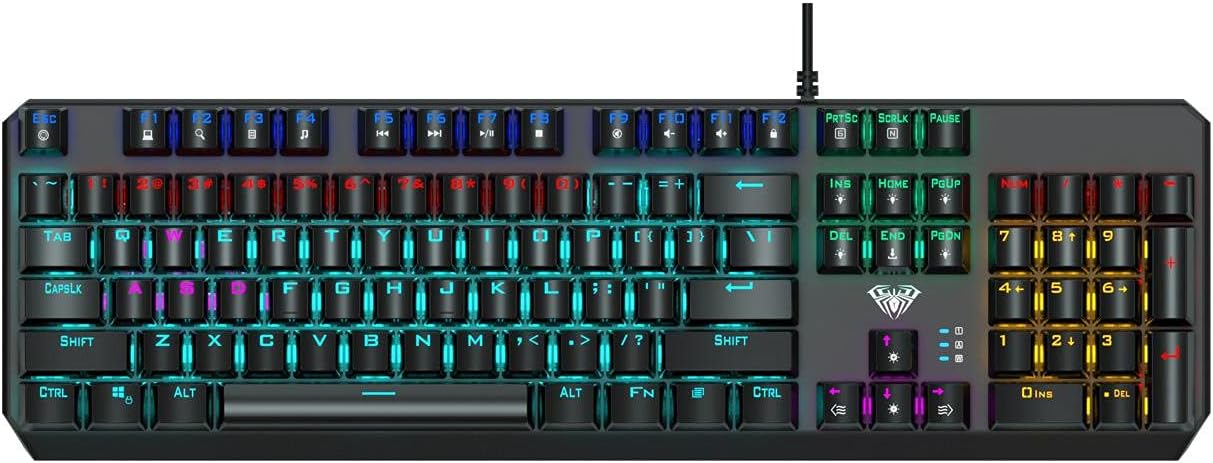
Image: The AULA F2066-II keyboard displayed alongside its retail packaging. This image provides a visual reference for the product and its box.
Баталгаат болон дэмжлэг
For warranty information and technical support, please refer to the documentation included with your purchase or visit the official AULA webсайт. Баталгаат нэхэмжлэл гаргахын тулд худалдан авалтаа нотлох баримтаа хадгалаарай.
Онлайн нөөцүүд:
- AULA Official Webсайт: www.aulagaming.com (Note: This is a generic placeholder URL as no specific support link was provided in the product data. Please verify the correct URL.)
- Product Support Page: Check the AULA website for a dedicated support page for model F2066-II.


