Танилцуулга
The XTOOL D7W is an advanced wireless OBD2 diagnostic scanner designed for comprehensive vehicle system analysis. This tool provides extensive diagnostic capabilities, including bidirectional control, ECU coding, and over 39 special reset functions. It supports a wide range of vehicle brands and incorporates modern communication protocols like CAN FD and DoIP, offering efficient and precise vehicle maintenance and repair solutions.

Image: XTOOL D7W diagnostic tablet and wireless VCI module.
Багцын агуулга
Бүх зүйл багцад байгаа эсэхийг шалгана уу:
- D7W Tablet (Main diagnostic unit)
- VCI Box (Vehicle Communication Interface)
- USB кабель (Type-C)
- Таблет цэнэглэгч
- US Adapter
- ЕХ-ны адаптер
- EN Adapter
- Зөөврийн хайрцаг
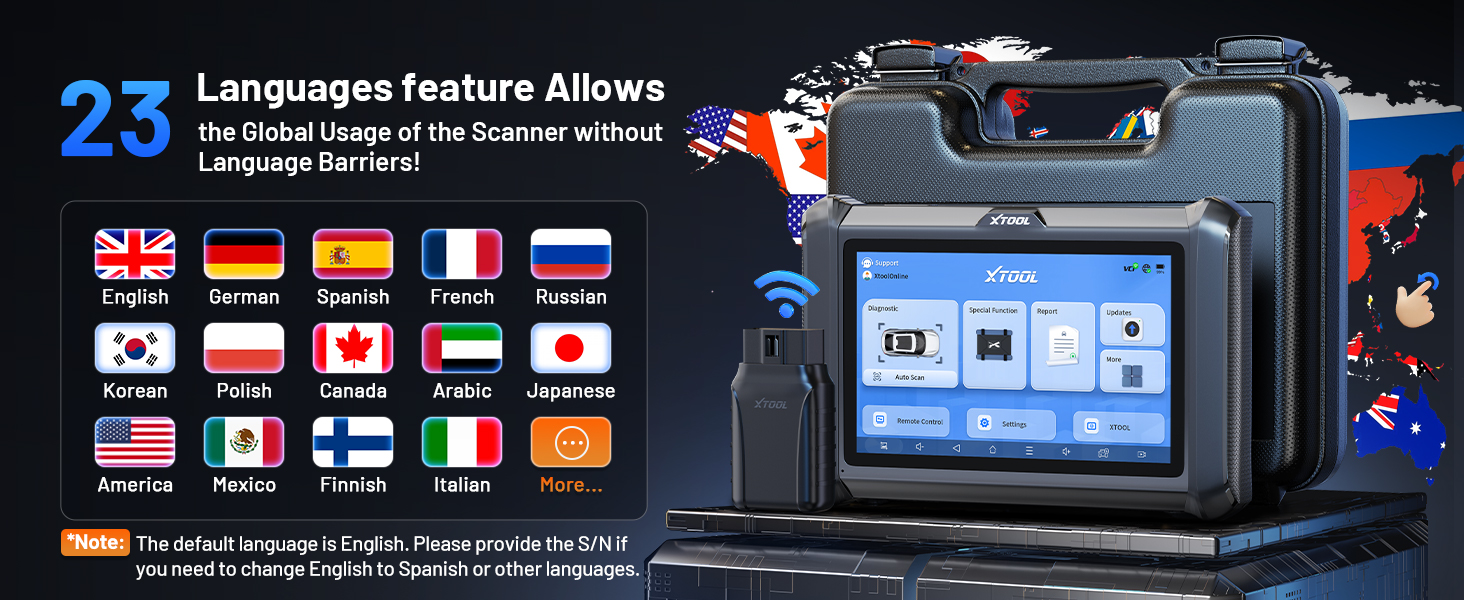
Image: Visual representation of the XTOOL D7W package contents, including the tablet, VCI box, cables, adapters, and carrying case.
Тохиргоо
- Таблетыг цэнэглэх: Connect the D7W tablet to the power adapter using the provided USB Type-C cable. Ensure the tablet is fully charged before first use.
- Асаах: Таблетыг асаахын тулд асаах товчийг дараад барина уу.
- Connect VCI Box: Plug the VCI box into the vehicle's OBD2 port. The OBD2 port is typically located under the dashboard on the driver's side.
- Утасгүй холболт үүсгэх: The D7W tablet features built-in Wi-Fi for direct communication with the VCI box. No external Wi-Fi router is required for this connection. The tablet will automatically attempt to connect to the VCI box.
- Initial Software Setup: Follow the on-screen prompts to complete the initial software setup, including language selection and Wi-Fi network configuration for internet access (for updates).

Image: Diagram illustrating the wireless connection between the XTOOL D7W tablet and the VCI box, highlighting the freedom from tangled wires.
Ашиглалтын заавар
1. Системийн бүрэн оношлогоо
The D7W performs comprehensive diagnostics across all available vehicle systems, including Engine, ABS, SRS, Transmission, BCM, and more. This function allows you to:
- Оношлогооны алдааны кодуудыг (DTC) уншиж, арилгах
- View Live Data (up to 8 PIDs simultaneously)
- Хөлдөөх хүрээний өгөгдлийг авах
- Access ECU Information
- Perform Auto VIN scanning for automatic vehicle identification
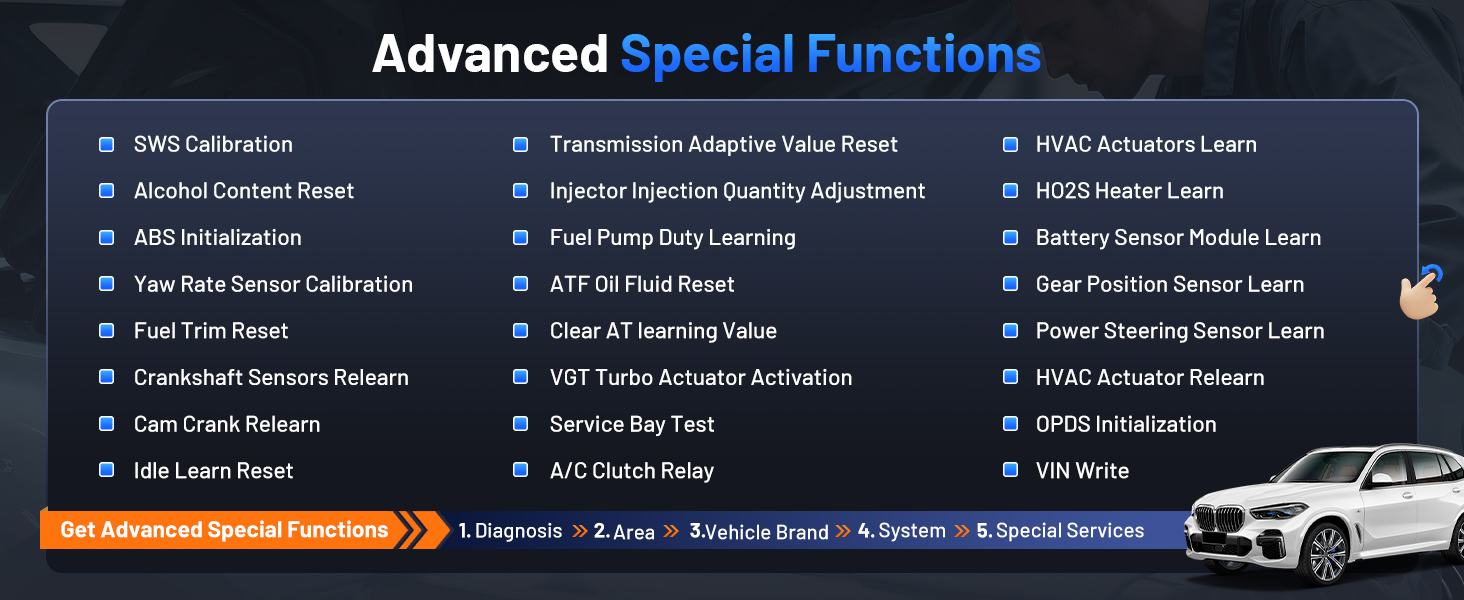
Image: Screenshot of the XTOOL D7W performing full system diagnostics, showing various diagnostic functions.
2. Хоёр чиглэлт хяналт (Идэвхтэй туршилтууд)
This function allows the diagnostic tool to send commands to vehicle components to test their functionality, aiding in faster fault isolation. ExampҮүнд:
- Injector Buzz Test
- ABS Pump Control
- Хөргөлтийн сэнсийг идэвхжүүлэх
- Fuel Pump On/Off
- Window/Door Lock Tests

Зураг: Жишээ ньamples of bidirectional control (active tests) such as injector buzz test, ABS pump control, and sound horn test.
3. Special Functions (39+ Resets)
The D7W offers a wide array of maintenance and reset services, including but not limited to:
- Газрын тосыг дахин тохируулах
- EPB (Цахим зогсоолын тоормос) дахин тохируулна
- TPMS (Дугуйн даралт хянах систем) дахин тохируулна
- BMS (Батерейны удирдлагын систем) дахин тохируулна уу
- SAS (Удирдах өнцөг мэдрэгч) шалгалт тохируулга
- ABS цус алдалт
- Инжекторын кодчилол
- Тохируулагчийг дахин сур
Зураг: Дууслааview of the 39+ maintenance services available on the XTOOL D7W, including various reset and calibration functions.
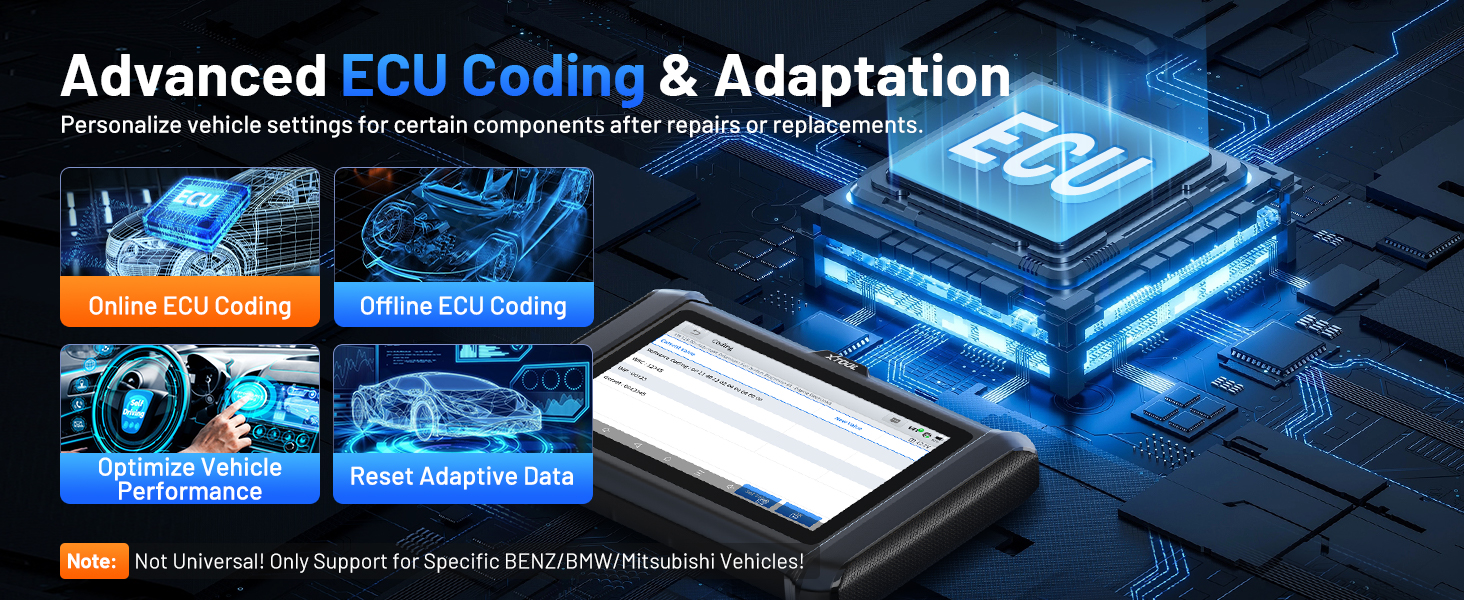
4. Advanced ECU Coding & PMI Programming
This feature allows for personalization of vehicle settings and recoding adaptive data for certain components after repairs or replacements. PMI (Programmable Module Installation) programming enables programming data from an original module to a new unit for module replacement, particularly for Ford, Lincoln, and Mazda vehicles. Жич: ECU Coding is not universally supported for all vehicles; it is specific to certain brands like VW, Audi, Skoda, Benz, and Mitsubishi.
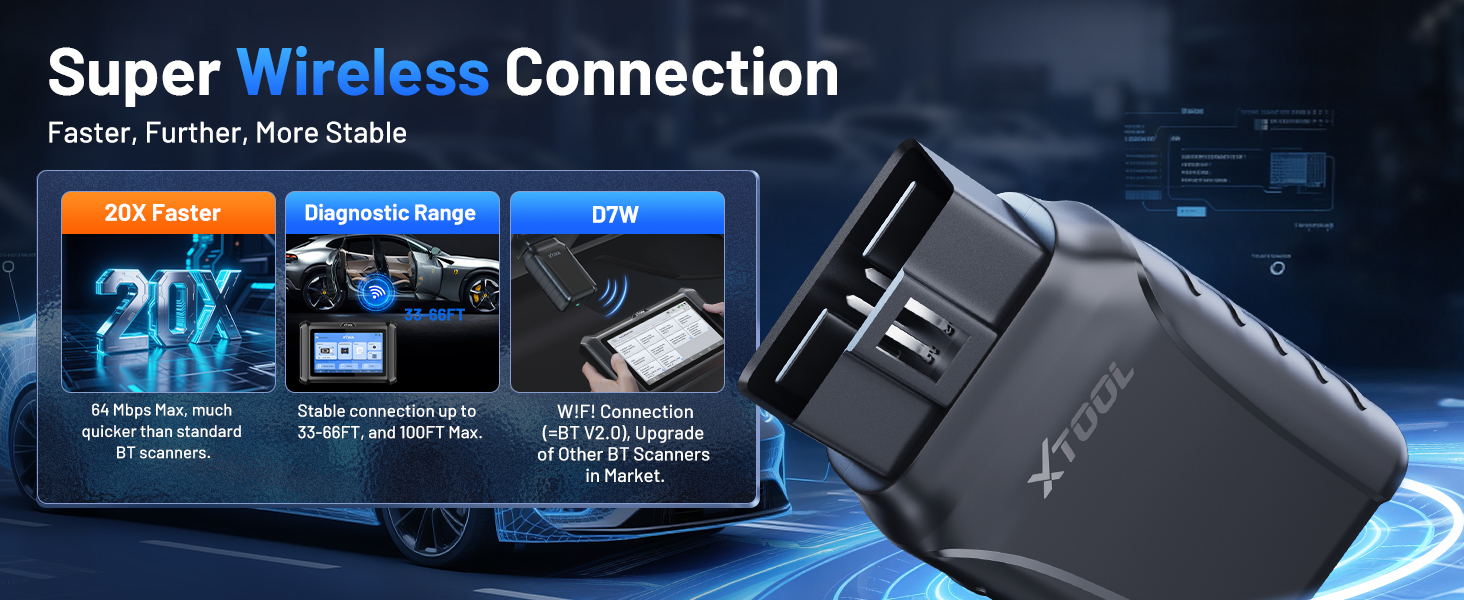
Image: Visual explanation of advanced ECU coding and adaptation, showing how it optimizes vehicle performance and resets adaptive data.
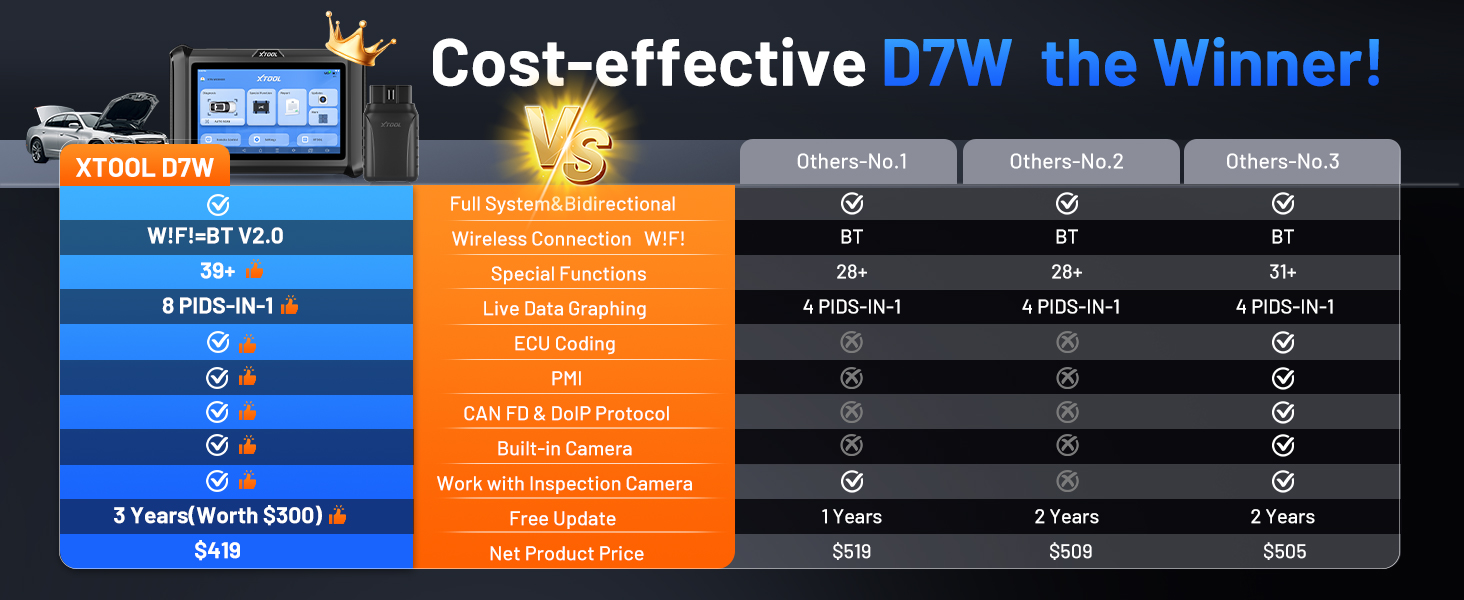
Image: Illustration of PMI and offline ECU programming for Ford, Lincoln, and Mazda vehicles, demonstrating module replacement procedures.
Засвар үйлчилгээ
- Програм хангамжийн шинэчлэлтүүд: Regularly check for and install software updates via Wi-Fi to ensure compatibility with the latest vehicle models and diagnostic functions. The device includes 3 years of free updates.
- Батерейны арчилгаа: To prolong battery life, avoid fully discharging the tablet frequently. Store the device in a cool, dry place when not in use.
- Цэвэрлэгээ: Зөөлөн ашиглах, damp таблетын дэлгэц болон биеийг цэвэрлэх даавуу. Зүлгүүрийн цэвэрлэгч эсвэл уусгагчаас зайлсхий.
- Хадгалах: Store the device and its accessories in the provided carry case to protect them from damage.
Алдааг олж засварлах
- Төхөөрөмж асахгүй байна: Таблет хангалттай цэнэглэгдсэн эсэхийг шалгаарай. Үүнийг цэнэглэгчтэй холбож, дахин асаахаасаа өмнө хэдэн минут хүлээнэ үү.
- VCI холбогдоогүй байна: Verify the VCI box is securely plugged into the vehicle's OBD2 port. Check the vehicle's ignition status. Ensure the tablet's Wi-Fi is enabled and attempting to connect to the VCI.
- Оношлогооны функц ажиллахгүй байна: Confirm that the vehicle model and year are correctly selected. Ensure the software is up to date. Some functions may not be supported on all vehicle makes/models. Refer to the vehicle compatibility list or contact support.
- Удаан гүйцэтгэл: Close any unnecessary applications running in the background. Ensure sufficient storage space is available.
Үзүүлэлтүүд
| Онцлог | Тодорхойлолт |
|---|---|
| Загвар | XTOOL D7W |
| Үйлдлийн систем | Android 10.0 |
| Дэлгэц | 7 инчийн мэдрэгчтэй дэлгэц |
| Санах ой | 2 ГБ RAM + 64 ГБ санах ой |
| Батерей | 5000mAh (7.3V) Lithium Polymer |
| Холболтын арга | Built-in Wi-Fi (Wireless VCI) |
| Дэмжигдсэн протоколууд | CAN FD, DoIP, FCA (with active subscription) |
| Хэмжээ | 12.6 x 11.25 x 4.1 инч |
| Зүйлийн жин | 5.06 фунт |
| Хэлнүүд | 23 хэлийг дэмждэг |

Image: Comparison table highlighting the enhanced features of the XTOOL D7W compared to previous models like D7, D7S, and D7BT.
Баталгаат болон дэмжлэг
The XTOOL D7W comes with a 2 жилийн баталгаат хугацааҮүнээс гадна, үүнд багтана 3 жилийн үнэгүй програм хангамжийн шинэчлэлтүүд from the date of purchase, ensuring your tool remains current with the latest vehicle data and functionalities.
For technical assistance, troubleshooting, or any inquiries, please contact XTOOL customer support:
- Имэйл: xtooldirect@outlook.com
- 24/7 Technical Assistance is available.
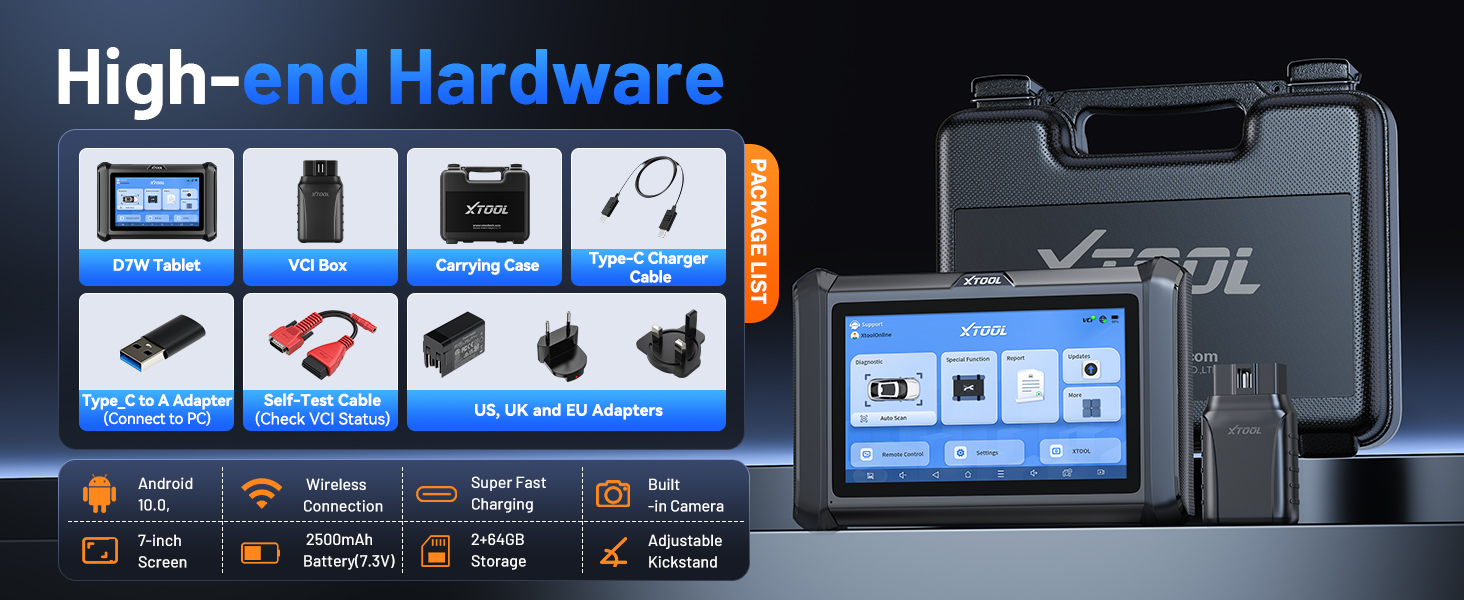
Image: Information regarding XTOOL's professional services, including 24/7 tech assistance, 2-year warranty, and 3 years of free updates.