1. Танилцуулга
Welcome to your new HAOVM 10-inch Android 11 Tablet. This manual provides essential information to help you set up, operate, maintain, and troubleshoot your device. Please read it carefully to ensure optimal performance and longevity of your tablet.

Image: The HAOVM 10-inch Android 11 Tablet, showcasing түүний гоёмсог дизайн, дэлгэц.
2. Эхлэх (Тохируулга)
2.1 Таблетыг цэнэглэх
Before first use, ensure your tablet is fully charged.
- USB Type-C кабелийг таблетын цэнэглэгч порт руу холбоно уу.
- Кабелийн нөгөө үзүүрийг тохирох цахилгаан адаптертай холбож, ханын залгуурт залгаарай.
- The battery icon on the screen will indicate the charging status.
2.2 Асаах/унтраах
- Асаахын тулд: Press and hold the Power Button (located on the side) until the HAOVM logo appears on the screen.
- Унтраахын тулд: Press and hold the Power Button until a power options menu appears. Select "Power off" and confirm.
2.3 Анхны тохиргоо
Анх асаахад танд анхны тохиргооны процессыг зааварчилна:
- Өөрийн дуртай хэлээ сонгоно уу.
- Интернетэд холбогдохын тулд Wi-Fi сүлжээнд холбогдоно уу.
- Google бүртгэлээрээ нэвтэрч эсвэл шинээр үүсгэнэ үү.
- Follow the remaining prompts to complete the setup.

Image: Close-up of the tablet's USB Type-C port, highlighting its modern connectivity.
3. Таблетаа ажиллуулах
3.1 Дэлгэц ба навигаци
The HAOVM tablet features a vibrant 10.1-inch IPS FHD display with a resolution of 1920x1200 pixels, providing clear and crisp visuals. The capacitive touchscreen allows for smooth and responsive navigation.
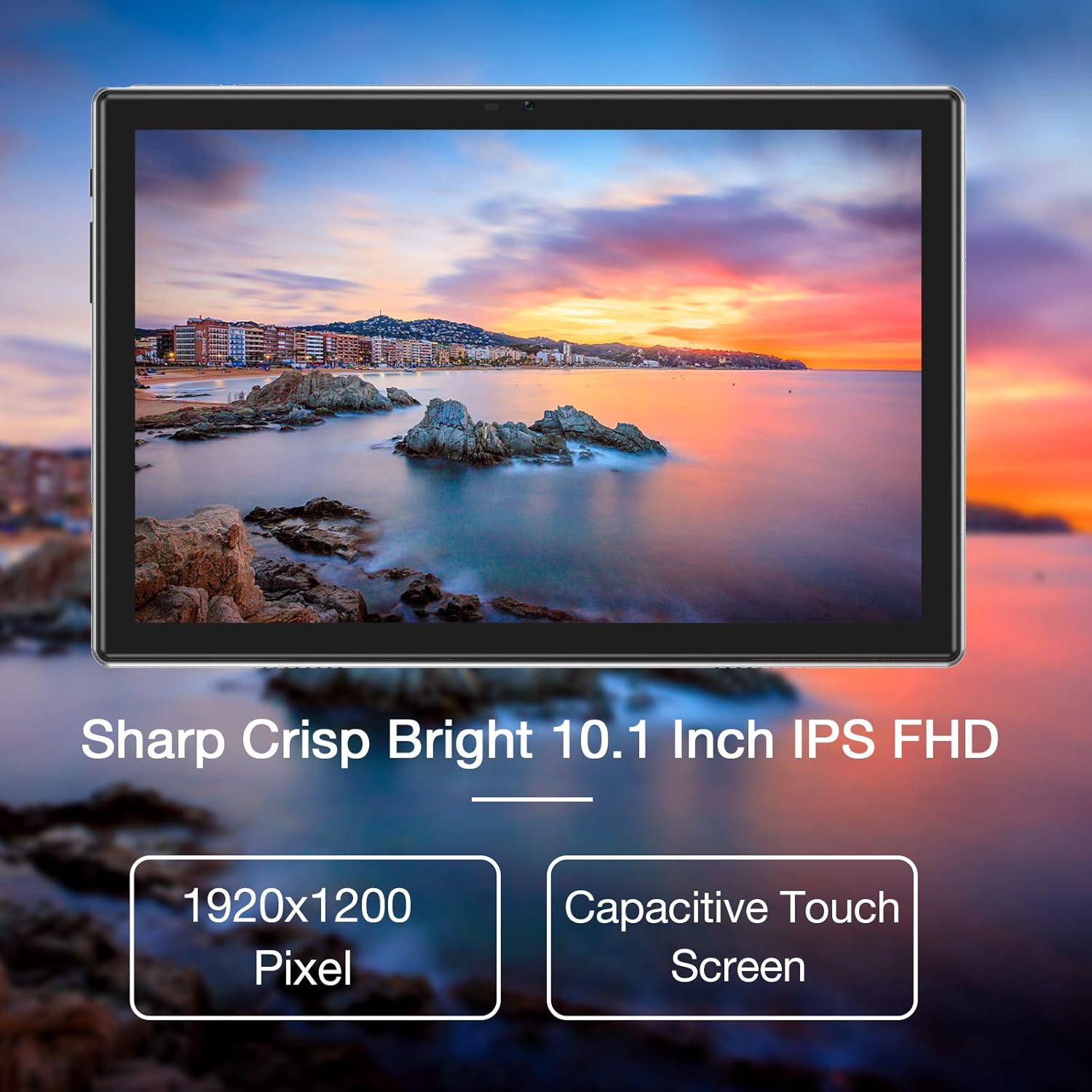
Image: The tablet's 10.1-inch IPS FHD display showcasing its sharp and bright visual quality.
3.2 Холболт
Your tablet offers robust connectivity options:
- Wi-Fi: Supports 5G WiFi (802.11ac) for high-speed internet access. To connect, go to Тохиргоо > Сүлжээ ба интернет > Wi-Fi, сүлжээгээ сонгоод нууц үгээ оруулна уу.
- Bluetooth: Equipped with Bluetooth 5.0 for connecting to wireless headphones, speakers, and other compatible devices. Enable it via Тохиргоо> Холбогдсон төхөөрөмжүүд> Холболтын тохиргоо> Bluetooth.
3.3 Камер
Capture moments and make video calls with the tablet's dual cameras:
- Урд камер: 5 Megapixels, ideal for video conferencing and selfies.
- Арын камер: 13 Megapixels, suitable for taking photos and recording videos.

Image: Illustration showing the tablet's 5.0MP front camera and 13.0MP back camera capabilities.
3.4 Хадгалалт ба гүйцэтгэл
The tablet is designed for efficient multitasking and ampхадгалах сан:
- RAM: 3GB of RAM ensures smooth operation and efficient multitasking.
- Дотоод санах ой: 64GB of internal storage for your apps, photos, and files.
- Өргөтгөх боломжтой хадгалах сан: Storage can be expanded up to 128GB using a microSD card (not included).
- Процессор: Powered by a 1.6 GHz Octa-Core processor, providing fast and fluid performance for various applications.

Image: Diagram illustrating the tablet's powerful internal configuration, including the Octa-Core CPU, 3GB RAM, and 64GB storage.
3.5 GPS-ийн функциональ байдал
The integrated GPS system allows for accurate navigation and location-based services, making it a useful tool for travel and exploration.

Image: The tablet being used for navigation, demonstrating its GPS capabilities and long-lasting 6000mAh battery.
4. Засвар үйлчилгээ
4.1 Цэвэрлэгээ
- Use a soft, lint-free cloth to gently wipe the screen and body of the tablet.
- Avoid using abrasive cleaners, alcohol, or chemical solvents, as they may damage the surface.
4.2 Батерейны арчилгаа
- To prolong battery life, avoid exposing the tablet to extreme temperatures (hot or cold).
- Батерейг 0% хүртэл бүрэн цэнэггүй болгохыг байнга бүү зөвшөөр.
- Хэрэв таблетыг удаан хугацаагаар хадгалах гэж байгаа бол унтраахаасаа өмнө 50% орчим цэнэглээрэй.
4.3 Програм хангамжийн шинэчлэлтүүд
- Regularly check for system updates to ensure your tablet has the latest features, performance improvements, and security patches.
- You can usually find update options in Тохиргоо > Систем > Системийн шинэчлэл.
5. Алдаа засах
5.1 Нийтлэг асуудал ба шийдвэрлэх арга замууд
| Асуудал | Шийдэл |
|---|---|
| Таблет асахгүй | Ensure the battery is charged. Connect to a power source for at least 30 minutes. Press and hold the power button for 10-15 seconds to force a restart. |
| Wi-Fi холболтын асуудал | Restart the tablet and your Wi-Fi router. Go to Wi-Fi settings, forget the network, and then reconnect. Ensure you are within range of the Wi-Fi signal. |
| Аппликешнууд гацаж эсвэл хөлддөг | Програмыг хаагаад дахин нээнэ үү. Програмын кэш болон доторх өгөгдлийг цэвэрлэ Тохиргоо > Програмууд > [Аппын нэр] > Хадгалах сан > Кэшийг цэвэрлэх/Өгөгдлийг арилгах. Ensure sufficient storage space is available. |
| Удаан гүйцэтгэл | Close unused background apps. Clear system cache (if option available). Uninstall unnecessary apps. If issues persist, consider a factory reset (backup all data first). |
| Дэлгэц хариу өгөхгүй байна | Restart the tablet by holding the power button. If unresponsive, let the battery drain completely and then recharge and power on. |
6. Техникийн үзүүлэлтүүд
6.1 Техникийн үзүүлэлтүүд
| Онцлог | Дэлгэрэнгүй |
|---|---|
| Брэнд | HAOVM |
| Загварын дугаар | Tablet (HP20) |
| Үйлдлийн систем | Android 11 |
| Процессор | 8 цөмт 1.6 GHz |
| RAM | 3 ГБ |
| Дотоод санах ой | 64 ГБ |
| Өргөтгөх боломжтой хадгалах сан | 128 ГБ хүртэл (MicroSD) |
| Дэлгэцийн хэмжээ | 10.1 инч |
| Дэлгэцийн нягтрал | 1920 x 1200 пиксел (FHD IPS) |
| Урд камер | 5 МП |
| Арын камер | 13 МП |
| Холболт | Wi-Fi (802.11ac), Bluetooth 5.0, GPS |
| Интерфэйс | USB Type-C |
| Батерей | 6000 мАч |
| Хэмжээ (L x W x H) | 27.2 x 18 x 6.1 см |
| Жин | 5 грамм |
7. Баталгаат хугацаа ба дэмжлэг
7.1 Баталгаат хугацааны мэдээлэл
Your HAOVM tablet comes with a limited warranty. Please refer to the warranty card or documentation included in the product packaging for specific terms, conditions, and duration of the warranty. Keep your proof of purchase for warranty claims.
7.2 Хэрэглэгчийн дэмжлэг
For technical assistance, troubleshooting beyond this manual, or service inquiries, please contact HAOVM customer support. You can typically find contact information on the official HAOVM webсайт эсвэл бүтээгдэхүүнийг худалдан авсан жижиглэн худалдаалагчаар дамжуулан.


