Танилцуулга
The Amazon Fire HD 8 tablet is designed for portable entertainment and productivity. Featuring an 8-inch HD display and a faster hexa-core processor, it offers an enhanced experience for reading, browsing, watching videos, and listening to music. This manual provides essential information for setting up, operating, maintaining, and troubleshooting your device.

Image: The Amazon Fire HD 8 tablet, highlighting its compact and portable design.
Тохиргоо
Хайрцагт юу байна
- Fire HD 8 таблет
- USB-C (2.0) кабель
- 5 Вт тэжээлийн адаптер
- Түргэн эхлүүлэх гарын авлага
Анхны төлбөр
Before first use, fully charge your Fire HD 8 tablet. Connect the USB-C cable to the tablet's USB-C port and the 5W power adapter to a wall outlet. A full charge takes approximately 5 hours with the included adapter. For faster charging, a 9W adapter (under 3 hours) or a 15W adapter with a USB-C to C cable (under 2.5 hours) can be purchased separately.
Асаалт ба анхны тохиргоо
Press and hold the power button until the Amazon logo appears. Follow the on-screen prompts to select your language, connect to a Wi-Fi network, and register your device with your Amazon account. This process will guide you through setting up your device preferences.
Fire HD 8 таблетаа ажиллуулж байна
Навигаци ба интерфейс
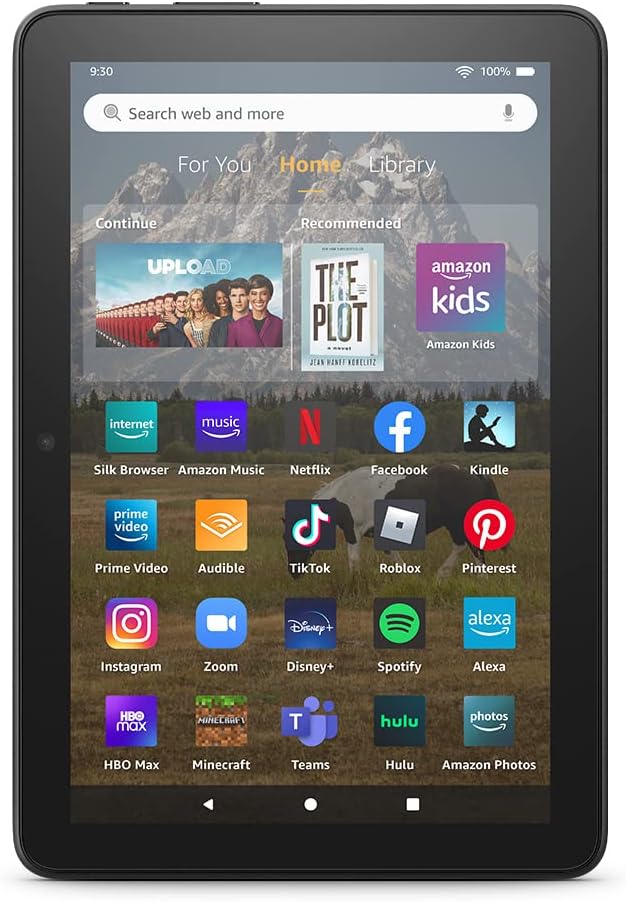
Image: The Fire HD 8 home screen, showing the intuitive Fire OS interface with quick access to apps and content.
The Fire HD 8 runs on Fire OS, providing a user-friendly interface. Swipe down from the top of the screen to access quick settings and notifications. The home screen features a "For You" section with personalized content, a "Home" tab for your apps, and a "Library" tab for quick access to recently viewed content like Kindle books or webсайтууд.
Entertainment and Apps
Stream or download your favorite shows and movies from services like Prime Video, Netflix, Disney+, and HBO. Access a wide range of apps through Amazon's Appstore, including Facebook, Hulu, Instagram, and TikTok. Note that Google Play is not supported, and some apps may require a subscription.
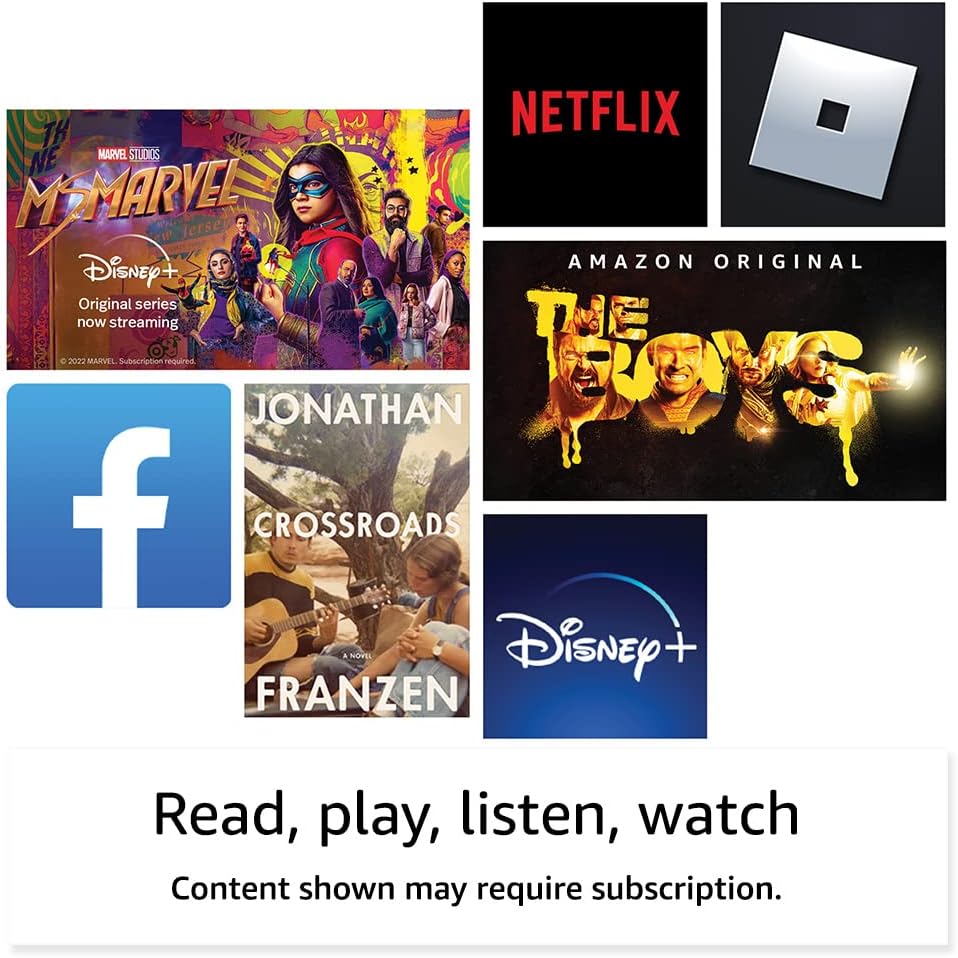
Зураг: Жишээ ньamples of popular streaming services and content accessible on the Fire HD 8 tablet.
Reading and Audio
Enjoy reading e-books with the vibrant 8-inch HD display. The tablet also features integrated speakers and a 3.5 mm stereo jack for audio. You can listen to music, podcasts, and Audible books.

Image: The Fire HD 8 tablet is ideal for reading e-books anywhere.

Image: Using Alexa to control audio playback on the Fire HD 8 tablet.
Alexa интеграци
Your Fire HD 8 tablet comes with Alexa built-in. Ask Alexa to play music, get news and weather updates, manage shopping lists, set reminders, and control smart home devices. You can also make video calls to friends and family using apps like Zoom.
Parental Controls with Amazon Kids
Amazon Kids offers easy-to-use parental controls, allowing you to manage content access and screen time. Subscribe to Amazon Kids+ for access to thousands of curated books, apps, games, videos, and Audible books suitable for children.

Image: The Fire HD 8 tablet is suitable for family use, especially with Amazon Kids features.
Засвар үйлчилгээ
Таблетаа цэвэрлэж байна
To clean your Fire HD 8 tablet, use a soft, lint-free cloth. For stubborn smudges, slightly dampдаавуугаар усаар. Зүлгүүрийн цэвэрлэгч, уусгагч эсвэл аэрозолийн шүршигчийг төхөөрөмж дээр шууд хэрэглэхээс зайлсхий.
Батерейны арчилгаа
The tablet offers up to 13 hours of battery life for mixed use. To prolong battery lifespan, avoid extreme temperatures and fully discharging the battery frequently. Charge the device using the provided adapter or a compatible USB-C charger.
Хадгалалтын менежмент
Your Fire HD 8 comes with either 32 GB or 64 GB of internal storage. You can expand storage up to 1 TB using a microSD card. Regularly review мөн шаардлагагүй устгана files or apps to optimize performance. Some apps may require installation on internal storage.
Алдааг олж засварлах
Нийтлэг асуудал ба шийдэл
| Асуудал | Шийдэл |
|---|---|
| Төхөөрөмж асахгүй байна | Ensure the tablet is fully charged. Press and hold the power button for 20-30 seconds to perform a hard reset. |
| Wi-Fi холболтын асуудал | Тохиргоо хэсэгт Wi-Fi идэвхжсэн эсэхийг шалгана уу. Чиглүүлэгч болон таблетаа дахин эхлүүлнэ үү. Сүлжээгээ мартаад дахин холбогдоно уу. |
| Аппликешнууд гацаж эсвэл хөлддөг | Close and reopen the app. Clear the app's cache in settings. Restart the tablet. Ensure sufficient storage space. |
| Удаан гүйцэтгэл | Close unused apps. Clear cache and data for frequently used apps. Free up internal storage. Restart the device regularly. |
Илүү нарийвчилсан алдааг олж засварлах эсвэл байнгын асуудлуудыг Amazon Device Support-д зочилно уу webсайт эсвэл Amazon харилцагчийн үйлчилгээтэй холбогдоно уу.
Үзүүлэлтүүд

Image: Size comparison of various Amazon Fire tablet models, including the Fire HD 8.
| Онцлог | Дэлгэрэнгүй |
|---|---|
| Дэлгэц | 8” high-definition touchscreen; 1280 x 800 resolution at 189 ppi, HD video playback, with IPS technology |
| Хэмжээ | 7.94” x 5.40” x 0.37” (201.90 мм x 137.34 мм x 9.60 мм) |
| Жин | 11.88 унц (337 грамм) |
| CPU ба RAM | Hexa-core 2.0 GHz, 2 GB RAM |
| Хадгалах | 32 GB or 64 GB internal storage; microSD slot for up to 1 TB additional storage |
| Зайны ашиглалт | Up to 13 hours of mixed use |
| Цэнэглэх хугацаа | Under 5 hours (5W adapter); Under 3 hours (9W adapter); Under 2.5 hours (15W adapter) |
| Wi-Fi холболт | Хос зурвасын 802.11a/b/g/n/ac (Wi-Fi 6 дэмжигдээгүй) |
| Портууд | USB-C (2.0) холбогч, microSD үүр |
| Аудио | 3.5 mm stereo jack, integrated speakers |
| Камерууд | 2 MP front-facing, 2 MP rear-facing with 720p HD video recording |
| Bluetooth | Суурилуулсан Bluetooth 5.2 |
| Үе үе | 12-р үе - 2022 оны хувилбар |
Хүртээмжтэй байдлын онцлогууд
The Fire HD 8 tablet includes various accessibility features to personalize the device for different needs. These can be found under Тохиргоо → Хүртээмжтэй байдал.
- Дуу хоолойView дэлгэц уншигч: Хараагүй эсвэл харааны бэрхшээлтэй хэрэглэгчдэд хандах боломжийг олгодог.
- Дэлгэц томруулагч: Хэрэглэгчид дэлгэцийг томруулж/жижигрүүлж, тойруулан харах боломжийг олгоно.
- Alexa руу товшино уу: Provides access to Alexa via touch through on-screen tiles or a keyboard, including saving favorite actions.
- Хандалтыг сэлгэх: Enables access for users with motor impairments via compatible Bluetooth devices.
- Kindle чанга унших: Alexa таны Kindle номыг чангаар унших боломжтой.
- Additional features include settings for Closed Captioning, Font Size, Display Size, High Contrast Text, Color Inversion, Color Correction, and Convert Stereo to Mono audio.
Баталгаат болон дэмжлэг
Баталгаат хугацааны мэдээлэл
Your Fire HD 8 tablet comes with a 90-day limited warranty and service. Optional 1-year, 2-year, and 3-year extended warranties are available for U.S. customers and are sold separately. Use of the Fire HD 8 tablet is subject to Amazon's Conditions of Use and related terms.
Програм хангамжийн аюулгүй байдлын шинэчлэлтүүд
Энэ төхөөрөмж нь Амазон дээр шинэ нэгжээр хамгийн сүүлд худалдан авах боломжтой болсноос хойш дор хаяж дөрвөн жилийн хугацаанд баталгаатай програм хангамжийн аюулгүй байдлын шинэчлэлтүүдийг хүлээн авдаг. webсайтууд. Төхөөрөмжийнхөө тухай мэдээлэл авахыг хүсвэл зочилно уу Агуулга болон төхөөрөмжүүдээ удирдах.
Хэрэглэгчийн дэмжлэг
Нэмэлт тусламж авахыг хүсвэл Amazon-ы дэмжлэг рүү зочилно уу website or contact Amazon customer service directly. You can find more information and support resources at amazon.com/devicesupport.