Танилцуулга
The Amazon Echo Dot (5th Generation) is a compact smart speaker with Alexa, designed to provide vibrant sound, smart home control, and hands-free assistance. This manual provides essential information for setting up, operating, and maintaining your device.

The Amazon Echo Dot (5th Gen) in Deep Sea Blue, a compact spherical smart speaker with a glowing light ring at its base.
Хайрцагт юу байна
- Echo Dot (5-р үеийн) төхөөрөмж
- Glacier white power adapter (15W)
- Түргэн эхлүүлэх гарын авлага
Тохиргоо
- Асаах: Plug the included power adapter into your Echo Dot and then into a wall outlet. The light ring will turn blue, then orange.
- Alexa програмыг татаж авах: Download the Amazon Alexa app on your smartphone or tablet from your device's app store.
- Wi-Fi-д холбогдох: Open the Alexa app and follow the on-screen instructions to connect your Echo Dot to your Wi-Fi network. The device supports dual-band Wi-Fi (2.4 and 5 GHz).
- Тохиргоог хувийн болгох: Complete the setup by personalizing your device settings, including your location, preferred language, and linking music services.
For more details on Wi-Fi simple setup, visit the Amazon Wi-Fi simple setup page.
Цуурай цэгээ ажиллуулах
Alexa ашиглан дуут удирдлага
To activate Alexa, simply say the wake word "Alexa". The light ring will turn blue, indicating Alexa is listening. You can then issue commands or ask questions.

The Echo Dot ready to respond to a voice command, asking about the weather.
Хөгжим болон аудио тоглуулах
Play music, audiobooks, and podcasts from various services like Amazon Music, Apple Music, Spotify, and more. You can also stream audio via Bluetooth from your mobile device.

The Echo Dot supports various music streaming services and Bluetooth connectivity for audio playback.
Ухаалаг гэрийн удирдлага
Control compatible smart home devices using your voice. The Echo Dot supports Wi-Fi, Bluetooth Low Energy Mesh, and Matter for smart home connectivity. You can also create routines triggered by built-in motion or indoor temperature sensors.
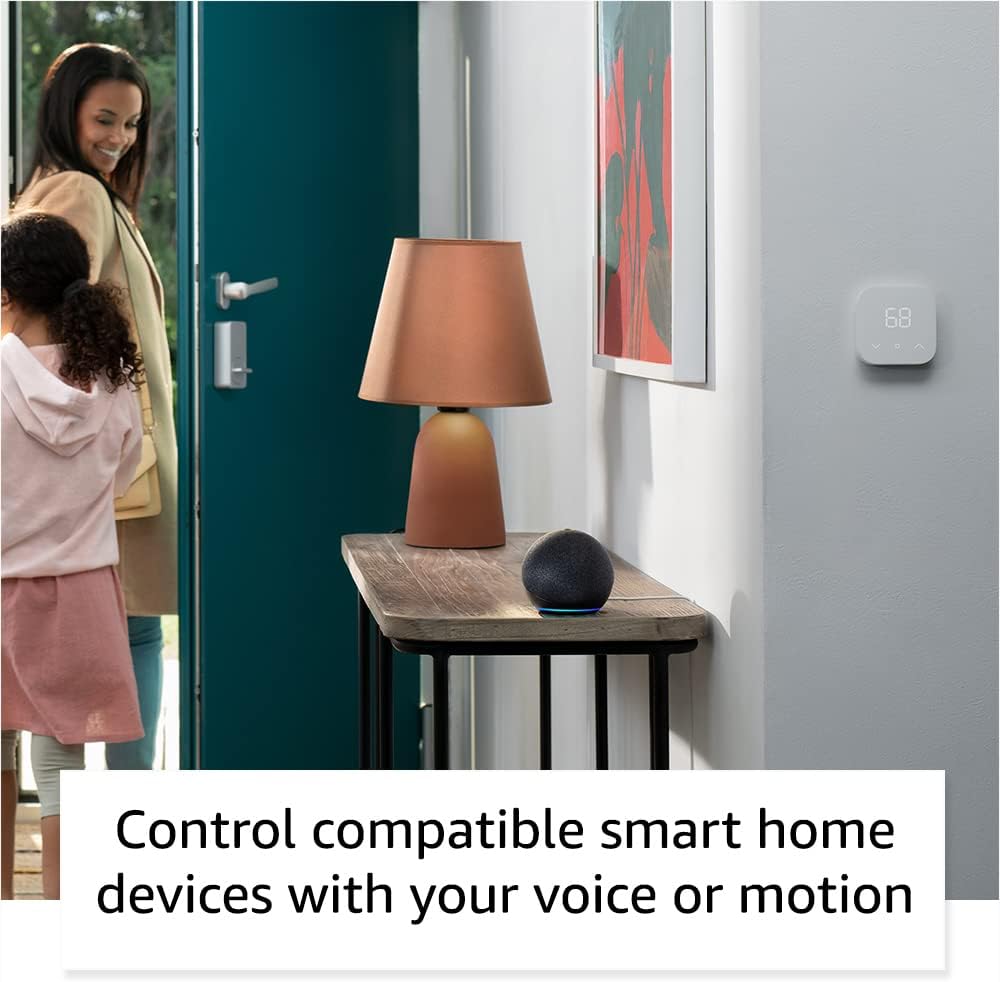
The Echo Dot can control compatible smart home devices, such as thermostats and lights, using voice commands or motion detection.
Физик хяналт
- Дууны товчлуурууд: Use the '+' and '-' buttons on top to adjust volume.
- Үйлдлийн товчлуур: Press to wake Alexa or snooze an alarm.
- Микрофон унтраах товчлуур: Press to disconnect the microphones for privacy. The light ring will turn red.

Tapping the top of the Echo Dot can pause music or snooze an alarm.
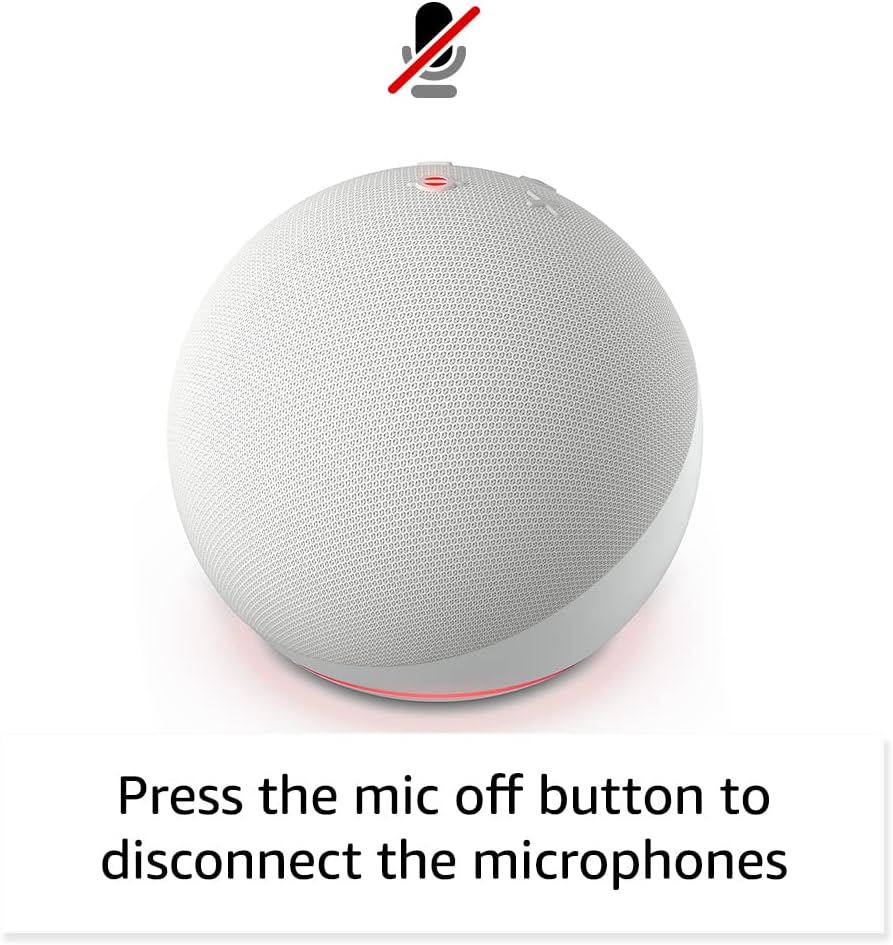
Pressing the microphone off button disconnects the microphones for enhanced privacy.
Засвар үйлчилгээ
The Echo Dot requires minimal maintenance. Keep the device clean by wiping it with a soft, dry cloth. Avoid using abrasive cleaners or submerging the device in water.
Ensure the device is placed in a well-ventilated area and not covered to prevent overheating.
Алдааг олж засварлах
| Асуудал | Шийдэл |
|---|---|
| Echo Dot not responding: | Ensure the microphone is not muted (red light ring). Check power connection. Restart the device by unplugging and plugging it back in. |
| Wi-Fi-д холбогдох боломжгүй: | Verify your Wi-Fi password. Ensure your router is working. Try moving the Echo Dot closer to the router. Re-run Wi-Fi setup in the Alexa app. |
| Дууны чанар муу: | Check device placement; avoid corners or enclosed spaces. Ensure no obstructions are blocking the speaker. Adjust volume. |
| Alexa not understanding commands: | Speak clearly and at a normal volume. Reduce background noise. Ensure you are within listening range. |
Нэмэлт тусламж авахыг хүсвэл лавлана уу Amazon Echo Dot Help pages or contact Amazon Customer Service.
Үзүүлэлтүүд
- Хэмжээ: 3.9” x 3.9” x 3.5” (100 мм x 100 мм x 89 мм)
- Жин: 10.7 унци (304г)
- Аудио: 1.73” (44 мм) урд талын чанга яригч, алдагдалгүй өндөр нягтралтай
- Wi-Fi холболт: Dual-band Wi-Fi (802.11a/b/g/n/ac, 2.4 and 5 GHz)
- Bluetooth холболт: Аудио дамжуулалтын A2DP дэмжлэг, холбогдсон хөдөлгөөнт төхөөрөмжүүдийн дуу хоолойгоор удирдах AVRCP.
- Ухаалаг гэрийн нийцтэй байдал: Wi-Fi, Bluetooth Low Energy Mesh, Matter
- Үе: Echo Dot (5-р үе) - 2022 оны хувилбар
- Хэл: Alexa англи, испани хэлээр ярьдаг
Нууцлалын онцлогууд
Echo Dot нь нууцлалын хяналтын олон давхаргаар бүтээгдсэн:
- Wake Word технологи: Алекса сэрүүлэг өгөх үгийг олж мэдсэний дараа л сонсож эхэлдэг.
- Микрофон унтраах товчлуур: Electronically disconnects the microphones.
- Дамжуулалтын үзүүлэлтүүд: Visual indicators show when Alexa is streaming audio to the cloud.
- Дуу бичлэгийн удирдлага: Чадвар view and delete your voice recordings via the Alexa app.
Дэлгэрэнгүй мэдээллийг эндээс авна уу Alexa -ийн нууцлалын төв.
Хүртээмжтэй байдлын онцлогууд
The Alexa app provides various accessibility settings:
- Дасан зохицох сонсох: Alexa хариу өгөхөөс өмнө ярьж дуусгахад илүү их цаг өгдөг.
- Сонгосон ярианы түвшин: Alexa хэр хурдан эсвэл удаан ярьж байгааг хянах.
- Дуу хүсэх: Plays an audible tone when you speak to Alexa.
- Kindle чанга унших: Alexa таны Kindle номыг чангаар унших боломжтой.
- Ойролцоох үед мэдэгдэх: Төхөөрөмжийн ойролцоо илэрсэн үед мэдэгдлийн дууг тоглуулдаг.
Access these features in the Alexa App: Тохиргоо → Хүртээмжтэй байдал.
Амазоны явган хүний зам
Amazon Sidewalk uses Echo and Ring devices to securely keep other devices connected and help find lost items. It uses a small portion of your internet bandwidth to provide these benefits. Sidewalk is turned on by default but can be turned off at any time via the Alexa app.
Learn more about Amazon Sidewalk энд.
eero Баригдсан
Your Echo Dot can extend Wi-Fi coverage with a compatible eero router. This feature requires linking your eero and Amazon accounts and managing it from the eero mobile application. eero Built-in compatible Echo devices support up to 1,000 sq. ft. of additional coverage, speeds up to 100 Mbps, and 10 or fewer connected devices.
Дэлгэрэнгүй мэдээллийг эндээс авна уу eero Built-in information page.
Баталгаат болон үйлчилгээ
The Echo Dot comes with a 90-day limited warranty and service. Optional 1-year, 2-year, and 3-year extended warranties are available for U.S. customers, sold separately.
Энэ төхөөрөмж нь Amazon дээр хамгийн сүүлд шинэ нэгжээр худалдан авах боломжтой болсноос хойш дор хаяж дөрвөн жил хүртэл баталгаатай програм хангамжийн аюулгүй байдлын шинэчлэлтүүдийг хүлээн авдаг. webсайтууд.
For warranty claims or service, please contact Amazon Customer Service or visit the Amazon төхөөрөмжийн дэмжлэгийн хуудас.


