Танилцуулга
Thank you for choosing the Bytech BYMSWR104BK 3 Button Gaming Mouse. This manual provides essential information for setting up, operating, and maintaining your new gaming mouse. Please read this manual thoroughly before use to ensure optimal performance and longevity of your device.
Онцлогууд
- Нарийвчлалтай хулгана: Designed for accurate tracking and responsive control.
- Тохируулах DPI: Customize sensitivity for various gaming and productivity needs.
- Three Responsive Buttons: Includes left-click, right-click, and scroll wheel/middle-click for efficient operation.
- Өнгөлөг арын гэрэлтүүлэг: Features multi-color LED lighting with 7 distinct color modes for an enhanced aesthetic experience.
- Эргономик дизайн: Shaped to fit comfortably in your palm, reducing fatigue during extended use.
Үзүүлэлтүүд
| Брэнд | Bytech |
| Загварын дугаар | BYMSWR104BK |
| Товчлуурын тоо | 3 |
| Хөдөлгөөний тогтоол | 1,000 DPI |
| Өнгөний горимууд | 7 Colors (Multi-color Backlight) |
| Кабелийн урт | 5 фут |
| Үнэлгээг шилжүүлэх | 1 сая товшилт |
| Зүйлийн жин | 4.9 унц |
| Багцын хэмжээ | 7.17 x 4.06 x 2.68 инч |
| Өнгө | Хар |
| Эрчим хүчний эх үүсвэр | Утастай цахилгаан (USB) |
| Техник хангамжийн платформ | PC |
Багцын агуулга
- 1 x Bytech BYMSWR104BK Wired Gaming Mouse
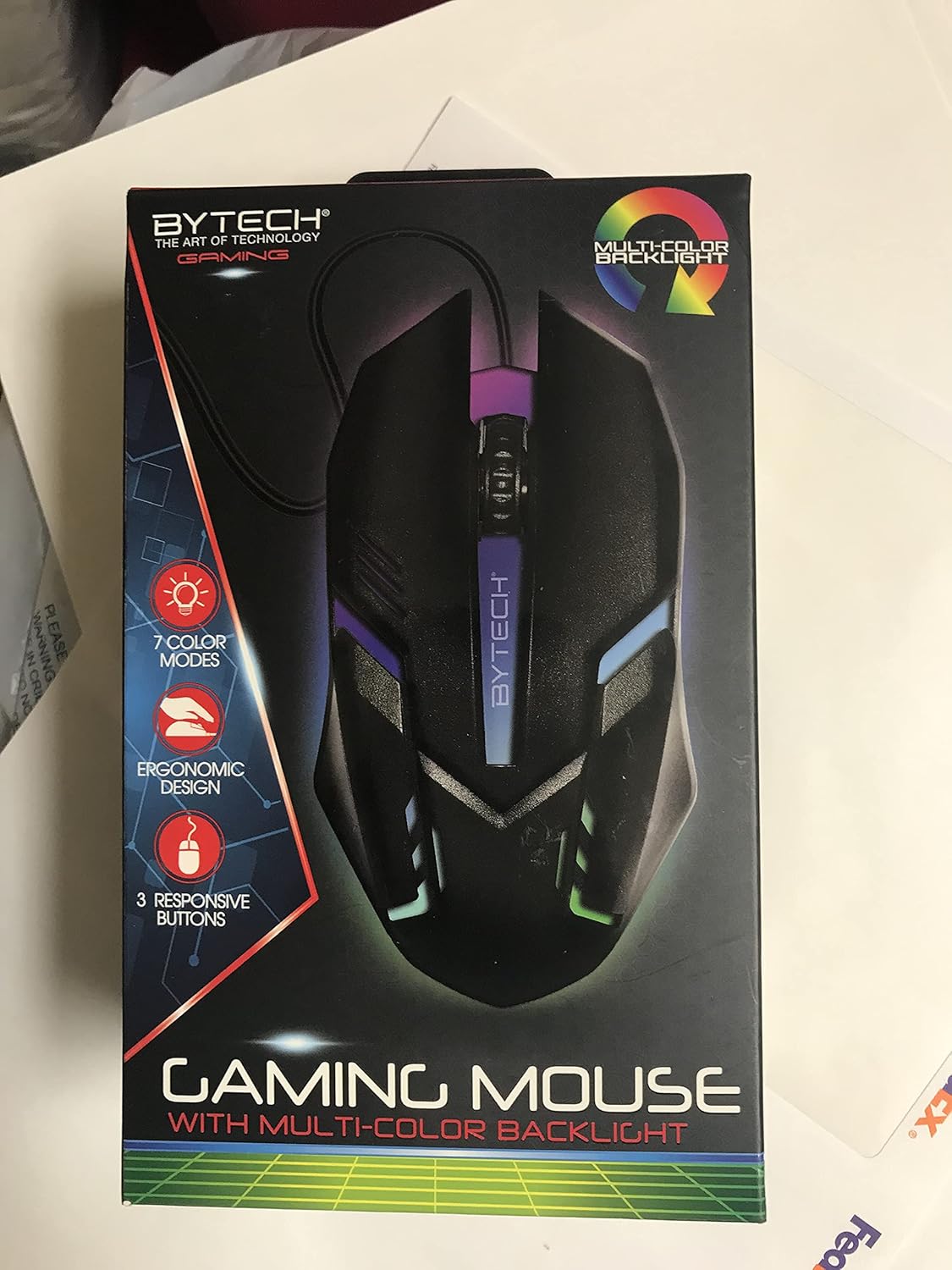
Зураг: Урд view of the Bytech BYMSWR104BK Gaming Mouse in its retail packaging, highlighting its multi-color backlight and ergonomic design.
Тохиргоо
- Баглаа задлах: Carefully remove the gaming mouse from its packaging.
- Холбох: Locate an available USB port on your computer (PC, laptop, etc.). Insert the USB connector of the Bytech BYMSWR104BK Gaming Mouse firmly into the USB port.
- Драйвер суурилуулах: The mouse is plug-and-play. Your operating system should automatically detect and install the necessary drivers. This process may take a few moments.
- Ашиглахад бэлэн: Once the drivers are installed, the mouse will be ready for immediate use. The multi-color backlight will illuminate.

Зураг: Ар талд view of the Bytech BYMSWR104BK Gaming Mouse retail packaging, detailing features, specifications, and universal compatibility.
Ашиглалтын заавар
Үндсэн үйл ажиллагаа
- Зүүн товчлуур: Үндсэн товшилтын функцийг ихэвчлэн зүйлс сонгох, нээхэд ашигладаг files, or interacting with software.
- Баруун товчлуур: Хоёрдогч товшилтын функц нь ихэвчлэн контекст цэсийг нээдэг эсвэл нэмэлт сонголтуудыг өгдөг.
- Scroll Wheel (Middle Button): Scroll up or down to navigate documents and web pages. Pressing the scroll wheel acts as a middle-click button, often used for opening links in new tabs or auto-scrolling.
DPI тохируулга
The Bytech BYMSWR104BK Gaming Mouse features adjustable DPI settings. While specific buttons for DPI adjustment are not explicitly listed on the packaging, many gaming mice allow DPI changes through a dedicated button (often located near the scroll wheel) or through software. Refer to your computer's mouse settings or Bytech's official website for advanced customization options if available.
LED арын гэрэлтүүлэг
The mouse features a dynamic multi-color LED backlight with 7 different color modes. These lights will automatically cycle through the modes once the mouse is connected and powered on. There is no manual control for changing modes on the mouse itself.
Засвар үйлчилгээ
- Цэвэрлэгээ: Хулганы гадаргууг зөөлөн, хуурай даавуугаар арчина. Зөрүүд шороонд бага зэрэг dampУс эсвэл зөөлөн цэвэрлэгээний уусмалаар даавууг арчина. Хүчтэй химийн бодис эсвэл зүлгүүрийн материал хэрэглэхээс зайлсхий.
- Мэдрэгчийн арчилгаа: Хулганы доод хэсэгт байрлах оптик мэдрэгчийг тоос шороо, хог хаягдалгүй цэвэр байлгаарай.
- Кабелийн менежмент: USB кабелийг гэмтээхгүйн тулд хурц гулзайлгах эсвэл хэт их татахаас зайлсхий.
- Хадгалах: Ашиглаагүй үед хулганыг хэт өндөр температураас хол, цэвэр, хуурай орчинд хадгална.

Зураг: хажуу тал view of the Bytech BYMSWR104BK Gaming Mouse retail packaging, showcasing the multi-color backlight effect.
Алдааг олж засварлах
| Асуудал | Боломжит шийдэл |
|---|---|
| Хулгана хариу өгөхгүй байна |
|
| Курсор тогтворгүй эсвэл жигд хөдөлдөггүй |
|
| LED арын гэрэлтүүлэг ажиллахгүй байна |
|
Баталгаат болон дэмжлэг
Баталгаат хугацаа: This Bytech product comes with a 12-month warranty from the date of purchase. Please retain your proof of purchase for warranty claims.
Холбоо барих мэдээлэл:
- Хаяг: 2585 West 13th Street, Brooklyn, NY 11223, USA
- Webсайт: www.bytechintl.com
⚠ АНХААРУУЛГА: Энэ бүтээгдэхүүн нь Калифорни мужид хорт хавдар, ургийн гажиг эсвэл нөхөн үржихүйн бусад хор хөнөөл учруулдаг гэдгээрээ алдартай DEHP зэрэг химийн бодисуудад өртөж болзошгүй. Дэлгэрэнгүй мэдээллийг эндээс авна уу www.P65Warnings.ca.gov.

Зураг: Доод талд view of the Bytech BYMSWR104BK Gaming Mouse retail packaging, showing contact information, warranty details, and California Proposition 65 warning.


