1. Танилцуулга
Худалдан авалт хийсэнд баярлалааasing the BYTECH BYMCLB116BK Projector Decor Light-Rainbow. This device is designed to project vibrant rainbow light effects, enhancing room ambiance and providing unique lighting for creative photography. Please read this manual thoroughly before use to ensure proper operation and maintenance.

Image 1.1: The BYTECH BYMCLB116BK Projector Decor Light-Rainbow packaging, highlighting its key features including rainbow glow, secure stabilization, 360-degree rotation and tilt, and USB connectivity.
2. Аюулгүй байдлын мэдээлэл
- Төхөөрөмжийг ус, чийгээс хол байлга.
- Төхөөрөмжийг хэт өндөр температур эсвэл нарны шууд тусгалд бүү тавь.
- Төхөөрөмжийг унагах эсвэл хүчтэй нөлөөнд оруулахаас зайлсхий.
- Төхөөрөмжийг өөрөө задлах, засах гэж бүү оролдоорой. Бүх үйлчилгээг мэргэшсэн боловсон хүчинд шилжүүлээрэй.
- Use only the provided USB cable or a certified equivalent for power.
- Төхөөрөмжийг хазайхаас сэргийлж тогтвортой, хавтгай гадаргуу дээр байрлуулсан эсэхийг шалгаарай.
- Хүүхэд, тэжээвэр амьтдын гар хүрэхгүй газар хадгална уу.
3. Багцын агуулга
Багцын агуулгыг сайтар шалгана уу. Хэрэв ямар нэг зүйл дутуу эсвэл гэмтсэн бол жижиглэн худалдаалагчтайгаа холбоо барина уу.
- 1 x BYTECH BYMCLB116BK Projector Decor Light-Rainbow
- 1 x USB Power Cable (with wired remote control)
- 1 х хэрэглэгчийн гарын авлага
4. Тохиргоо
- Баглаа задлах: Carefully remove the Projector Decor Light from its packaging.
- Байршил: Place the projector on a stable, flat surface. Consider the desired projection area and distance from the wall or ceiling for optimal effect. The device features 360-degree rotation and tilt for flexible positioning.
- Эрчим хүчийг холбох: Insert the small end of the USB power cable into the USB port on the projector. Connect the larger end of the USB cable to a standard USB power adapter (not included) or a powered USB port (e.g., on a computer or power bank).
- Secure Stabilization: Ensure the base is firmly placed to prevent accidental movement, utilizing its secure stabilization feature.
5. Ашиглалтын заавар
The BYTECH Projector Decor Light is designed for simple operation.
- Асаах/унтраах: Once connected to a power source, locate the wired remote control on the USB cable. Press the power button on the remote to turn the light on or off.
- Adjust Brightness/Mode: Use the other buttons on the wired remote control to cycle through different brightness levels or projection modes, if available. Refer to the remote's markings for specific functions.
- Төслийн өнцгийг тохируулах: l-г гараар тохируулна ууamp head to rotate and tilt 360 degrees to direct the rainbow light projection to your desired area.
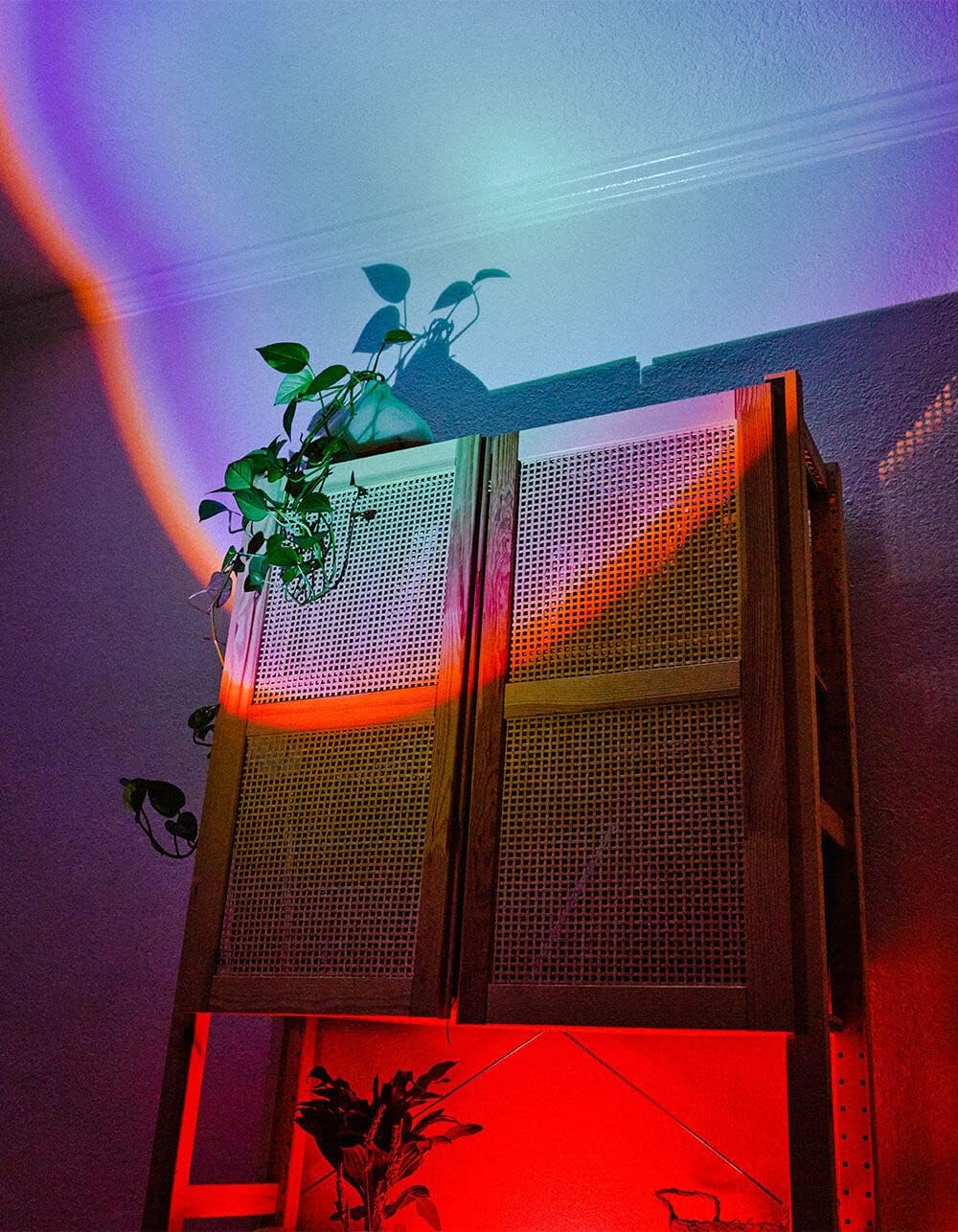
Image 5.1: The BYTECH Projector Decor Light-Rainbow in operation, casting vibrant rainbow light patterns onto a room's wall and furniture, demonstrating its ambient effect.
6. Засвар үйлчилгээ
- Цэвэрлэгээ: Disconnect the power before cleaning. Use a soft, dry cloth to wipe the surface of the projector. Do not use abrasive cleaners or solvents.
- Хадгалах: When not in use for extended periods, store the device in a cool, dry place, away from direct sunlight and moisture.
- Харьцуулах: Handle the device with care to avoid damage to the lens or internal components.
7. Алдаа засах
| Асуудал | Боломжит шалтгаан | Шийдэл |
|---|---|---|
| Төхөөрөмж асахгүй байна. | No power connection or faulty cable. | Ensure the USB cable is securely connected to both the projector and a powered USB port/adapter. Try a different USB port or adapter. |
| Гэрэл бүдэгхэн эсвэл анивчдаг. | Insufficient power supply or dirty lens. | Ensure the power source provides adequate power. Clean the projector lens gently with a soft, dry cloth. |
| Projection is blurry. | Линз бохирдсон байна. | Gently clean the projector lens with a soft, dry cloth. |
8. Техникийн үзүүлэлтүүд
- Загвар: BYMCLB116BK
- Брэнд: Bytech
- Эрчим хүчний оролт: USB Powered (5V DC, current not specified, typical for USB)
- Гэрлийн эх үүсвэр: LED
- Төслийн төрөл: Rainbow Glow
- Тохируулга: 360° Rotation & Tilt
- Багцын хэмжээ: 5 x 5 x 5 инч
- Барааны жин: 1 фунт
- Үйлдвэрлэгч: BYTECH
9. Баталгаат хугацаа ба дэмжлэг
This product is covered by a limited warranty provided by BYTECH. For specific warranty terms and conditions, please refer to the warranty card included with your purchase or visit the official BYTECH website. For technical support, troubleshooting assistance, or to inquire about replacement parts, please contact BYTECH customer service through their official channels.
Баталгаат заргад зориулж худалдан авалтаа нотлох баримтаа үлдээнэ үү.


