Хэрэглэгчийн гарын авлага: ANBERNIC RG351M Retro тоглоомын гар консол
Model: RG351M
Танилцуулга
The ANBERNIC RG351M is a portable retro game handheld console designed for an immersive gaming experience. Featuring a 3.5-inch IPS screen and powered by an RK3326 quad-core processor, it supports a wide range of classic game formats. This manual provides essential information for setting up, operating, maintaining, and troubleshooting your device.
Аюулгүй байдлын мэдээлэл
- Төхөөрөмжийг хэт өндөр температур, нарны шууд тусгал, өндөр чийгшилд бүү тавь.
- Төхөөрөмжийг унагах эсвэл хүчтэй нөлөөнд оруулахаас зайлсхий.
- Use only the provided USB charging cable and a compatible power adapter (maximum load 2A) for charging.
- Төхөөрөмжийг өөрөө задлах, засах гэж бүү оролдоорой. Мэргэшсэн үйлчилгээний ажилтанд хандаарай.
- Төхөөрөмжийг ус болон бусад шингэнээс хол байлга.
- Ашиглах болон цэнэглэх явцад агааржуулалтыг сайтар хангана.
Багцын агуулга

Image: The ANBERNIC RG351M console, its retail packaging, and the included USB charging cable.
Бүх зүйл байгаа эсэхийг шалгахын тулд хайрцгийг задлахдаа багцын агуулгыг шалгана уу:
- 1 x RG351M Game Console
- 1 x USB кабель
- 1 х хэрэглэгчийн гарын авлага (энэ баримт бичиг)
- 1 x 64GB TF Card (pre-installed with games)
Бүтээгдэхүүн дууссанview
Урд View

Зураг: Урд view of the RG351M console, highlighting the 3.5-inch IPS screen, D-pad, dual analog joysticks, and action buttons (A, B, X, Y), along with SELECT and START buttons.
- 3.5 инчийн IPS дэлгэц: High-definition display for clear visuals.
- D-Pad: Directional pad for navigation and game control.
- Аналог Жойстикууд: Dual 3D rocker sticks for precise movement.
- Үйлдлийн товчлуурууд (A, B, X, Y): Тоглоомын стандарт оролтын товчлуурууд.
- СОНГОХ товчлуур: Used for various in-game functions and menu navigation.
- START товч: Used for pausing games, confirming selections, and menu navigation.
Дээд ба доод Views (Ports and Controls)

Image: Top edge of the console, displaying the L1, L2, R1, R2 shoulder buttons, a Type-C OTG port, a 3.5mm earphone jack, and another Type-C port labeled OTG/DC for data transfer and charging.

Image: Bottom edge of the console, showing the TF card slot for expandable storage and the recessed Reset button.
- L1/L2/R1/R2 товчлуурууд: Shoulder buttons for additional in-game controls.
- OTG 1 (Type-C): USB Type-C port for data transfer.
- 3.5 мм чихэвчний залгуур: Чихэвч холбох.
- OTG 2 (Type-C / Charging Port): USB Type-C port for data transfer and charging.
- TF картын оролт: For inserting the game TF card (supports up to 256GB).
- Дахин тохируулах товч: A small, recessed button to restart the device if it becomes unresponsive.
- Илтгэгчид: High-quality double horn stereo speakers.
Буцах View

Зураг: Буцах view of the RG351M console, displaying the ANBERNIC logo, model number (RG351M), and battery specifications (Li-Po 3500mAh).
Тохиргоо
1. Анхны цэнэглэлт
Before first use, fully charge the console. Connect the provided USB Type-C cable to the OTG 2 (charging) port on the top of the device and the other end to a compatible USB power adapter (not included, recommended 5V/1.3A to 2A). The charging indicator light will illuminate. A full charge typically takes about 4 hours.
2. TF картыг оруулах
The console comes with a 64GB TF card pre-installed with games. If you need to remove or insert the TF card, gently push it into the TF card slot on the bottom of the device until it clicks into place. To remove, push it again until it springs out.
Ашиглалтын заавар
Асаах/унтраах
- Асаахын тулд: Press and hold the Power button (located on the left side) for a few seconds until the screen illuminates.
- Унтраахын тулд: Press and hold the Power button until a power-off menu appears on the screen. Select "Power Off" or "Shutdown". Alternatively, a quick press of the power button will put the device into sleep mode.
Системийг чиглүүлэх
The RG351M runs on an open-source Linux system. Use the D-pad or analog joysticks to navigate through menus and game lists. The 'A' button typically confirms selections, and the 'B' button typically goes back.
Тоглоом тоглох
Select a game from the main menu. The console supports various game formats including PSP, N64, NDS, PS1, CPS1, CPS2, FBA, NEOGEO, GBA, GBC, GB, SFC, FC, MD, SMS, GG, MSX, PCE, WSC, and transplant games. Refer to specific emulator controls within the system for optimal gameplay.
Wi-Fi холболт

Image: The RG351M console showing a game in progress, with an overlay graphic indicating fast Wi-Fi connectivity (2.4GHz 802.11b/g/n).
The RG351M supports 2.4GHz Wi-Fi (802.11b/g/n) for online features, such as game updates or online multiplayer (where supported by the game/emulator).
- Navigate to the system settings menu.
- Select "Network" or "Wi-Fi settings".
- Wi-Fi-г идэвхжүүлээд жагсаалтаас хүссэн сүлжээгээ сонгоно уу.
- Хэрэв асуувал нууц үгээ оруулна уу.
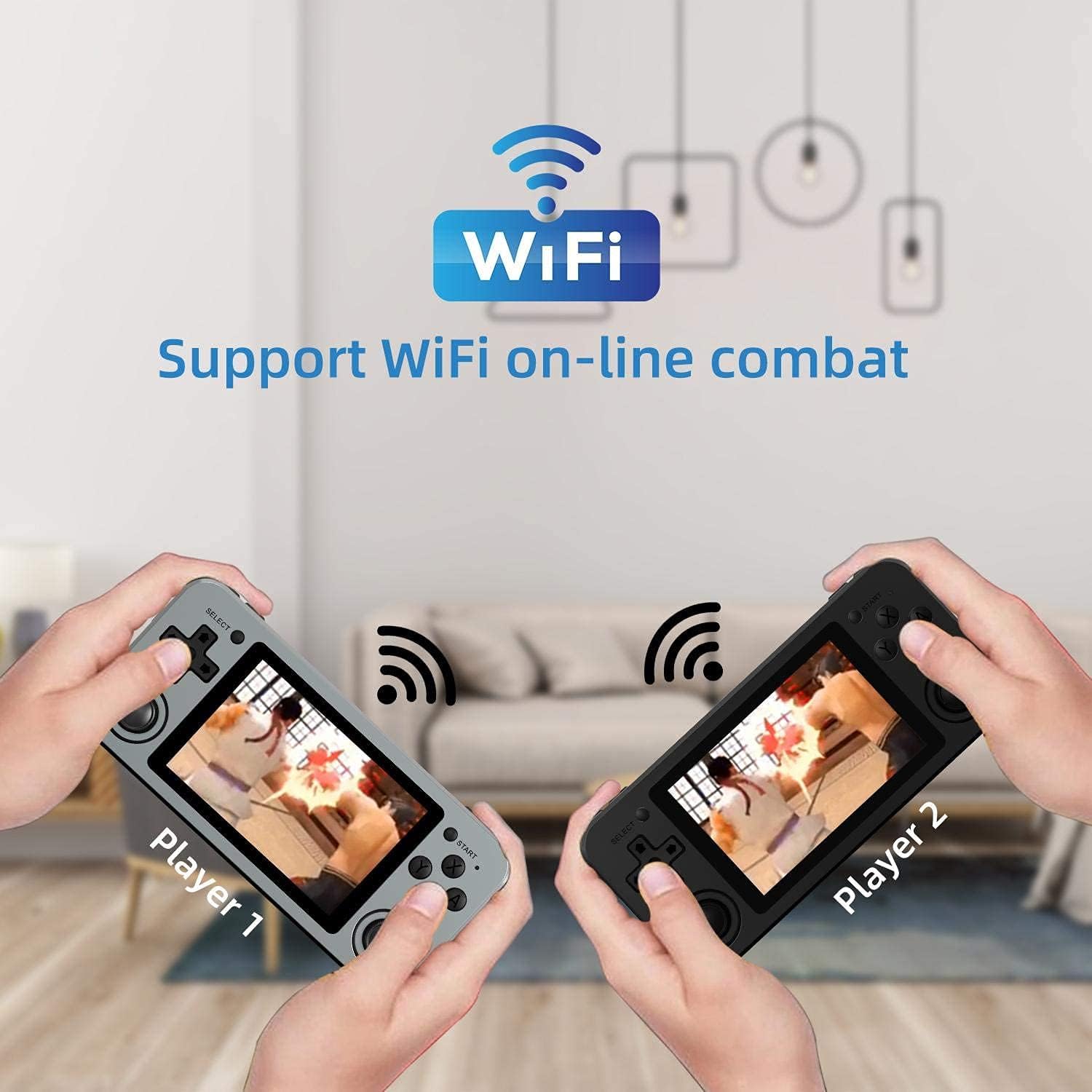
Image: Two RG351M consoles held by hands, illustrating the capability for Wi-Fi online combat between players.
Засвар үйлчилгээ
- Цэвэрлэгээ: Use a soft, dry cloth to clean the console's exterior. For the screen, use a microfiber cloth specifically designed for electronics. Do not use liquid cleaners directly on the screen.
- Хадгалах: When not in use for extended periods, store the console in a cool, dry place, away from direct sunlight.
- Батерейны арчилгаа: Зайны ашиглалтын хугацааг уртасгахын тулд зайгаа ойр ойрхон бүрэн цэнэггүй болгохоос зайлсхий. Батерейны эрүүл мэндийг хадгалахын тулд төхөөрөмжийг ашиглаагүй байсан ч тогтмол цэнэглээрэй.
- Програм хангамжийн шинэчлэлтүүд: Periodically check for system updates (if available through the open-source community) to ensure optimal performance and compatibility.
Алдааг олж засварлах
| Асуудал | Боломжит шийдэл |
|---|---|
| Төхөөрөмж асахгүй байна. | Батерейг цэнэглэсэн эсэхийг шалгаарай. Цэнэглэгчээ холбож, дахин асаахаасаа өмнө хэдэн минут хүлээнэ үү. |
| Дэлгэц царцсан эсвэл хариу өгөхгүй байна. | Locate the recessed Reset button on the bottom of the device and press it gently with a thin, non-metallic object (e.g., a paperclip) to restart the console. |
| Games are not loading or running slowly. | Ensure the TF card is properly inserted. Some games may require specific emulator settings or may be too demanding for the hardware. Check online communities for compatibility lists or optimization tips. |
| No sound from speakers or headphones. | Check the volume level using the volume buttons on the right side of the console. Ensure headphones are fully plugged in. Restart the device. |
| Wi-Fi холболтын асуудал. | Ensure you are within range of a 2.4GHz Wi-Fi network. Double-check the Wi-Fi password. Restart the console and your Wi-Fi router. |
Үзүүлэлтүүд
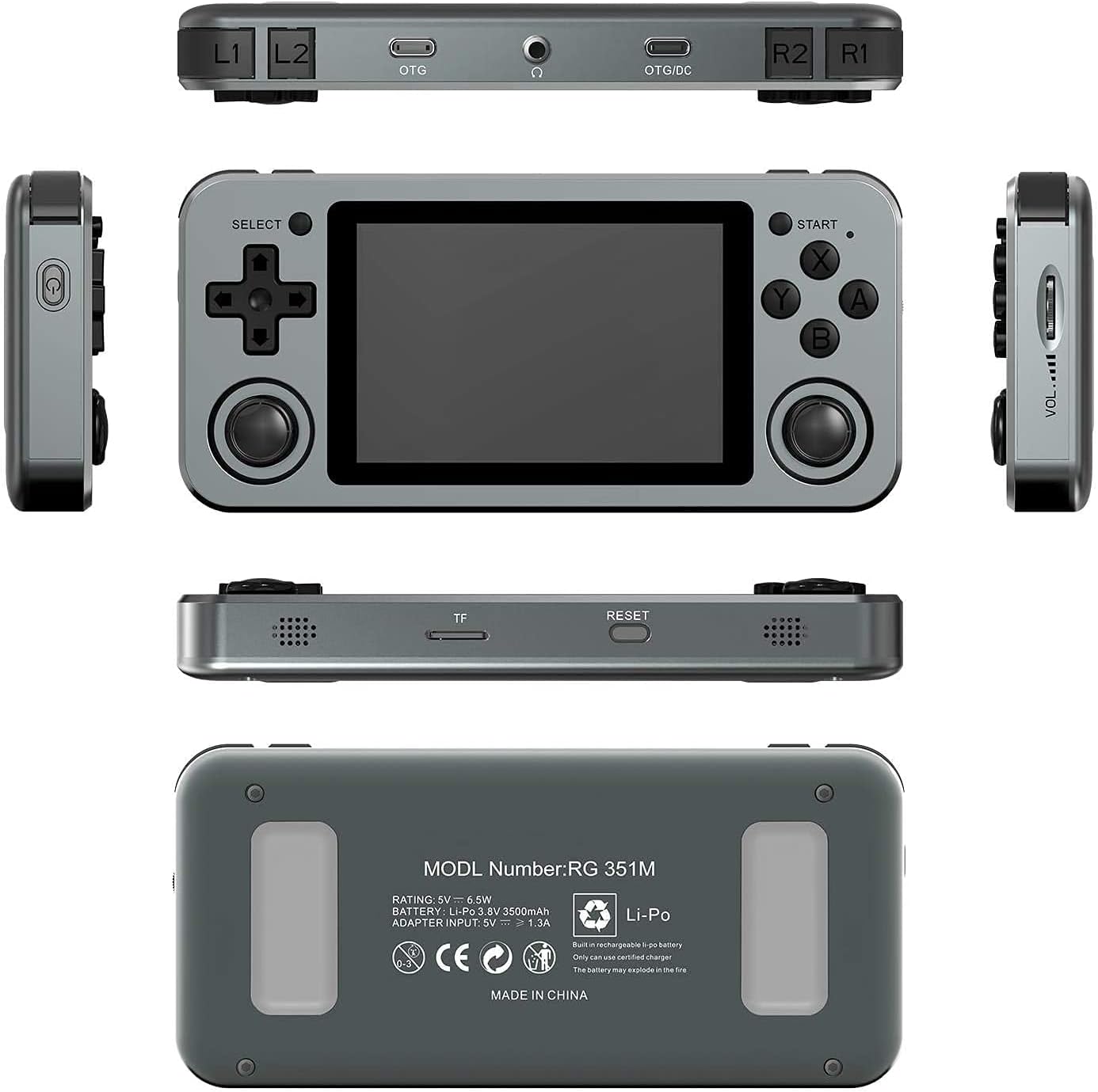
Image: A composite image showing the ANBERNIC RG351M from various angles, including front, top, bottom, sides, and back, providing a comprehensive view of its design and ports.
| Онцлог | Дэлгэрэнгүй |
|---|---|
| Загвар | RG351M |
| CPU | RK3326 quad core 1.5 GHz |
| GPU | Мали-G31 MP2 |
| RAM | DDR3L 1GB |
| Санах ой | 64GB (TF карт) |
| Дэлгэц | 3.5 inch IPS, OCA full lamination, 320*480 resolution |
| Систем | Open source Linux system |
| Батерей | Li-polymer 3500 mAh, up to 8 hours battery life |
| Цэнэглэж байна | 1.3A charging, max 2A, USB Type-C, 4 hours full charge |
| TF картын дэмжлэг | Хамгийн ихдээ 256 ГБ |
| Интерфэйс | TF Card Slot, 3.5mm Earphone, OTG 1 (Type-C), OTG 2 (Type-C Data/Charging) |
| Хэмжээ (Консол) | 15.2см (L) x 7.1cm (W) x 1.8cm (H) |
| Жин (консол) | 0.19kg (approx. 6.7 oz) |
Баталгаат болон дэмжлэг
For warranty information and technical support, please refer to the retailer or the official ANBERNIC website. Keep your proof of purchase for warranty claims. This manual provides general guidance; specific software-related issues may require consulting community forums or official support channels.


