1. Танилцуулга
Thank you for choosing the ELEHOT-Store HZ-9457F Portable Bluetooth Speaker. This speaker combines high-quality audio with dynamic LED lighting, offering a versatile listening experience. It features Bluetooth connectivity, True Wireless Stereo (TWS) pairing, and multiple playback options including TF/SD card, USB drive, and AUX input. This manual provides detailed instructions for setup, operation, and maintenance to ensure optimal performance.

Image 1.1: ELEHOT-Store HZ-9457F Portable Bluetooth Speaker
The ELEHOT-Store HZ-9457F is designed for portability and ease of use, making it suitable for various environments, from home use to outdoor gatherings. Its robust design and multi-functional capabilities ensure your music is always with you.

Image 1.2: Speaker demonstrating portability
2. Багцын агуулга
Дараах зүйлсийн багцад байгаа эсэхийг шалгана уу.
- ELEHOT-Store HZ-9457F Portable Bluetooth Speaker
- USB цэнэглэгч кабель
- Хэрэглэгчийн гарын авлага
3. Бүтээгдэхүүн дууссанview
Чанга яригчийн бүрэлдэхүүн хэсэг болон удирдлагатай танилцана уу:

Image 3.1: Speaker Ports and Controls
3.1. Хяналтын товчлуурууд болон портууд
- Power Button (M): Long press to power on/off. Short press to switch modes (Bluetooth, TF/SD, USB, AUX).
- Play/Pause Button (►||): Play or pause music. Answer/end calls.
- Дууг багасгах (-) / Өмнөх дуу: Өмнөх дууг богино хугацаанд дарна уу. Дууны хэмжээг багасгахын тулд удаан дарна уу.
- Дууны хэмжээг нэмэгдүүлэх (+) / Дараагийн дууДараагийн дуу руу орохын тулд богино дарна уу. Дууг нэмэгдүүлэхийн тулд удаан дарна уу.
- Light Mode Button (☀): Short press to cycle through LED light modes.
- USB порт: For USB drive playback.
- Микро USB порт: Чанга яригчийг цэнэглэхэд зориулагдсан.
- TF/SD картны үүр: For TF/SD card playback.
- AUX нэвтрэх порт: For wired audio connection.
4. Тохиргоо
4.1. Илтгэгчийг цэнэглэх
Before first use, fully charge the speaker. Connect the supplied USB charging cable to the Micro USB port on the speaker and the other end to a USB power adapter (not included) or a computer's USB port. The LED indicator will show charging status (specific indicator behavior may vary by unit, refer to product packaging if available).
4.2. Асаах/унтраах
- Асаах: Long press the Power button (M) until you hear an audible prompt or the LED lights illuminate.
- Унтраах: Long press the Power button (M) again until the speaker powers down.
5. Ашиглалтын заавар
5.1. Bluetooth хослол
- Ensure the speaker is powered on and in Bluetooth mode. If not, short press the Power button (M) to cycle modes until you hear a Bluetooth pairing prompt.
- Төхөөрөмж дээрээ (ухаалаг гар утас, таблет, компьютер) Bluetooth -ийг идэвхжүүлнэ үү.
- хайх available Bluetooth devices and select "HZ-9457F" from the list.
- Once paired, you will hear a confirmation sound, and the speaker's LED indicator will typically show a steady blue light.
- Чанга яригч нь асаалттай үед хамгийн сүүлд холбогдсон төхөөрөмж рүү автоматаар дахин холбогдохыг оролдох болно.
5.2. Жинхэнэ утасгүй стерео (TWS) хослуулах
To achieve a more immersive stereo sound, you can pair two HZ-9457F speakers together:
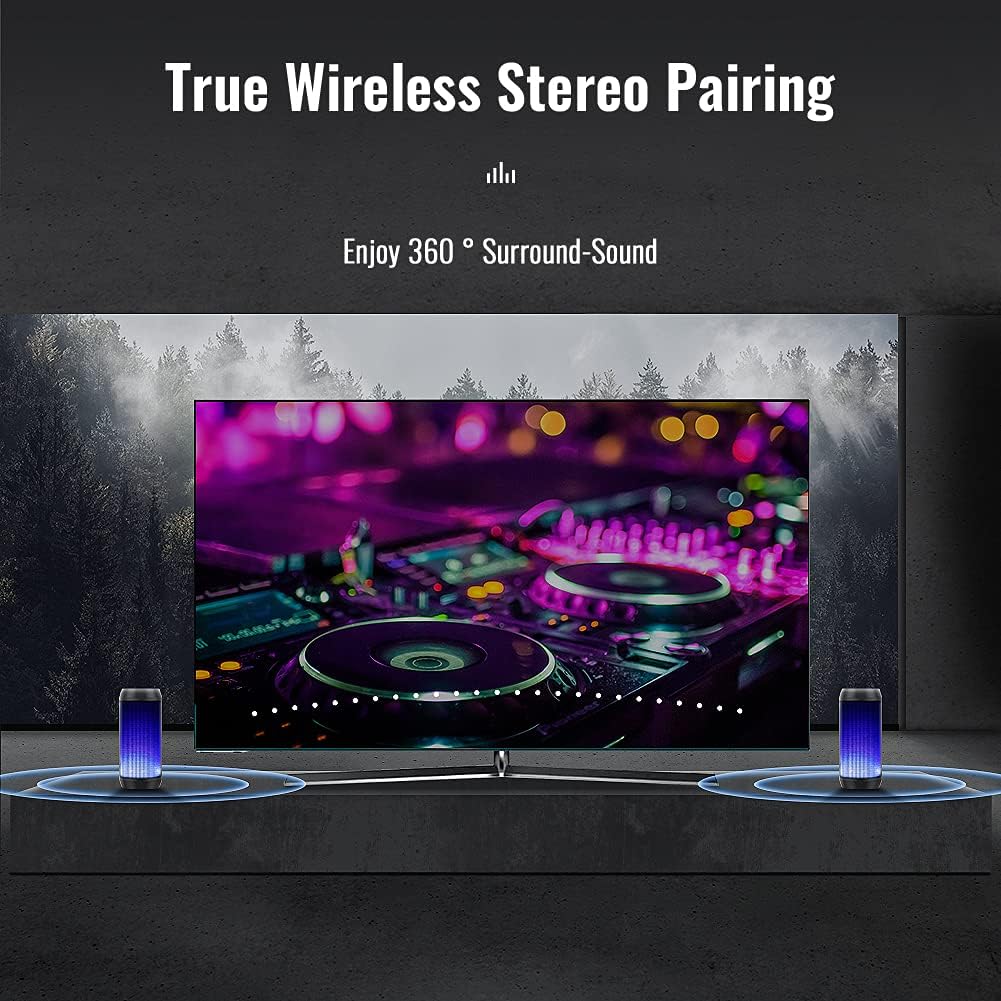
Image 5.1: True Wireless Stereo Pairing
- Ensure both HZ-9457F speakers are powered on and in Bluetooth pairing mode (not yet connected to any device).
- On one of the speakers (this will become the master speaker), long press the Play/Pause button (►||) for approximately 3-5 seconds until you hear a pairing tone.
- Хоёр чанга яригч автоматаар хоорондоо холбогдоно. TWS холболт амжилттай болсны дараа та баталгаажуулах дууг сонсох болно.
- Now, connect your device to the master speaker via Bluetooth as described in section 5.1. The device will only show one "HZ-9457F" to connect to.
- Одоо хоёр чанга яригч хоёулаа аудиог стерео хэлбэрээр тоглуулна.
5.3. Хөгжим тоглуулах
- Bluetooth горим: After successful pairing, play music from your connected device.
- TF/SD картны горим: Insert a TF/SD card (up to 32GB, FAT32 format) into the TF/SD card slot. The speaker will automatically switch to TF/SD card mode and begin playback. (Note: Insert the card after powering on the speaker for proper recognition).
- USB хөтчийн горим: Insert a USB drive (up to 32GB, FAT32 format) into the USB port. The speaker will automatically switch to USB mode and begin playback. (Note: Insert the drive after powering on the speaker for proper recognition).
- AUX нэвтрэх горим: Connect an audio device to the AUX-in port using a 3.5mm audio cable (not included). Short press the Power button (M) to switch to AUX mode.
5.4. Гар чөлөөтэй дуудлага хийх
When connected via Bluetooth to your smartphone, the speaker can be used for hands-free calls:
- Дуудлагад хариулах: Short press the Play/Pause button (►||).
- Дуудлага дуусгах: Short press the Play/Pause button (►||) during a call.
- Дуудлагаас татгалзах: Long press the Play/Pause button (►||) when an incoming call rings.
5.5. LED гэрлийн горимууд
The speaker features dynamic LED lighting with multiple modes:

Image 5.2: Various LED Light Modes
- Short press the Light Mode button (☀) to cycle through the available light modes.
- Modes include various single colors (e.g., blue, red, green, orange), multi-color gradients, and a mode where lights react to the rhythm of the music.
- To turn off the lights, continue pressing the Light Mode button until the lights are off.

Image 5.3: Lights reacting to music rhythm
5.6. Эзлэхүүн болон зам хянах
- Дууны хэмжээг нэмэгдүүлэх: Long press the Volume Up (+) button.
- Дууг багасгах: Long press the Volume Down (-) button.
- Дараагийн дуу: Short press the Volume Up (+) button.
- Өмнөх зам: Short press the Volume Down (-) button.
6. Засвар үйлчилгээ
- Цэвэрлэгээ: Use a soft, dry cloth to clean the speaker's surface. Do not use abrasive cleaners or solvents.
- ХадгалахЧанга яригчийг сэрүүн, хуурай газар, нарны шууд тусгал болон хэт өндөр температураас хол хадгална уу.
- Батерейны арчилгаа: To prolong battery life, charge the speaker regularly, even if not in use for extended periods. Avoid fully discharging the battery frequently.
- Усны эсэргүүцэл: While the product may offer some resistance to splashes, it is not fully waterproof. Avoid submerging the speaker in water or exposing it to heavy rain.
7. Алдаа засах
| Асуудал | Боломжит шалтгаан | Шийдэл |
|---|---|---|
| Чанга яригч асахгүй байна. | Батерей бага. | Чанга яригчийг бүрэн цэнэглэ. |
| Bluetooth-ээр холбох боломжгүй. | Чанга яригчийг холбох горимд оруулаагүй; Төхөөрөмж дээр Bluetooth идэвхгүй болсон; төхөөрөмж хэтэрхий хол байна. | Ensure speaker is in Bluetooth mode. Enable Bluetooth on your device. Move device closer to speaker (within 10 meters). |
| Дуу алга. | Дууны түвшин хэт бага; горим буруу; төхөөрөмж тоглогдохгүй байна. | Increase speaker and device volume. Ensure correct playback mode (Bluetooth, TF/SD, USB, AUX). Check if music is playing on the source device. |
| TF/SD card or USB drive not recognized. | Card/drive inserted before power on; incorrect format; corrupted files. | Power on speaker first, then insert card/drive. Ensure card/drive is FAT32 format. Try with another card/drive. |
| TWS холболт амжилтгүй боллоо. | Speakers already connected to a device; incorrect pairing procedure. | Ensure both speakers are disconnected from any device. Follow TWS pairing steps carefully (Section 5.2). |
8. Техникийн үзүүлэлтүүд
| Онцлог | Дэлгэрэнгүй |
|---|---|
| Брэнд | ELEHOT-Store |
| Загварын нэр | HZ-9457F |
| Холболтын технологи | Bluetooth |
| Утасгүй холбооны технологи | Bluetooth |
| Онцлог шинж чанарууд | Bluetooth, LED Lights |
| Зөвлөмж болгож буй хэрэглээ | For computer, portable audio devices |
| Тохиромжтой төхөөрөмжүүд | Desktop computer, smartphones, tablets |
| Хүрээлэн буй орчны дууны сувгийн тохиргоо | 2.0 |
| Өнгө | Ногоон |
| Оруулсан бүрэлдэхүүн хэсгүүд | Speaker, USB cable, manual |
| Бүтээгдэхүүний хэмжээ (L x W x H) | 9 x 9 x 18 см |
| Зүйлийн жин | 510 грамм |
| Эсэргүүцэл | 4 Ом |
| Усны хамгаалалттай | False (Not fully waterproof) |
| Хамгийн их хүрээ | 10 метр |
| Хяналтын арга | Хүрэх |
| Чанга яригчийн хэмжээ | 52 миллиметр |
| Эрчим хүчний эх үүсвэр | Батерейгаар ажилладаг (1 батерей багтсан) |
| Эрчим хүчний гаралт | 10 ватт |
| Чанга яригчийн гаралтын дээд чадал | 10 ватт |
| Давтамжийн хариу үйлдэл | 200 Гц |
| Аудио гаралтын горим | Стерео |
| Оролтын хэмжээtage | 3.7 вольт |
| Суурилуулах төрөл | Ширээний тавцан |
| Материал | Хуванцар |
9. Аюулгүй байдлын мэдээлэл
- Чанга яригчийг хэт өндөр температур, нарны шууд тусгал, өндөр чийгшилд бүү тавь.
- Чанга яригчийг унагах эсвэл хүчтэй нөлөөнд оруулахаас зайлсхий.
- Do not disassemble, repair, or modify the speaker yourself. Contact qualified service personnel if needed.
- Keep the speaker away from medical devices (e.g., pacemakers) as it contains magnets.
- Батерей болон чанга яригчийг орон нутгийн дүрэм журмын дагуу хаяна уу. Ахуйн хог хаягдалд бүү хая.
- Машин жолоодох, дугуй унах үед чанга яригчийг бүү ашигла, учир нь энэ нь таны анхаарлыг сарниулж, осолд хүргэж болзошгүй юм.
- Дууны өндөр түвшинд удаан хугацаагаар сонсох нь сонсголыг гэмтээж болно.
10. Баталгаат хугацаа ба дэмжлэг
For warranty information and customer support, please refer to the documentation provided with your purchase or contact the ELEHOT-Store customer service directly. Please retain your proof of purchase for any warranty claims.