Танилцуулга
The Nuoenx Solar Wireless Backup Camera System provides a convenient and reliable solution for enhancing rear visibility in various vehicles. This system features a 7-inch high-resolution monitor and a solar-powered wireless camera, designed for quick and easy installation without the need for complex wiring. Its robust design ensures performance in diverse weather conditions, making reversing and parking safer and more efficient.
Багцын агуулга
- 7-inch HD Monitor
- Solar Wireless Backup Camera (with integrated license plate bracket)
- USB Charging Cable (for camera)
- 12V Car Charger (for monitor)
- Suction Cup Mount (for monitor)
- Hex Key and Screws (for camera adjustment)
- Double-sided Adhesive Pad (for monitor mount)
- Хэрэглэгчийн гарын авлага
Тохиргоо ба суурилуулалт
Камер суурилуулах
The solar wireless backup camera is designed for a quick, no-wire installation, typically completed in under 3 minutes. No drilling or complex wiring is required.
- Remove your vehicle's license plate.
- Position the solar wireless backup camera's integrated bracket behind your license plate, aligning the screw holes.
- Re-attach your license plate using the original screws, securing both the license plate and the camera bracket to your vehicle.
- Adjust the camera lens angle as needed. The camera pivots to allow for optimal viewing.
- It is recommended to fully charge the camera via the Type-C port before first use, especially if solar exposure is limited initially.

Image: Step-by-step guide for camera installation on a license plate.

Зураг: Нарийвчилсан view of the camera bracket adapter, allowing for vertical adjustment to fit various license plates.
Монитор суурилуулалт
- Attach the suction cup mount to the monitor.
- Clean the desired area on your dashboard or windshield.
- Press the suction cup firmly onto the surface and engage the lever to secure it. An adhesive pad is provided for dashboard mounting if the suction cup alone is insufficient.
- Хяналтын өнцгийг оновчтой болгохын тулд тохируулна уу viewing.
- Plug the 12V car charger into your vehicle's cigarette lighter socket.
- Connect the power cable from the 12V charger to the monitor.

Image: The 7-inch HD monitor displaying a clear rear view, mounted on the dashboard with a suction cup.
Хослож байна
The camera and monitor are pre-paired from the factory. They should automatically connect when both are powered on. If pairing is lost, refer to the troubleshooting section or the user manual for re-pairing instructions.
Video: Installation guide for a truly wireless backup camera system, demonstrating the setup process.
Ашиглалтын заавар
Хяналтын хяналт
The monitor features side buttons for easy navigation and adjustment of settings:
- Цэсийн товчлуур: Тохиргооны үндсэн цэс рүү орно уу.
- Дээш/Доош сум: Navigate through menu options or adjust values (e.g., brightness, contrast).
- Гэрэлтүүлэг/Ялгарал: Adjust the display's brightness and contrast levels for optimal visibility.
- Mirror/Flip Image: Камераа солих view to mirror or normal, and flip the image vertically if needed (e.g., for upside-down mounting).
- Буцах хугацаа: Set the duration the monitor stays on after the camera is activated (e.g., 30s, 60s, 90s, 120s).
- Guideline On/Off: Toggle parking guidelines on or off.
Камер идэвхжүүлэх
The camera automatically turns on when the monitor is powered on and turns off when the monitor is switched off. This eliminates the need for manual camera activation.
Video: Short demonstration of the camera's night vision capabilities, showing clear visibility in low-light conditions.
Цэнэглэж байна
Нарны цэнэглэгч
The camera features an expanded solar charging panel with a fixed 30° upward elevation angle. This design maximizes exposure to sunlight, ensuring efficient energy storage. In sunny weather, the camera will be continuously charged, reducing the need for manual charging and promoting eco-friendliness.
USB цэнэглэх
The camera has a built-in 6700 mAh rechargeable battery and supports Type-C USB charging. This allows for fast charging when sunlight is unavailable or for initial full charging before installation. A USB charging cable is included.

Image: Illustration of the two charging methods: solar charging via the integrated panel and USB charging via the Type-C port.
Усны хамгаалалттай стандарт
The wireless license plate camera is rated IP69K waterproof, ensuring reliable operation in extreme weather conditions, including heavy rain, snow, and dust. It is designed to withstand temperatures from -4°F to +158°F (-20°C to +70°C), preventing lens water or fog issues.

Image: The IP69K waterproof camera is shown mounted on a license plate, highlighting its durability against water, snow, and dust.
Тээврийн хэрэгслийн нийцтэй байдал
This backup camera system is suitable for a wide range of vehicles, including cars, RVs, semi-trailers, trucks, pickups, campers, vans, 5th wheels, and motorhomes. The wireless signal can reach up to 36 feet on vehicles for continuous use.
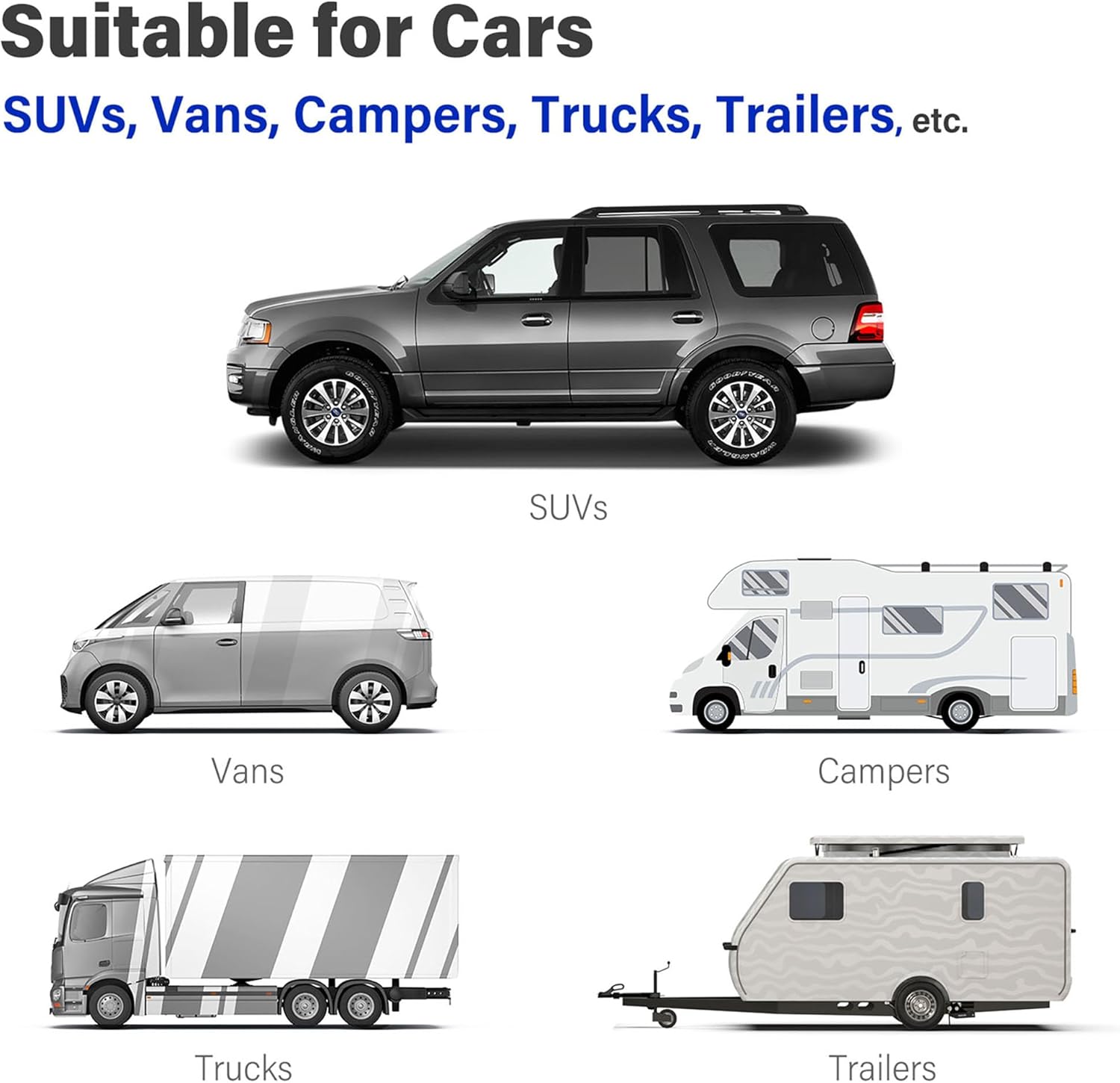
Image: Visual representation of different vehicle types compatible with the backup camera system.
Үзүүлэлтүүд
- Monitor Screen Size: 7 инч
- Дэлгэцийн технологи: LCD
- Бусад дэлгэцийн онцлогууд: Утасгүй
- Camera Optical Sensor Technology: CMOS
- Camera Lens Type: Тогтсон
- Camera Real Angle of View: 170 градус
- Зай: 6700 mAh Lithium Ion (2 required)
- Ботьtage: 9V-35V (compatible with monitor)
- Суурилуулалтын төрөл: Хяналтын самбарын бэхэлгээ, гадаргуун бэхэлгээ
- Холбогч төрөл: Утасгүй
- Product Dimensions (Monitor): 7.87"(W) x 4.72"(H)
- Product Dimensions (Camera with frame): 8.26"(W) x 7.09"(H)
- Product Dimensions (Solar Panel): 7.08"(W) x 1.38"(H)
- Барааны жин: 2.68 фунт
Баталгаат болон дэмжлэг
Nuoenx is committed to providing high-quality products and customer satisfaction. For any questions, technical support, or warranty claims, please contact customer service. Refer to the included user manual for contact details.

