1. Танилцуулга
The Hama MW-650 is a versatile 6-button optical wireless mouse designed for multi-device use. It offers flexible connectivity options via a 2.4 GHz USB-A receiver and Bluetooth, allowing seamless switching between up to three devices. The optical sensor provides precise cursor control, and adjustable DPI settings cater to various user preferences. This manual provides detailed instructions for setup, operation, maintenance, and troubleshooting to ensure optimal performance of your device.
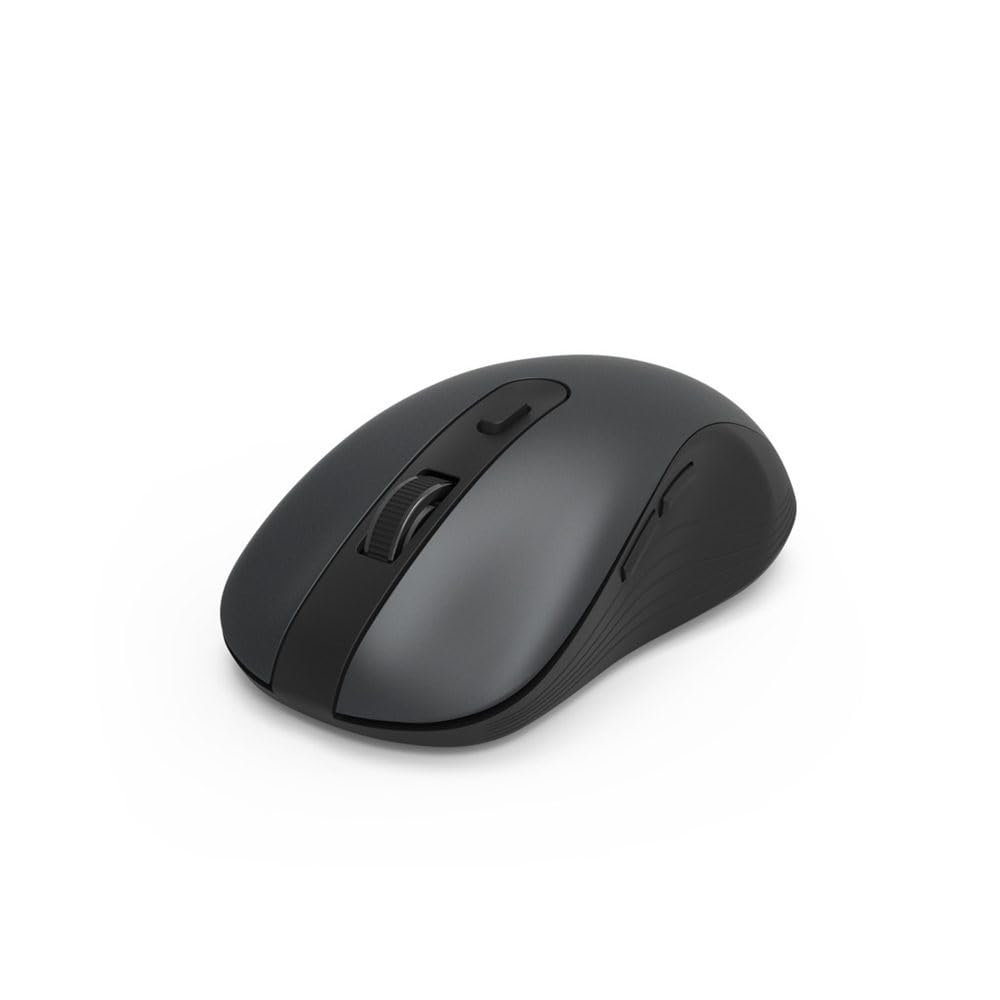
Image 1.1: Hama MW-650 Wireless Mouse (Top View)
2. Багцын агуулга
Дараах зүйлсийн багцад байгаа эсэхийг шалгана уу.
- 1 x Hama MW-650 6-Button Optical Wireless Mouse
- 1 x USB-A хүлээн авагч
- 2 x AA Mignon Batteries
- 1 x Зааварчилгааны гарын авлага (энэ баримт бичиг)

Image 2.1: Hama MW-650 Product Packaging
3. Тохиргоо
3.1. Зай суурилуулах
- Хулганы доод талд байгаа зайны тасалгааг ол.
- Зайны тасалгааны тагийг нээ.
- Зөв туйлшралыг (+/-) хангаж, хоёр AA Mignon батерейг оруулна уу.
- Зайны тасалгааны тагийг сайтар хаа.
3.2. Асаах/унтраах
On the underside of the mouse, slide the ON/OFF switch to the 'ON' position to power on the mouse. Slide it to 'OFF' when not in use to conserve battery life.

Image 3.1: Underside of Hama MW-650 Mouse with ON/OFF Switch and Receiver
3.3. Холболтын сонголтууд
The Hama MW-650 mouse supports two wireless connection methods: 2.4 GHz via USB-A receiver and Bluetooth.
3.3.1. 2.4 GHz USB-A Receiver Connection
- Remove the USB-A receiver from its storage slot on the underside of the mouse.
- Plug the USB-A receiver into an available USB-A port on your computer or laptop.
- The operating system should automatically detect and install the necessary drivers.
- The mouse will connect automatically. The LED indicator for BT1/BT2 will not be lit when using the USB receiver.
3.3.2. Bluetooth холболт
The mouse can connect to two separate Bluetooth devices (BT1 and BT2).
- Хулгана асаалттай байгаа эсэхийг шалгаарай.
- Press the 'BT1' or 'BT2' button on the underside of the mouse to select the desired Bluetooth channel. The corresponding LED will flash slowly.
- To enter pairing mode, press and hold the selected 'BT1' or 'BT2' button for approximately 3 seconds until the LED flashes rapidly.
- Төхөөрөмж дээрээ (компьютер, зөөврийн компьютер, таблет, ухаалаг утас) Bluetooth-г асаагаад шинэ төхөөрөмжүүдийг хайгаарай.
- Select "Hama MW-650" from the list of available devices to pair.
- Once successfully paired, the LED will stop flashing and remain steadily lit for a few seconds before turning off.
4. Ашиглалтын заавар
4.1. Хулганы үндсэн функцууд
The Hama MW-650 features 6 buttons and a scroll wheel:
- Зүүн товшилтын товчлуур: Primary function, typically for selecting items or opening links.
- Баруун товчлуур дээр дарна уу: Secondary function, typically for context menus.
- Гүйлгэх дугуй: For scrolling up and down documents or web pages. Can also be pressed for a middle-click function.
- DPI товчлуур: Located behind the scroll wheel, used to adjust cursor sensitivity.
- Урагшаа/Буцах товчлуурууд: Хулганы хажуу талд байрладаг бөгөөд ихэвчлэн навигаци хийхэд ашиглагддаг web хуудас эсвэл хавтас.
4.2. Төхөөрөмжүүдийн хооронд шилжих
The MW-650 mouse allows you to switch between three connected devices (one via USB receiver, two via Bluetooth).
- To switch to a Bluetooth-connected device, press the 'BT1' or 'BT2' button on the underside of the mouse. The corresponding LED will light up briefly.
- To switch to the device connected via the USB receiver, press the 'USB' button (or the button without a BT label) on the underside of the mouse.

Image 4.1: Multi-Device Connectivity Example

Image 4.2: Multi-Device Setup with Monitor
4.3. DPI Sensitivity Adjustment
The mouse offers adjustable DPI (Dots Per Inch) settings to control cursor speed and sensitivity. Press the DPI button located behind the scroll wheel to cycle through the available sensitivities:
- 800 DPI
- 1200 DPI (Өгөгдмөл)
- 1600 DPI
- 2000 DPI
- 2400 DPI
Each press of the DPI button will change the sensitivity, allowing you to find the setting that best suits your task or preference.
5. Эрчим хүчний менежмент
The Hama MW-650 mouse is designed with intelligent power management features to conserve battery life:
- Автомат зогсолтын горим: The mouse will automatically enter a standby mode after a period of inactivity. To wake it up, simply move the mouse or click any button.
- Асаах/унтраах унтраалга: For extended periods of non-use, slide the ON/OFF switch on the underside of the mouse to the 'OFF' position to completely power down the device and maximize battery life.
6. Арчилгаа, засвар үйлчилгээ
6.1. Цэвэрлэгээ
Хулганы гүйцэтгэл, харагдах байдлыг хадгалахын тулд:
- Ensure the mouse is powered off before cleaning.
- Хулганы гадаргууг зөөлөн, хуурай, хөвөнгүй даавуугаар арчина.
- Зөрүүд шороонд бага зэрэг dampдаавууг ус эсвэл зөөлөн цэвэрлэх уусмалаар хийнэ. Хүчтэй химийн бодис, зүлгүүрийн материалаас зайлсхий.
- Clean the optical sensor area on the underside of the mouse periodically with a cotton swab to ensure accurate tracking.
6.2. Зай солих
Хулганы ажиллагаа муудах эсвэл хариу өгөхөө болих үед батерейг солих цаг болсон байж магадгүй юм.
- Power off the mouse using the ON/OFF switch.
- Доод талд байрлах зайны тасалгааг нээнэ үү.
- Remove the old AA batteries and dispose of them according to local regulations.
- Insert new AA Mignon batteries, observing correct polarity.
- Зайны тасалгааг хаа.
7. Алдаа засах
If you encounter issues with your Hama MW-650 mouse, please refer to the following common solutions:
| Асуудал | Боломжит шийдэл |
|---|---|
| Хулгана хариу өгөхгүй байна. |
|
| Курсорын хөдөлгөөн тогтворгүй эсвэл удаан байна. |
|
| Төхөөрөмжүүдийн хооронд шилжих боломжгүй. |
|
| Bluetooth хослол амжилтгүй боллоо. |
|
8. Техникийн үзүүлэлтүүд
| Загварын дугаар | 00182617 (MW-650) |
| Холболтын технологи | 2.4GHz RF (USB-A Receiver), Bluetooth 5.0 |
| Хөдөлгөөнийг илрүүлэх технологи | Оптик |
| DPI мэдрэмж | 800 / 1200 / 1600 / 2000 / 2400 DPI (adjustable) |
| Товчлуурын тоо | 6 (including scroll wheel) |
| Form Factor | Баруун гар |
| Эрчим хүчний эх үүсвэр | 2 ширхэг АА Миньон батерей (багцад багтсан) |
| Зайны ашиглалт | 288 хүртэл хоног (хэрэглээнээс хамаарч) |
| Тохиромжтой үйлдлийн системүүд | Windows 11/10/8/7, Android 4.3 or higher, macOS 10.10 or higher, iOS 13 or higher |
| Бүтээгдэхүүний хэмжээ (L x W x H) | 11.3 x 6.3 x 4 см (4.41 x 2.48 x 1.57 инч) |
| Зүйлийн жин | 3.62 унц |
| Өнгө | Хар |
9. Баталгаат хугацаа ба дэмжлэг
Баталгаат мэдээлэл болон техникийн дэмжлэг авахыг хүсвэл албан ёсны Хама руу хандана уу webсайт эсвэл харилцагчийн үйлчилгээтэй шууд холбогдоно уу. Аливаа баталгаат нэхэмжлэлийн хувьд худалдан авалтаа нотлох баримтаа хадгалаарай.
- Үйлдвэрлэгч: Hama GmbH & Co KG
- Webсайт: www.hama.com


