1. Танилцуулга
Худалдан авалт хийсэнд баярлалааasing the YABER V5 Mini Projector. This manual provides detailed instructions for setting up, operating, and maintaining your projector to ensure optimal performance and longevity. Please read this manual thoroughly before use and keep it for future reference.

Image: The YABER V5 Mini Projector, shown with its included carrying bag and mini tripod, highlighting its portability and accessories.
2. Хайрцагт юу байна
Upon opening your YABER V5 Mini Projector package, please verify that all the following items are included:
- YABER V5 Mini Projector
- Зөөх цүнх
- Мини Tripod
- Алсын удирдлага (батарей ороогүй)
- Цахилгаан кабель
- HDMI кабель
- АВ кабель
- Хэрэглэгчийн гарын авлага
- Линзний таг

Image: The retail packaging for the YABER V5 Mini Projector, indicating the product and its branding.
3. Бүтээгдэхүүний онцлог
- Dual-Band WiFi Connectivity (5G/2.4G): The V5 supports both 5GHz and 2.4GHz WiFi bands, providing faster and more stable wireless screen mirroring for smoother video and image transmission from your smartphone or tablet.
- Bluetooth 5.0: Equipped with Bluetooth 5.0, allowing seamless connection to external Bluetooth speakers, headphones, or AirPods for enhanced audio experience.
- Enhanced Brightness & 1080P Full HD Support: Features enhanced German jade glass lenses and increased brightness for clearer and more vibrant images. Supports Full HD 1080P resolution for a high-quality viewтуршлага.
- Giant Screen & Zoom Function: Capable of projecting images from 45 to 200 inches. The digital zoom function allows you to reduce the image size from 100% to 50% using the remote control without moving the projector.
- Өргөн нийцтэй байдал: Multiple input ports including HDMI, USB, VGA, AV, Audio, and TF card ensure compatibility with a wide range of devices such as TV boxes, Fire Stick TV, Chromecast, PCs, laptops, tablets, and smartphones.
- Урт Лamp Амьдрал: Utilizes SmarEco technology to minimize power consumption, extending the lamp's lifespan up to 100,000 hours.

Image: Illustration of the projector's dual-band (2.4GHz and 5GHz) WiFi capability, emphasizing faster transmission speeds for a smoother experience.

Image: The projector wirelessly connected to various Bluetooth audio devices like headphones and speakers, demonstrating its Bluetooth 5.0 capability.
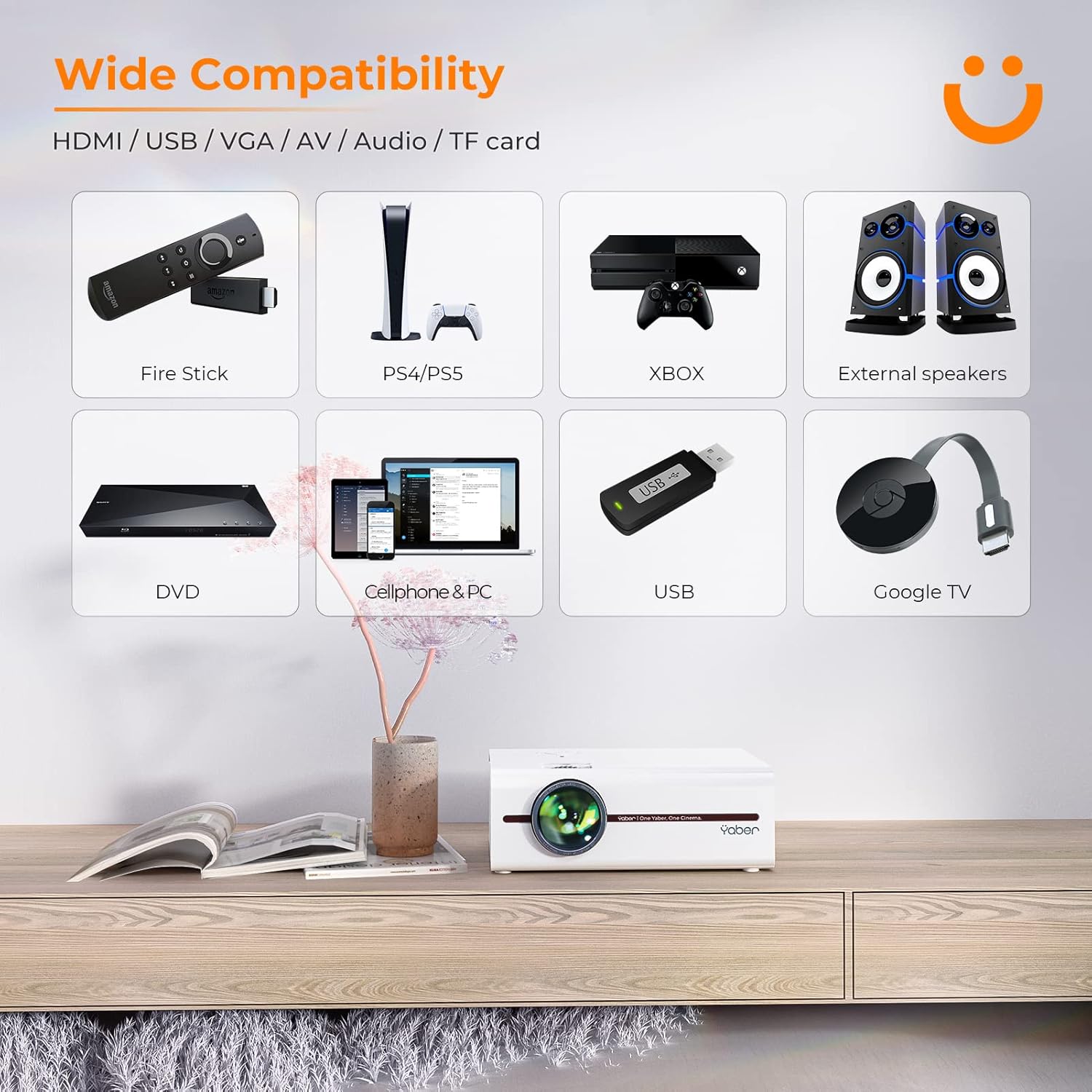
Image: A visual representation of the projector's wide range of compatible devices, including Fire Stick, PS4/PS5, Xbox, external speakers, DVD players, cellphones, PCs, USB drives, and Google TV, connected via various ports.
4. Тохиргоо
4.1 Initial Placement and Power
- Place the projector on a stable, flat surface or mount it using a compatible tripod. Ensure proper ventilation around the unit.
- Цахилгааны кабелийг проекторын тэжээлийн оролтод, дараа нь цахилгаан залгуурт холбоно уу.
- Проектор эсвэл алсын удирдлага дээрх цахилгаан товчийг дарж асаана уу.
4.2 Adjusting Image Focus and Keystone
After powering on, adjust the focus and keystone correction for a clear, rectangular image.
- Фокус: Зураг тод, тод харагдтал проекторын линз дээрх фокусын цагиргийг эргүүлнэ үү.
- Түлхүүр чулууны залруулга: Use the keystone adjustment dial or the remote control to correct any trapezoidal distortion, ensuring the image is perfectly rectangular. The V5 supports both mechanical and digital keystone correction.

Image: A hand holding the projector's remote control, illustrating the ease of adjusting the projected image, including focus and keystone correction.
4.3 Төхөөрөмжүүдийг холбох
The YABER V5 offers various connectivity options:
- HDMI: Connect your laptop, game console, or streaming device via an HDMI cable.
- USB: Медиа тоглуулахын тулд USB драйв оруулна уу fileшууд.
- OF: Use the AV cable for older devices like DVD players.
- VGA: VGA гаралттай компьютеруудтай холбогдоно уу.
- TF карт: Медиа тоглуулахын тулд TF карт оруулна уу.
4.4 Утасгүй дэлгэцийн толин тусгал (WiFi)
To mirror your smartphone or tablet screen wirelessly:
- Таны проектор болон гар утасны төхөөрөмж ижил WiFi сүлжээнд холбогдсон эсэхийг шалгаарай.
- On the projector, select the 'Screen Mirroring' input source.
- For iOS devices, open Control Center and tap 'Screen Mirroring' or 'AirPlay Mirroring', then select the projector from the list.
- For Android devices, enable 'Wireless Display', 'Smart View', 'Multi-screen', or similar function in your device settings, then select the projector.

Image: A visual comparison demonstrating the faster loading and transmission speed of 5GHz WiFi compared to 2.4GHz, highlighting the benefit for screen mirroring.
4.5 Bluetooth аудио холболт
To connect to a Bluetooth audio device:
- Enable Bluetooth on your external speaker or headphones and set it to pairing mode.
- Проектор дээр Bluetooth тохиргооны цэс рүү очно уу.
- Хослуулах боломжтой төхөөрөмжүүдийн жагсаалтаас төхөөрөмжөө сонгоно уу.

Image: The YABER V5 projector wirelessly connected to an external Bluetooth speaker, illustrating the enhanced audio experience possible.
5. Ашиглалтын заавар
5.1 Асаах/унтраах
- To power on, press the power button on the projector or remote.
- Унтраахын тулд асаах товчийг дахин дарна уу. Хэрэв асуувал унтраах товчийг баталгаажуулна уу.
5.2 Оролтын эх үүсвэрийн сонголт
Use the 'Source' button on the remote or projector to cycle through available input sources (HDMI, USB, AV, VGA, TF Card, Screen Mirroring).
5.3 Цэсийн навигаци
Use the arrow keys on the remote or projector to navigate through the on-screen menu. Press 'OK' or 'Enter' to confirm selections. Use 'Return' or 'Exit' to go back or close the menu.
5.4 Adjusting Projection Size (Zoom Function)
To adjust the projection size without moving the projector, use the digital zoom function via the remote control. This allows you to shrink the image from 100% down to 50%.

Image: An illustration showing the digital zoom function, allowing the projected image size to be adjusted from 100% down to 50% without physically moving the projector.
6. Засвар үйлчилгээ
6.1 Линзийг цэвэрлэх
Use a soft, lint-free cloth specifically designed for optical lenses to gently wipe the projector lens. Avoid using abrasive cleaners or excessive pressure.
6.2 Проекторын их биеийг цэвэрлэх
Wipe the exterior of the projector with a soft, dry cloth. Do not use liquid cleaners or solvents.
6.3 Агааржуулалт
Ensure the projector's ventilation vents are clear and unobstructed to prevent overheating. Do not block the vents during operation.
6.4 лamp Амьдрал
The YABER V5 projector lamp has an estimated lifespan of up to 100,000 hours. No user replacement is typically required for the lamp.
7. Алдаа засах
If you encounter issues with your YABER V5 Mini Projector, please refer to the following common problems and solutions:
| Асуудал | Боломжит шалтгаан | Шийдэл |
|---|---|---|
| No image/No signal | Incorrect input source selected; Loose cable connection; Device not powered on. | Select the correct input source. Check all cable connections. Ensure connected device is powered on. |
| Бүдгэрсэн зураг | Фокусыг тохируулаагүй; Keystone-г засаагүй. | Adjust the focus ring on the lens. Use keystone correction to square the image. |
| Дуу алга | Дууны хэмжээ хэт бага; Дууг нь хаасан; Гадаад аудио төхөөрөмж холбогдоогүй/хослогдоогүй. | Increase volume. Unmute the projector. Ensure Bluetooth device is paired or external speakers are properly connected. |
| Screen mirroring issues (freezing/disconnection) | Weak WiFi signal; Network congestion; Device compatibility. | Ensure strong WiFi signal (preferably 5G). Reduce network traffic. Try a wired connection if wireless is unstable. |
| Алсын удирдлага ажиллахгүй байна | Дууссан батерей; Алсын удирдлага болон проекторын хоорондох саад тотгор. | Replace batteries. Ensure no objects are blocking the IR receiver on the projector. |
If the problem persists after trying these solutions, please contact YABER customer support for assistance.
8. Техникийн үзүүлэлтүүд
| Онцлог | Дэлгэрэнгүй |
|---|---|
| Загварын дугаар | YABER-V5-MINI |
| Дэлгэцийн нягтрал | 1920 x 1080 (Full HD Supported) |
| Холболтын технологи | Bluetooth, Wi-Fi (5G/2.4G), USB, HDMI, VGA, AV, TF Card |
| Онцлог шинж чанарууд | Portable, Built-in Wi-Fi, Bluetooth, Digital Zoom, Hi-Fi Stereo Speaker |
| Зөвлөмж болгож буй хэрэглээ | Гэрийн кино театр |
| Бүтээгдэхүүний хэмжээс | 8.19 x 6.63 x 3.07 инч |
| Зүйлийн жин | 2.2 фунт |
| Lamp Амьдрал | 100,000 цаг хүртэл |
9. Баталгаат хугацаа ба дэмжлэг
YABER provides comprehensive support for your V5 Mini Projector:
- 6 сарын буцаалтын бодлого: Enjoy a 6-month return period from the date of purchase.
- 3 жилийн баталгаа: The projector is covered by a 3-year warranty for repairs.
- Насан туршийн мэргэжлийн техникийн дэмжлэг: YABER offers professional technical assistance for the lifetime of the product.
For any inquiries or support needs, please contact YABER customer service through their official channels or the retailer where you purchased the product.


