1. Танилцуулга
This manual provides comprehensive instructions for the setup, operation, and maintenance of your VTech CS2001 DECT 2 Handset Cordless Telephone system. Please read this manual thoroughly before using your new telephone to ensure proper functionality and to familiarize yourself with all features.

Image: The VTech CS2001 DECT 2 Handset Cordless Telephone system, showing one handset on its main base unit and a second handset on its auxiliary charging cradle. Both handsets feature a digital display and a standard telephone keypad.
2. Тохиргоо
Follow these steps to set up your VTech CS2001 DECT Cordless Telephone system.
2.1 Багцын агуулга
Бүх бүрэлдэхүүн хэсгүүд байгаа эсэхийг шалгаарай:
- 1 үндсэн нэгж
- 2 AC adaptors
- 2 battery packs (NiMH)
- 2 утасгүй гар утас
- 2 chargers (for auxiliary handset)
- Түргэн эхлүүлэх гарын авлага
- Утасны шугамын утас
2.2 Зайг суурилуулах, цэнэглэх
- Гар утас бүрийн ар талд байрлах батерейны тагийг нээнэ үү.
- Connect the battery pack connector securely into the socket inside the compartment.
- Зайны багцыг тасалгаанд хийнэ.
- Зайны тасалгааны тагийг хаа.
- Place each handset onto its respective base unit or charger. Ensure the "Charge" indicator on the base/charger illuminates.
- Allow the handsets to charge for at least 16 hours before initial use to ensure optimal battery performance.
2.3 Суурийн нэгжийн холболт
- Connect one end of the telephone line cord to the TEL LINE jack on the base unit.
- Утасны утасны нөгөө үзүүрийг утасныхаа залгуурт холбоно уу.
- Connect the AC adaptor to the POWER jack on the base unit.
- AC адаптерийг ердийн цахилгаан залгуурт залгаарай.
- For the auxiliary charger, connect its AC adaptor to the charger and then to an electrical outlet.
Жич: Use only the supplied power adaptors and battery packs. Incorrect adaptors may damage the unit.
3. Ашиглалтын заавар
3.1 Дуудлага хийх, хүлээн авах
- Дуудлага хийхийн тулд: дарна уу ЯРИА, then dial the number. Alternatively, dial the number first and then press ЯРИА.
- Дуудлагад хариулахын тулд: Утас дуугарах үед дарна уу ЯРИА.
- Дуудлага дуусгахын тулд: дарна уу Төгсгөл эсвэл гар утсаа суурь/цэнэглэгч дээр буцааж тавина уу.
3.2 Speakerphone Function
The handsfree speakerphone allows you to converse without holding the handset.

Image: A VTech CS2001 handset is shown on a kitchen counter, with a person in the background engaged in an activity, illustrating the convenience of the handsfree speakerphone feature.
- Идэвхжүүлэхийн тулд: Дуудлагын үеэр Чанга яригч button (usually marked with a speaker icon).
- Идэвхгүйжүүлэхийн тулд: дээр дарна уу Чанга яригч button again or lift the handset to switch back to normal mode.
3.3 Intercom and Call Transfer
The two handsets can communicate with each other and transfer calls.
- Домофон холбоо: дээр дарна уу INT button on one handset to call the other.
- Дуудлага дамжуулах: Гадаад дуудлагын үеэр товчийг дарна уу INT, select the other handset, and once connected, press ШИЛЖҮҮЛЭХ.
4. Үндсэн шинж чанарууд
4.1 DECT Technology and Long Range
The VTech CS2001 utilizes DECT (Digital Enhanced Cordless Telecommunications) technology, ensuring clear sound quality and secure communication. It offers a reliable long operating range of up to 300 meters outdoors.

Image: A woman is shown talking on a VTech cordless phone in a spacious, modern home environment, with graphic elements illustrating the phone's reliable long-range capability.
4.2 Nuisance Call Blocker
This feature helps manage unwanted calls. You can block specific numbers or calls from unknown numbers. The system can store up to 30 blacklisted numbers. An option to block all calls during a programmable period is also available.
Жич: This feature requires a Caller Display service subscription from your network provider, which may be chargeable.

Image: A man is depicted relaxing on a sofa, reading a book, with a VTech CS2001 handset on a table beside him. A graphic overlay signifies the call blocker feature, promoting peace of mind from unwanted calls.
4.3 Phonebook Directory
Store up to 30 names and numbers in the phonebook directory. Entries added to one handset are automatically shared with the other.

Image: A VTech CS2001 handset is shown on its charging base, accompanied by a graphic representation of a phonebook list, highlighting the 30 name and number storage capacity.
4.4 Caller ID and Call Waiting
The system records up to 20 names and numbers for Caller ID. It also supports Call Waiting functionality.
Жич: These features require a Caller Display service subscription from your network provider, which may be chargeable.
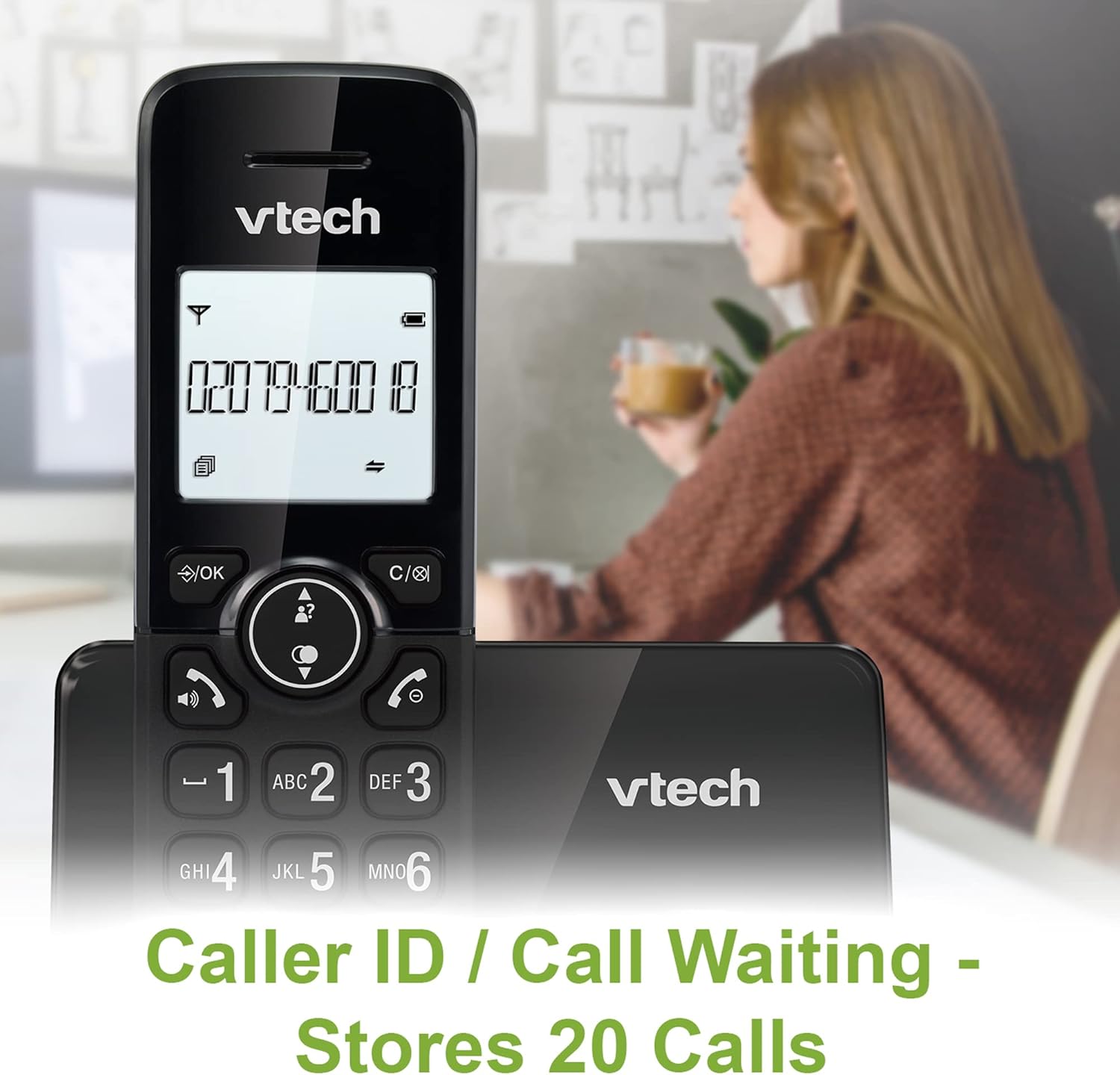
Image: A VTech CS2001 handset is positioned on its base, with its screen clearly displaying a phone number, illustrating the Caller ID feature. A person is visible in the blurred background.
4.5 1.8" Backlit Display
Each handset features a 1.8-inch backlit display, enhancing visibility and readability, especially in low-light conditions.

Зураг: Ойрын зураг view of the VTech CS2001 handset's 1.8-inch backlit display, clearly showing the text "HANDSET 1", demonstrating its enhanced visibility.
4.6 Adjustable Ring Volume and Melody
Customize your phone experience by adjusting the ring volume and selecting from various melodies.

Image: A VTech CS2001 handset rests on a wooden table, with a graphic overlay highlighting the adjustable ring volume and melody features, allowing for personalized sound settings.
4.7 ЭКО горим
The handset automatically adjusts the radio frequency strength based on its distance from the base station, optimizing power consumption.
4.8 Alarm and Mute Function
The phone includes an alarm function and a mute feature for privacy during calls.

Image: A split image visually represents the alarm and mute functions. One side shows a woman exercising with an alarm clock icon, while the other shows a couple relaxing with a music note icon, symbolizing the phone's versatile features.
5. Засвар үйлчилгээ
- Цэвэрлэгээ: Гар болон суурь хэсгийг зөөлөн, d-ээр арчинаamp cloth. Do not use cleaning sprays or abrasive cleaners.
- Батерейны арчилгаа: Replace batteries when their performance significantly degrades. Use only NiMH battery packs specified for this model.
- Байгаль орчин: Keep the telephone away from heat sources, direct sunlight, and moisture.
6. Алдаа засах
If you experience issues with your VTech CS2001, refer to the following common problems and solutions:
| Асуудал | Шийдэл |
|---|---|
| Залгах ая байхгүй |
|
| Гар утас цэнэглэхгүй байна |
|
| Дууны чанар муу / Статик |
|
| Дуудлага хийх/хүлээн авах боломжгүй |
|
7. Техникийн үзүүлэлтүүд
| Онцлог | Дэлгэрэнгүй |
|---|---|
| Брэнд | VTech |
| Загвар | CS2001 |
| Утасны төрөл | Утасгүй (DECT) |
| Гар утасны тоо | 2 |
| Дэлгэц | 1.8" Backlit |
| Утасны дэвтрийн багтаамж | 30 нэр, тоо |
| Caller ID Records | 20 нэр, тоо |
| Call Blocker Capacity | 30 хүртэлх тоо |
| Сүүлийн дугаарыг дахин залгах | 10 бичлэг |
| Эрчим хүчний эх үүсвэр | Battery Powered (AC adaptors for base/chargers) |
| Зайны төрөл | NiMH (2 AAA batteries per handset, included) |
| Радио хамтлагуудыг дэмждэг | 1.9 GHz (DECT) |
| Гаднах хүрээ | 300 м хүртэл |
| Зүйлийн жин | 680 гр |
| Өнгө | Хар |
8. Баталгаат хугацаа ба дэмжлэг
For warranty information and technical support, please refer to the documentation included with your product or visit the official VTech webсайт. Худалдан авалтын баримтаа худалдан авалтын баталгаа болгон хадгалаарай.