1. Танилцуулга
Thank you for choosing the VTimes VT6532 Video Baby Monitor. This device is designed to provide a secure and reliable way to monitor your baby, offering peace of mind with its advanced features. This manual provides detailed instructions for setup, operation, and maintenance to ensure optimal performance and safety.
2. Аюулгүй байдлын чухал мэдээлэл
АНХААРУУЛГА: СТРАНГУЛЯЦИЙН АЮУЛ
- Keep the adapter cords out of reach of children. Never place the camera or cords within 3 feet (1 meter) of the crib or playpen.
- Never use extension cords with the power adapters.
- Энэ бүтээгдэхүүн нь тоглоом биш юм. Хүүхдүүдтэй тоглохыг бүү зөвшөөр.
- Энэ бүтээгдэхүүн нь зөвхөн дотор ашиглах зориулалттай.
- Do not place the monitor or camera near heat sources or in direct sunlight.
- Ensure proper ventilation around both units.
- Зөвхөн өгсөн цахилгаан хувиргагчийг ашиглана уу.
3. Багцын агуулга
Таны багцад бүх зүйл байгаа эсэхийг шалгана уу:
- Parent Unit (Monitor) with 3.2-inch LCD Screen
- Хүүхдийн хэсэг (Камер)
- Эцэг эхийн нэгжийн тэжээлийн адаптер
- Хүүхдийн нэгжийн тэжээлийн адаптер
- Хэрэглэгчийн гарын авлага (энэ баримт бичиг)
4. Бүтээгдэхүүн дууссанview
Familiarize yourself with the components of your VTimes VT6532 Video Baby Monitor.

Image: The VTimes VT6532 Video Baby Monitor, showing the white parent unit with a 3.2-inch screen on the right and the white pan-tilt camera baby unit on the left. Both units feature the 'vtimes' logo.
4.1 Эцэг эхийн хэсэг (монитор)
- 3.2 инчийн LCD дэлгэц: Displays live video feed from the camera.
- Антен: Утасгүй дохио хүлээн авах зориулалттай.
- Асаах/Цэсний товчлуур: Turns the unit on/off and accesses the menu.
- Навигацийн товчлуурууд (дээш/доошоо/зүүн/баруун): Used to navigate menus and control camera pan/tilt.
- OK товчлуур: Сонголтыг баталгаажуулна.
- Ярилцах товч: Activates two-way audio communication.
- Дууны товчлуурууд: Adjusts the monitor's speaker volume.
- Томруулах товч: Magnifies the video feed.
- Микрофон: Хоёр талын аудио холболтын хувьд.
- Илтгэгч: Аудио гаралтын хувьд.
- Эрчим хүчний үзүүлэлт: Эрчим хүчний төлөвийг харуулна.
- Зайны үзүүлэлт: Батерейны түвшинг харуулна.
4.2 Хүүхдийн хэсэг (Камер)
- Камерын линз: Видео бичлэг.
- Хэт улаан туяаны LED: Шөнийн харааны зориулалттай.
- Микрофон: Хүүхдийн өрөөнөөс гарах чимээг мэдэрдэг.
- Илтгэгч: For lullabies and two-way audio output.
- Температур мэдрэгч: Detects room temperature.
- Эрчим хүчний порт: Цахилгаан адаптерт холбогдоно.
- Хосуудын товчлуур: Used for pairing with the parent unit (if needed).
5. Тохиргоо
5.1 Төхөөрөмжийг цэнэглэх
- Connect the small end of the power adapter to the Parent Unit's power port.
- Plug the other end of the adapter into a power outlet. The battery indicator will show charging status.
- Repeat for the Baby Unit. The Baby Unit must remain plugged in for continuous operation.
- Charge the Parent Unit for at least 8 hours before first use to ensure optimal battery life.
5.2 Хүүхдийн төхөөрөмжийг байрлуулах (камер)
- Place the Baby Unit on a flat surface in your baby's room, such as a dresser or shelf.
- Ensure the camera is at least 3 feet (1 meter) away from the crib or playpen to prevent strangulation hazards from the power cord.
- Adjust the camera angle to get a clear view of your baby. The remote pan-tilt feature allows for fine-tuning later.
- Камерыг нарны шууд тусгалд эсвэл дулааны эх үүсвэрийн ойролцоо байрлуулахаас зайлсхий.
5.3 Асаах
- Press and hold the Power/Menu button on the Parent Unit until the screen turns on.
- Ensure the Baby Unit is plugged in and powered on. The monitor should automatically connect to the camera.
- If the units do not connect, refer to the Troubleshooting section for pairing instructions.
6. Ашиглалтын заавар
6.1 Ерөнхий үйл ажиллагаа
- Асаах/унтраах: Press and hold the Power/Menu button.
- Дууны тохируулга: Use the Volume buttons on the Parent Unit.
- Гэрэлтүүлгийн тохируулга: Access through the menu settings.
6.2 Алсын удирдлагатай томруулагч
The Baby Unit camera can be remotely controlled from the Parent Unit to adjust its viewөнцөг.
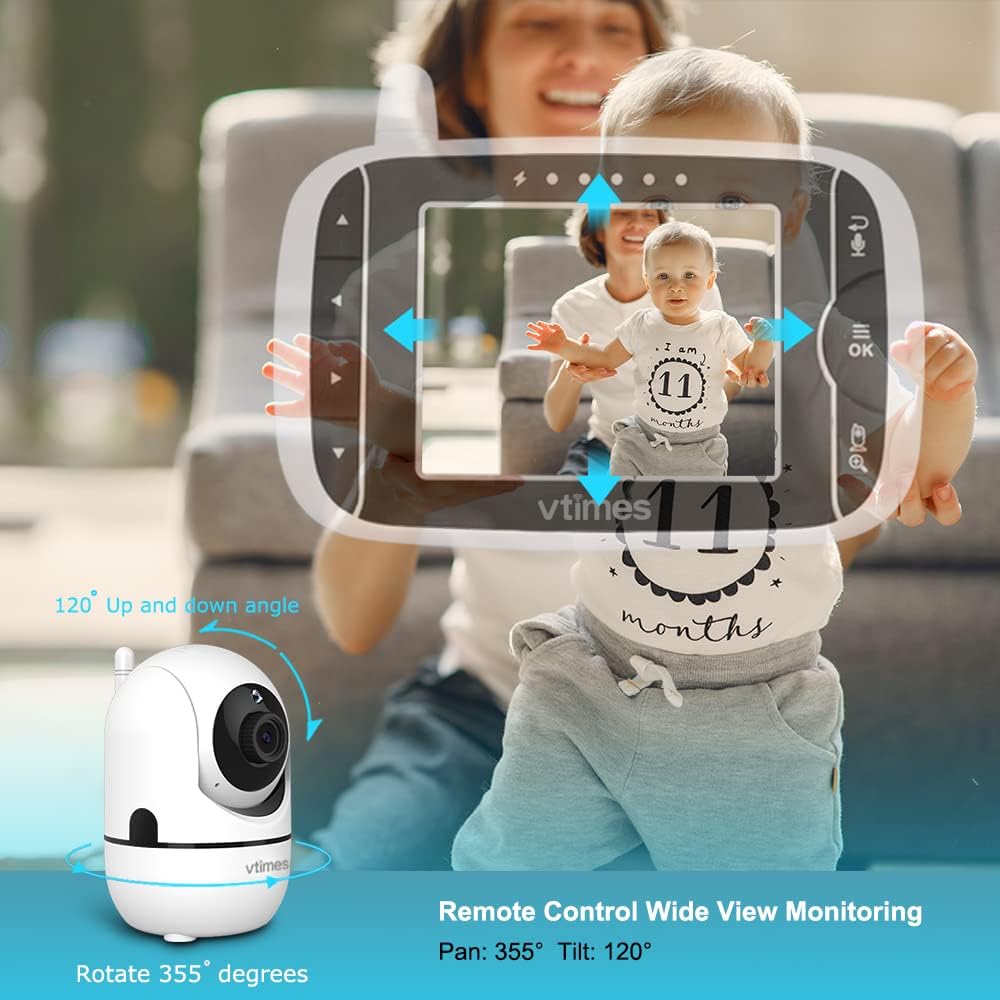
Image: A diagram illustrating the VTimes VT6532 Baby Unit's remote control capabilities, showing a 355-degree horizontal pan and 120-degree vertical tilt for comprehensive room coverage.
- -г ашиглана уу Навигацийн товчлуурууд (Up/Down/Left/Right) on the Parent Unit to pan the camera horizontally (355°) and tilt it vertically (120°).
- дээр дарна уу Томруулах товч to digitally zoom in or out on the image for a closer view.
6.3 VOX горим (Дуу хоолойгоор ажилладаг солилцоо)
VOX mode conserves battery power by turning off the screen when no sound is detected, and activating it when your baby makes a sound.

Image: A comparison showing the Parent Unit in VOX Mode (screen off) and Screen On Mode (screen activated) when a baby's crying is detected, illustrating the power-saving feature.
- Access the VOX settings through the Parent Unit's menu.
- Select the desired sound sensitivity level. A higher sensitivity will activate the screen with softer sounds.
- When VOX mode is active, the screen will automatically turn on and alert you when sounds above the set sensitivity are detected.
6.4 бүүвэйн дуу
Soothe your baby to sleep with built-in lullabies.

Image: A baby sleeping peacefully with the VTimes VT6532 Baby Unit nearby, accompanied by icons representing lullabies and a temperature sensor, highlighting these features.
- Navigate to the Lullaby option in the Parent Unit's menu.
- Choose from 8 available lullabies to play through the Baby Unit's speaker.
6.5 Хоёр талын аудио
Communicate with your baby or partner in the baby's room.
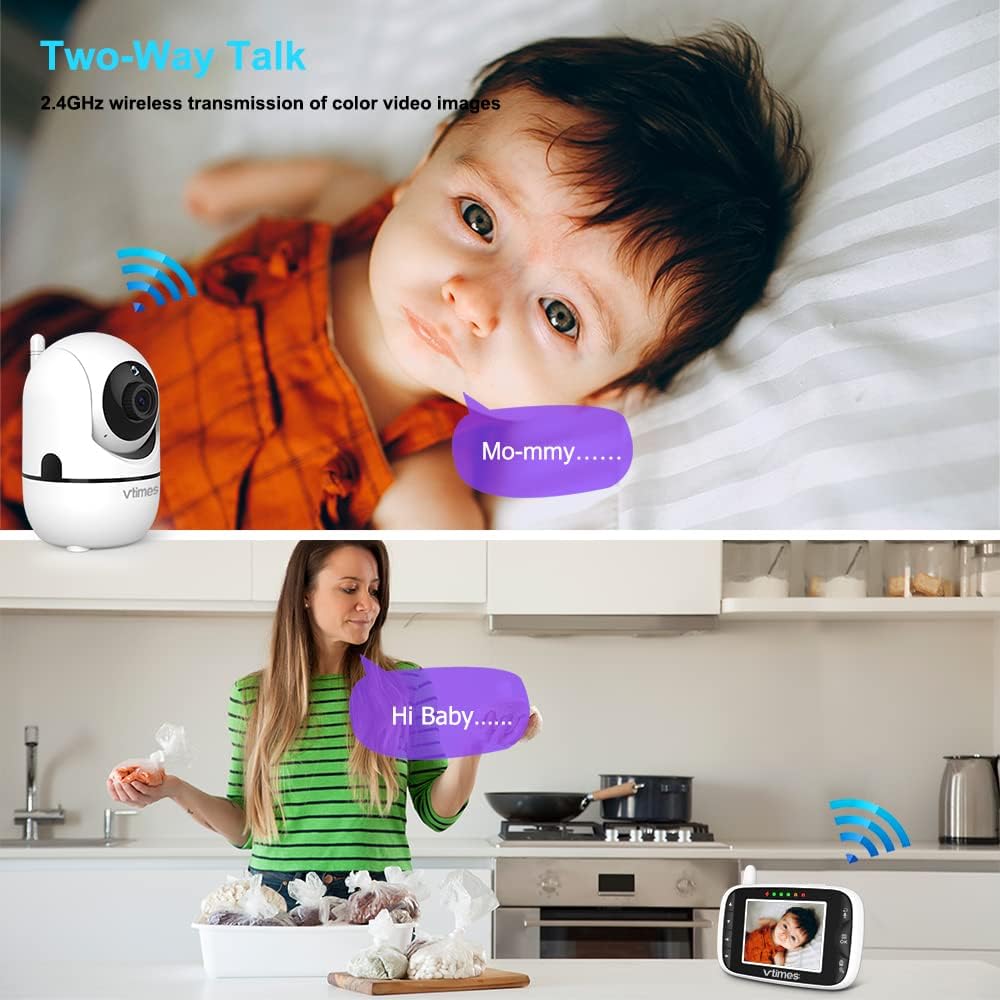
Image: A split image demonstrating the two-way talk feature. The top shows the baby unit near a baby with a speech bubble saying 'Mo-mmy...', and the bottom shows a parent with the monitor, speaking into it with a speech bubble saying 'Hi Baby....'.
- -г удаан дар Ярилцах товч on the Parent Unit to speak. Your voice will be transmitted through the Baby Unit's speaker.
- Release the button to hear your baby's response.
6.6 Температурын хяналт
Monitor the temperature of your baby's room.
- The current room temperature is displayed on the Parent Unit's screen.
- If the temperature goes above or below the preset normal range, a red warning icon will appear on the display.
6.7 Хэт улаан туяаны шөнийн хараа
Automatically provides clear video in low-light conditions.

Image: A split image demonstrating the automatic infrared night vision. The left side shows a baby sleeping in a brightly lit room, and the right side shows the same baby in a dark room, rendered clearly in black and white by the night vision feature.
- The Baby Unit automatically detects dim light and activates its infrared LEDs.
- The video feed on the Parent Unit will switch to a clear black and white image, allowing you to see your baby even in complete darkness.
6.8 Хооллох тухай сануулагч
Set reminders for feeding times.

Image: A parent feeding a baby, with an overlay showing the Parent Unit screen displaying feeding reminder options (0:30, 1:00, 1:30) and a clock icon, indicating the alarm setting feature.
- Access the Feeding Reminder settings in the Parent Unit's menu.
- Set reminders for various intervals (e.g., 30 minutes, 1 hour, 1 hour 30 minutes).
6.9 Multi-Camera Expandability
Monitor multiple rooms or angles with additional cameras.

Image: A diagram showing the Parent Unit connected to four separate camera units, each monitoring a different area (a dog, an elderly person, a living room, and a child playing), illustrating the multi-camera expandability feature.
- The system supports connecting up to 4 cameras to one Parent Unit.
- Additional cameras are sold separately.
- Switch between cameras or use alternate screen mode to view different feeds.
7. Засвар үйлчилгээ
7.1 Цэвэрлэгээ
- Wipe the surfaces of the Parent Unit and Baby Unit with a soft, lint-free cloth.
- Do not use cleaning sprays or liquid cleaners directly on the units.
- For the camera lens, use a lens cleaning cloth to avoid scratches.
7.2 Батерейны арчилгаа
- To prolong battery life, avoid fully discharging the Parent Unit's battery frequently.
- Хэрэв төхөөрөмжийг удаан хугацаагаар хадгалах бол батерейг 50% хүртэл цэнэглээд сэрүүн, хуурай газар хадгална уу.
8. Алдаа засах
| Асуудал | Боломжит шалтгаан | Шийдэл |
|---|---|---|
| No picture/sound on Parent Unit | Units are not powered on or connected. Out of range. | Ensure both units are powered on and plugged in. Move Parent Unit closer to Baby Unit. Re-pair units if necessary (see manual for pairing steps). |
| Зургийн чанар муу | Interference. Low light. | Move units away from other electronic devices. Ensure Baby Unit lens is clean. Night vision activates automatically in low light. |
| VOX горим идэвхжихгүй байна | Мэдрэмжийг хэт бага тохируулсан. | Increase VOX sensitivity in the Parent Unit's menu. |
| Батерей хурдан дуусдаг | Frequent use. Old battery. | Reduce screen brightness. Use VOX mode. Ensure battery is fully charged. Consider battery replacement if unit is old. |
9. Техникийн үзүүлэлтүүд
| Онцлог | Дэлгэрэнгүй |
|---|---|
| Загварын дугаар | VT6532 |
| Дэлгэцийн хэмжээ | 3.2 инч |
| Утасгүй технологи | 2.4 GHz FHSS |
| Видео бичлэгийн нягтрал | 720p |
| Пан өнцөг | 355° |
| Налалтын өнцөг | 120° |
| Томруулах төрөл | Дижитал томруулах |
| Шөнийн хараа | Infrared (Automatic) |
| Хоёр талын аудио | Тиймээ |
| VOX горим | Тиймээ |
| Бүүвэйн дуу | 8 аялгуу |
| Температурын дэлгэц | Тиймээ |
| Олон камерын дэмжлэг | 4 хүртэл камер |
| Эрчим хүчний эх үүсвэр | Утастай цахилгаан |
| Бүтээгдэхүүний хэмжээс | 8.27 x 0.47 x 4 инч |
| Зүйлийн жин | 1.23 фунт |
| UPC | 190282011341 |
10. Баталгаат хугацаа ба дэмжлэг
VTimes is committed to providing high-quality products. For any questions, technical support, or warranty inquiries, please contact VTimes customer service. While specific warranty details are not provided in this manual, VTimes aims to ensure customer satisfaction and product reliability.
Please refer to the product packaging or the official VTimes webбаталгааны хамгийн сүүлийн үеийн мэдээлэл болон холбоо барих мэдээллийг авахын тулд сайтад зочилно уу.

