1. Танилцуулга
This manual provides essential information for the safe and efficient operation of your LG 98UH5F-H 98-inch UHD LCD Monitor. Please read this manual thoroughly before using the product and retain it for future reference. The LG 98UH5F-H is a high-performance 98-inch Ultra High Definition (UHD) LCD display designed for various professional applications, featuring a 3840x2160 resolution, multiple input options including HDMI, DisplayPort, and DVI-D, built-in speakers, and Wi-Fi connectivity.
2. Аюулгүй байдлын мэдээлэл
Observe the following safety precautions to prevent electric shock, fire, or damage to the product.
- Эрчим хүчний эх үүсвэр: Use only the power cord and adapter supplied with the unit. Connect to a grounded power outlet.
- Агааржуулалт: Дэлгэцийг хангалттай агааржуулах. Агааржуулалтын нүхийг бүү хааж болохгүй.
- Шингэн ба чийг: Do not expose the display to rain or moisture. Do not place objects filled with liquids on the display.
- Цэвэрлэгээ: Disconnect the power cord before cleaning. Use a soft, dry cloth. Avoid liquid cleaners or aerosol sprays.
- Суурилуулалт: Due to its size and weight (approximately 343 pounds), this display requires professional installation. Ensure the mounting surface or stand can safely support the weight.
- Үйлчилгээ: Энэ бүтээгдэхүүнд өөрөө үйлчлэх гэж бүү оролдоорой. Бүх засвар үйлчилгээг мэргэшсэн үйлчилгээний ажилтнуудад хандаарай.
3. Хайрцагт юу байна
Хайрцгийг болгоомжтой задалж, бүх зүйл байгаа бөгөөд гэмтээгүй эсэхийг шалгаарай.
- LG 98UH5F-H 98-inch UHD LCD Monitor
- Суурь (хэрэв таны тусгай багцад багтсан бол)
- Цахилгааны утас
- Алсын удирдлага (батарейтай)
- Хэрэглэгчийн гарын авлага (энэ баримт бичиг)
- Баталгаат карт
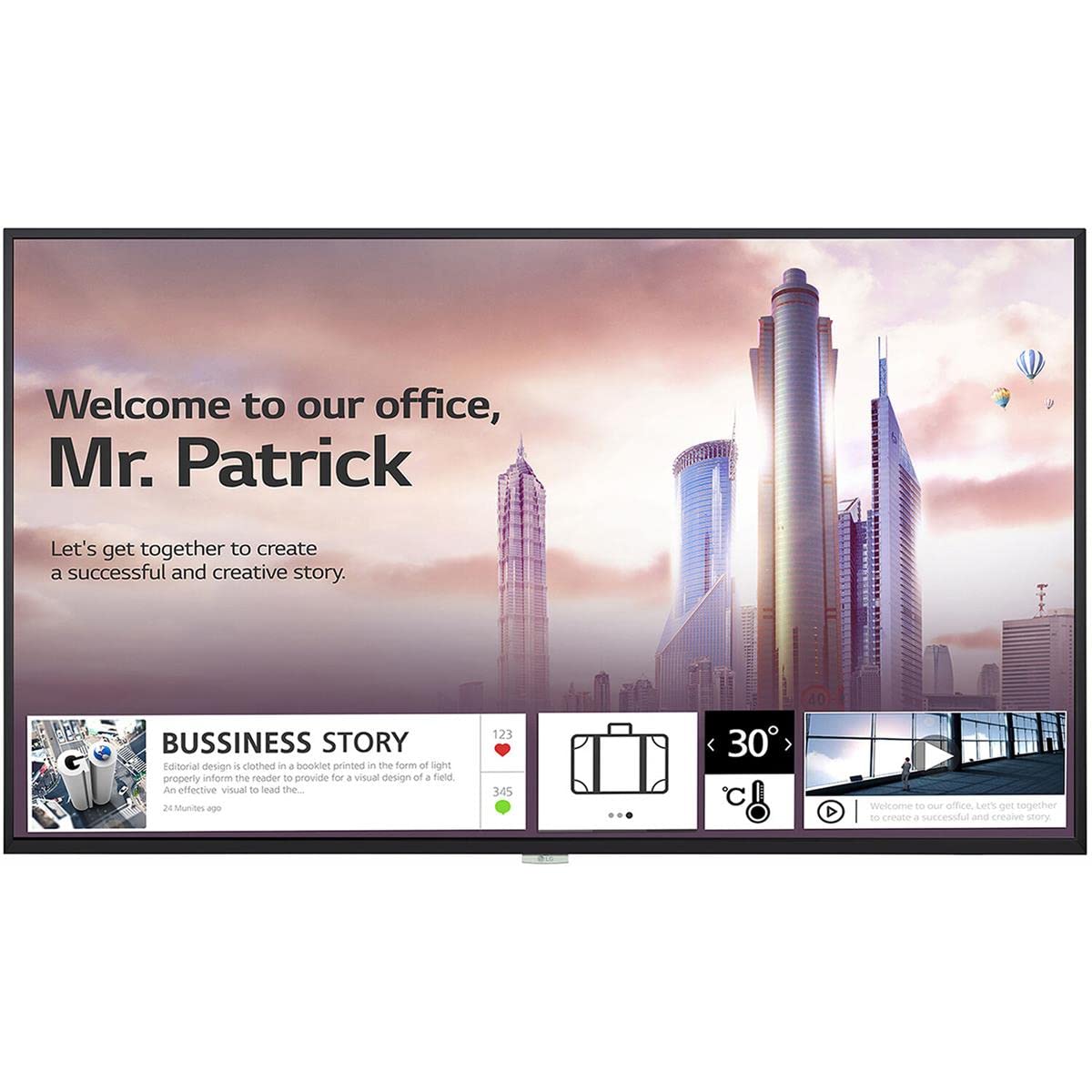
Зураг 1: Урд view of the LG 98UH5F-H 98-inch UHD LCD Monitor. The display is black with a thin bezel.
4. Тохиргоо
4.1. Физик суурилуулалт
Due to the large size and weight of the 98UH5F-H monitor, professional installation is highly recommended. Ensure the chosen location and mounting hardware (if wall-mounted) can support the display's weight of approximately 343 pounds (155 kg). Maintain adequate space around the display for ventilation.
4.2. Холбох кабель
Before connecting any cables, ensure the monitor and all connected devices are powered off.
- Видео оруулах: Connect your video source (PC, media player, etc.) to one of the available input ports: HDMI (3 ports), DisplayPort (DP), or DVI-D.
- Аудио оролт/гаралт: If using external audio devices, connect them to the appropriate audio ports. The monitor also has built-in speakers.
- USB төхөөрөмжүүд: Connect USB storage devices or peripherals to the USB 2.0 ports (2 ports).
- Сүлжээний холболт: For network features and updates, connect an Ethernet cable to the LAN port or use the built-in Wi-Fi.
- Эрчим хүчний холболт: After all other connections are made, connect the power cord to the monitor and then to a grounded electrical outlet.

Зураг 2: Хажуу тал view of the LG 98UH5F-H monitor, illustrating the location of various input ports including HDMI, DisplayPort, DVI-D, and USB.
5. Ашиглалтын заавар
5.1. Асаах/унтраах
Press the power button on the remote control or on the monitor's control panel to turn the display on or off. A power indicator light will illuminate when the monitor is on.
5.2. Оролтын эх үүсвэрийн сонголт
Use the 'Input' or 'Source' button on the remote control to cycle through available input sources (HDMI1, HDMI2, HDMI3, DP, DVI-D). Select the input corresponding to your connected device.
5.3. Дэлгэц дээрх дэлгэц (OSD) цэс
The OSD menu allows you to adjust various display settings. Press the 'Menu' button on the remote control to access the OSD. Use the arrow buttons to navigate and 'OK' or 'Enter' to select options.
- Зургийн тохиргоо: Adjust brightness, contrast, sharpness, color temperature, and aspect ratio.
- Аудио тохиргоо: Control volume, balance, and select audio output modes (Off/Fixed/Variable).
- Ерөнхий тохиргоо: Configure language, time, power-saving options, and network settings (Wi-Fi).
- USB тоглуулах: Access content from connected USB storage devices. The monitor has 8GB internal memory (3.6GB available for user content).
5.4. Landscape and Portrait Mode
The LG 98UH5F-H supports both landscape and portrait orientations. Ensure the content source is configured to match the display's physical orientation for optimal viewing.
6. Засвар үйлчилгээ
6.1. Дэлгэц цэвэрлэх
Always unplug the power cord before cleaning. Use a soft, lint-free cloth to gently wipe the screen and exterior surfaces. For stubborn marks, lightly dampen the cloth with water or a mild, non-abrasive screen cleaner. Never spray liquid directly onto the screen or into any openings.
6.2. Хадгалах
Хэрэв мониторыг удаан хугацаагаар хадгалах бол бүх кабелийг салгаж, тоос шороо, бие махбодийн гэмтэлээс хамгаалахын тулд хуурай, сэрүүн газар, анхны савлагаанд нь хадгал.
7. Алдаа засах
If you encounter issues with your LG 98UH5F-H monitor, refer to the following common problems and solutions.
| Асуудал | Боломжит шалтгаан | Шийдэл |
|---|---|---|
| Хүч чадалгүй | Цахилгааны утас салгагдсан; Цахилгааны залгуур эвдэрсэн. | Цахилгааны утас найдвартай холбогдсон эсэхийг шалгаарай. Залгуурыг өөр төхөөрөмжөөр шалгана уу. |
| Дохио байхгүй | Incorrect input source selected; Video cable loose or faulty; Source device off. | Select the correct input source. Check video cable connections. Ensure source device is powered on. |
| Зургийн чанар муу | Incorrect resolution; Picture settings misconfigured; Faulty cable. | Set source device to 3840x2160 resolution. Adjust picture settings in OSD. Try a different video cable. |
| Дуу байхгүй | Volume too low or muted; Incorrect audio output selected; External speakers off. | Increase volume. Check audio settings in OSD. Ensure external speakers are powered on and connected. |
| Wi-Fi холболтын асуудал | Буруу нууц үг; Чиглүүлэгчийн асуудал; Дохионы хөндлөнгийн оролцоо. | Verify Wi-Fi password. Restart your router. Move monitor closer to router or reduce interference. |
8. Техникийн үзүүлэлтүүд
Key technical specifications for the LG 98UH5F-H monitor.
| Онцлог | Тодорхойлолт |
|---|---|
| Загварын дугаар | 98UH5F-H |
| Дэлгэцийн хэмжээ | 98 инч |
| Шийдвэр | 3840 x 2160 (UHD) |
| Сэргээх хурд | 60 Гц |
| Самбарын төрөл | LCD |
| Манан | 28% |
| Видео оролт | 3x HDMI, 1x DisplayPort, 1x DVI-D |
| Аудио | Audio In/Out, Built-in Speaker |
| USB портууд | 2х USB 2.0 |
| Дотоод санах ой | 8GB (System 4GB + Available 3.6GB) |
| Холболт | Баригдсан Wi-Fi |
| Үйл ажиллагааны цаг | 24/7 (50,000 hours) |
| Баримтлал | Ландшафт ба хөрөг зураг |
| Viewing өнцөг | 178 x 178 градус |
| Зүйлийн жин | 343 фунт (ойролцоогоор 155 кг) |
| Бүтээгдэхүүний хэмжээ (LxWxH) | 92.2 x 54.6 x 15.8 инч |
9. Баталгаат хугацаа ба дэмжлэг
Баталгаат мэдээллийг авахыг хүсвэл бүтээгдэхүүндээ дагалдсан баталгаат картаас эсвэл албан ёсны LG-д зочилно уу website. For technical support, service inquiries, or to download the latest drivers and software, please visit the LG support portal or contact LG customer service directly. Contact details can typically be found on the LG official webсайт эсвэл таны бүтээгдэхүүний баримт бичигт.
LG албан ёсны Webсайт: www.lg.com