1. Танилцуулга
Худалдан авалт хийсэнд баярлалааasing the BUFFBEE Digital Alarm Clock FM Radio with Wireless Charging. This device combines a digital alarm clock, FM radio, 10W fast wireless charger, and a USB charging port into a single unit. It features five distinct wake-up sounds, adjustable volume control, and a full brightness dimmer for optimal comfort in your bedroom environment. Please read this manual carefully to ensure proper setup and operation.

Figure 1.1: BUFFBEE Digital Alarm Clock with a smartphone wirelessly charging on top.
2. Тохиргоо
2.1 Эрчим хүчний холболт
- Connect the provided power adapter to the DC 9V port on the back of the alarm clock.
- Plug the power adapter into a standard electrical outlet. The clock display will illuminate.
- Жич: The internal battery backup is for saving time and alarm settings only. The device requires a continuous power connection to function.
2.2 Цагийг тохируулах
- -г удаан дар ЦАГ button located on the top panel. The hour digits will begin to flash.
- -г ашиглана уу UP (▲) эсвэл ДООШ (▼) buttons to adjust the hour.
- дээр дарна уу ЦАГ button again to confirm the hour and proceed to set the minutes. The minute digits will flash.
- -г ашиглана уу UP (▲) эсвэл ДООШ (▼) buttons to adjust the minutes.
- дээр дарна уу ЦАГ button one more time to save the time setting.
2.3 Сэрүүлгийг тохируулах
- -г удаан дар СЭРҮҮЛЭГ товчлуур. Сэрүүлгийн цагийн цифрүүд анивчиж эхэлнэ.
- -г ашиглана уу UP (▲) эсвэл ДООШ (▼) buttons to adjust the alarm hour.
- дээр дарна уу СЭРҮҮЛЭГ button again to confirm the hour and proceed to set the alarm minutes. The minute digits will flash.
- -г ашиглана уу UP (▲) эсвэл ДООШ (▼) buttons to adjust the alarm minutes.
- дээр дарна уу СЭРҮҮЛЭГ button one more time to save the alarm time.
- To activate or deactivate the alarm, briefly press the СЭРҮҮЛЭГ товчлуур. Идэвхжүүлсэн үед дэлгэц дээр дохиоллын дүрс гарч ирнэ.

Figure 2.1: Rear panel with power and USB connections.
3. Ашиглалтын заавар
3.1 Утасгүй цэнэглэх
The top surface of the alarm clock features a 10W fast wireless charging pad. This is compatible with 5W, 7.5W, and 10W wireless-enabled phones.
- Place your wireless-enabled smartphone directly on the charging pad located on the top of the clock.
- Ensure the phone is centered on the charging pad for optimal connection.
- A lightning icon will appear on the clock's display to indicate that your phone is charging.

Зураг 3.1: Утасгүй цэнэглэж байна.
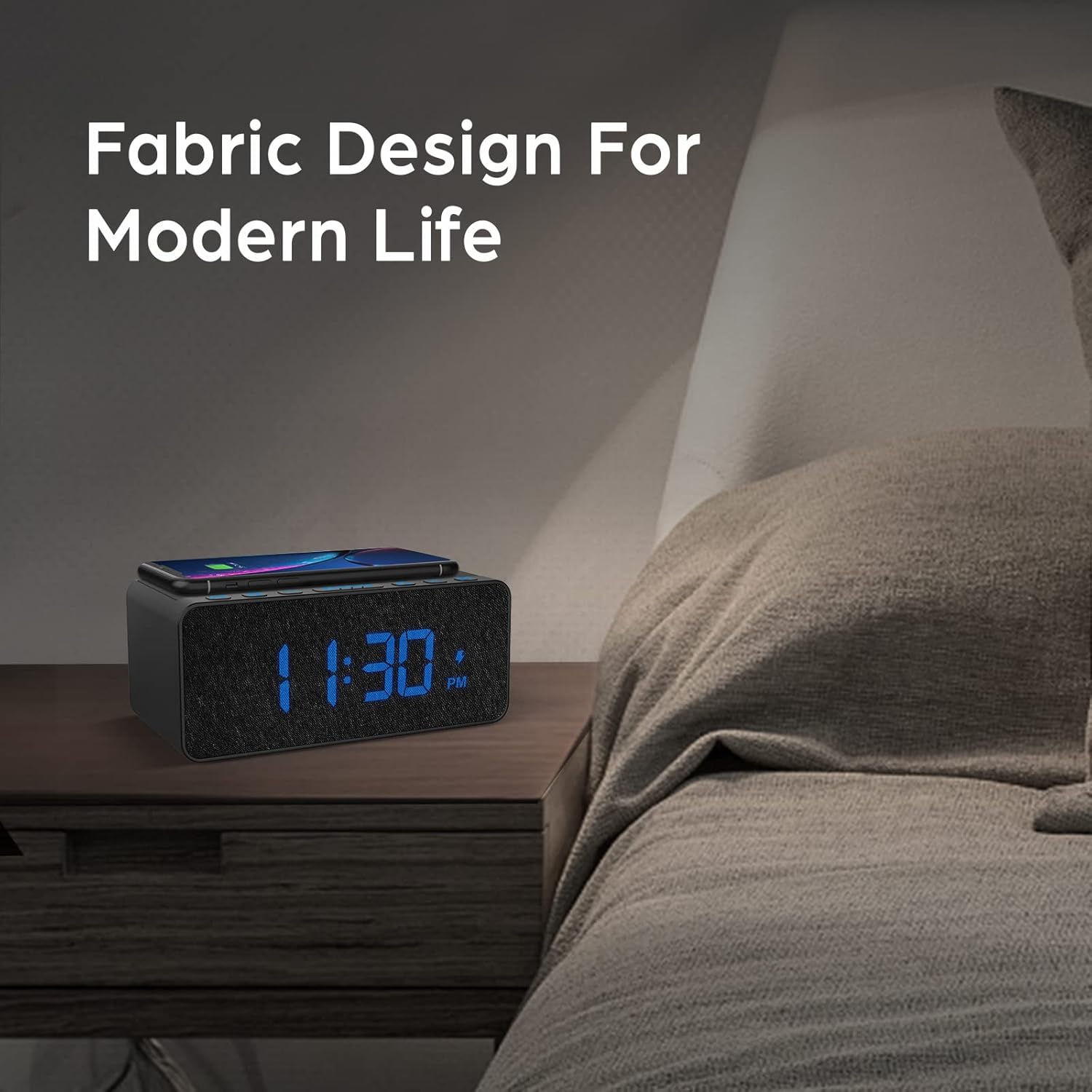
Figure 3.2: Wireless charging compatibility.
3.2 USB цэнэглэх порт
An additional USB port is located on the back of the unit for charging other devices, such as smartwatches or non-wireless charging phones.
- Connect your device's USB charging cable to the USB port on the back of the alarm clock.
- Кабелийн нөгөө үзүүрийг төхөөрөмждөө холбоно уу.

Figure 3.3: Simultaneous wireless and USB charging.
3.3 FM радиогийн ажиллагаа
The alarm clock includes an FM radio with a frequency range of 87.5-108.0 MHz.
- To turn on the FM radio, press the РАДИО товч.
- To scan for stations, press and hold the UP (▲) эсвэл ДООШ (▼) buttons. The radio will automatically tune to the next available station.
- Гараар тааруулахын тулд товчийг дарна уу UP (▲) эсвэл ДООШ (▼) товчлуурууд.
- To save a preset station, press and hold the РАДИО button until the preset number flashes, then use the UP (▲) эсвэл ДООШ (▼) buttons to select a preset slot. Press РАДИО дахин баталгаажуулна уу.
- Урьдчилан тохируулсан станцыг эргүүлэн татахын тулд товчийг дарна уу РАДИО Хадгалсан тохиргоонуудаар шилжих товчийг дарна уу.
- Adjust the radio volume using the volume control dial or buttons (if present, otherwise use general volume controls).
- To improve FM reception, ensure the radio antenna on the back of the unit is fully extended.
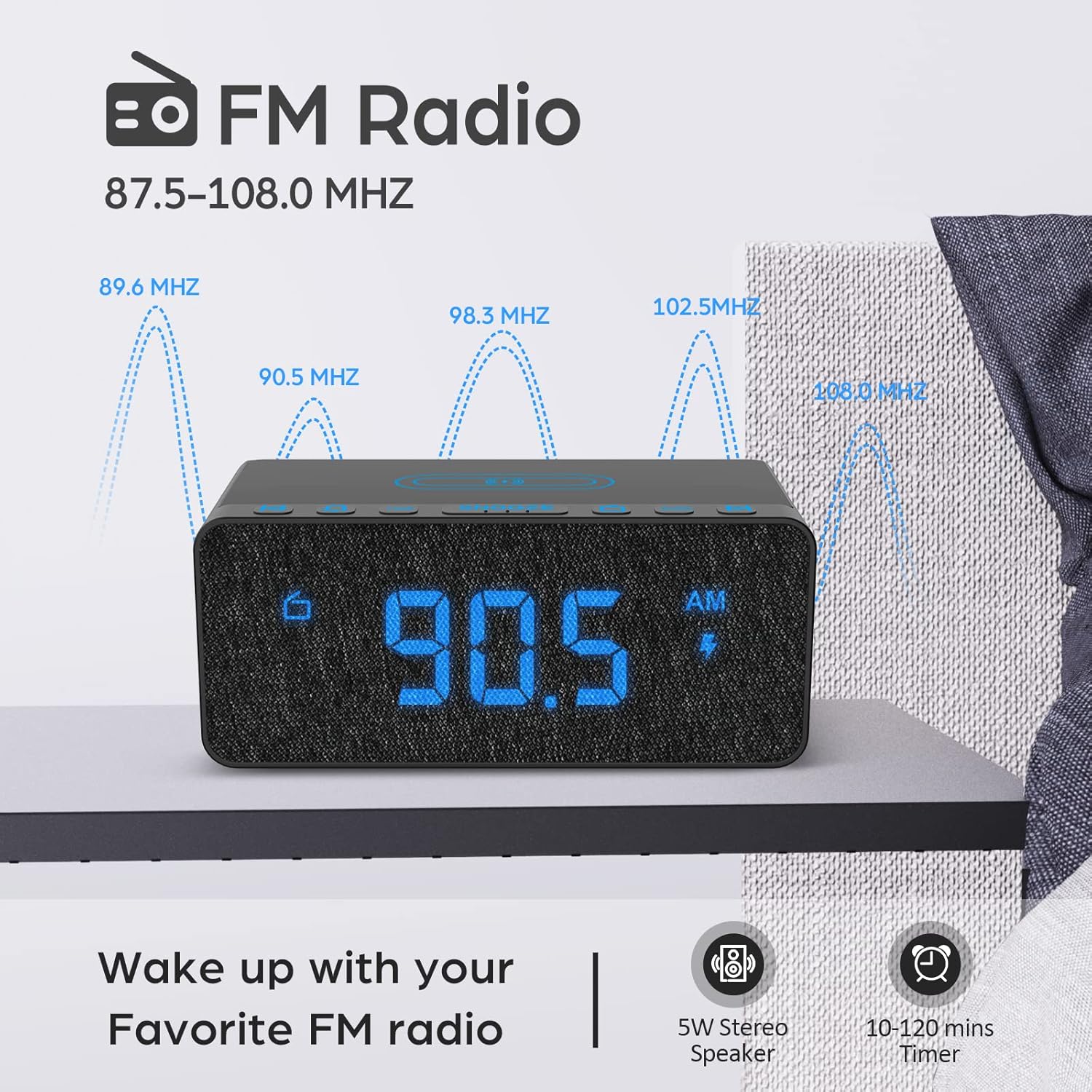
Figure 3.4: FM Radio display.
3.4 Alarm Sounds and Volume
The alarm clock offers 5 distinct wake-up sounds and adjustable alarm volume (0-15 levels).
- When setting the alarm, after setting the time, you can select the alarm sound.
- дээр дарна уу СЭРҮҮЛЭГИЙН ДУГААР button to cycle through the available sounds: Beep, Bird Sound, Bells, Piano Sound, or FM Radio.
- To adjust the alarm volume, use the dedicated volume buttons or dial on the unit.

Figure 3.5: Available alarm sounds.
3.5 Дэлгэцийн бүдэгрүүлэгч
The display brightness can be adjusted from 0% to 100% to suit your preference.
- -ийг олох ӨНГӨРҮҮЛЭГЧИЙГ ХАРУУЛАХ switch or dial, typically on the back or side of the unit.
- Adjust the switch/dial to increase or decrease the display brightness.

Figure 3.6: Display brightness adjustment.
3.6 хяналтview
For a visual guide to the top panel controls, please refer to the video below.
Видео 3.1: Дууслааview of BUFFBEE Digital Alarm Clock features and top panel controls, including time setting, alarm, radio, and snooze functions.
4. Засвар үйлчилгээ
4.1 Цэвэрлэгээ
- Төхөөрөмжийг цэвэрлэхийн тулд зөөлөн, хуурай даавуу ашиглана уу.
- Do not use liquid cleaners, abrasive cleaners, or chemical sprays, as these may damage the surface or internal components.
- Цэвэрлэхийн өмнө төхөөрөмжийг салгасан эсэхийг шалгаарай.
4.2 Ерөнхий арчилгаа
- Төхөөрөмжийг хэт өндөр температур, нарны шууд тусгал эсвэл өндөр чийгшилд оруулахаас зайлсхий.
- Төхөөрөмжийг задалж болохгүй. Аливаа засварыг мэргэшсэн боловсон хүчин хийх ёстой.
- Төхөөрөмжийг ус болон бусад шингэнээс хол байлга.
5. Алдаа засах
- Асуулт: Яагаад дэлгэцийг залгасны дараа хоосон байна вэ?
- A: Please check if the DISPLAY DIMMER switch on the back of the unit is set to the HIGH position. If it is set to a very low position, the display may appear blank in bright environments.
- Q: How can I tell if my phone is wirelessly charging?
- A: A lightning icon will appear on the alarm clock's display when a compatible phone is correctly placed on the wireless charging pad and is actively charging.
- Q: Does the battery backup allow the clock to work without a power cord?
- A: No, the battery backup is solely for saving the time and alarm settings during a power outage. The device requires the power cord to be plugged in for full functionality (display, radio, charging, alarm sound).
- Q: Which phones are supported by wireless charging?
- A: The wireless charger is compatible with most Qi-enabled smartphones, including but not limited to: iPhone 13/13 Pro/13 Pro Max/13 Mini/12/12 Pro/12 Pro Max/12 Mini/11/11 Pro/11 Pro Max/X/XS/XS Max/XR/8/8+/SE; Samsung S21/S21+/21 Ultra/S20/S20+/S20 Ultra/S10/S10+/S10E/S9/S9+/S8/S8+/S7/S7+/S6/S6E; Note 20/20 Ultra/Note 10/10 Pro/Note 9/8/5; Google Nexus 4/5/6, and other wireless-enabled phones.
6. Техникийн үзүүлэлтүүд
| Брэнд | BUFFBEE |
| Загвар | B09LCCJZ3H |
| Дэлгэцийн төрөл | Дижитал |
| Загвар | Орчин үеийн |
| Онцлог шинж чанарууд | Adjustable Brightness, Charging Port, Music |
| Бүтээгдэхүүний хэмжээс | 6.9"W x 2.8"H |
| Эрчим хүчний эх үүсвэр | Утастай цахилгаан |
| Өрөөний төрөл | Унтлагын өрөө |
| Дотор/гадаа ашиглах | Дотор |
| Хүрээний материал | Акрилонитрил бүхий бутадиен стирол |
| Батерейнууд багтсан | No (for operation, backup only) |
| Сэрүүлэгтэй цаг | Тиймээ |
| Зүйлүүдийн тоо | 1 |
| Үйлдлийн горим | Цахилгаан |
| Зүйлийн жин | 14.9 унц |
| UPC | 766891334623 |
7. Баталгаат хугацааны мэдээлэл
BUFFBEE products are designed and manufactured to the highest quality standards. This product is covered by a limited warranty against defects in materials and workmanship for a period of one (1) year from the original date of purchase. This warranty does not cover damage caused by accident, misuse, abuse, improper installation or operation, or unauthorized repairs. Please retain your proof of purchase for warranty claims.
8. Хэрэглэгчийн дэмжлэг
If you have any questions, concerns, or require assistance with your BUFFBEE Digital Alarm Clock, please contact our customer support team. For the most up-to-date contact information, please visit the official BUFFBEE website or refer to the packaging of your product.
Онлайн дэмжлэг: Visit the BUFFBEE Store on Amazon


