1. Танилцуулга
Худалдан авалт хийсэнд баярлалааasing the Comix S360A Cross Cut Paper Shredder. This manual provides essential information for the safe and efficient operation, maintenance, and troubleshooting of your shredder. Please read these instructions carefully before use and retain them for future reference.
The Comix S360A is designed for secure disposal of sensitive documents, credit cards, and CDs. It features a cross-cut mechanism for enhanced security and includes a jam-proof system with reverse and forward functions to clear paper jams. An energy-saving mode ensures optimal efficiency during operation.
2. Аюулгүй ажиллагааны чухал заавар
АНХААРУУЛГА: Эдгээр аюулгүй ажиллагааны зааврыг дагаж мөрдөөгүй тохиолдолд гал түймэр гарах, цахилгаанд цохиулах, эсвэл гэмтэл бэртэлд хүргэж болзошгүй.
- Хүүхэд болон тэжээвэр амьтдыг жижиглэгчээс хол байлга.
- Сул хувцас, үнэт эдлэл, үс, зангиа зэргийг цаасны оролтын үүрнээс хол байлга.
- Цаасны оролтын үүрэнд хуруу эсвэл биеийн бусад хэсгийг хийж болохгүй.
- Do not spray any flammable products or lubricants into the shredder.
- Do not shred metal objects, wet paper, or adhesive labels.
- Хэрэглээгүй үедээ эсвэл цэвэрлэхийн өмнө хэрчигчийг үргэлж залгуураас нь салгаж байгаарай.
- Цахилгааны утас гэмтсэн бол хэрчигчийг бүү ажиллуул. Тусламж авахын тулд хэрэглэгчийн дэмжлэгтэй холбогдоно уу.
- Бутлагчийг тогтвортой, тэгш гадаргуу дээр байрлуулсан эсэхийг шалгаарай.
- Бутлагчийг заасан хуудасны багтаамжаас хэтрүүлж бүү ачаал.
3. Багцын агуулга
Дараах зүйлсийн багцад байгаа эсэхийг шалгана уу.
- Comix S360A Shredder Head
- Waste Bin (13 Liter capacity)
- Хэрэглэх заавар (энэ баримт бичиг)
4. Тохиргоо
- Бутлагчийг задлах: Сав баглаа боодолоос бүх бүрэлдэхүүн хэсгүүдийг болгоомжтой арилгана.
- Place the Waste Bin: Position the waste bin on a flat, stable surface.
- Mount the Shredder Head: Carefully place the shredder head onto the top of the waste bin, ensuring it is securely seated. The shredder will not operate if the head is not correctly positioned.
- Эрчим хүчийг холбох: Цахилгааны утсыг ердийн цахилгаан залгуурт холбоно уу.
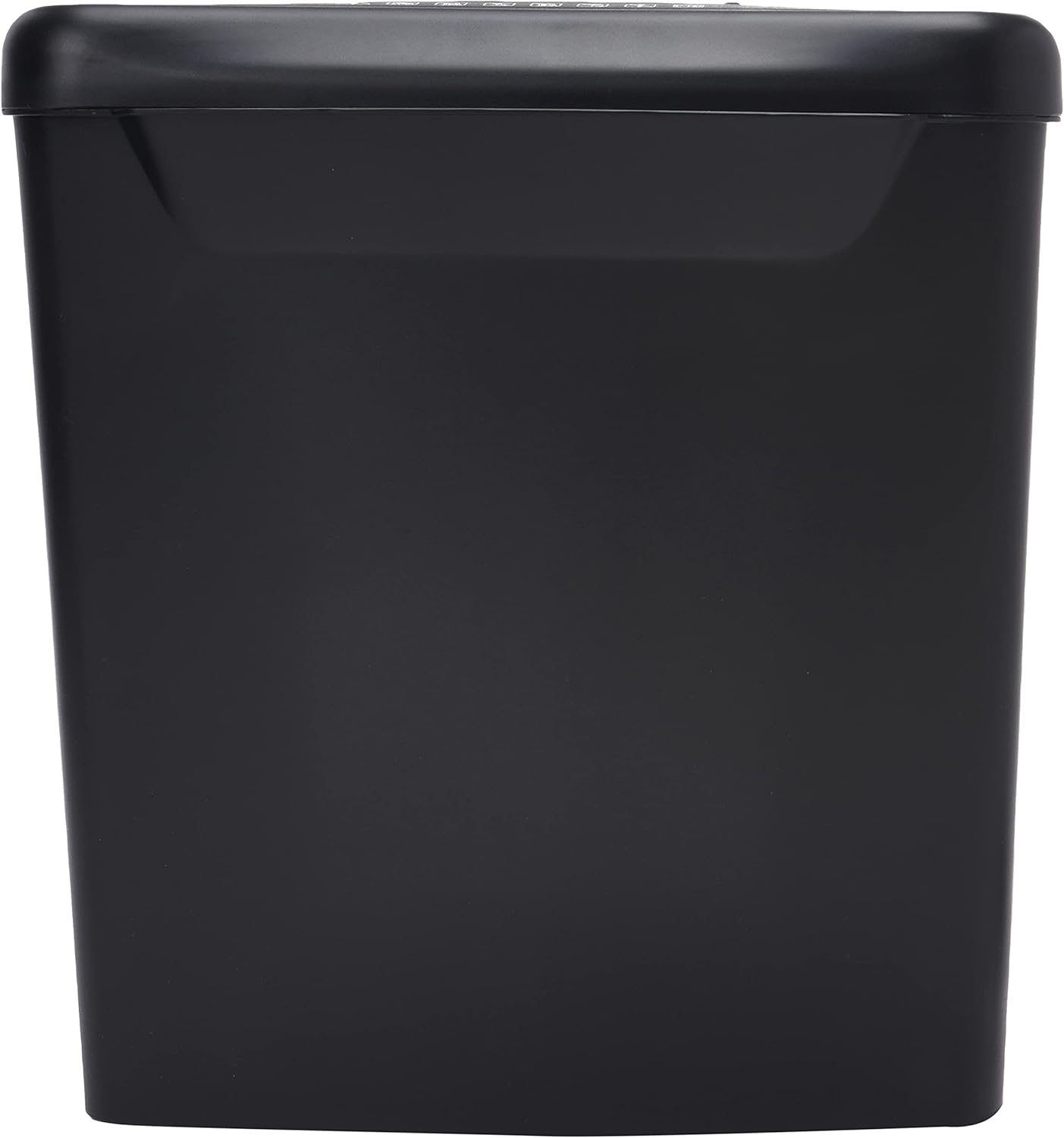
Зураг: хажуу тал view of the Comix S360A shredder bin, showing its black exterior and compact design. The shredder head is not visible in this image.
5. Ашиглалтын заавар
5.1 хяналтын унтраалга
The shredder features a slide switch with three positions:
- АВТО: The shredder will automatically start when paper is inserted and stop when shredding is complete. This is the normal operating mode.
- Унтрааж байна: The shredder is powered off. Always set the switch to OFF when emptying the bin or when the shredder is not in use.
- REV (Урвуу): This position reverses the shredder blades to help clear paper jams.

Зураг: дээд view of the shredder head, highlighting the paper entry slot, the three-position control switch (Rev, OFF, Auto), and various safety warning icons.
5.2 Баримт бичгийг жижиглэх
- Ensure the shredder head is securely placed on the waste bin.
- Цахилгааны утсыг цахилгаан залгуурт холбоно уу.
- Хяналтын товчлуурыг дараах байдлаар тохируулна уу АВТО.
- Insert up to 8 sheets of 70gsm A4 paper into the paper entry slot. The shredder will start automatically.
- For credit cards or CDs, use the dedicated slot if available (refer to product specifications for capability).
- The shredder will stop automatically once the shredding process is complete.
5.3 Ажил үүргийн мөчлөг
The Comix S360A has a continuous run time of 2 минут, followed by a rest time of 40 минут. Exceeding the run time may cause the shredder to overheat and automatically shut off. Allow the shredder to cool down for the specified rest time before resuming operation.
6. Засвар үйлчилгээ
6.1 Хогийн савыг хоослох
- Хяналтын товчлуурыг дараах байдлаар тохируулна уу OFF.
- Бутлагчийг цахилгааны залгуураас салга.
- Хогийн савнаас бутлагчийн толгойг ав.
- Dispose of the shredded paper.
- Жижиглэгчийн толгойг хогийн саванд найдвартай байрлуулна.
- Бутлагчийг цахилгаан залгуурт буцааж залгаарай.
6.2 Жижиглэгчийн ирийг тослох
Regular oiling of the shredder blades is recommended to maintain optimal performance and extend the life of your shredder. Use shredder oil specifically designed for paper shredders.
- Цаасан оролтын завсар дээр жижиглэгч тосыг нимгэн шугамаар түрхэнэ.
- Хяналтын товчлуурыг дараах байдлаар тохируулна уу АВТО.
- Insert a sheet of paper to distribute the oil evenly across the blades.
- Repeat this process periodically, especially after emptying a full waste bin or if the shredder's performance decreases.
6.3 Цэвэрлэгээ
Хэрчигчийн гадна талыг зөөлөн, хуурай даавуугаар арчина. Зүлгүүрийн цэвэрлэгч эсвэл уусгагч хэрэглэж болохгүй. Цэвэрлэхийн өмнө хэрчигчийг залгуураас салгасан эсэхээ шалгаарай.
7. Алдаа засах
| Асуудал | Боломжит шалтгаан | Шийдэл |
|---|---|---|
| Жижиглэгч эхлэхгүй байна. |
|
|
| Цаасан саатал. |
|
|
| Ашиглалтын явцад бутлагч зогсдог. |
|
|
8. Техникийн үзүүлэлтүүд
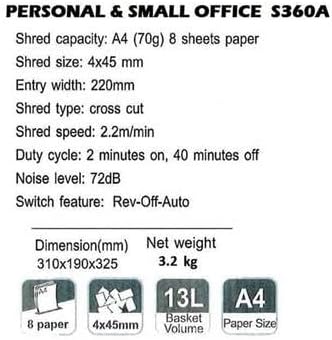
Image: Technical specifications sheet for the Comix S360A, detailing performance metrics and physical attributes.
- Загвар: S360A
- Хагалах төрөл: Загалмай огтлох
- Хэмжээний хэмжээ: 4 х 45 мм
- Shred Capacity (A4, 70g): 8 хуудас
- Оролтын өргөн: 220 мм
- Хагалах хурд: 2.2 м/мин
- Хогийн савны багтаамж: 13 литр
- Ажлын мөчлөг: 2 минут асаалттай / 40 минут унтарсан
- Дуу чимээний түвшин: 72 дБ
- Switch Feature: Rev-Off-Auto
- Бүтээгдэхүүний хэмжээ: 310 x 190 x 325 мм (L x W x H)
- Цэвэр жин: 3.2 кг
- Онцлог шинж чанарууд: Energy Saving Mode, Jam Pro, Quiet Operation
9. Баталгаат хугацаа ба дэмжлэг
For warranty information or technical support, please refer to the warranty card included with your product or contact Comix customer service through their official website or the retailer where the product was purchased. Please have your model number (S360A) and purchase date available when contacting support.


