1. Танилцуулга
The Serene Innovations RF-200 is a versatile device designed to amplify ring tones and provide visual alerts for incoming calls on both cell phones and landlines. It is particularly beneficial for individuals with hearing impairments, ensuring important calls and notifications are not missed. The unit features a loud speaker, bright LED flasher, and adjustable vibration sensitivity for cell phone detection. An optional bed shaker can be connected for tactile alerts.
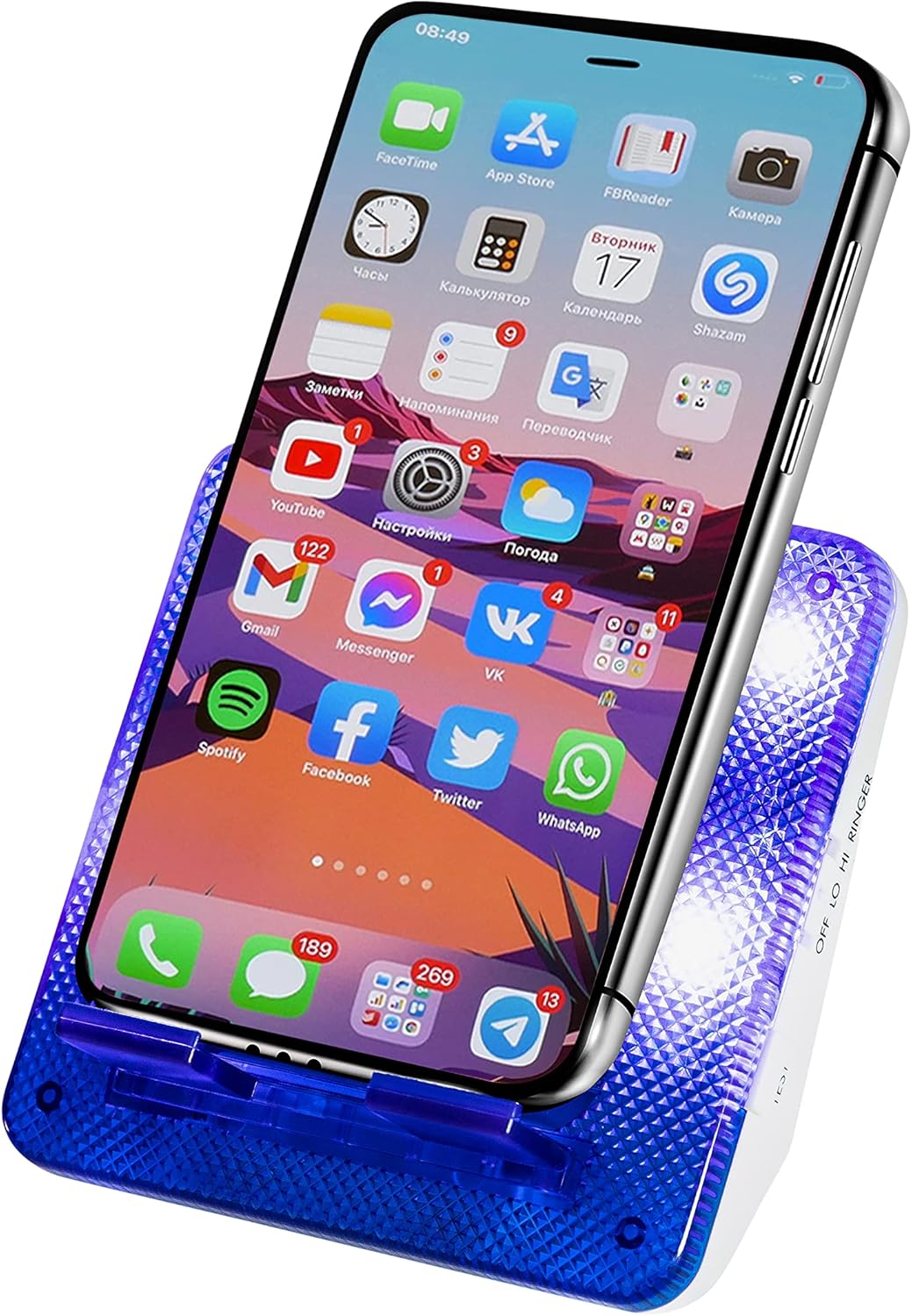
Image 1.1: The RF-200 unit with a smartphone in its dock, illustrating its primary function.
2. Багцын агуулга
- Serene Innovations RF-200 Ring Amplifier & Flasher Unit
- Эрчим хүчний адаптер
- Telephone Cord (for landline connection)
- Хэрэглэгчийн гарын авлага
3. Бүтээгдэхүүн дууссанview
Familiarize yourself with the various components and controls of your RF-200 unit.

Зураг 3.1: Ар талд view of the RF-200 unit, highlighting key ports and controls.
3.1. Удирдлага ба портууд
- Landline Jack: Connects to your landline telephone wall jack.
- Дахин тохируулах товч: A small white button on the top of the base, used to clear missed call alerts.
- Shaker Signal Port: Connects to an optional wired bed shaker (sold separately) for tactile alerts.
- USB цэнэглэх порт: Allows you to run a charging cable through the unit to charge your smartphone.
- Мэдрэмжийн хяналт: A knob on the side to adjust the vibration detection sensitivity for cell phones.
- Ringer Volume Switch (Hi/Lo/Off): Located on the side, controls the audible ringer volume.
- LED анивчуулагч: Bright blue LED lights on the unit that flash during incoming calls and notifications.
4. Тохиргоо
4.1. Эрчим хүчний холболт
- Plug the power adapter into the DC IN port on the RF-200 unit.
- Цахилгаан адаптерийн нөгөө үзүүрийг ердийн цахилгаан залгуурт холбоно уу.
4.2. Cell Phone Setup
- Чухал: Ensure your cell phone's ring tone type is set to чичиргээ for the RF-200 to detect incoming calls and messages.
- Place your cell phone securely on the dock of the RF-200 unit.
- If desired, connect your phone's charging cable through the dedicated cable notch and into the USB charging port on the RF-200, then into your phone.

Image 4.1: Placing a smartphone on the RF-200 dock and connecting a charging cable.
4.3. Landline Phone Setup (Optional)
To receive alerts for landline calls:
- Connect one end of the provided telephone cord to the Landline Jack on the RF-200 unit.
- Connect the other end of the telephone cord to your landline telephone wall jack.

Image 4.2: The RF-200 unit connected to a landline phone for call detection.
4.4. Optional Bed Shaker Connection (Sold Separately)
For additional tactile alerts, a wired bed shaker can be connected:
- Plug the bed shaker's cord into the Shaker Signal Port on the RF-200 unit.
- Орны сэгсрэгчийг дэр эсвэл гудсан доор байрлуул.

Image 4.3: The RF-200 unit connected to an optional bed shaker for enhanced alerts.
5. Ашиглалтын заавар
5.1. Adjusting Ringer Volume
Use the Ringer Volume Switch on the side of the unit to select your preferred audible alert level:
- Сайн уу Maximum volume for the loudest alert.
- Ло: Lower volume for a more subtle alert.
- Унтраах: Disables the audible ringer, relying only on the LED flasher and optional bed shaker.
5.2. Adjusting Vibration Sensitivity (for Cell Phones)
The Sensitivity Control knob on the side of the unit allows you to fine-tune how the RF-200 detects your cell phone's vibrations:
- Rotate the knob to increase or decrease sensitivity.
- Adjust as needed to ensure reliable detection for your specific phone's vibration intensity, especially for text messages or phones with low vibration.
5.3. Call and Notification Alerts
When an incoming call or notification (if your phone is set to vibrate for them) is detected:
- The unit will emit a loud ring (if volume is not set to Off).
- The bright blue LED flasher will activate.
- If connected, the bed shaker will vibrate.
5.4. Missed Call Alerts
If a call or notification is missed, the LED flasher will blink slowly to indicate a pending alert.

Image 5.1: The RF-200 unit indicating a missed call with slowly blinking LED lights.
To clear the missed call alert, press the Дахин тохируулах товч (the small white button on the top of the base).
6. Засвар үйлчилгээ
- Төхөөрөмжийг зөөлөн, хуурай даавуугаар арчиж цэвэр байлга.
- Шингэн цэвэрлэгч, зүлгүүрийн материал ашиглахаас зайлсхий.
- Төхөөрөмжийг тогтвортой, тэгш гадаргуу дээр байрлуулсан эсэхийг шалгаарай.
- Төхөөрөмжийг хэт их чийг эсвэл хэт өндөр температурт бүү оруул.
7. Алдаа засах
| Асуудал | Боломжит шалтгаан | Шийдэл |
|---|---|---|
| Unit does not alert for cell phone calls. | Cell phone not set to vibrate. Vibration sensitivity too low. Phone not placed correctly. | Ensure cell phone is set to vibrate. Adjust the Sensitivity Control knob. Reposition the phone on the dock. |
| Unit does not alert for landline calls. | Telephone cord not connected properly. | Check that the telephone cord is securely connected to both the RF-200 and the wall jack. |
| No audible ring. | Ringer Volume Switch set to 'Off'. | Set the Ringer Volume Switch to 'Hi' or 'Lo'. |
| LED flasher is constantly blinking slowly. | Missed call alert is active. | Press the Reset Button on the top of the unit to clear the alert. |
| Bed shaker not vibrating. | Bed shaker not connected or faulty. | Ensure bed shaker is securely plugged into the Shaker Signal Port. Test with another bed shaker if available. |
8. Техникийн үзүүлэлтүүд
- Загварын дугаар: RF-200
- Бүтээгдэхүүний хэмжээ: 4.5 x 4 x 3.5 инч
- Жин: 5.7 унц
- Эрчим хүчний эх үүсвэр: АС адаптер (дагсан)
- Үйлдвэрлэгч: Serene Group, Inc.
9. Баталгаат хугацаа ба дэмжлэг
For warranty information or technical assistance, please refer to the contact details provided with your product packaging or visit the official Serene Innovations webсайт. Баталгаат зардлаа авахын тулд худалдан авалтын баримтаа хадгална уу.


