1. Танилцуулга
This manual provides instructions for the SUPVAN KATASYMBOL E10/E11/E16 Extended Thermal Self-Adhesive Labels. These labels are designed for use with SUPVAN E10, E11, and E16 label makers, offering a reliable solution for various labeling needs.

Image 1.1: A roll of SUPVAN thermal self-adhesive labels, white with black print.
Бүтээгдэхүүний онцлог:
- Тохиромжтой байдал: Specifically designed for SUPVAN E10, E11, and E16 label makers.
- Хэмжээ: Each label measures 12 mm x 30 mm, with 220 pieces per roll.
- Хэвлэх өнгө: Black text on a white label background.
- Бат бөх чанар: Features a multi-layer design and synthetic materials for a lifespan exceeding 5 years. They are waterproof, oil-resistant, possess high adhesive strength, and resist high and low temperatures.
- Олон талт хэрэглүүрүүд: Suitable for home, office, and school use. Meets baby product standards, making them safe for labeling food, cosmetics, and household items.
- Зардал багатай: Utilizes thermal printing technology, eliminating the need for ink or toner, which results in cost savings and clear print quality.
2. Тохиргоо ба суурилуулалт
Proper installation of the label roll is essential for optimal performance of your SUPVAN label maker.
2.1 Inserting the Label Roll
To install the label roll into your SUPVAN E10/E11/E16 label maker, follow these steps:
- Open the label compartment of your SUPVAN label maker.
- Place the label roll into the designated slot, ensuring the labels feed correctly.
- Шошгоны тасалгааг найдвартай хаа.

Image 2.1: Illustration of how to insert the label roll into the label maker. A critical note indicates not to remove the smart chip sticker.
2.2 Important Note on Smart Chip
The label rolls are equipped with a smart chip on the back sticker. This chip allows the 'Katasymbol' application to automatically identify the label type and size. Do not remove this sticker. If the sticker is removed, the application may not recognize the label roll, preventing proper function.
3. Үйл ажиллагаа
These thermal labels are designed for ease of use with the SUPVAN E10/E11/E16 label makers and the 'Katasymbol' application.
3.1 Using the 'Katasymbol' Application
The 'Katasymbol' application provides extensive features to create custom labels:
- Automatic identification of label type and size.
- Access to over 600 templates for various purposes.
- Choice from 35 different fonts.
- Over 1000 icons to enhance your labels.
3.2 Labeling Applications
The labels are suitable for a wide range of organizational and identification tasks:
- Гэрийн зохион байгуулалт: Labeling food containers, storage boxes, spice jars, and personal items.
- Оффисын хэрэглээ: Зохион байгуулж байна fileхавтас, кабель, оффисын хэрэгсэл.
- Жижиглэн худалдаа: Үнэ tags, product information, and inventory management.
- Сургууль: Labeling school supplies, books, and personal belongings.

Image 3.1: Labels applied to clear food storage containers, demonstrating organization in a kitchen setting.

Зураг 3.2: Жишээ ньamples of label usage for organizing items such as food jars, computer cables, file folders, and clothing.
4. Засвар үйлчилгээ, эдэлгээ
The SUPVAN thermal labels are engineered for long-lasting performance and minimal maintenance.
4.1 Бат бөх чанар
- Материал: Constructed from multi-layer synthetic materials.
- Амьдрах хугацаа: Designed for a service life of over 5 years under normal conditions.
- Эсэргүүцэл: Highly resistant to water and oil, ensuring labels remain legible and adhered in various environments.
- Наалдац: Features strong adhesive properties for secure attachment.
- Температурын хүлцэл: Maintains integrity across a wide range of high and low temperatures.
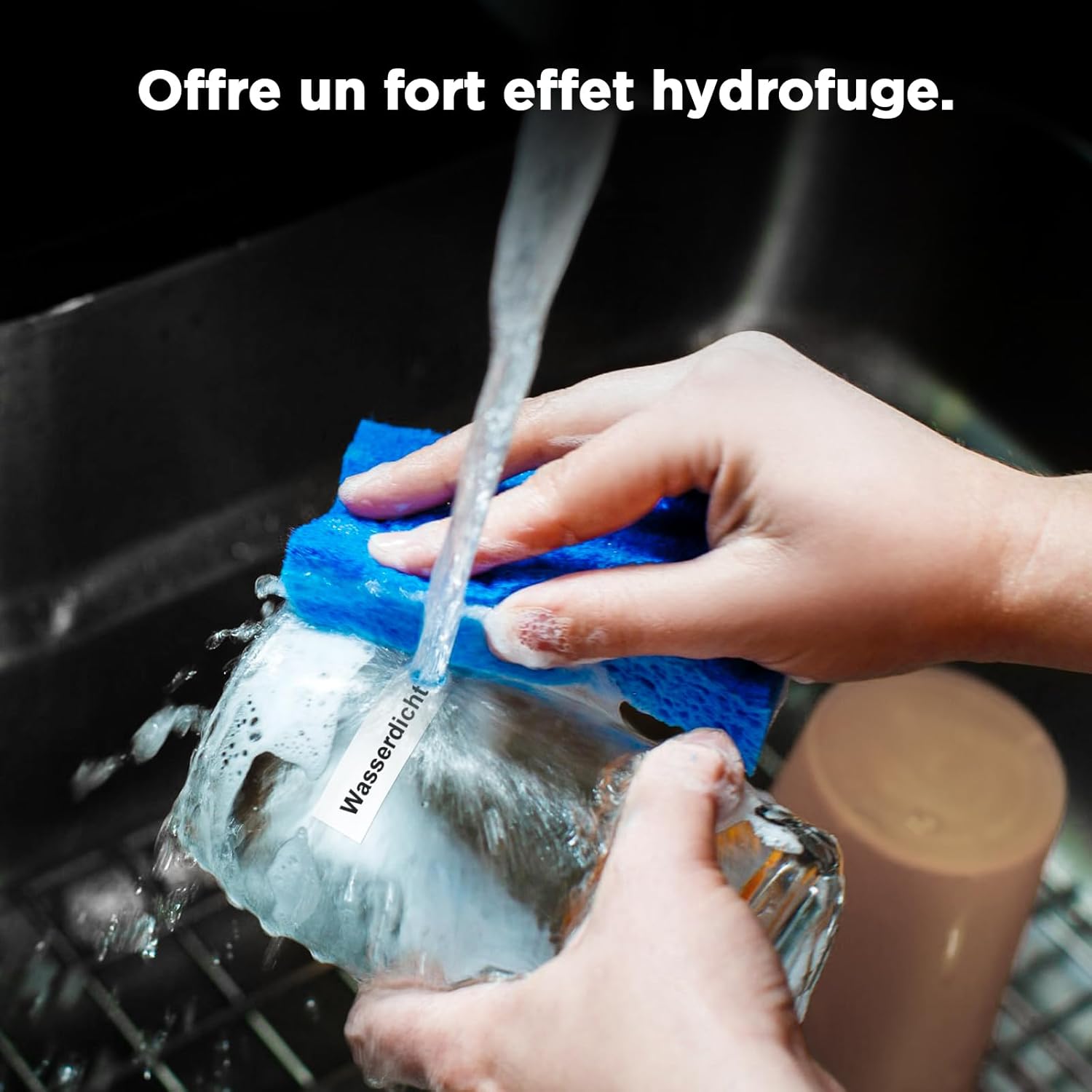
Image 4.1: A label on a glass being washed, illustrating the product's waterproof characteristic.

Image 4.2: Visual representation of label features including scratch resistance, resistance to deformation, and clean removal without leaving residue.
4.2 Цэвэрлэгээ ба хадгалах
No specific cleaning is required for the labels themselves. Store unused label rolls in a cool, dry place away from direct sunlight to preserve their adhesive properties and print quality.
5. Алдаа засах
Encountering issues with your labels? Refer to the following common solutions.
5.1 Label Not Recognized by Application
If the 'Katasymbol' application fails to identify the label type or size:
- Check the Smart Chip: Ensure that the sticker on the back of the label roll, which contains the smart chip, has not been removed or damaged. The application relies on this chip for automatic identification.
- Reinsert Roll: Remove the label roll and reinsert it, ensuring it is seated correctly in the label maker.
- Application Update: Verify that your 'Katasymbol' application is updated to the latest version.
6. Бүтээгдэхүүний техникийн үзүүлэлтүүд
| Онцлог | Тодорхойлолт |
|---|---|
| Брэнд | СУПВАН |
| Загварын дугаар | E10, 12 mm*30 mm, 220, White |
| Шошгоны хэмжээ | 12 мм х 30 мм |
| Нэг өнхрүүш бүрийн шошго | 220 |
| Өнгө | White (Black print) |
| Хэлбэр | Тэгш өнцөгт |
| Материалын төрөл | Paper (Synthetic materials) |
| Төгсгөлийн төрөл | Laminated, Adhesive |
| Зүйлийн жин | 10 грамм |
| Бүтээгдэхүүний хэмжээ (L x W x H) | 13 x 8 x 1.5 см |
| Гарал үүслийн улс | Хятад |
7. Баталгаат хугацаа ба дэмжлэг
7.1 Баталгаат хугацааны мэдээлэл
Specific warranty details for the SUPVAN KATASYMBOL E10/E11/E16 Extended Thermal Self-Adhesive Labels are not provided in the available product data. Please refer to the retailer or manufacturer's official website for current warranty policies.
7.2 Хэрэглэгчийн дэмжлэг
For further assistance, technical support, or inquiries regarding SUPVAN products, please visit the official SUPVAN webсайт руу орж үзэх эсвэл тэдний харилцагчийн үйлчилгээний хэлтэстэй холбогдоно уу. Холбоо барих мэдээллийг ихэвчлэн бүтээгдэхүүний сав баглаа боодол эсвэл брэндийн албан ёсны онлайн байршлаас олж болно.


