Танилцуулга
This manual provides detailed instructions for the safe and efficient operation of your Auna Arizona Jukebox Mini. Please read this manual thoroughly before using the device and retain it for future reference.
The Auna Arizona Jukebox Mini combines vintage aesthetics with modern technology, offering a versatile audio experience. Enjoy features such as Bluetooth connectivity, CD playback, USB and SD card support, and FM/DAB+ radio, all housed in a classic 1950s-style design with integrated LED lighting.
Аюулгүй ажиллагааны зааварчилгаа
- Төхөөрөмжийг ажиллуулахын өмнө бүх зааврыг уншина уу.
- Төхөөрөмжийг ус, чийгээс хол байлга.
- Төхөөрөмжийг нарны шууд тусгал эсвэл хэт өндөр температурт бүү тавь.
- Тохиромжтой агааржуулалтыг хангах; агааржуулалтын нүхийг хааж болохгүй.
- Зөвхөн төхөөрөмжид дагалдаж ирсэн тэжээлийн адаптерийг ашиглана уу.
- Төхөөрөмжийг өөрөө засах гэж бүү оролдоорой. Бүх засвар үйлчилгээг мэргэшсэн ажилтнуудад даатга.
- Төхөөрөмжийг зөвхөн хуурай даавуугаар цэвэрлэ.
Бүтээгдэхүүн дууссанview
Урд самбарын удирдлага ба онцлогууд
The Auna Arizona Jukebox Mini features an intuitive layout for easy access to all functions.

Зураг: The Auna Arizona Jukebox Mini, highlighting its aesthetic appeal and integrated LED lighting in a home environment.
- Цахилгаан товч: Төхөөрөмжийг асаах эсвэл унтраана.
- Дууны хяналт: Аудио гаралтын түвшинг тохируулна.
- Эх сурвалж сонгогч: Switches between FM/DAB+ Radio, CD, Bluetooth, USB, and SD modes.
- CD тоглуулагч: Front-loading slot for audio and MP3 CDs.
- USB порт: USB флаш дискийг холбоход зориулагдсан.
- SD картны үүр: For inserting SD/MMC memory cards.
- LED Lighting Switch: Controls the LED lighting system (static or color-changing).
- Дэлгэц: Shows current mode, track information, or radio frequency.
Тохиргоо
- Савлах: Carefully remove the jukebox from its packaging. Ensure all components are present: the main unit and power cable.
- Байршил: Place the jukebox on a stable, flat surface. Ensure adequate ventilation around the unit. The compact size makes it suitable for tables or dressers. Four rubber feet are provided to protect surfaces.
- Эрчим хүчний холболт: Connect the supplied power cable to the AC input on the back of the jukebox and then plug it into a standard 100-240V, 50/60Hz wall outlet.
- Антен: Extend the FM/DAB+ antenna for optimal radio reception.
Ашиглалтын заавар
1. Асаах/унтраах
дээр дарна уу Хүч button on the front panel to turn the jukebox on or off.
2. Эх сурвалжийн сонголт
-г ашиглана уу Эх сурвалж сонгогч knob or button to cycle through available modes: FM/DAB+ Radio, CD, Bluetooth, USB, and SD.
3. Bluetooth-ийн ажиллагаа
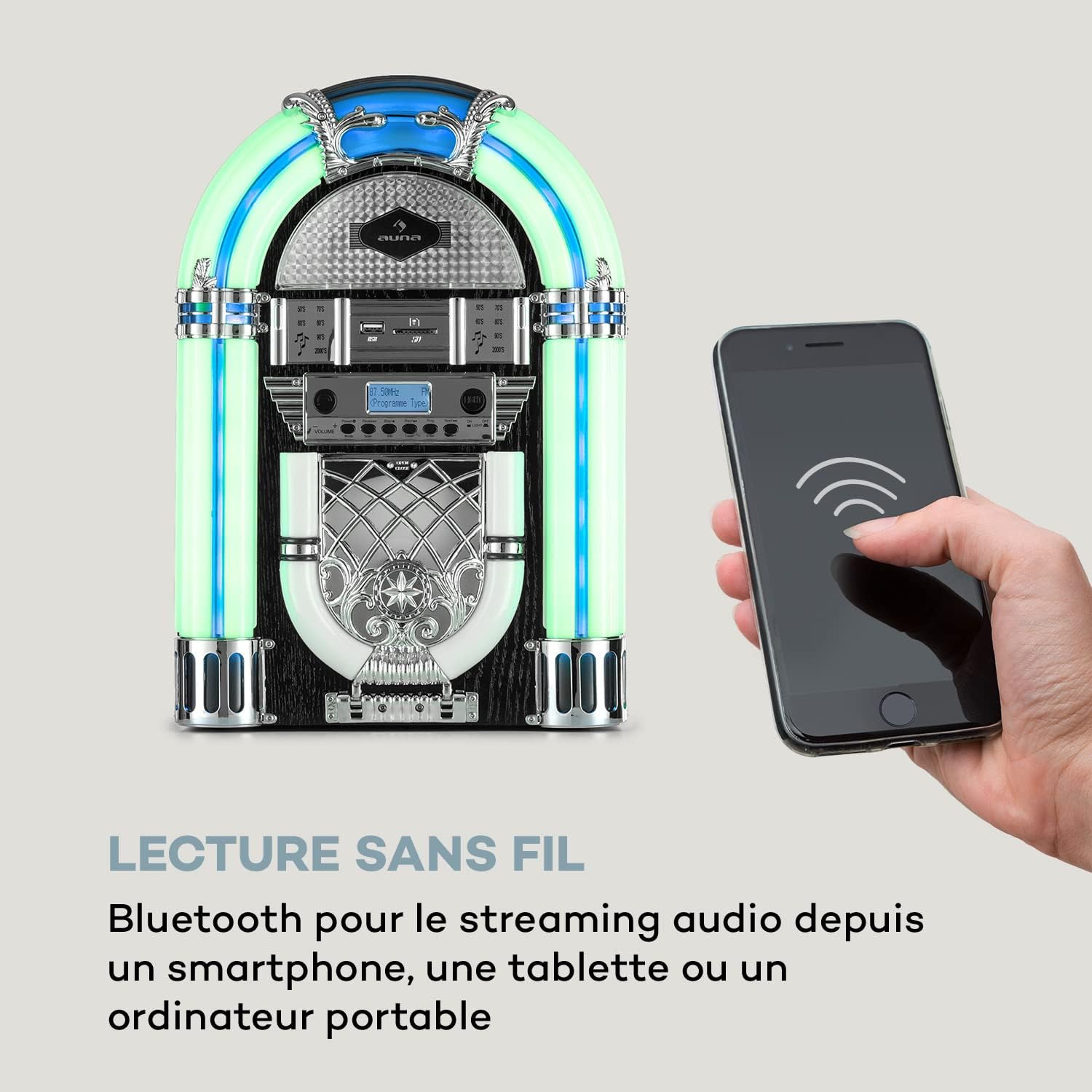
Зураг: The Auna Arizona Jukebox Mini demonstrating its wireless Bluetooth connectivity with a smartphone.
- Сонго Bluetooth mode using the Source Selector. The display will show "BT" or "PAIRING".
- Ухаалаг утас, таблет эсвэл бусад Bluetooth идэвхжүүлсэн төхөөрөмж дээрээ Bluetooth-г асаагаад боломжтой төхөөрөмжүүдийг хайгаарай.
- Select "Auna Arizona" (or similar name) from the list. Once paired, the jukebox will indicate a successful connection.
- Start playing music on your connected device. Audio will stream wirelessly to the jukebox.
4. CD тоглуулах

Зураг: Нарийвчилсан view of the front-loading, vertical CD player on the Auna Arizona Jukebox Mini.
- Сонго CD mode using the Source Selector.
- Gently insert an audio CD or MP3 CD into the front-loading CD slot. The disc will be automatically drawn in.
- Playback should begin automatically. Use the control buttons (Play/Pause, Skip, Stop) to manage playback.
5. USB/SD картыг тоглуулах

Зураг: A close-up showing the USB port and SD card slot, demonstrating the versatile connectivity options of the jukebox.
- USB флаш дискийг дотор нь оруулна уу USB порт or an SD/MMC card into the SD картны үүр.
- Сонго USB or SD mode using the Source Selector.
- The jukebox will automatically detect and begin playing compatible MP3 fileс. Замуудыг удирдахын тулд хяналтын товчлууруудыг ашиглана уу.
6. FM/DAB+ Radio Operation
- Сонго FM or DAB+ mode using the Source Selector.
- Хамгийн сайн хүлээн авахын тулд антенныг бүрэн сунгана уу.
- -г ашиглана уу Давтамжийн тохируулга knob or buttons to manually tune to your desired station.
- For FM, the frequency range is 87.5 - 108 MHz. For DAB+, the frequency range is 174.928 - 239.200 MkHz.
7. LED гэрэлтүүлгийн систем
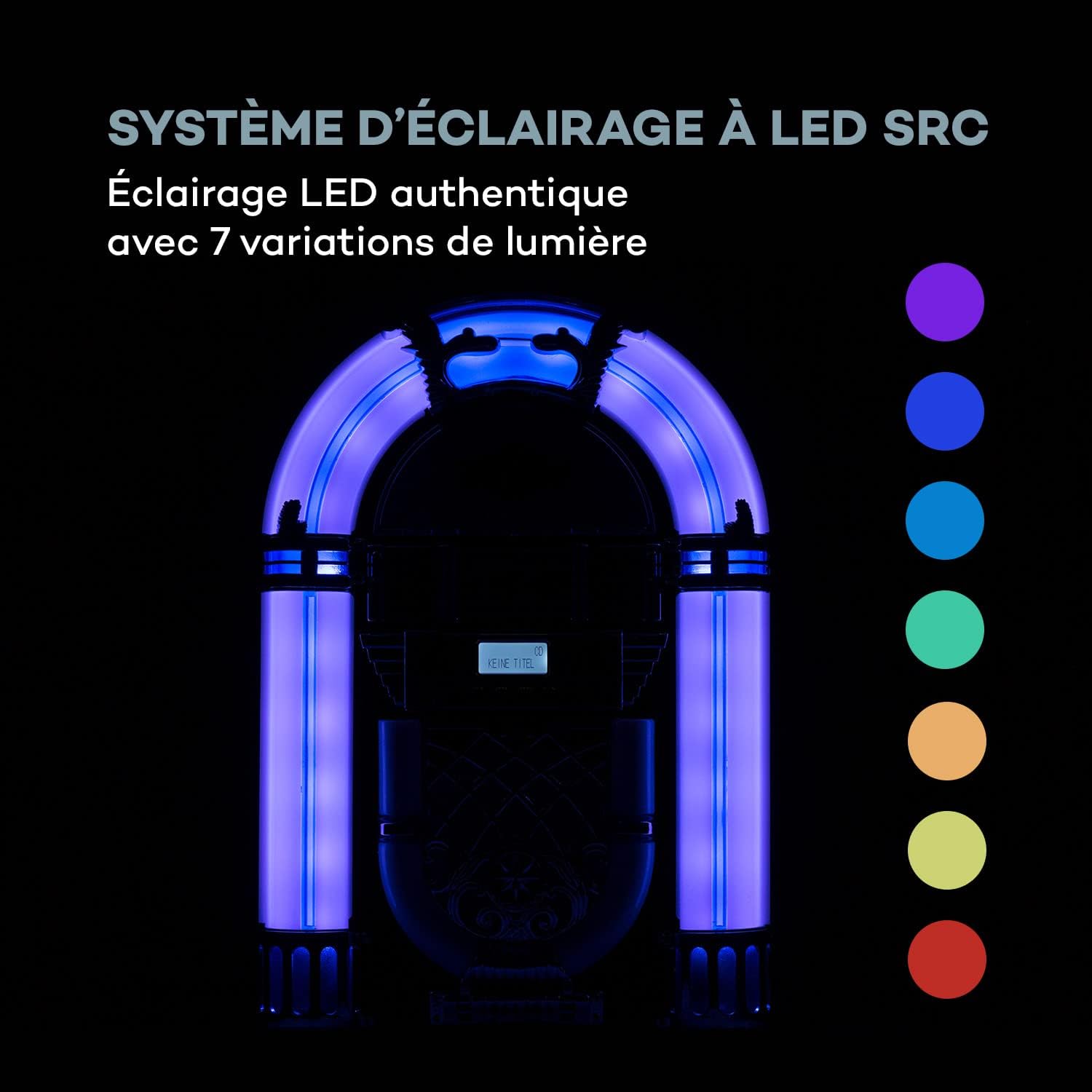
Зураг: The SRC LED lighting system of the Auna Arizona Jukebox Mini, illustrating its 7 color variations.
The jukebox features an SRC LED lighting system with 7 variations. Use the LED гэрэлтүүлгийн унтраалга to turn the lights on/off or to cycle through static colors and color-changing modes.
Засвар үйлчилгээ
- Цэвэрлэгээ: Wipe the exterior of the jukebox with a soft, dry cloth. Do not use liquid cleaners or abrasive materials.
- CD тоглуулагч: Periodically clean the CD lens with a specialized CD lens cleaner disc.
- Хадгалах: Хэрэв төхөөрөмжийг удаан хугацаагаар хадгалах бол цахилгааны залгуураас салгаад сэрүүн, хуурай газар хадгална уу.
Алдааг олж засварлах
| Асуудал | Боломжит шалтгаан | Шийдэл |
|---|---|---|
| Хүч чадалгүй | Power cable not connected; outlet not active. | Ensure power cable is securely plugged in. Check the wall outlet with another device. |
| Дуу алга | Volume too low; incorrect source selected; device not paired (Bluetooth). | Increase volume. Select the correct input source. Re-pair Bluetooth device. |
| CD тоглуулахгүй байна | CD inserted incorrectly; CD is dirty or scratched; unsupported CD format. | Re-insert CD correctly. Clean or replace CD. Ensure it's an audio CD or MP3 CD. |
| Радио хүлээн авалт муу | Антенн сунгаагүй; дохио сул байна. | Fully extend and adjust the antenna. Try repositioning the unit for better signal. |
| Bluetooth холболттой холбоотой асуудлууд | Jukebox not in pairing mode; device too far; interference. | Ensure jukebox is in Bluetooth pairing mode. Move device closer. Reduce interference from other electronics. |
Үзүүлэлтүүд
| Брэнд | AUNA |
| Загварын дугаар | BX-4200 |
| Эрчим хүчний гаралт | 2 х 2 ватт RMS |
| Эрчим хүчний хангамж | 100-240В, 50/60Гц |
| Холболт | Bluetooth, USB, SD/MMC Card Reader |
| CD нийцтэй байдал | CD, CD-MP3, CD-R, CD-RW |
| Radio Frequencies (FM) | 87.5 - 108 МГц |
| Radio Frequencies (DAB+) | 174.928 - 239.200 MkHz |
| Чанга яригчийн төрөл | Стерео |
| Эквалайзер | 2 хамтлаг |
| Хэмжээ (ӨХХХД) | Ойролцоогоор. 26.5 x 39 x 16 см |
| Жин | Ойролцоогоор 2.3 кг |
| Кабелийн урт (Чадал) | Ойролцоогоор 180 см |
| LED гэрэлтүүлэг | SRC LED System with 7 variations |
Баталгаат болон дэмжлэг
Auna products are designed for quality and reliability. For warranty information, please refer to the documentation included with your purchase or visit the official Auna website. For technical support or service inquiries, please contact Auna customer service.
Note: Availability of spare parts and software updates is not specified in the product information.


