1. Танилцуулга
Thank you for choosing the HTC True Wireless Earbuds 1. This manual provides essential information to help you set up, operate, and maintain your earbuds for optimal performance.
Багцын агуулга
Таны багцад бүх зүйл байгаа эсэхийг шалгаарай:
- 1 Pair HTC True Wireless Earbuds
- 1 USB-C цэнэглэгч кабель
- 2 Pairs of Rubber Eartips (S/L)
- 1 Түргэн гарын авлага
- 1 Баталгаат карт
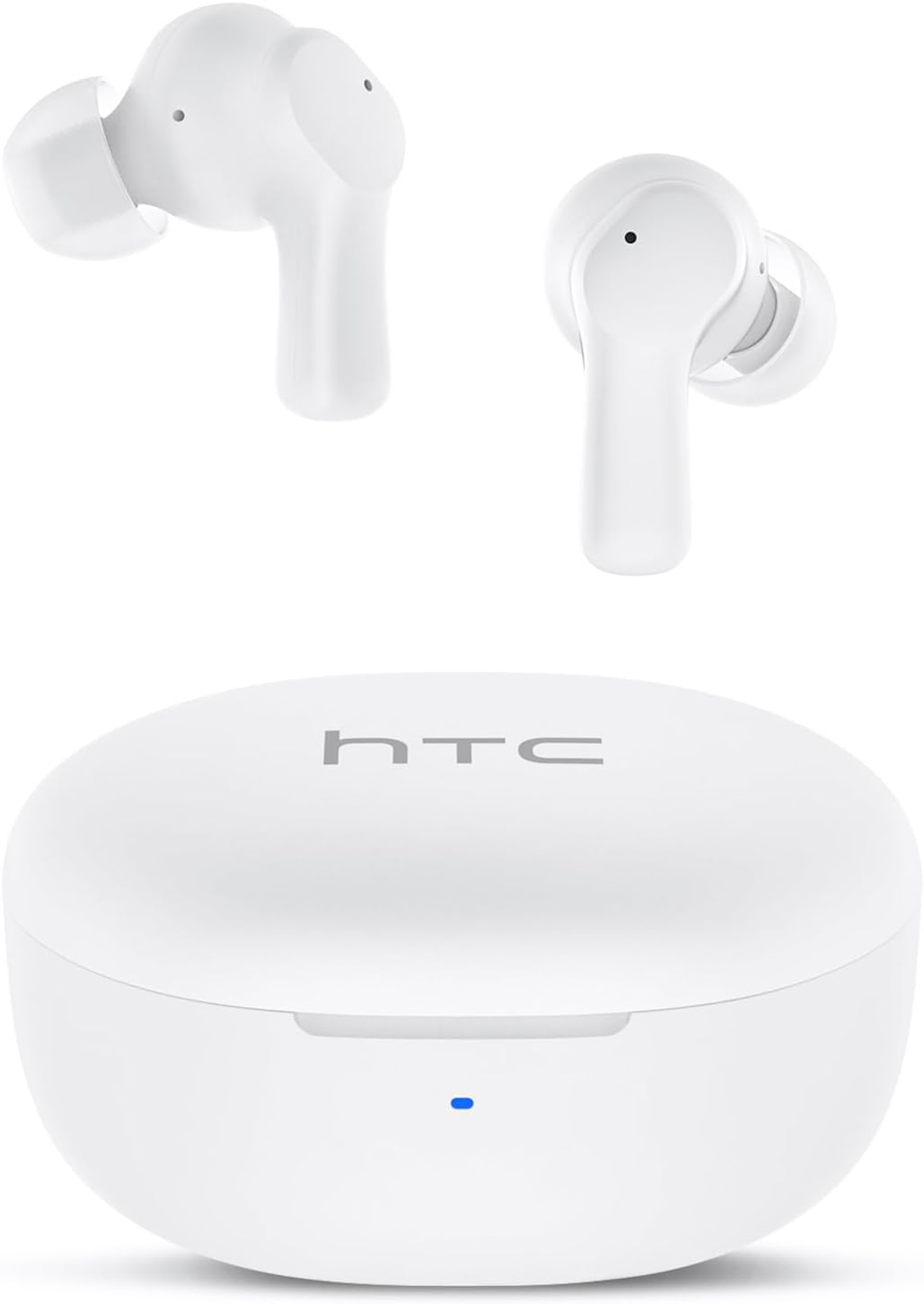
Image: HTC True Wireless Earbuds 1 and their charging case.

Image: The charging case opened, showing the two earbuds nestled inside.
2. Тохиргоо ба Хослуулах
Анхны тохиргоо
- Хамгаалалтын хальс арилгах: Before first use, remove the protective film from the charging contacts on both earbuds.
- Чихэвч цэнэглэх: Place the earbuds back into the charging case and close the lid. Connect the charging case to a USB power source using the provided USB-C cable. Ensure the earbuds and case are fully charged before initial use.
- Асаах: Цэнэглэх хайрцагны тагийг нээнэ үү. Чихэвч автоматаар асч, холбох горимд орно.
Bluetooth хослуулах
The HTC True Wireless Earbuds 1 feature one-step auto-pairing after the initial setup.
- Bluetooth-г идэвхжүүлэх: Төхөөрөмж дээрээ (ухаалаг утас, таблет, компьютер) Bluetooth-г идэвхжүүлнэ үү.
- хайх Төхөөрөмжүүд: Төхөөрөмжийнхөө Bluetooth тохиргоонд байгаа төхөөрөмжүүдийг хайна уу.
- Select 'HTC TWS2': From the list of found devices, select 'HTC TWS2' to connect.
- Баталгаажуулалт: Холбосны дараа та аудио сануулга сонсох бөгөөд чихэвч ашиглахад бэлэн болно.
After the first successful pairing, the earbuds will automatically connect to the last paired device when taken out of the charging case, provided Bluetooth is enabled on the device.

Image: Illustration of the one-step auto-pairing process, showing earbuds connecting to a smartphone.
3. Хэрхэн өмсөх вэ
For optimal sound quality and comfort, it is important to wear the earbuds correctly.
- Choose Eartips: Select the rubber eartips (S, M, L) that best fit your ear canal. A proper seal enhances bass response and noise isolation.
- Чихэвч оруулах: Gently insert each earbud into its corresponding ear (L for left, R for right).
- Rotate to Lock: Rotate the earbud slightly forward or backward until it feels secure and comfortable in your ear canal.

Image: Diagram showing how to properly insert the earbuds and the available S/M/L silicone eartips.
4. Operating Instructions (Touch Control)
The HTC True Wireless Earbuds 1 feature intuitive touch controls on each earbud. The following actions can be performed:
| Үйлдэл | Хяналт | Чиг үүрэг |
|---|---|---|
| Хөгжим тоглуулах | Single tap (either earbud) | Тоглуулах / Түр зогсоох |
| Хөгжим тоглуулах | Зүүн чихэвчийг давхар товшино уу | Өмнөх дуу |
| Хөгжим тоглуулах | Баруун чихэвчийг давхар товш | Дараагийн дуу |
| Дуудлага | Single tap (either earbud) | Хариулт / Дуудлага дуусах |
| Дуудлага | Удаан дарах (аль нэг чихэвч) | Дуудлагаас татгалзах |
| Дуут туслах | Triple tap (either earbud) | Дуут туслахыг идэвхжүүлэх (Siri, Google Assistant гэх мэт) |
| Дууны хяналт | Long press left earbud | Дууг багасгах |
| Дууны хяналт | Long press right earbud | Дууны хэмжээг нэмэгдүүлэх |
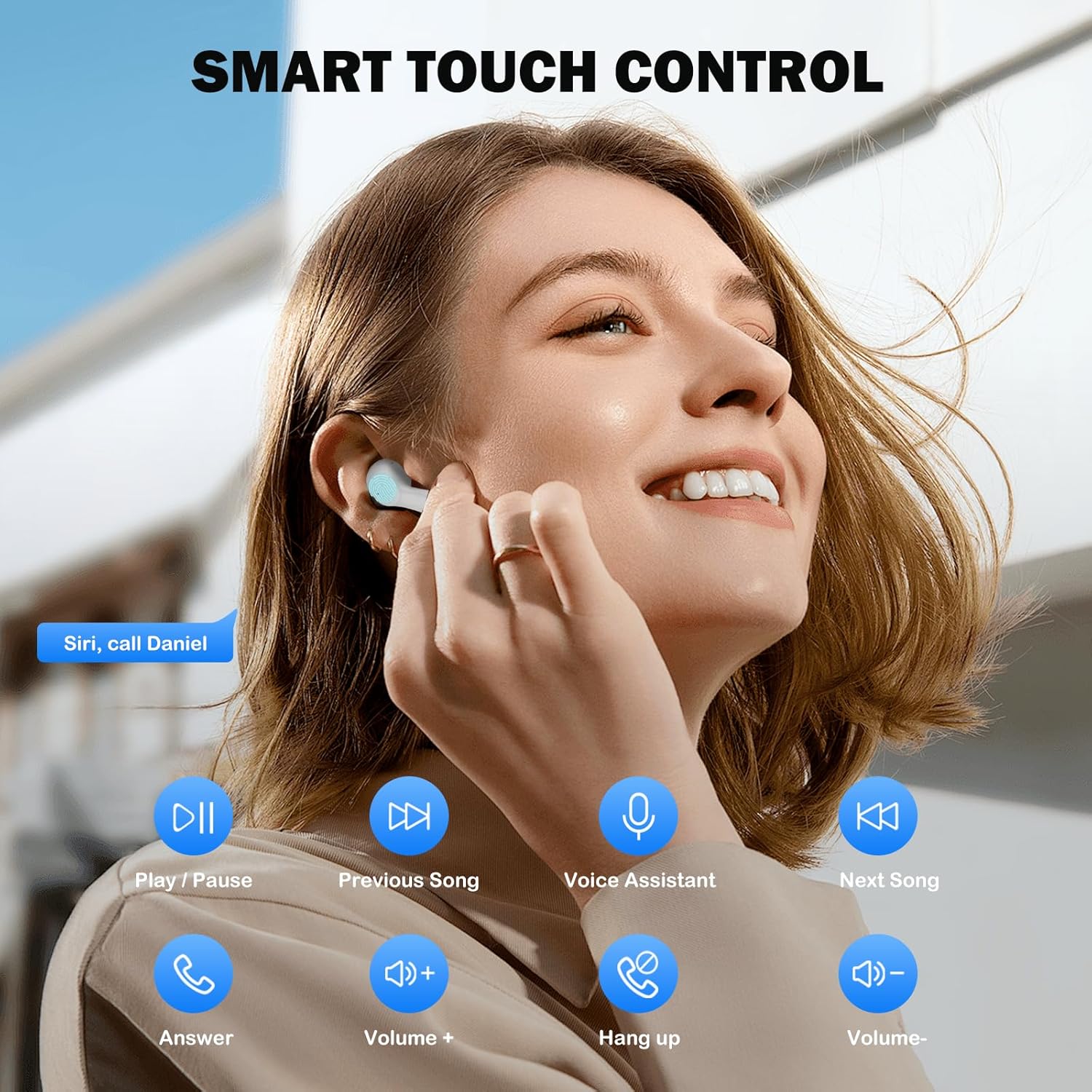
Image: Visual guide to the smart touch controls for music, calls, and voice assistant.
5. Цэнэглэх
The earbuds and charging case are powered by internal rechargeable batteries.
Чихэвчийг цэнэглэж байна
Place the earbuds into the charging case. They will automatically begin charging. The LED indicator on the case will show charging status.
Кейс цэнэглэж байна
Connect the provided USB-C cable to the charging port on the case and to a USB power adapter (not included). The LED indicator on the case will show charging progress. A full charge for the earbuds takes approximately 40 minutes.
Зайны ашиглалт
- Чихний чих: Up to 8 hours of listening time on a single charge (at 50% volume).
- Цэнэглэх хайрцагтай: Up to 40 hours of total playtime with multiple charges from the case.
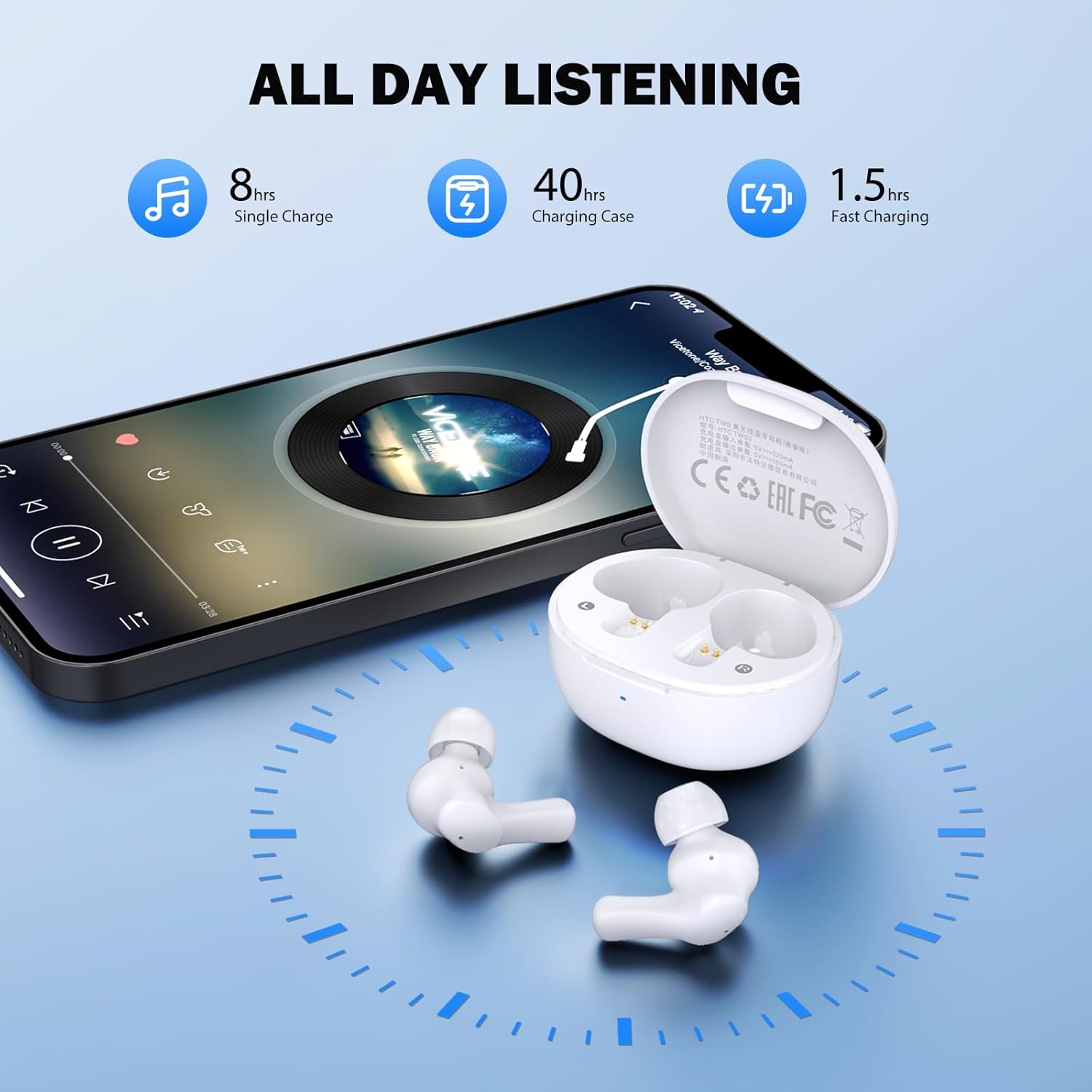
Image: Visual representation of 8 hours single charge, 40 hours with charging case, and 1.5 hours fast charging for the case.
6. Засвар үйлчилгээ, арчилгаа
Зөв арчилгаа нь таны чихэвчний урт наслалт, гүйцэтгэлийг баталгаажуулдаг.
Цэвэрлэгээ
- Чихэвч болон цэнэглэгчийн хайрцгийг зөөлөн, хуурай, хөвөнгүй даавуугаар тогтмол цэвэрлэ.
- Чихний үзүүрийг авч, зөөлөн савантай усаар цэвэрлээд дахин наахаас өмнө сайтар хатаана.
- Ensure charging contacts on both earbuds and inside the case are clean and free of debris.
Усны эсэргүүцэл
Чихэвчийг дараах үнэлгээтэй IPX4 усны хамгаалалттай, meaning they are protected against splashing water from any direction. They are suitable for exercise and light rain, but should not be submerged in water or exposed to heavy downpours.
Хадгалах
Ашиглаагүй үед чихэвчийг хамгаалж, цэнэгтэй байлгахын тулд цэнэглэгчдээ хадгалаарай.
7. Алдаа засах
Хэрэв танд асуудал тулгарвал дараах шийдлүүдийг туршиж үзээрэй.
- Дуугүй: Ensure earbuds are charged, connected to your device, and volume is up on both the earbuds and your device.
- Хослуулах асуудал: Make sure Bluetooth is enabled on your device and the earbuds are in pairing mode. Try turning Bluetooth off and on again on your device.
- Нэг чихэвч ажиллахгүй байна: Хоёр чихэвчийг цэнэглэгч хайрцагт буцааж хийж, тагийг нь хаагаад хэдэн секунд хүлээгээд буцааж гаргаж авна уу. Энэ нь ихэвчлэн тэдгээрийг дахин синк хийдэг.
- Завсарлагатай холболт: Ensure there are no obstructions between the earbuds and your device. Keep your device within the 10-meter Bluetooth range.
Үйлдвэрийн тохиргоонд дахин тохируулах
If problems persist, a factory reset may resolve them:
- Хоёр чихэвчийг цэнэглэгч хайрцагт байрлуул.
- With the earbuds in the case, quickly tap each earbud 5 times.
- The LED on the earbuds will flash red, then turn off, indicating a successful reset.
- Close the charging case lid, then open it again to re-initiate pairing.

Image: Visual instructions for initial setup, wearing the earbuds, and performing a factory reset.
8. Техникийн үзүүлэлтүүд
| Онцлог | Дэлгэрэнгүй |
|---|---|
| Загварын нэр | HTC TWS2 |
| Холболтын технологи | Утасгүй (Bluetooth 5.3) |
| Bluetooth хүрээ | 10 метр (33 фут) хүртэл |
| Аудио драйверын төрөл | 10 мм динамик драйвер |
| Давтамжийн хүрээ | 20 Гц - 20,000 Гц |
| Чихэвчний батерейны ашиглалтын хугацаа | 8 цаг хүртэл (нэг цэнэглэлт) |
| Тоглуулах нийт хугацаа (цэргийн хамт) | 40 цаг хүртэл |
| Чихэвчийг цэнэглэх хугацаа | Ойролцоогоор 40 минут |
| Усны эсэргүүцлийн түвшин | IPX4 (Sweatproof, Splash Resistant) |
| Хяналтын төрөл | Хяналтанд хүрнэ үү |
| Микрофон | Built-in with Call Noise Cancellation |
| Хоцролт бага | 40мс (Тоглоомын горим) |
| Чихний жин | Нэг чихэнд ойролцоогоор 3.8 гр |
| Тохиромжтой төхөөрөмжүүд | iOS, Android, Windows төхөөрөмжүүд |

Image: Diagram illustrating the 10mm diameter loud speaker for HiFi stereo sound.

Image: Visual representation of Bluetooth 5.3 technology benefits: low consumption, faster transmission, lower latency, and built-in microphone.
9. Баталгаат хугацаа ба дэмжлэг
Баталгаат хугацааны мэдээлэл
Your HTC True Wireless Earbuds 1 come with a warranty. Please refer to the included Warranty Card for detailed terms and conditions, including coverage period and what is covered.
Хэрэглэгчийн дэмжлэг
For any questions, technical assistance, or warranty claims, please contact HTC customer support. Refer to the contact information provided in your Quick Guide or on the official HTC webсайт.


