Танилцуулга
This manual provides detailed instructions for the installation, operation, and maintenance of your Lloyd's Advanced Video Doorbell Camera LC-1330. This wireless outdoor security device features Full HD 1080P video, two-way audio, night vision, and motion detection to enhance your home security.
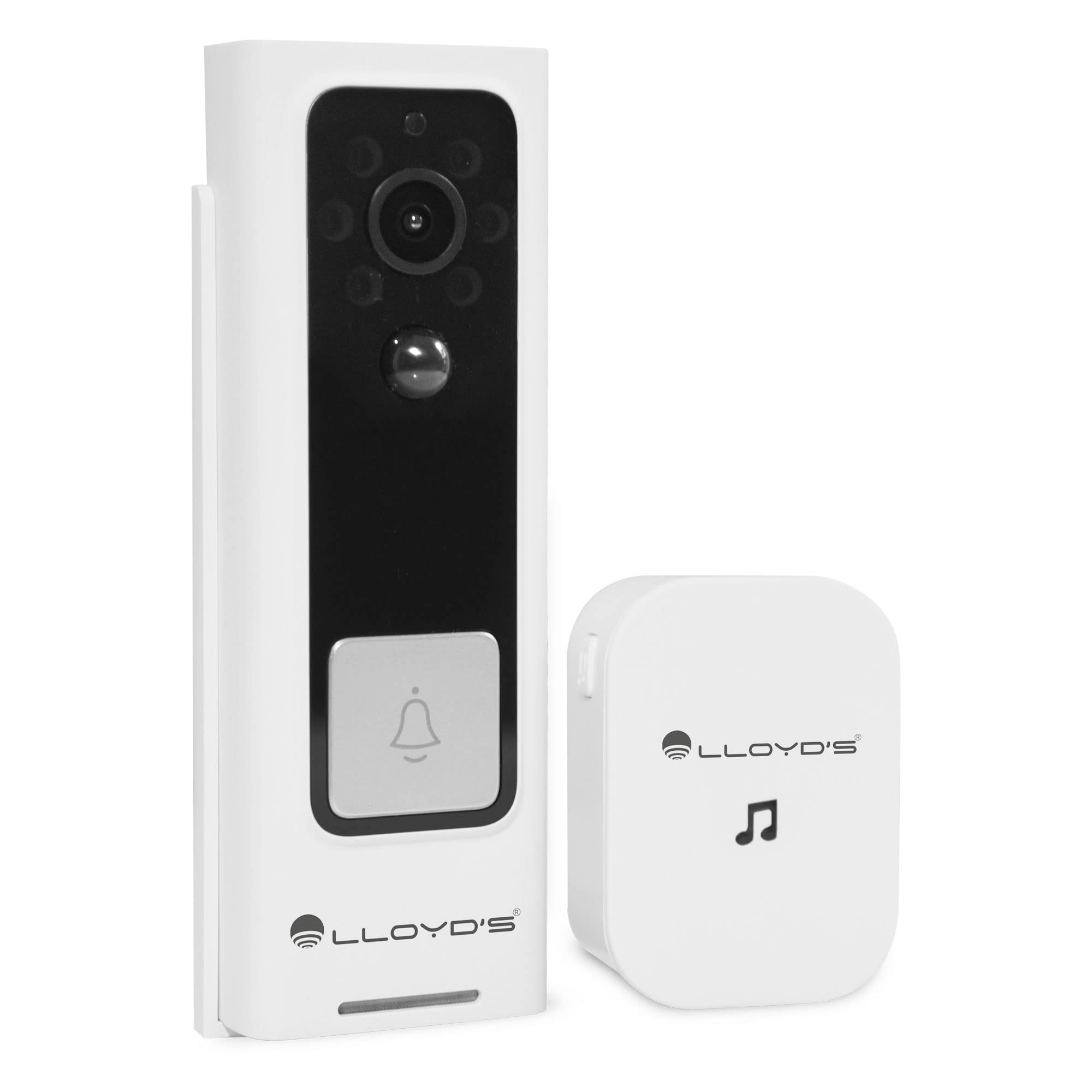
Figure 1: Lloyd's Advanced Video Doorbell Camera LC-1330 and Chime in packaging.
Багцын агуулга
Доор жагсаасан бүх зүйл таны багцад байгаа эсэхийг шалгаарай.
- 1 x Lloyd's Wi-Fi Video Doorbell Camera (LC-1330)
- 1 x Утасгүй хонх
- 2 x 18650 Rechargeable Batteries (pre-installed in doorbell)
- 1 x USB цэнэглэгч кабель
- 1 х угсрах хаалт
- 1 x Mounting Screw Kit (screws, wall anchors)
- 1 x Reset Pin / Ejector Tool
- 1 х хэрэглэгчийн гарын авлага
Хэрэв ямар нэгэн зүйл алга болсон эсвэл гэмтсэн бол хэрэглэгчийн дэмжлэгтэй холбогдоно уу.
Бүтээгдэхүүн дууссанview
Familiarize yourself with the components of your video doorbell and chime:
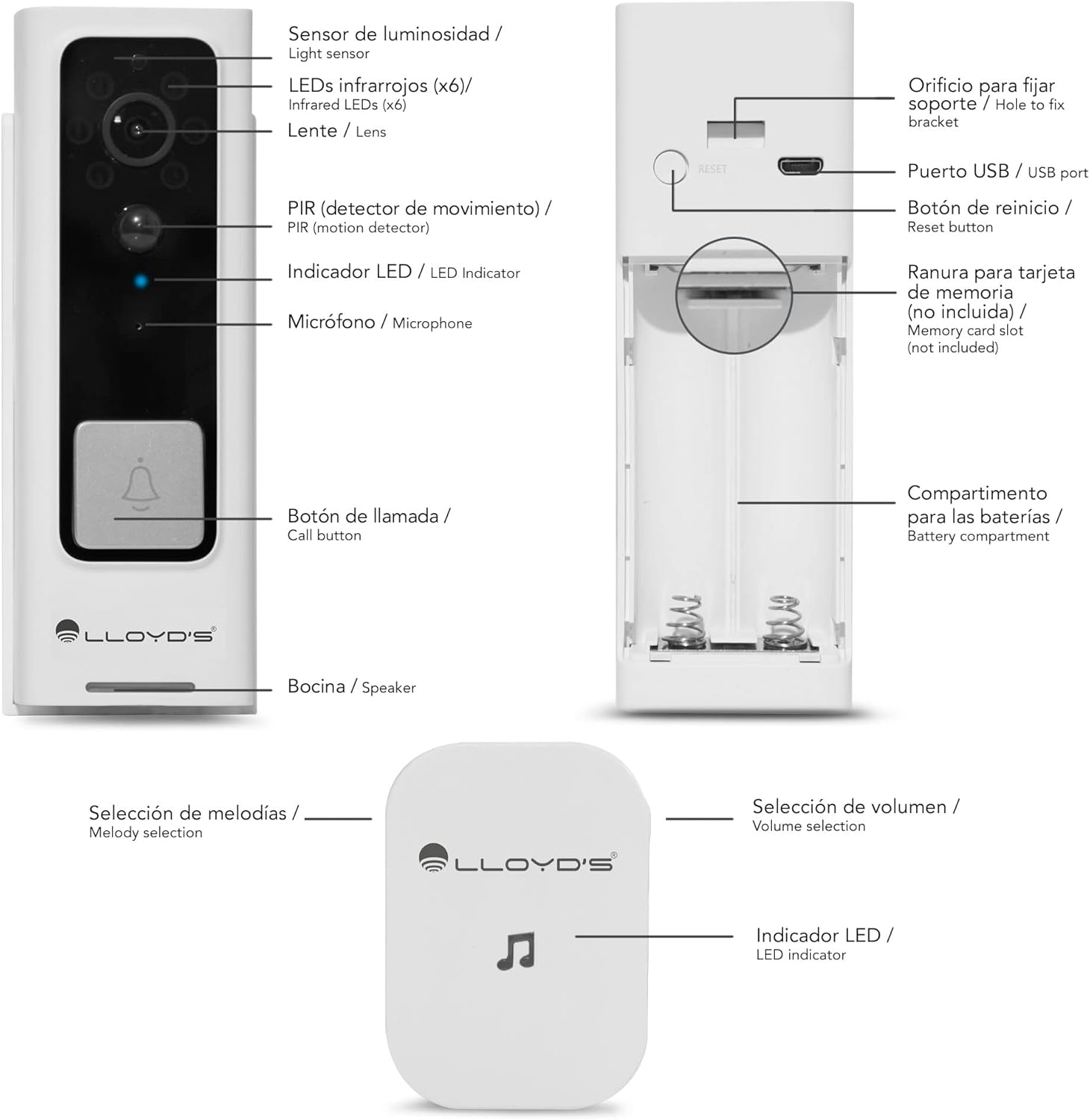
Figure 2: Doorbell Camera and Chime Components.
- Гэрэл мэдрэгч: Шөнийн харааг автоматаар идэвхжүүлэхийн тулд орчны гэрлийг илрүүлдэг.
- Infrared LEDs (x6): Шөнийн харааны гэрэлтүүлгийг хангадаг.
- Линз: Captures Full HD 1080P video with a 140° viewөнцөг.
- PIR (Motion Detector): Detects human motion to trigger alerts.
- LED үзүүлэлт: Shows device status (e.g., charging, recording, network).
- Микрофон: Хоёр талын харилцаа холбооны аудиог бичдэг.
- Дуудлагын товчлуур: Pressed by visitors to alert you.
- Илтгэгч: Хоёр талын харилцааны аудио гаралт.
- USB порт: For charging the doorbell's internal battery.
- Дахин тохируулах товч: Төхөөрөмжийг үйлдвэрийн тохиргоонд буцаахад ашигладаг.
- Санах ойн картны үүр: Орон нутгийн хадгалалтын хувьд 128GB хүртэлх Micro SD картуудыг дэмждэг.
- Зайны тасалгаа: Houses the two 18650 rechargeable batteries.
- Melody Selection (Chime): Button to change the chime melody.
- Volume Selection (Chime): Button to adjust the chime volume (5 levels, max 100dB).
- LED Indicator (Chime): Shows chime status.
Тохиргоо
1. Анхны цэнэглэлт
Before first use, fully charge the doorbell camera. Open the rubber cover on the side to access the USB port. Connect the doorbell to a 5V DC power source using the provided USB cable. The LED indicator will show charging status.
2. Апп татаж авах, Бүртгэл үүсгэх
Download the 'Lloyd's Smart' app from the App Store (iOS) or Google Play Store (Android). Create an account and log in.
3. Төхөөрөмжийг хослуулах
- Open the 'Lloyd's Smart' app and tap '+' to add a new device.
- Select 'Video Doorbell' from the device list.
- Follow the in-app instructions to connect the doorbell to your 2.4GHz Wi-Fi network. This typically involves pressing the reset/sync button on the doorbell and scanning a QR code generated by the app.
4. Хонхны тохиргоо
The wireless chime operates on 3 AAA batteries (not included). Insert the batteries into the chime. The chime will automatically pair with the doorbell once the doorbell is successfully connected to the app. You can select melodies and adjust volume using the buttons on the chime.
5. Суурилуулалт
The doorbell can be installed using screws or adhesive tape. For secure installation, screw mounting is recommended.
- Remove the back cover from the doorbell using the provided ejector tool.
- Position the back cover on your desired mounting surface (door frame or wall) and mark the screw holes.
- Нислэгийн нүхийг өрөмдөж, шаардлагатай бол хананд бэхэлгээ хийнэ.
- Secure the back cover to the surface with screws.
- Attach the doorbell camera to the secured back cover. Ensure it clicks into place securely.
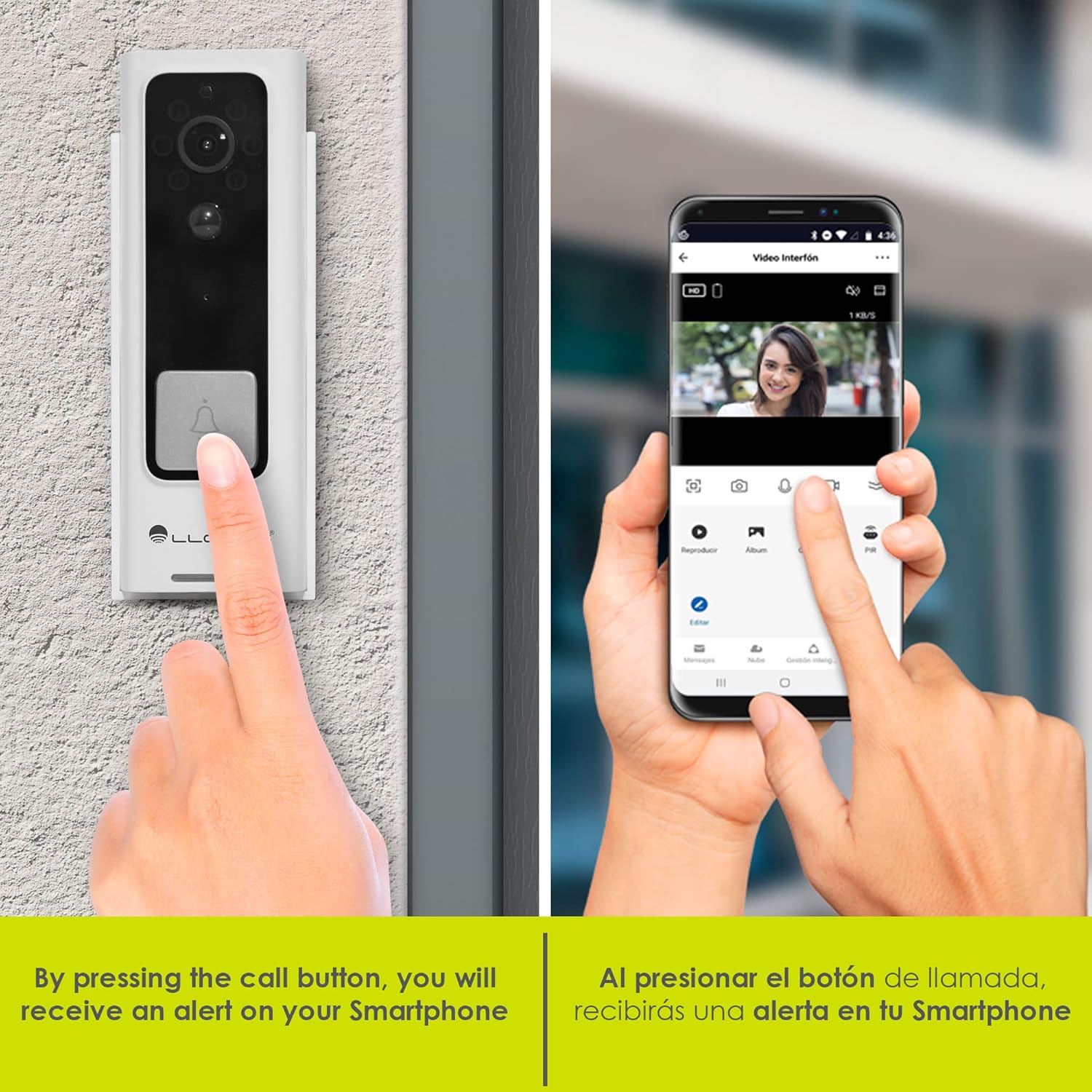
Figure 3: Doorbell mounting options.
Video 1: Installation guide for a similar doorbell model.
Ашиглалтын заавар
1. Амьд View & Хоёр талын аудио
Access the 'Lloyd's Smart' app to view the live video feed from your doorbell. Use the microphone and speaker icons in the app to engage in two-way communication with visitors at your door.

Зураг 4: Аппликейшнээр дамжуулан хоёр талын аудио харилцаа холбоо.
2. Хөдөлгөөн илрүүлэх дохио
The doorbell's PIR sensor detects motion and sends instant notifications to your smartphone. You can customize motion detection sensitivity and activity zones within the app to reduce false alerts.

Figure 5: Instant alerts on your smartphone when the doorbell is pressed.
3. Шөнийн хараа
The doorbell automatically switches to night vision mode in low-light conditions, providing clear black-and-white video footage.
4. Local & Cloud Storage
Recordings can be stored locally on a Micro SD card (up to 128GB, not included) inserted into the doorbell's slot, or via optional cloud storage services (subscription may be required).
5. Дуу солигч
Utilize the voice changer feature in the app during two-way communication to alter your voice for added privacy or security.
Онцлогууд
- Full HD 1080P видео: Тодорхой бөгөөд нарийвчилсан видео бичлэг хийнэtage (1920*1080P).
- 140° Өргөн өнцөг View: өргөн хүрээг хамардаг view to monitor your entryway.
- H.264 Шахалт: Efficient video compression for optimized storage and streaming.
- Цэнэглэдэг батерей: Powered by two 18650 batteries, offering up to 2 months of use on a single charge.
- Ухаалаг сэрэмжлүүлэг: Receive instant notifications for motion detection and low battery status.
- Virtual Assistant Compatibility: Compatible with Siri, Google Assistant, and Amazon Alexa for voice control and integration into smart home routines.

Figure 6: Monitor and control your doorbell from your smartphone.

Figure 7: Automate your home with Lloyd's smart products.
Video 2: A closer look at the doorbell camera and chime.
Засвар үйлчилгээ
1. Батерейг цэнэглэж байна
The doorbell's battery can be charged while installed or by removing the doorbell from its mount. Connect the USB charging cable to the doorbell's USB port and a power source. A full charge can last up to 2 months, depending on usage.
2. Цэвэрлэгээ
Wipe the doorbell's lens and body with a soft, damp тоос шороо, хог хаягдлыг арилгах даавуу. Төхөөрөмжийг гэмтээж болох хүчтэй химийн бодис, зүлгүүрийн материалыг ашиглахаас зайлсхий.
Алдааг олж засварлах
- Эрчим хүчгүй: Ensure the batteries are correctly inserted and fully charged.
- Wi-Fi холболт байхгүй: Check your Wi-Fi router and ensure the doorbell is within range. Try resetting the doorbell using the reset button and re-pairing it with the app.
- Хөдөлгөөний анхааруулга байхгүй: Verify that motion detection is enabled in the app and sensitivity settings are appropriate. Check activity zones.
- Видео чанар муу: Ensure the lens is clean and free from obstructions. Check your Wi-Fi signal strength.
- Хонх дуугарахгүй байна: Check the chime's batteries. Ensure the chime is paired with the doorbell.
Үзүүлэлтүүд
| Үйлдвэрлэгч | Lloyd's |
| Хэсгийн дугаар | LC-1330 |
| Бүтээгдэхүүний хэмжээс | 3.48 x 4.98 x 13.39 см |
| Зүйлийн жин | 450 гр |
| Өнгө | Цагаан/Хар |
| Ботьtage | 7.4 вольт (ДС) |
| Ватtage | 170 миллилитрamp_цаг |
| Батерей | 2 x 18650 Lithium (included) |
| Видеоны нягтрал | Full HD 1920*1080P |
| Viewing өнцөг | 140° FOV |
| Хадгалах | Микро SD карт (128 ГБ хүртэл), Үүлэн санах ой (заавал биш) |
| Холболт | Wi-Fi (2.4GHz) |
| Цаг агаарын эсэргүүцэл | IP66 Weatherproof (from video) |
Баталгаат болон дэмжлэг
This product comes with a 2-year manufacturer warranty. For technical support, troubleshooting, or warranty claims, please refer to the 'Lloyd's Smart' app or visit the official Lloyd's webсайт.


