Танилцуулга
Thank you for choosing the Nedis SmartLife Wireless Camera System SLNVR201CWT. This system is designed to provide comprehensive home security with advanced features. This manual will guide you through the installation, operation, and maintenance of your new camera system, ensuring optimal performance and security.
The system includes a Network Video Recorder (NVR) and two Full HD (1080p) wireless cameras. Key features include motion and sound detection with adjustable sensitivity, instant smartphone notifications, a wide 180-degree viewing angle, night vision capabilities up to 5 meters, and two-way audio communication. Recordings are stored on a Micro SD card (not included) for convenient playback.
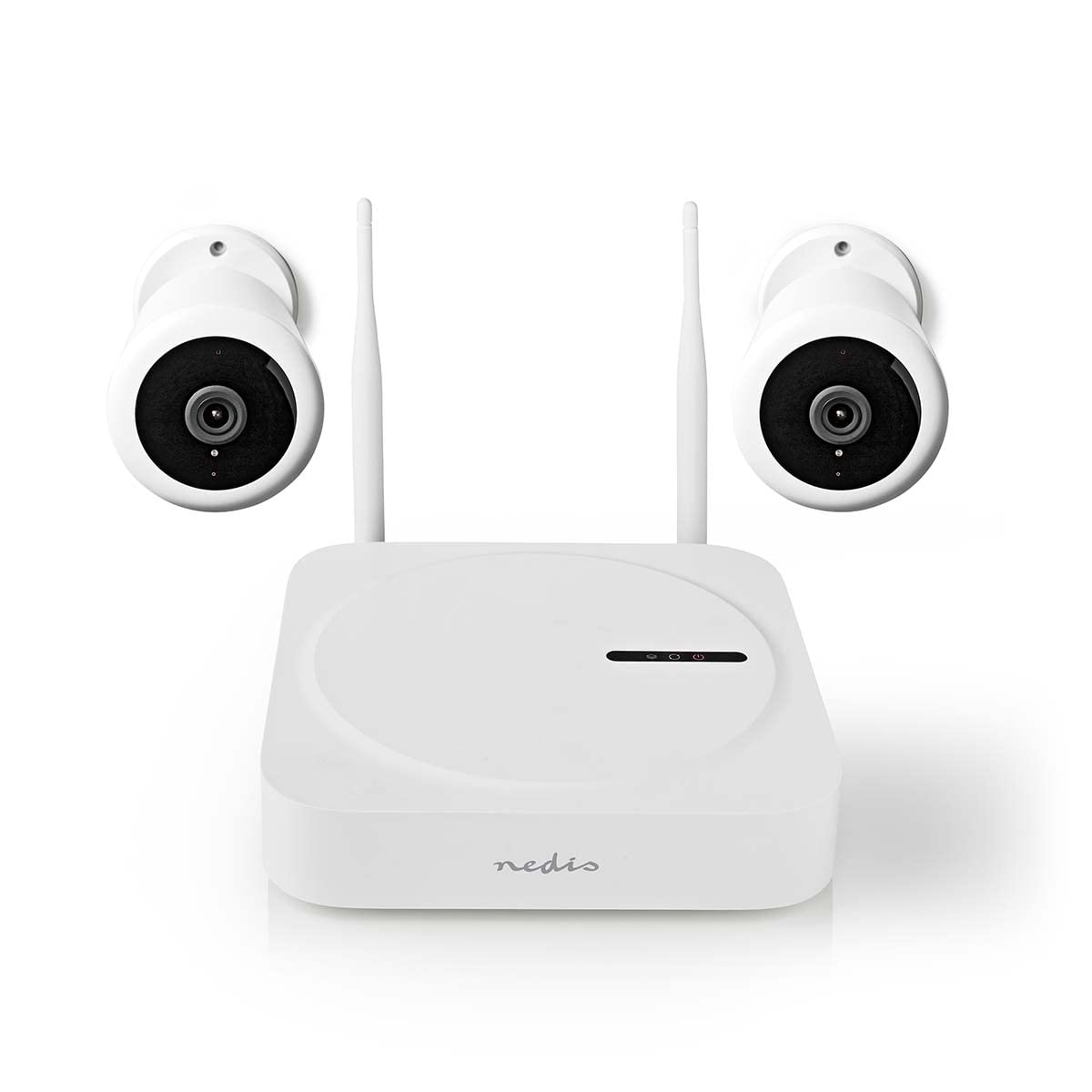
Image: The Nedis SmartLife Wireless Camera System, showing the central NVR unit and two wireless cameras.
Аюулгүй байдлын мэдээлэл
- Хэрэглэхийн өмнө бүх зааврыг анхааралтай уншина уу.
- Энэ гарын авлагыг цаашид лавлах зорилгоор хадгална уу.
- Use only the power adapters supplied with the product. Using unauthorized power sources may damage the device and void the warranty.
- Төхөөрөмжийг хэт өндөр температур, чийгшил, нарны шууд тусгалд бүү тавь.
- Ensure proper ventilation around the NVR unit to prevent overheating.
- Avoid placing the cameras in locations where they could be easily tampered with or damaged.
- Энэ бүтээгдэхүүн нь тоглоом биш юм. Хүүхдийн гар хүрэхгүй газар хадгална.
- For indoor and outdoor use. Ensure outdoor cameras are installed in a sheltered location to protect from direct heavy rain.
Багцын агуулга
Хайрцагыг болгоомжтой задалж, бүх зүйл байгаа эсэхийг шалгаарай. Хэрэв ямар нэг зүйл дутуу эсвэл эвдэрсэн бол жижиглэн худалдаалагчтайгаа холбоо барина уу.
- 1 x Nedis SmartLife Wireless NVR Unit
- 2 x Nedis SmartLife Wireless Cameras
- 3 x Power Adapters (for NVR and cameras)
- 1 х USB хулгана
- Суурилуулах эрэг ба ханын залгуур
- Өрөмдлөгийн загварууд
- Хэрэглэгчийн гарын авлага (энэ баримт бичиг)
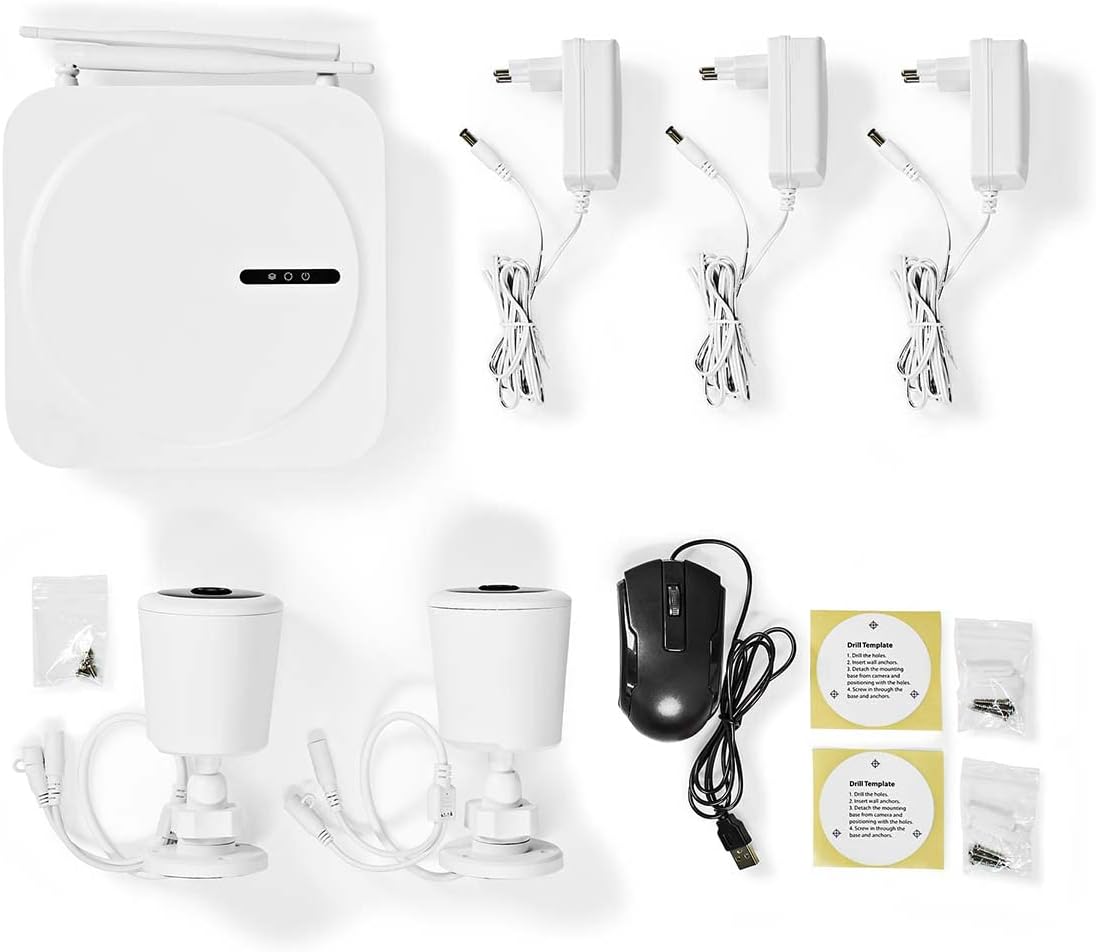
Image: All components included in the Nedis SmartLife Wireless Camera System package.
Тохиргоо
1. NVR Unit Connection
- Place the NVR unit in a central location, ensuring good Wi-Fi signal strength for the cameras.
- Connect the NVR to a power outlet using one of the provided power adapters.
- Connect the USB mouse to the NVR's USB port.
- If desired, connect the NVR to your router via an Ethernet cable for a stable network connection.

Зураг: Урд view of the Nedis SmartLife NVR unit with indicator lights.
2. Камер суурилуулах
- Choose suitable locations for your cameras, considering the 180-degree viewing angle and night vision range (up to 5 meters).
- Use the drill templates to mark the screw positions on the wall or ceiling.
- Drill holes, insert wall plugs, and secure the camera mounts with screws.
- Attach the cameras to their mounts and adjust the angle as needed.
- Connect each camera to a power outlet using the remaining power adapters.

Image: Close-up of a Nedis SmartLife camera, highlighting the lens and sensor.
3. Апп суулгах, холбох
- Download the 'Nedis SmartLife' app from your smartphone's app store (available for Android and iOS).
- Шинэ акаунтаар бүртгүүлэх эсвэл хэрэв танд бүртгэл байгаа бол нэвтэрнэ үү.
- Follow the in-app instructions to add your NVR system. The app will guide you through the pairing process for the cameras.
- Insert a Micro SD card (up to 128GB, not included) into the NVR for local storage of recordings.
Системийг ажиллуулах
Амьд View болон тоглуулах
- Open the Nedis SmartLife app on your smartphone.
- Select your camera system to view холбогдсон бүх камераас шууд дамжуулалт.
- Use the app interface to switch between cameras, access recorded footage, and adjust settings.
- руу view foo бүртгэгдсэнtage, navigate to the playback section in the app and select the desired date and time.
Хөдөлгөөн ба дуу чимээ илрүүлэх
- The system is equipped with motion and sound detection. When triggered, it sends instant notifications to your smartphone.
- Adjust the sensitivity of both motion and sound detection within the Nedis SmartLife app settings for each camera to minimize false alarms.
- You can set specific detection zones for motion detection to focus on critical areas.
Хоёр талын аудио
- The cameras feature built-in microphones and speakers, enabling two-way communication.
- Шууд нэвтрүүлгээс view in the app, tap the microphone icon to speak through the camera's speaker. Tap again to end.
- This feature allows you to communicate with visitors or deter intruders remotely.
Шөнийн хараа
- The cameras automatically switch to night vision mode in low-light conditions.
- Night vision provides clear black-and-white video footage up to 5 meters, ensuring 24-hour surveillance.
Засвар үйлчилгээ
Цэвэрлэгээ
- Цэвэрлэхийн өмнө төхөөрөмжийг унтрааж, залгуураас салгасан эсэхийг шалгаарай.
- Use a soft, dry cloth to clean the NVR unit and camera bodies.
- For camera lenses, use a specialized lens cleaning cloth to avoid scratches.
- Do not use liquid or aerosol cleaners, as they may damage the components.
Програмын шинэчлэлт
- Periodically check the Nedis SmartLife app for available firmware updates.
- Keeping your system's firmware up-to-date ensures optimal performance, security, and access to new features.
- Follow the in-app instructions carefully when performing updates.
Хадгалах
- If storing the system for an extended period, ensure it is clean and dry.
- Нарны шууд тусгал, хэт температураас хол, сэрүүн, хуурай газар хадгална.
Алдааг олж засварлах
| Асуудал | Боломжит шалтгаан | Шийдэл |
|---|---|---|
| No image/video from camera | Camera not powered on; Wi-Fi signal too weak; Camera not paired. | Check power connection; Move camera closer to NVR/router; Re-pair camera via app. |
| Мэдэгдэл хүлээж аваагүй | Notifications disabled in app/phone settings; Detection sensitivity too low. | Enable notifications in Nedis SmartLife app and phone settings; Increase motion/sound sensitivity. |
| Шөнийн харааны чанар муу | Obstruction in front of camera; Camera too far from subject. | Clear any obstructions; Ensure subject is within 5-meter night vision range. |
| Хоёр талын аудио ажиллахгүй байна | Microphone/speaker permissions not granted; Volume too low. | Check app permissions for microphone; Adjust volume settings in app. |
| System offline in app | NVR not connected to internet; NVR powered off. | Check NVR's internet connection (Ethernet/Wi-Fi); Ensure NVR is powered on. |
Үзүүлэлтүүд
| Онцлог | Тодорхойлолт |
|---|---|
| Загварын дугаар | SLNVR201CWT |
| Брэнд | Недис |
| Видео бичлэгийн нягтрал | 1080p (Бүтэн HD) |
| Өнгө | Цагаан |
| Сувгийн тоо | 4 |
| Утасгүй технологи | Wi-Fi |
| Viewing өнцөг | 180 градус |
| Frame Rate | Секундэд 30 кадр |
| Ботьtage | 220 вольт |
| Ватtage | 48 ватт |
| Үйлдлийн системийн нийцтэй байдал | Android, iOS |
| Батерейнууд багтсан | Үгүй |
| Зөвлөмж болгож буй хэрэглээ | Шөнийн хараа, гэрийн аюулгүй байдал |
| Онцлог шинж чанарууд | High Definition, Motion Sensor, Two-Way Audio |
| Хэрэглээний орчин | Дотор, гадаа |
| Тохиромжтой төхөөрөмжүүд | Ухаалаг утас |
| Эрчим хүчний эх үүсвэр | Утастай цахилгаан |
| Харилцааны протокол | Wi-Fi |
Баталгаат болон дэмжлэг
Nedis products are manufactured to high quality standards and are covered by a warranty period from the date of purchase. For detailed warranty terms and conditions, please refer to the warranty card included with your product or visit the official Nedis webсайт.
For technical support, troubleshooting assistance, or to report any issues with your product, please contact Nedis customer service. Contact information can typically be found on the Nedis webсайт эсвэл таны бүтээгдэхүүний савлагаанд.
Please have your model number (SLNVR201CWT) and proof of purchase ready when contacting support.


