1. Танилцуулга
This manual provides essential instructions for setting up, operating, and maintaining your Amazfit GTS 2 Mini New Version Smart Watch. Please read this manual thoroughly before using your device to ensure proper functionality and safety.

The Amazfit GTS 2 Mini New Version Smart Watch.
2. Хайрцагт юу байна
The Amazfit GTS 2 Mini New Version Smart Watch package includes the following items:
- Amazfit GTS 2 Mini New Version Smart Watch
- Цэнэглэх кабель
- Хэрэглэгчийн гарын авлага
3. Бүтээгдэхүүн дууссанview
The Amazfit GTS 2 Mini New Version Smart Watch combines a sleek design with comprehensive health and fitness tracking capabilities. It features a 1.55-inch AMOLED display and a lightweight, skin-friendly silicone strap.
Гол онцлогууд:
- 1.55-inch Always-On AMOLED Display: Provides vibrant colors and clear visibility.
- 14 хоногийн батерейны ашиглалт: Extended usage on a single charge.
- Alexa суурилуулсан: Voice assistant for queries, translations, and weather updates.
- Эрүүл мэндийн хяналт: Blood Oxygen Saturation (SpO2), Heart Rate, Sleep, and Stress Level monitoring.
- 68+ Спортын горим: Tracks various indoor and outdoor activities.
- Баригдсан GPS: For accurate outdoor activity tracking.
- 5 ATM Water Resistance: Suitable for swimming and daily use.
- Эмэгтэйчүүдийн дугуй хянах: Provides insights into menstrual cycles.
- Bluetooth Camera Control: Утасныхаа камерыг алсаас удирдаарай.
4. Тохиргоо
4.1 Төхөөрөмжийг цэнэглэх
Before initial use, fully charge your Amazfit GTS 2 Mini. Connect the charging cable to the charging port on the back of the watch and plug the USB end into a power adapter or computer USB port.
4.2 Pairing with the Zepp App
- -г татаж авах Zepp програм App Store (iOS) эсвэл Google Play Store (Android) дээрээс.
- Zepp програмыг нээгээд бүртгэл үүсгэ эсвэл нэвтэрнэ үү.
- Шинэ төхөөрөмж нэмэхийн тулд програмын "+" дүрс дээр товшино уу.
- Select "Watch" and then choose "Amazfit GTS 2 Mini".
- Follow the on-screen instructions to scan the QR code displayed on your watch or search for your device via Bluetooth.
- Утас болон цаг дээрээ хослуулах хүсэлтийг баталгаажуулна уу.
5. Ашиглалтын заавар
5.1 Үндсэн навигаци
- Мэдрэгчтэй дэлгэц: Цэс болон мэдэгдлүүдийг үзэхийн тулд дээш, доош, зүүн эсвэл баруун тийш шударна уу. Сонгохын тулд товшино уу.
- Хажуугийн товчлуур: Press to return to the watch face or access the app list. Press and hold for quick access to a customizable function.
5.2 Alexa суулгасан
To use Alexa, ensure your watch is connected to your phone and the Zepp App. Swipe right on the watch face to access the Alexa screen. Speak your commands or questions directly to the watch.

Interact with Alexa directly from your watch.
5.3 Эрүүл мэндийн хяналт
The watch offers comprehensive health tracking features:
- Зүрхний цохилтын хяналт: Цаг нь таны зүрхний цохилтыг тасралтгүй хянаж байдаг. View таны одоогийн зүрхний цохилт болон түүхийн өгөгдлийг цагны зүрхний цохилтын хэмнэл апп эсвэл Zepp App-аас авна уу.
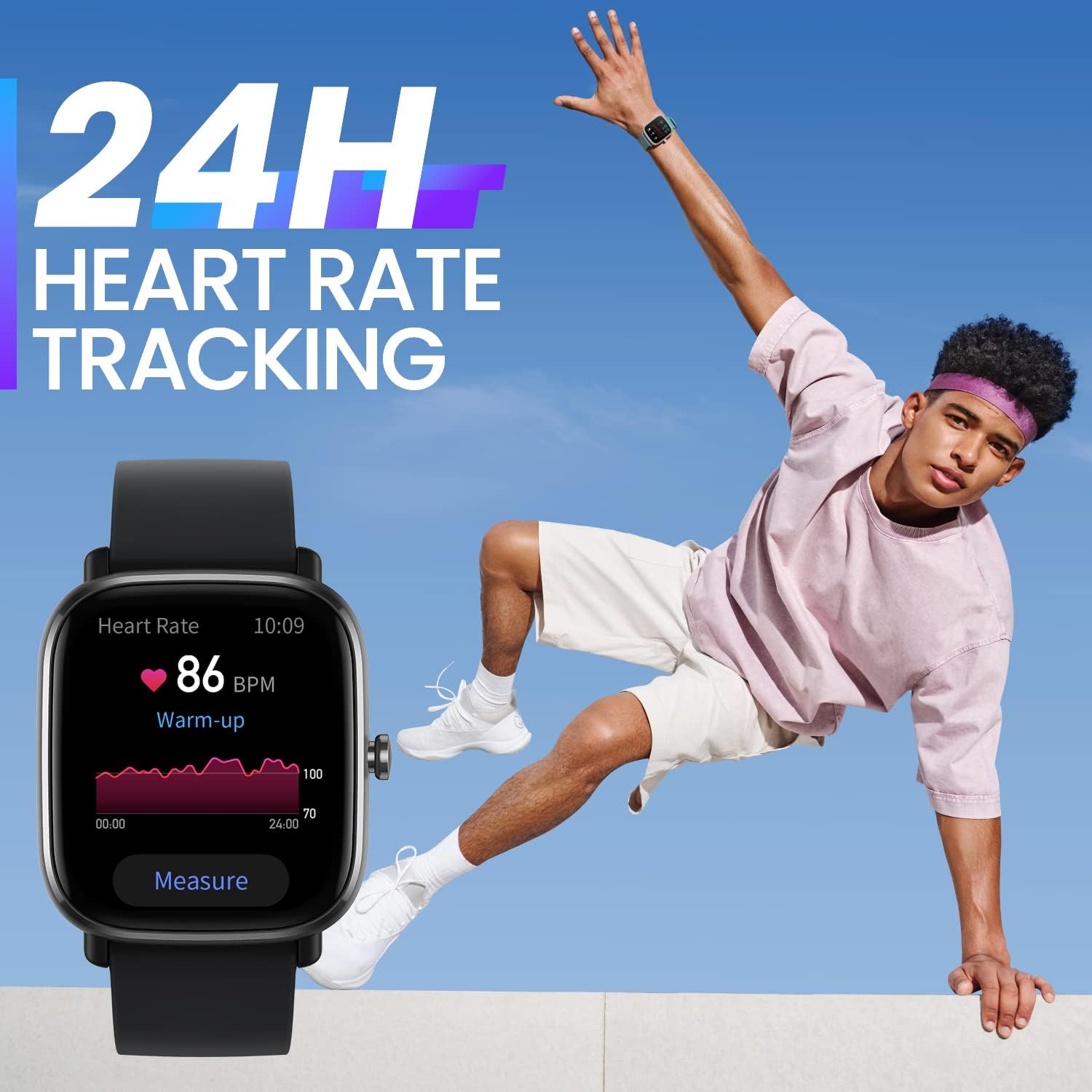
Бодит цагийн зүрхний цохилтыг хянах.
- Blood Oxygen Saturation (SpO2) Measurement: Access the SpO2 app on your watch to take a measurement. Ensure your arm is still and the watch is snug on your wrist for accurate results.

Цусан дахь хүчилтөрөгчийн түвшинг хянах.
- Унтах хяналт: Цаг нь таны унтах хэв маягийг автоматаар хянадаг бөгөөд үүнд унтах хугацаа орно.tages (light, deep, REM) and duration. View Zepp програм дахь нойрны нарийвчилсан шинжилгээ.

Automatic sleep quality monitoring.
- Стрессийн түвшний хяналт: The watch can estimate your stress levels throughout the day. Access the Stress app for current readings and trends.
- Эмэгтэйчүүдийн дугуй хянах: Record your menstrual cycle information in the Zepp App to receive predictions and reminders on your watch.

Track your female cycle with ease.
5.4 Sport Modes and GPS
The watch supports over 68 sport modes. Select your desired activity from the Sport Modes list to start tracking. The built-in GPS will record your route and distance for outdoor activities.

High precision GPS for accurate tracking.

Engage in over 68 sports modes.
5.5 Мэдэгдэл болон бусад функцууд
- Мэдэгдэл: Receive real-time alerts for incoming calls, text messages, and app pushes.
- Always-On AMOLED Display: Keep essential information visible at all times.
Always-On AMOLED Display for constant visibility.
- Царайг үзэх: Choose from over 80 watch faces or customize with your own photos via the Zepp App.

Customize your watch with numerous watch faces.
- Bluetooth камер: Цагаа утасныхаа камерын алсын хаалт болгон ашиглаарай.

Утасныхаа камерыг алсаас удирдаарай.
6. Засвар үйлчилгээ
6.1 Цагийг цэвэрлэх
Regularly clean your watch and strap to prevent skin irritation and maintain functionality. Use a soft, damp Цагны их бие болон оосорыг арчихын тулд даавуугаар арчина. Хүчтэй химийн бодис эсвэл зүлгүүрийн материал хэрэглэхээс зайлсхий.
6.2 Усны эсэргүүцэл
The Amazfit GTS 2 Mini has a water resistance rating of 5 ATM, meaning it can withstand pressures equivalent to a depth of 50 meters. It is suitable for showering, swimming, and other shallow-water activities. However, it is not recommended for diving or high-pressure water activities.
6.3 Батерейны арчилгаа
To prolong battery life, avoid exposing the watch to extreme temperatures. Charge the watch regularly, but avoid overcharging. If the watch will not be used for an extended period, charge it to about 50% before storing.

Enjoy up to 14 days of battery life.
7. Алдаа засах
7.1 Цаг асахгүй байна
Ensure the watch is fully charged. Connect it to the charging cable and a power source for at least 30 minutes. If it still doesn't turn on, try performing a force restart by pressing and holding the side button for 10-15 seconds.
7.2 Утастай холбох боломжгүй
- Таны утсан дээр Bluetooth идэвхжсэн эсэхийг шалгаарай.
- Цаг нь таны утасны хүрээн дотор байгаа эсэхийг шалгаарай.
- Утас болон цагаа дахин эхлүүлнэ үү.
- Clear the Bluetooth cache on your phone (Android) or forget the device in Bluetooth settings (iOS) and try pairing again.
- Zepp програмыг хамгийн сүүлийн хувилбар болгон шинэчилсэн эсэхийг шалгаарай.
7.3 Эрүүл мэндийн мэдээлэл буруу
- Бугуйн яснаас нэг хурууны өргөнтэй цагийг бугуйндаа сайн зүүж байгаарай.
- Keep your arm still during measurements (e.g., SpO2).
- Цагны ар талд байрлах зүрхний цохилтын мэдрэгчийг цэвэрлэ.
8. Техникийн үзүүлэлтүүд
| Онцлог | Тодорхойлолт |
|---|---|
| Загварын дугаар | 850030107886 |
| Дэлгэц | 1.55 инчийн AMOLED |
| Усны эсэргүүцэл | 5 АТМ |
| Зайны хугацаа (Ердийн хэрэглээ) | 14 хоног хүртэл |
| Холболт | Bluetooth, суурилуулсан GPS |
| Мэдрэгч | Heart Rate, Blood Oxygen, Accelerometer, Gyroscope |
| Хэмжээ | 1.38 x 0.31 x 1.57 инч |
| Жин | 1.09 унц |
9. Баталгаат хугацаа ба дэмжлэг
Баталгаат мэдээлэл болон хэрэглэгчийн дэмжлэг авахыг хүсвэл албан ёсны Amazfit-аас лавлана уу webсайт эсвэл орон нутгийн жижиглэн худалдаалагчтай холбоо барина уу. Баталгаат зарга авахын тулд худалдан авалтын баримтаа хадгална уу.
Та нэмэлт эх сурвалж болон Түгээмэл асуултуудыг эндээс олж болно Amazfit official webсайт.