1. Танилцуулга
Худалдан авалт хийсэнд баярлалааasing the DOOMAY Digital Alarm Clock. This compact and versatile alarm clock is designed for convenience and readability, featuring an adjustable LCD display, snooze function, weekend mode, and temperature display. This manual will guide you through the setup, operation, and maintenance of your new alarm clock to ensure optimal performance.
2. Аюулгүй байдлын мэдээлэл
- Төхөөрөмжийг ус болон өндөр чийгшилтэй орчноос хол байлга.
- Цагийг нарны шууд тусгал эсвэл хэт өндөр температурт байлгахаас зайлсхий.
- Төхөөрөмжийг өөрөө задлах, засах гэж бүү оролдоорой. Үйлчилгээний талаар мэргэшсэн боловсон хүчинд хандаарай.
- Use only the specified battery type (2 x AAA batteries).
- Хэрэв төхөөрөмжийг удаан хугацаагаар ашиглахгүй бол ус гоожихоос сэргийлж зайгаа салга.
- Батерейг хүүхдэд хүрэхгүй газар хадгал.
3. Багцын агуулга
- DOOMAY Digital Alarm Clock (1 unit)
- AAA батерей (2 ширхэг)
- Хэрэглэгчийн гарын авлага (энэ баримт бичиг)
4. Бүтээгдэхүүн дууссанview
Familiarize yourself with the components and controls of your DOOMAY Digital Alarm Clock.
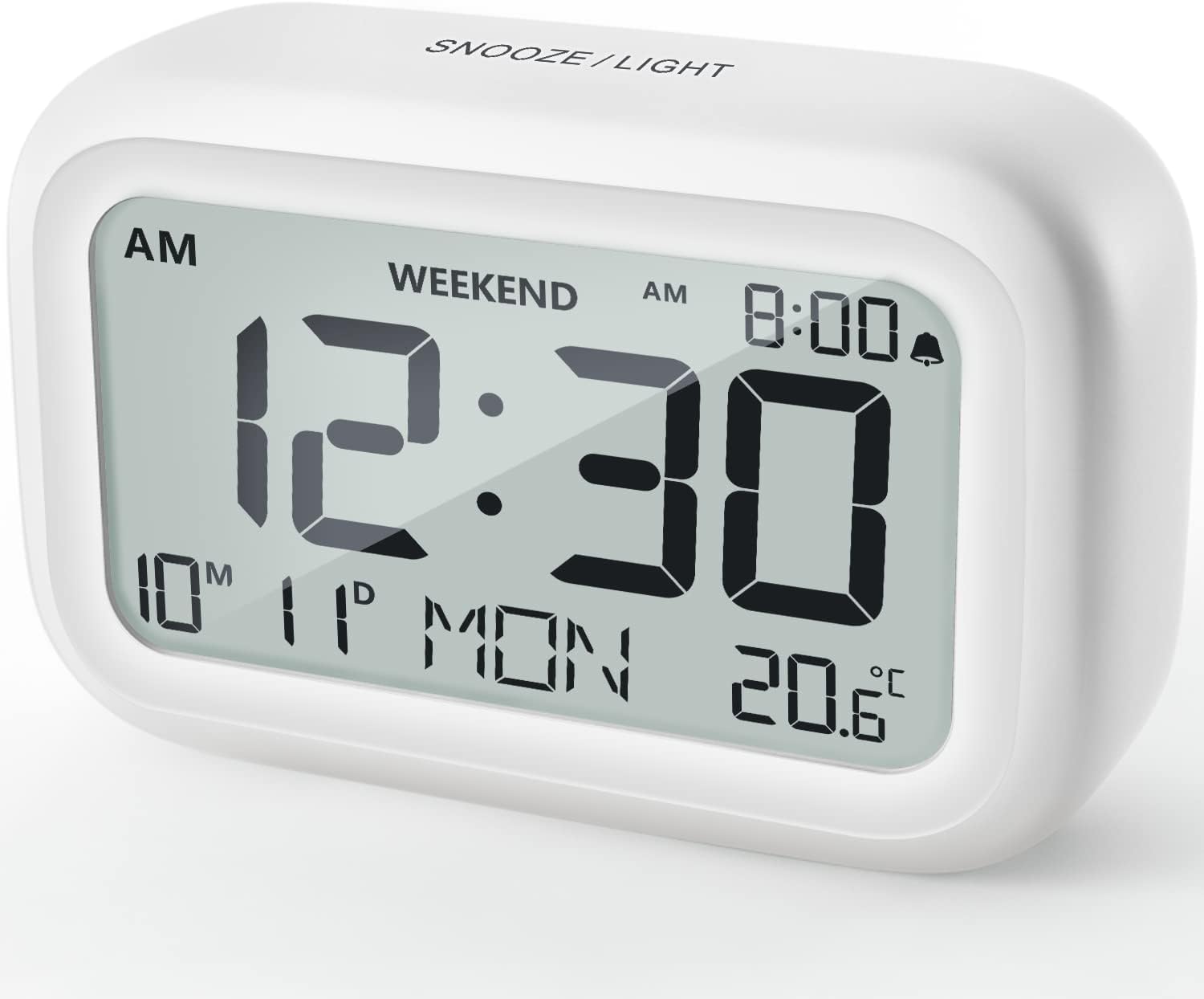
Зураг 4.1: Урд View of the Alarm Clock
This image displays the front of the DOOMAY Digital Alarm Clock, highlighting its large, clear LCD screen. The screen shows the current time (12:30), AM indicator, day of the week (MON), date (10th month, 11th day), and indoor temperature (20.6°C). The top of the clock has a "SNOOZE/LIGHT" button.

Зураг 4.2: Гол онцлогуудview
This diagram illustrates the main functionalities of the alarm clock: 12/24H time display, calendar, alarm setting, adjustable volume, snooze function, backlight, weekend mode, and temperature display. The clock itself is shown on a wooden table, displaying 7:00 AM, Friday, and 28.8 degrees.

Figure 4.3: Back Panel Controls
This image shows the rear of the alarm clock, detailing the various control buttons and the battery compartment. Buttons are clearly labeled for: 12/24H time format, Alarm setting, Weekend mode, Date setting, Minus (-) for decreasing values, Plus (+) for increasing values, and °C/°F for temperature unit selection. The battery compartment is visible, designed for two AAA batteries.
Хяналт ба дэлгэц:
- LCD дэлгэц: Shows time, date, day of week, AM/PM indicator, alarm status, and temperature.
- SNOOZE/LIGHT Button (Top): Activates snooze function during alarm; illuminates backlight for 5 seconds.
- 12/24H Button (Back): 12 цаг болон 24 цагийн цагийн форматын хооронд шилжинэ.
- ALARM Button (Back): Сэрүүлгийн тохиргооны горимд орно.
- WEEKEND Button (Back): Activates/deactivates weekend mode.
- DATE Button (Back): Enters date setting mode.
- MINUS (-) Button (Back): Decreases values during setting; adjusts alarm volume.
- PLUS (+) Button (Back): Increases values during setting; adjusts alarm volume.
- °C/°F Button (Back): Цельсийн болон Фаренгейтийн температурын нэгжүүдийн хооронд шилжүүл/унтраана.
5. Тохиргоо
5.1 Батерей суурилуулах
- Цагны ард байрлах зайны тасалгааны тагийг нээнэ үү.
- Зөв туйлшралыг (+ ба -) хангаж, хоёр (2) AAA батерейг оруулна уу.
- Зайны тасалгааны тагийг сайтар хаа.
- The display will light up, and the clock will be ready for initial setup. A low battery symbol will appear when batteries need replacement. If the display shows "8888" flashing, it's also an indication to change batteries.
5.2 Анхны цаг, огнооны тохиргоо
- Цаг тохируулах:
- дээр дарна уу 12/24 цаг button to switch between 12-hour (with AM/PM) and 24-hour formats.
- -г удаан дар 12/24 цаг Цаг тохируулах горимд орохын тулд товчийг 3 секунд дарна уу. Цагийн цифрүүд анивчих болно.
- -г ашиглана уу + or - цагийг тохируулах товчлуурууд.
- дээр дарна уу 12/24 цаг Цагийг баталгаажуулж, минутын тохиргоо руу шилжихийн тулд товчийг дахин дарна уу. Минутын цифрүүд анивчих болно.
- -г ашиглана уу + or - минут тохируулах товчлуурууд.
- дээр дарна уу 12/24 цаг button one more time to exit time setting.
- Огноог тохируулах:
- -г удаан дар огноо button for 3 seconds to enter date setting mode. The year digits will flash.
- -г ашиглана уу + or - оныг тохируулах товчлуурууд.
- дээр дарна уу огноо button again to confirm the year and move to month setting.
- Adjust the month using + or -.
- дарна уу огноо again to move to day setting.
- Adjust the day using + or -.
- дарна уу огноо one more time to exit date setting. The day of the week will automatically adjust.
6. Ашиглалтын заавар
6.1 Сэрүүлгийг тохируулах
- -г удаан дар СЭРҮҮЛЭГ button for 3 seconds. The alarm hour digits will flash.
- -г ашиглана уу + or - хүссэн сэрүүлгийн цагийг тохируулах товчлуурууд.
- дээр дарна уу СЭРҮҮЛЭГ button again to confirm the hour and move to minute setting. The alarm minute digits will flash.
- -г ашиглана уу + or - buttons to set the desired alarm minute.
- дээр дарна уу СЭРҮҮЛЭГ button one more time to exit alarm setting. The alarm icon (bell symbol) will appear on the display, indicating the alarm is active.
- Сэрүүлгийг асаах/унтраахын тулд товчийг дарна уу СЭРҮҮЛЭГ button once. The bell icon will appear/disappear.
6.2 Түр хойшлуулах функц
When the alarm sounds, gently tap the large УНТАХ / ГЭРЭЛ button on the top of the clock. The alarm will pause for 9 minutes and then sound again. This can be repeated multiple times.

Figure 6.1: Activating Snooze
This image demonstrates how to activate the snooze function by touching the top of the alarm clock. The text highlights that this action provides an additional 9 minutes of sleep after the alarm sounds.
To completely turn off the alarm after it sounds (without snoozing), press any button on the back of the clock.
6.3 Амралтын өдрийн горим
The weekend mode allows the alarm to sound only from Monday to Friday, preventing it from ringing on Saturday and Sunday.

Figure 6.2: Weekend Mode Activated
This image shows the alarm clock display with the "WEEKEND" indicator prominently displayed, signifying that the weekend mode is active. The accompanying text clarifies that in this mode, the alarm will only sound from Monday to Friday, ensuring undisturbed weekends.
- To activate Weekend Mode, press the АМРАЛТЫН ӨДРҮҮД button once. The "WEEKEND" indicator will appear on the display.
- To deactivate Weekend Mode, press the АМРАЛТЫН ӨДРҮҮД button again. The "WEEKEND" indicator will disappear.
6.4 Adjustable Alarm Volume
The alarm clock offers two volume levels: Low (70 dB) and High (85 dB).

Figure 6.3: Alarm Volume Levels
This image visually represents the two available alarm volume settings: L01 (85 dB) for a louder alarm and L02 (70 dB) for a softer alarm. The alarm clock is shown in a bedroom setting, emphasizing its use as a bedside device.
- Ердийн цаг харуулах горимд байх үед товчийг дарна уу + or - buttons to cycle between the two alarm volume levels. The current volume level will be briefly displayed.
6.5 Арын гэрэлтүүлгийн функц
To illuminate the display in low light conditions, simply tap the УНТАХ / ГЭРЭЛ button on the top of the clock. The backlight will activate for approximately 5 seconds, providing clear visibility of the time and other information.
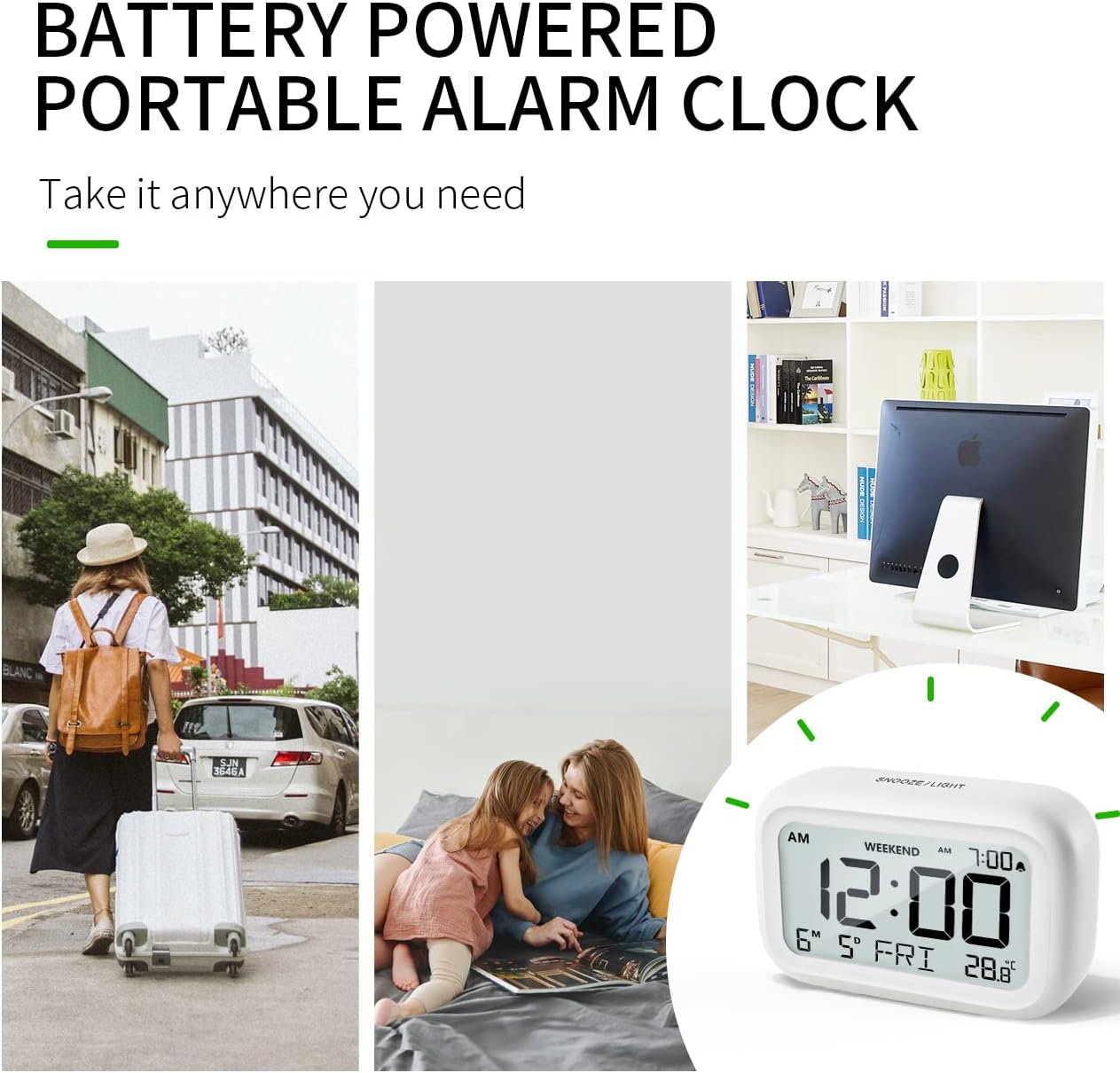
Figure 6.4: Backlight in Action
This image provides a side-by-side comparison of the alarm clock's display. On the left, the clock is shown in a well-lit environment. On the right, the same clock is shown in a dark setting with its 5-second backlight activated, demonstrating how the display becomes clearly visible at night.
6.6 Температурын дэлгэц
The clock displays the indoor temperature. You can switch between Celsius (°C) and Fahrenheit (°F) units.
- To change the temperature unit, press the ° C / ° F цагийн ар талын товчлуур.
7. Засвар үйлчилгээ
7.1 Цэвэрлэгээ
Цагийг зөөлөн, хуурай даавуугаар арчина. Гадаргууг гэмтээж болзошгүй тул зүлгүүрийн цэвэрлэгч, уусгагчийг бүү ашигла.
7.2 Батерейг солих
When the low battery indicator appears on the display, or if the display shows "8888" flashing, it is time to replace the batteries. Follow the steps in Section 5.1 Battery Installation to replace the two AAA batteries.
8. Алдаа засах
| Асуудал | Боломжит шалтгаан | Шийдэл |
|---|---|---|
| Дэлгэц хоосон эсвэл бүдэг байна. | Батерей нь дуусчихсан эсвэл буруу суурилуулсан. | Батерейг шинэ AAA батерейгаар сольж, зөв туйлшралыг баталгаажуулна уу. |
| Сэрүүлэг дуугарахгүй байна. | Alarm is not activated, or Weekend Mode is ON. | Ensure the alarm icon is displayed. Check if Weekend Mode is active and deactivate if necessary. |
| Snooze function not working. | Not tapping the SNOOZE/LIGHT button correctly. | Ensure a firm, brief tap on the top SNOOZE/LIGHT button when the alarm is sounding. |
| Цаг/Огноо буруу байна. | Зөв тохируулаагүй эсвэл батарейг салгасан. | Refer to Section 5.2 Initial Time and Date Setting to re-set. |
9. Техникийн үзүүлэлтүүд
| Онцлог | Дэлгэрэнгүй |
|---|---|
| Загварын дугаар | 5293 Их Британи |
| Брэнд | МӨНГӨЛӨӨ |
| Хэмжээ (L x W x H) | 10.9 x 3.81 x 6.9 см (4.29 x 1.5 x 2.72 инч) |
| Жин | 127.01 грамм (0.28 фунт) |
| Материал | Акрилонитрил бутадиен стирол (ABS) |
| Эрчим хүчний эх үүсвэр | 2 x AAA батерей (дагсан) |
| Дэлгэцийн төрөл | Дижитал LCD |
| Дохиоллын дууны түвшин | Low (70 dB), High (85 dB) |
| Түр хойшлуулах хугацаа | 9 минут |
| Арын гэрэлтүүлгийн үргэлжлэх хугацаа | 5 секунд |
| Температурын нэгж | Цельсийн (°C) / Фаренгейтийн (°F) |
10. Баталгаат хугацаа ба дэмжлэг
DOOMAY products are designed for reliability and performance. For any questions, technical support, or warranty claims, please contact your retailer or visit the official DOOMAY website for assistance. Please retain your proof of purchase for warranty purposes.
For further information, you may visit the brand's Amazon store page: DOOMAY Store on Amazon


