1. Бүтээгдэхүүн дууссанview
The STABILA LD220 is a compact and easy-to-use laser distance measuring tool designed for quick and accurate measurements. It features an impact-resistant housing with a shock-absorbent STABILA soft grip casing, ensuring durability in various working conditions. The large digits on the display facilitate easy reading of measurements.
Гол онцлогууд:
- Compact, easy-to-use laser.
- 4 basic measuring functions: length, area, volume, and continuous measurement.
- Calculates measuring results quickly.
- Уншихад хялбар том цифрүүд.
- Impact-resistant housing with shock-absorbent STABILA soft grip casing.
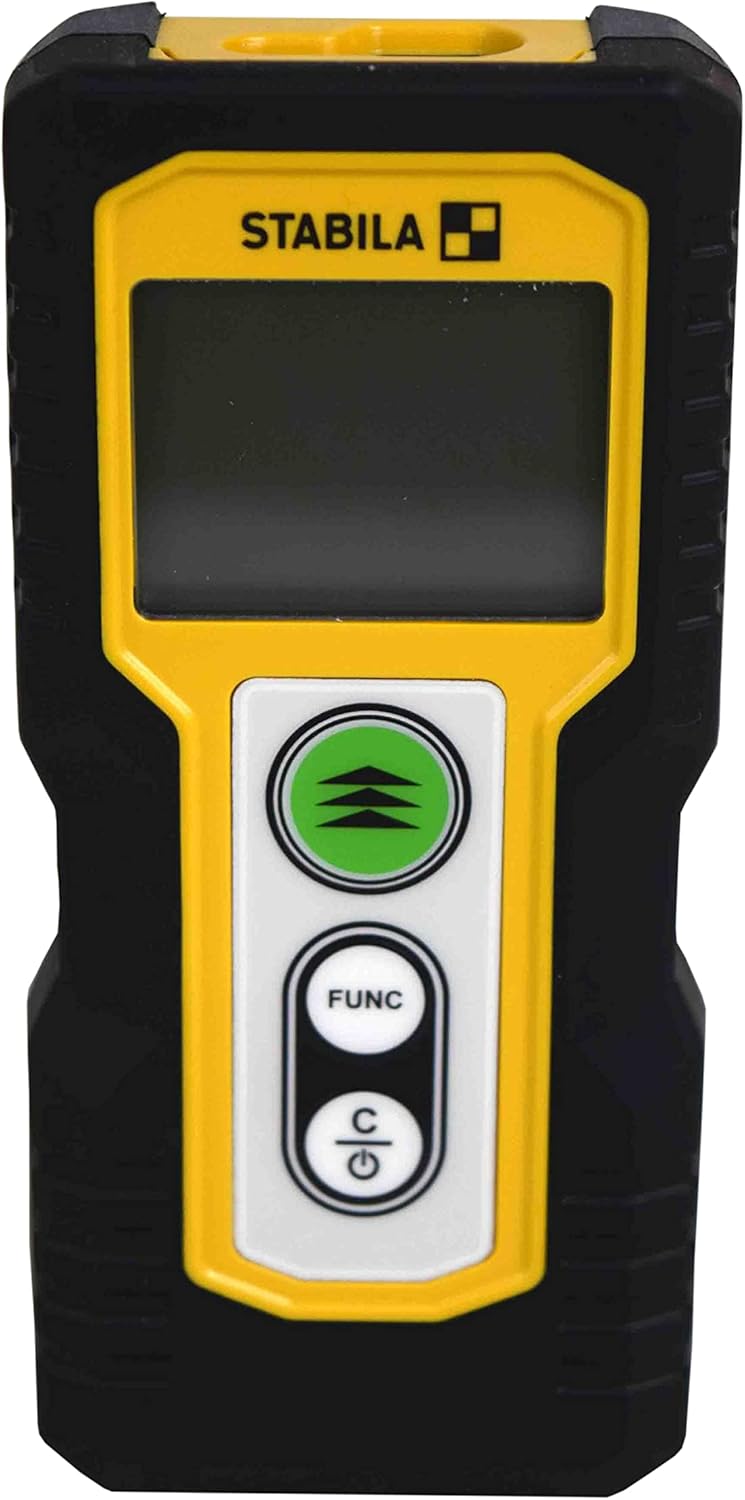
Зураг 1.1: Урд view of the STABILA LD220 laser distance measuring tool, showcasing түүний авсаархан дизайн, дэлгэц.
2. Эхлэл
2.1 Багцын агуулга
Бүх бүрэлдэхүүн хэсгүүд байгаа эсэхийг шалгаарай:
- STABILA LD220 Laser Distance Measuring Tool
- Batteries (Alkaline, LR03/AAA type)
2.2 Батерей суурилуулах
The STABILA LD220 requires two AAA alkaline batteries for operation. Follow these steps to install them:
- Төхөөрөмжийн арын хэсэгт зайны тасалгааны тагийг олоорой.
- Тагийг доош нь эсвэл сумаар заасан чиглэлд гулсуулж онгойлгоно уу.
- Insert two AAA alkaline batteries, ensuring the correct polarity (+ and -) as marked inside the compartment.
- Батерейны тасалгааны тагийг сайтар товших хүртэл нь буцааж байранд нь шургуулж хаа.

Figure 2.1: The STABILA LD220 device shown alongside two AAA batteries, indicating the power source.

Зураг 2.2: Ойрын зураг view of the two AAA alkaline batteries, which power the device.
2.3 Асаах/унтраах
Төхөөрөмжийг асаахын тулд товчийг дарна уу Power/Clear (C) товч. Унтраахын тулд товчийг удаан дарна уу Power/Clear (C) button for a few seconds, or the device will automatically shut off after a period of inactivity to conserve battery life.
3. Ашиглалтын заавар
The STABILA LD220 offers four primary measuring functions. Familiarize yourself with the buttons:
- Measurement Button (Green, with three arrows): Initiates a measurement or activates continuous measurement.
- Function Button (FUNC): Cycles through different measurement modes (Length, Area, Volume, Continuous).
- Power/Clear Button (C): Powers the device on/off, clears the last measurement, or exits a function.

Зураг 3.1: Нарийвчилсан view of the STABILA LD220's control panel, highlighting the measurement, function, and power/clear buttons.
3.1 Урт хэмжилт
This is the default mode for single distance measurements.
- Төхөөрөмж асаалттай байгаа эсэхийг шалгаарай.
- Лазер туяаг зорилтот гадаргуу руу чиглүүл.
- дээр дарна уу Хэмжилтийн товчлуур once. The measured distance will appear on the display.
3.2 Тасралтгүй хэмжилт (хяналт)
This mode allows for dynamic measurement, displaying real-time distance as you move the device.
- дээр дарна уу Хөгжим button until the continuous measurement icon (often a series of horizontal lines or a tracking symbol) appears on the display.
- дээр дарна уу Хэмжилтийн товчлуур тасралтгүй хэмжилтийг эхлүүлэх.
- Move the device slowly towards or away from the target. The display will update the distance continuously.
- дээр дарна уу Хэмжилтийн товчлуур дахин эсвэл C тасралтгүй хэмжилтийг зогсоох товчлуур.
3.3 Талбайн хэмжилт
To calculate the area of a rectangular space (Length x Width).
- дээр дарна уу Хөгжим button until the area measurement icon (a square or rectangle) appears.
- Measure the first side (e.g., length) by pointing the laser and pressing the Хэмжилтийн товчлуур.
- Measure the second side (e.g., width) by pointing the laser and pressing the Хэмжилтийн товчлуур дахин.
- Төхөөрөмж нь тухайн талбайг автоматаар тооцоолж, харуулах болно.
3.4 Эзлэхүүний хэмжилт
To calculate the volume of a rectangular space (Length x Width x Height).
- дээр дарна уу Хөгжим button until the volume measurement icon (a cube or rectangular prism) appears.
- Measure the first side (e.g., length) by pointing the laser and pressing the Хэмжилтийн товчлуур.
- Measure the second side (e.g., width) by pointing the laser and pressing the Хэмжилтийн товчлуур.
- Measure the third side (e.g., height) by pointing the laser and pressing the Хэмжилтийн товчлуур.
- Төхөөрөмж автоматаар дууны хэмжээг тооцоолж харуулах болно.

Figure 3.2: The product packaging illustrating the various measuring functions, including length, area, volume, and tracking.
4. Арчилгаа, засвар үйлчилгээ
Proper care and maintenance will extend the life of your STABILA LD220.
- Цэвэрлэгээ: Зөөлөн ашиглах, damp cloth to clean the device. Do not use harsh chemicals, abrasive cleaners, or solvents. Ensure the laser lens and display are kept clean for accurate readings.
- Хадгалах: Төхөөрөмжийг хуурай, сэрүүн газар, нарны шууд тусгал болон хэт өндөр температураас хол хадгална уу. Удаан хугацаагаар хадгалах бол гоожихоос сэргийлж батерейг нь салгаж авна уу.
- Харьцуулах: Although the device has an impact-resistant housing, avoid dropping it or subjecting it to severe shocks.
- Батерейны арчилгаа: Дэлгэц дээр цэнэг багатай үзүүлэлт гарч ирэх үед батерейгаа солино уу. Ашигласан батерейг орон нутгийн дүрэм журмын дагуу устгана уу.
5. Алдаа засах
If you encounter issues with your STABILA LD220, refer to the following common problems and solutions:
| Асуудал | Боломжит шалтгаан | Шийдэл |
|---|---|---|
| Төхөөрөмж асахгүй байна. | Дууссан эсвэл буруу суурилуулсан батерей. | Check battery polarity. Replace with new AAA alkaline batteries. |
| Буруу хэмжилт. | Лазер линз бохир; байны гадаргуу хэт тусгал/шингээгчтэй; хэмжилтийн явцад төхөөрөмж тогтворгүй байна. | Clean the laser lens with a soft cloth. Use a target plate for difficult surfaces. Ensure the device is held steady. |
| Дэлгэц нь алдааны мессежийг харуулна. | Хэмжилт нь хязгаараас хэтэрсэн; дотоод алдаа. | Ensure target is within the 100ft (30m) range. Power off and restart the device. If the error persists, contact support. |
| Лазер туяа харагдахгүй байна. | Хүрээлэн буй орчны хурц гэрэл; лазер идэвхжээгүй байна. | Use in lower light conditions or use a laser target plate. Press the measurement button to activate the laser. |
6. Техникийн үзүүлэлтүүд
Detailed specifications for the STABILA LD220 Laser Distance Measuring Tool:
| Тодорхойлолт | Үнэ цэнэ |
|---|---|
| Загварын дугаар | Stabila - 06220 |
| Хэмжих хүрээ | 100 фут (30 м) хүртэл |
| Хэмжих функцууд | Length, Area, Volume, Continuous Measurement |
| Өнгө | Хар |
| Материал | Хуванцар |
| Хэмжээ (L x W x H) | 8 x 5 x 2 инч |
| Зүйлийн жин | 8 унц |
| Батерей шаардлагатай | No (Included Components: Stabila - 06220, but requires 2x AAA Alkaline batteries for operation) |
| Зайны төрөл | Шүлтлэг (AAA) |
| Үйлдвэрлэгч | Stabila |
| Эхний боломжтой огноо | 17 оны гуравдугаар сарын 2022 |

Зураг 6.1: Ар талд view of the STABILA LD220, displaying the product label with model number, power requirements, and laser class information.
7. Баталгаат хугацаа ба дэмжлэг
For information regarding product warranty, returns, or technical support, please refer to the documentation included with your purchase or visit the official Stabila webсайт. Баталгаат хугацааны тодорхой нөхцөл, нөхцөл нь бүс нутаг болон жижиглэн худалдаалагчаас хамаарч өөр өөр байж болно.


