1. Бүтээгдэхүүн дууссанview
The Prolink DL-7203E is a portable LTE Mobile Wi-Fi device designed to provide high-speed wireless connectivity on the go. It functions as a 4G router, allowing multiple devices to connect to the internet via a SIM card. Additionally, it features a built-in power bank function for charging other devices.
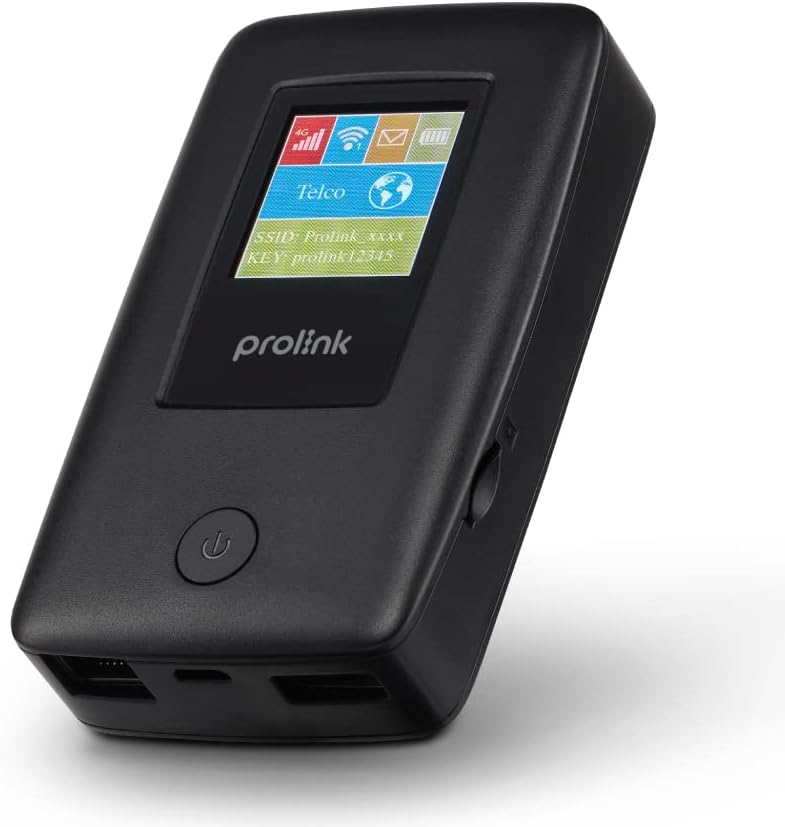
Figure 1.1: Prolink DL-7203E LTE Mobile Wi-Fi device.

Figure 1.2: Key features and capabilities of the Prolink DL-7203E.
Багцын агуулга
- Prolink DL-7203E LTE Mobile Wi-Fi Device
- USB цэнэглэгч кабель
- Хурдан эхлүүлэх гарын авлага (энэ гарын авлагад ороогүй болно)
2. Төхөөрөмжийн зохион байгуулалт
Familiarize yourself with the various components and ports of your DL-7203E device.

Зураг 2.1: Урд ба хажуу view of the Prolink DL-7203E with labeled components.
- LCD Screen Indicator: Displays signal strength, battery level, Wi-Fi status, and network information.
- SIM картны үүр: Insert your Nano SIM card here.
- RJ45 LAN/WAN Port: For wired Ethernet connection to devices or an existing network.
- Цэнэглэх порт (USB-C): Connect the provided USB cable for charging the device.
- USB Type-A Port (Output): Used for the power bank function to charge other devices.
- Цахилгаан товч: Төхөөрөмжийг асаах/унтраахын тулд удаан дарна уу.
3. Тохируулах гарын авлага
3.1 SIM картыг оруулах
- Төхөөрөмж унтарсан эсэхийг шалгана уу.
- Төхөөрөмжийн хажуу талд SIM картын үүрийг олоорой.
- Carefully insert your Nano SIM card into the slot until it clicks into place. Ensure the correct orientation as indicated on the device.
- Хэрэв боломжтой бол SIM картны үүрний тагийг хаа.
3.2 Төхөөрөмжийг цэнэглэх
- Connect the provided USB charging cable to the USB-C charging port on the DL-7203E.
- Кабелийн нөгөө үзүүрийг USB тэжээлийн адаптер (дагаагүй) эсвэл компьютерийн USB порт руу холбоно уу.
- The battery indicator on the LCD screen will show charging status. A full charge provides up to 25 hours of connectivity.
3.3 Асаах/унтраах
- Асаахын тулд: LCD дэлгэц гэрэлтэх хүртэл Power товчийг удаан дар.
- Унтраахын тулд: Төхөөрөмж унтрах хүртэл Power товчийг удаан дар.

Figure 3.1: The Auto APN feature enables plug-and-play functionality in over 185 countries.
4. Үйл ажиллагаа
4.1 Wi-Fi-аар төхөөрөмжүүдийг холбох
- Ensure the DL-7203E is powered on and has an active internet connection (indicated by the signal icon on the LCD).
- Wi-Fi холболттой төхөөрөмж дээрээ (ухаалаг утас, зөөврийн компьютер, таблет) боломжтой Wi-Fi сүлжээнүүдийг хайгаарай.
- Select the SSID (network name) displayed on the DL-7203E's LCD screen.
- Enter the Wi-Fi Key (password) also displayed on the LCD screen.
- Your device should now be connected to the internet. The DL-7203E supports up to 16 Wi-Fi devices simultaneously.

Figure 4.1: Share internet connection with up to 16 devices simultaneously.
4.2 Power Bank болгон ашиглах
The DL-7203E can double as a portable power bank to charge your mobile devices.
- Connect your mobile device's charging cable to the USB Type-A output port on the DL-7203E.
- The DL-7203E will begin charging your device.

Figure 4.2: The DL-7203E can charge your devices on the go.
4.3 Connecting via LAN/WAN Port
The RJ45 port allows for wired connectivity.
- LAN горим: Connect a device (e.g., laptop, desktop) to the DL-7203E via an Ethernet cable for a wired internet connection.
- WAN горим: Connect the DL-7203E to an existing wired network (e.g., hotel Ethernet) to share that internet connection wirelessly.
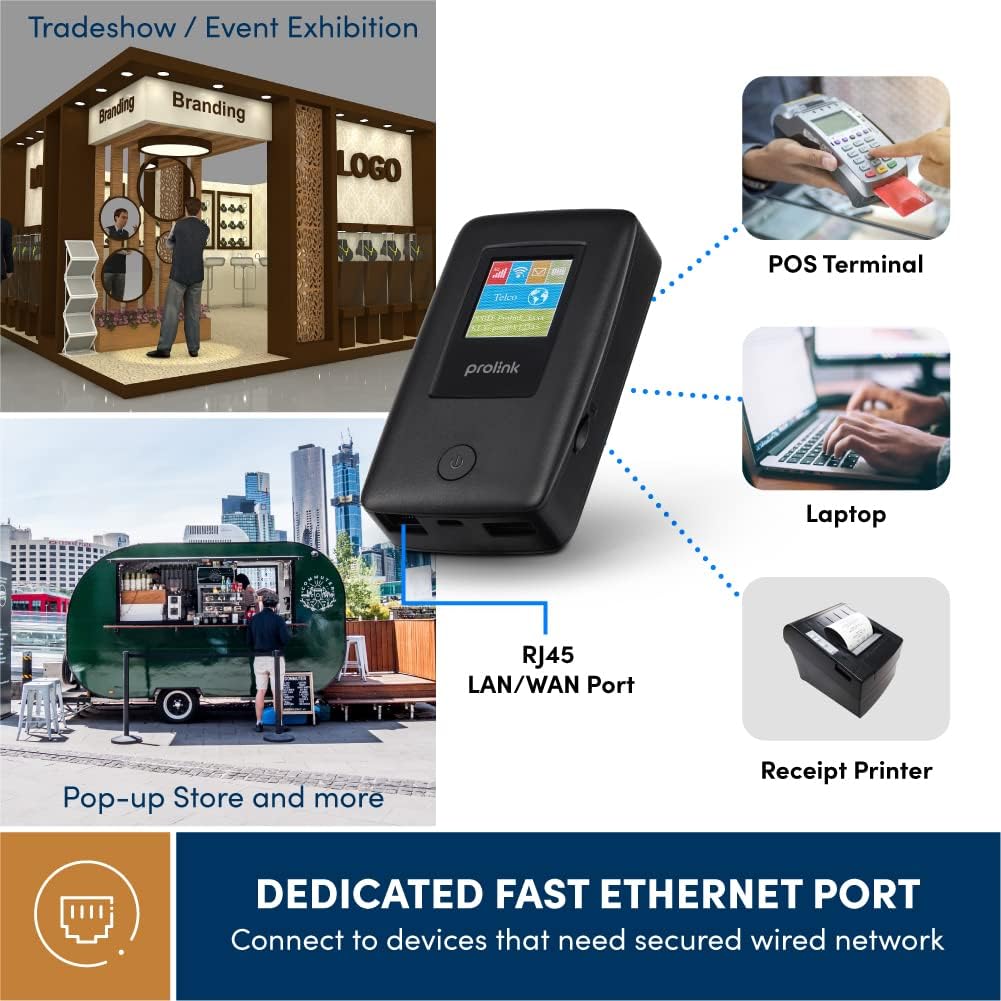
Figure 4.3: Utilize the dedicated Ethernet port for secured wired network connections.
4.4 File Sharing via MicroSD Card
The built-in microSD card slot supports up to 64GB, allowing for easy file хуваалцах.
- Зориулалтын үүрэнд microSD карт оруулна уу.
- Access the shared content wirelessly from connected devices through the device's web interface or the mProMifi App.

Figure 4.4: Share media content wirelessly across your network via a microSD card.
4.5 Using the mProMifi App
For enhanced control and monitoring, download the mProMifi App (available for devices with P/N: LTE-DL7203E-E, S/N starting from "265201" or later). The app allows you to manage settings, view connected devices, and monitor data usage.
5. Үндсэн шинж чанарууд
- Fast Connection: Enjoy high-speed connectivity of up to 150Mbps via LTE and up to 300Mbps via Wi-Fi hotspot.
- Өргөтгөсөн зай: Equipped with a 5200mAh (or 6000mAh for updated models) battery, providing up to 25 hours of continuous connectivity.
- Олон хэрэглэгчийн хандалт: Share your internet connection with up to 16 Wi-Fi enabled devices simultaneously.
- Аялалд ээлтэй: Supports automatic APN configuration for over 185 countries, making it ideal for international travel.
- Power Bank функц: Charge your smartphones and other USB-powered devices on the go.
- Ethernet порт: Provides a reliable wired connection for devices without wireless capabilities or for sharing an existing wired network.
- MicroSD картны үүр: Supports up to 64GB for convenient wireless file хуваалцах.

Figure 5.1: Enjoy extended connectivity with up to 25 hours of battery life.

Figure 5.2: The compact design allows you to stay connected wherever you are.
6. Засвар үйлчилгээ
- Цэвэрлэгээ: Төхөөрөмжийг цэвэрлэхдээ зөөлөн, хуурай даавуу ашиглаарай. Шингэн цэвэрлэгч эсвэл аэрозоль хэрэглэхээс зайлсхий.
- Батерейны арчилгаа: To prolong battery life, avoid exposing the device to extreme temperatures. If storing for a long period, charge the battery to about 50% before storage.
- Хадгалах: Төхөөрөмжийг нарны шууд тусгал, чийгээс хол, сэрүүн, хуурай газар хадгална.
7. Алдаа засах
Нийтлэг асуудал ба шийдэл
| Асуудал | Боломжит шалтгаан | Шийдэл |
|---|---|---|
| Интернет холболт байхгүй | No SIM card inserted, SIM card not activated, poor signal, incorrect APN settings. | Ensure SIM is correctly inserted and active. Move to an area with better signal. The device has Auto APN, but if issues persist, check network provider settings. |
| Wi-Fi-д холбогдох боломжгүй байна | Wi-Fi-н нууц үг буруу байна, төхөөрөмж чиглүүлэгчээс хэт хол байна, Wi-Fi идэвхгүй байна. | Verify Wi-Fi password. Move closer to the DL-7203E. Ensure Wi-Fi is enabled on the device. |
| Battery Not Charging / Draining Quickly | Faulty cable/adapter, high usage, old battery. | Try a different USB cable and power adapter. Reduce the number of connected devices or usage time. Contact support if battery life significantly degrades. |
| Төхөөрөмж гацаж / хариу өгөхгүй байна | Програм хангамжийн алдаа. | Perform a soft reset by holding the power button until the device restarts. If persistent, a factory reset might be needed (refer to advanced settings via web интерфэйс). |
8. Техникийн үзүүлэлтүүд
| Онцлог | Дэлгэрэнгүй |
|---|---|
| Загварын нэр | DL-7203E (LTE-DL7203E) |
| Брэнд | Пролинк |
| Утасгүй холбоо | 4G LTE, Wi-Fi (802.11ac) |
| Wi-Fi хурд | 300Mbps хүртэл |
| LTE хурд | 150Mbps хүртэл |
| Зайны багтаамж | 5200mAh (updated models 6000mAh) |
| Зайны ашиглалт | 25 цаг хүртэл |
| Хамгийн их Wi-Fi хэрэглэгчид | 16 |
| SIM картын төрөл | Нано SIM |
| Портууд | RJ45 LAN/WAN, USB-C Charging, USB Type-A Output |
| MicroSD Support | 64 ГБ хүртэл |
| Хэмжээ (L x W x H) | 15.4 x 9.2 x 4.4 см |
| Жин | 161 гр |
| Өнгө | Хар |
9. Баталгаат хугацаа ба дэмжлэг
Prolink products come with a local warranty and technical support. For any inquiries or assistance, please contact Prolink support.

Figure 9.1: Prolink Official Store support information.
- Имэйл тусламж: support@prolink2u.com
- Утасны дэмжлэг: (65) 6357 0666
- For the most up-to-date support information, please visit the official Prolink website or your regional Prolink support page.


