1. Танилцуулга
The Feit Electric Smart WiFi Dual Head LED Flood Light (Model S9DFL/CCT/WH/AG) is designed to provide enhanced outdoor security lighting. This fixture features integrated, long-lasting LEDs, eliminating the need for bulb replacements. It offers smart control capabilities, allowing users to manage lighting settings remotely via a smart device or through voice commands using Amazon Alexa or Google Home assistants. Key functionalities include setting schedules, timers, and adjusting color temperature. The flood light is weather-resistant and suitable for wall or eave mounting, providing reliable exterior illumination for an extended operational life.
Гол онцлогууд:
- WiFi идэвхжүүлсэн удирдлага: Compatible with 2.4 GHz Wi-Fi networks, allowing remote control via the Feit Electric app. Supports device sharing for multiple users.
- Дуут удирдлага: Integrates with Amazon Alexa and Google Home for hands-free operation, including turning lights on/off, adjusting brightness, and changing color temperature.
- Тохируулах боломжтой цагаан: Offers adjustable color temperature from warm white (2700K) to cool white (6500K) to suit various preferences and needs.
- Customizable Routines: Create groupings, set schedules, and timers for automated operation. Utilize scenes for personalized lighting configurations in different outdoor areas.
- Durable and Efficient: Engineered for outdoor use, providing 2000 lumens of illumination with a 28-watt power consumption. Designed for a long operational life of 50,000 hours and ETL Listed for quality assurance.
2. Тохируулах заавар
2.1 Физик суурилуулалт
Before proceeding with the app setup, ensure your Feit Electric Smart WiFi Dual Head LED Flood Light is physically installed according to local electrical codes and safety guidelines. This fixture is designed for hardwire installation on walls or eaves.

After installation, turn on the power to the flood light. The light should begin rapidly blinking, indicating it is in pairing mode. If the light does not blink rapidly, locate the reset button (often a small pinhole or button) on the fixture and press it using a small tool or your finger until rapid blinking begins.

2.2 Аппликейшнийг тохируулах болон хослуулах
To control your flood light via your smartphone, download the Feit Electric app from your device's app store. Ensure your smartphone is connected to a 2.4 GHz Wi-Fi network. The flood light is compatible only with 2.4 GHz networks.
Video: This video demonstrates the app setup process for Feit Electric Smart Security Lights, including pairing with the Feit Electric app and configuring initial settings.
- Open the Feit Electric app on your smartphone.
- "Төхөөрөмж нэмэх" эсвэл баруун дээд буланд байгаа "+" дүрс дээр товшино уу.
- If prompted, tap "Go to add" in the pop-up window to proceed with device discovery.
- Tap the "+" icon next to "Floodlight with PIR" (or similar device name) to add the device.
- Enter your 2.4 GHz Wi-Fi network's username and password. Ensure the password is entered correctly as it is case-sensitive.
- Tap "Confirm". The app will begin connecting to your device.
- For optimal connection, ensure your phone and the flood light are within 50 feet of your Wi-Fi router. A Wi-Fi extender may be beneficial for installations further away.
- Once connected, a confirmation screen will appear. Tap "Done".
3. Ашиглалтын заавар
After successful setup, you can control your Feit Electric Smart WiFi Dual Head LED Flood Light using the Feit Electric app or voice commands.
3.1 Basic Light Control (App)

- Асаах/унтраах: Tap the power button icon within the app to turn the lights on or off.
- Бүдэгрүүлж байна: Use the brightness slider in the app to adjust the light intensity from 1% to 100%.
- Тохируулах боломжтой цагаан: Select from preset color temperatures like Soft White (2700K), White, Day Light, or Bright White (6500K). You can also fine-tune the color temperature using the color wheel selector.
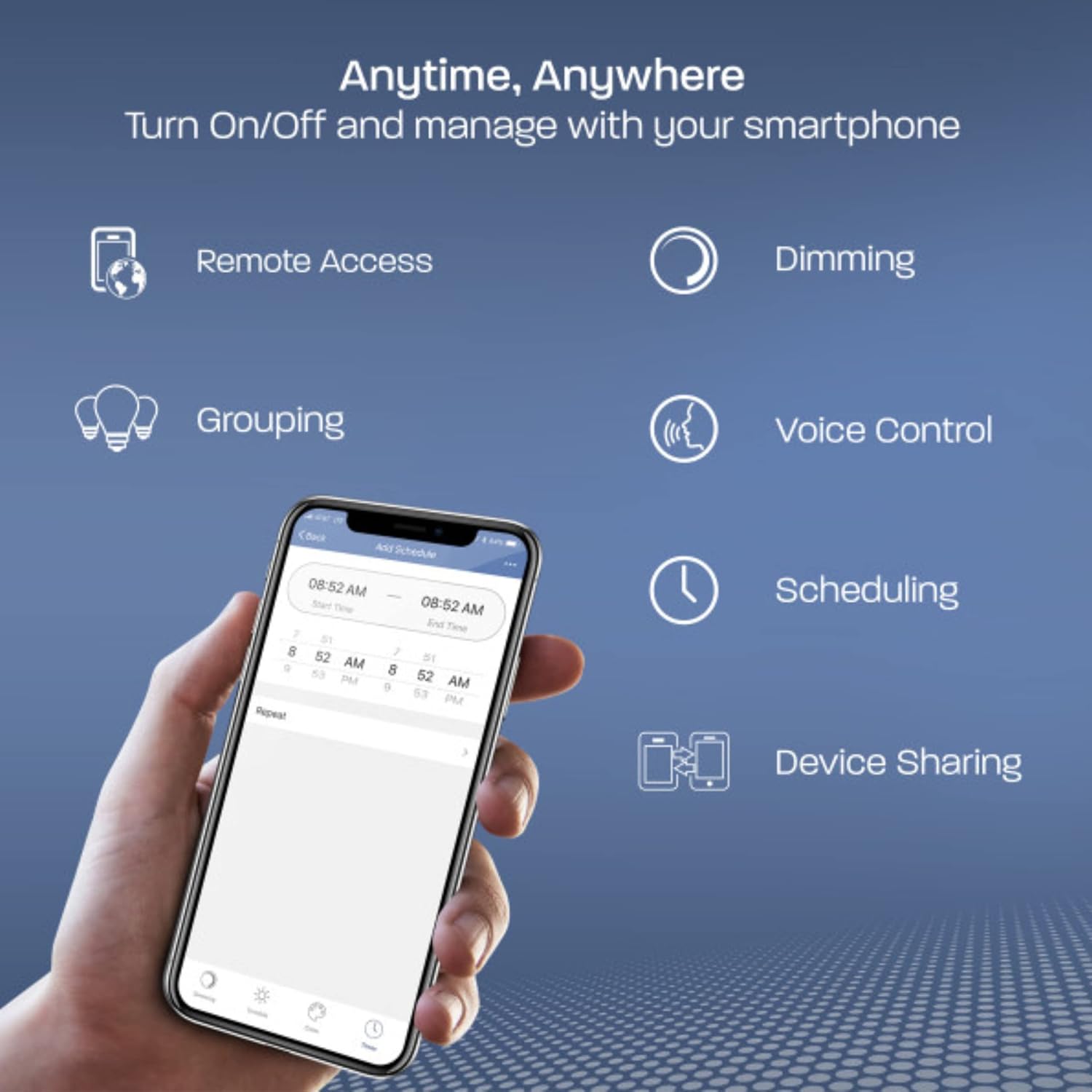
3.2 Дуут удирдлага
Integrate your flood light with Amazon Alexa or Google Home for convenient voice control. Follow the instructions within the Feit Electric app to link your account with your preferred voice assistant.

Холбоос үүсгэсний дараа та дараах командуудыг ашиглаж болно:
- "Alexa, turn on the flood light."
- "Hey Google, dim the flood light to 50%."
- "Alexa, change the flood light to Day Light."
3.3 Хуваарь, цаг хэмжигч
Automate your lighting by setting schedules and timers through the Feit Electric app.

- Хуваарь үүсгэх: In the app, navigate to the scheduling section. Select specific days and times for your flood light to turn on or off automatically.
- Цаг хэмжигчийг тохируулах: Configure timers for the light to operate for a set duration.
- Groupings and Scenes: Organize multiple Feit Electric smart lights into groups for simultaneous control or create custom scenes for specific lighting moods or events.
3.4 Motion Detection Settings (if applicable)
If your model includes a motion sensor, you can customize its behavior in the app's motion menu.

- Хөдөлгөөний хүрээ: Adjust the sensitivity and detection range of the motion sensor.
- Evening/Morning Settings: Define when the lights should activate with motion (e.g., only after early evening, or until late morning).
- Primary Timer for Lights: Set how long the lights remain on after motion is detected.
- Secondary Brightness and Timer: Configure a secondary brightness level and timer for the light to remain on at a lower intensity after the primary motion-activated period.
4. Засвар үйлчилгээ
To ensure optimal performance and longevity of your Feit Electric Smart WiFi Dual Head LED Flood Light, follow these maintenance guidelines:
- Цэвэрлэгээ: Periodically clean the exterior of the flood light with a soft, damp cloth. Avoid using abrasive cleaners or solvents, as these can damage the finish or electronic components. Ensure the light is off and cool before cleaning.
- Шалгалт: Regularly inspect the fixture for any signs of damage, loose wiring, or wear. Check that all mounting screws are secure.
- Цаг агаарын эсэргүүцэл: The flood light is designed to be weather-resistant. However, ensure that no water is pooling around the fixture's base or entering electrical connections.
- Програм хангамжийн шинэчлэлтүүд: Keep the Feit Electric app updated to the latest version to ensure compatibility and access to new features or performance improvements.

5. Алдаа засах
If you encounter issues with your Feit Electric Smart WiFi Dual Head LED Flood Light, refer to the following common troubleshooting steps:
| Асуудал | Боломжит шалтгаан | Шийдэл |
|---|---|---|
| Гэрэл асдаггүй. | Цахилгаангүй, утас суларсан, холболт эвдэрсэн. | Check circuit breaker. Ensure all wiring connections are secure. If issues persist, contact customer support. |
| Light is not blinking rapidly for pairing. | Хослуулах горимд байхгүй. | Press the reset button on the fixture until the light begins rapidly blinking. |
| Wi-Fi / програмд холбогдох боломжгүй байна. | Incorrect Wi-Fi password, 5 GHz network, weak signal, router issues. | Ensure you are connected to a 2.4 GHz Wi-Fi network. Double-check the Wi-Fi password (case-sensitive). Move closer to the router or consider a Wi-Fi extender. Restart your router and try again. |
| Дуут удирдлага ажиллахгүй байна. | Incorrect linking, voice assistant offline. | Verify that your Feit Electric account is correctly linked to Amazon Alexa or Google Home. Check the status of your voice assistant device. |
| Motion sensor not detecting or activating lights. | Incorrect motion settings, obstruction, sensor malfunction. | Adjust motion detection range and evening/morning settings in the app. Ensure there are no obstructions blocking the sensor. |
| Lights go offline frequently. | Wi-Fi дохио сул, сүлжээний ачаалал ихтэй. | Improve Wi-Fi signal strength at the installation location (e.g., Wi-Fi extender). Reduce network congestion if many devices are connected. |
6. Техникийн үзүүлэлтүүд
| Онцлог | Дэлгэрэнгүй |
|---|---|
| Загварын дугаар | S9DFL/CCT/WH/AG |
| Брэнд | Feit Electric |
| Өнгө | Цагаан |
| Материал | Хуванцар |
| Бүтээгдэхүүний хэмжээ (L x W x H) | 4.6 x 8.8 x 5.6 инч |
| Зүйлийн жин | 1.15 фунт |
| Оруулсан бүрэлдэхүүн хэсгүүд | 1 Security Light |
| Ботьtage | 120 вольт (AC) |
| Ватtage | 28 ватт |
| Булцууны төрөл | LED |
| Гэрлийн урсгал | 2000 люмен |
| Суурилуулах төрөл | Нэг тойрог |
| Баталгаажуулалт | Усны хамгаалалттай |
| Онцлог шинж чанарууд | Тохируулах өнгөний температур |
7. Баталгаат хугацаа ба дэмжлэг
7.1 Баталгаат хугацааны мэдээлэл
The Feit Electric Smart WiFi Dual Head LED Flood Light comes with a 5 жилийн баталгаат хугацаа. For detailed terms and conditions, please refer to the official Feit Electric warranty documentation or contact customer support.
7.2 Хэрэглэгчийн дэмжлэг
For further assistance, technical support, or warranty claims, please visit the official Feit Electric Store or contact their customer service department.
Official Feit Electric Store: Амазон дээрх Feit Electric Store


