1. Танилцуулга
The megacom DuoMon is a compact and efficient auto-catcher accessory designed to enhance your Pokémon Go experience. It allows for automatic catching of Pokémon and spinning of PokéStops, supporting two accounts simultaneously. With its stable Bluetooth connection, voice notifications, and easy-to-use features, the DuoMon helps trainers optimize their gameplay.
2. Багцын агуулга
Доор жагсаасан бүх зүйл таны багцад байгаа эсэхийг шалгана уу.
- megacom DuoMon Device
- USB цэнэглэгч кабель
- Keychain Strap
- Хэрэглэгчийн гарын авлага (энэ баримт бичиг)

Image: The megacom DuoMon device shown with its included accessories, such as the keychain strap.
3. Тохиргоо
3.1. Зай суурилуулах
The DuoMon requires 2 AAA batteries (not included). To install:
- Төхөөрөмжийн арын хэсэгт зайны тасалгааг ол.
- Зайны тагийг нээ.
- Зөв туйлшралыг (+/-) баталгаажуулж, 2 AAA батерейг оруулаарай.
- Зайны тагийг сайтар хаа.
3.2. Initial Pairing with Pokémon Go
Follow these steps to connect your DuoMon to your smartphone:
- Ухаалаг утсан дээрээ Bluetooth идэвхжсэн эсэхийг шалгаарай.
- Open the Pokémon Go app.
- In the Pokémon Go app, navigate to the Main Menu > Settings > Pokémon Go Plus.
- Turn on the megacom DuoMon device using the ON/OFF switch.
- Tap the icon for the DuoMon in the Pokémon Go Plus settings. The device will vibrate and the LED will flash to indicate a successful connection.
- For dual account support, repeat the process for the second account on a separate device or within the same app if supported.

Image: Illustration of the DuoMon's easy pairing process, highlighting the On/Off button and 1P/2P indicators for dual account connection.
4. Ашиглалтын заавар
4.1. Auto Catch and Auto Spin
Once connected, the DuoMon will automatically attempt to catch nearby Pokémon and spin PokéStops. Ensure you have sufficient Poké Balls and item bag space.
4.2. Мэдэгдлийг тохируулах
The DuoMon provides various notification settings via LED indicators and voice broadcasts:
- Шар LED: Sound Setting (Volume Up, Volume Down, Off)
- Нил ягаан өнгийн LED: Vibration Setting (On, Off)
- Цагаан LED: New Pokémon Notification (On, Off)
Refer to the device's physical buttons or companion app (if applicable) for specific controls to cycle through these settings.

Image: Visual guide on customizing DuoMon notifications, detailing the functions of Yellow, Purple, and White LED indicators for sound, vibration, and new Pokémon alerts.
4.3. One-Touch Reconnection
The DuoMon features a convenient one-touch reconnection function. If the connection is lost, simply tap the device icon within the Pokémon Go app to re-establish the connection without needing to remove the DuoMon from your pocket or bag.

Image: Depiction of the DuoMon's one-touch reconnection capability, emphasizing its convenience for users on the go, including while driving.
4.4. Stable Connection and Background Operation
The DuoMon maintains a stable wireless connection up to 20 meters (approximately 65 feet) from your smartphone. This allows you to keep the device in your pocket or bag while it continues to auto-catch and auto-spin in the background, freeing you from constantly monitoring your phone screen.
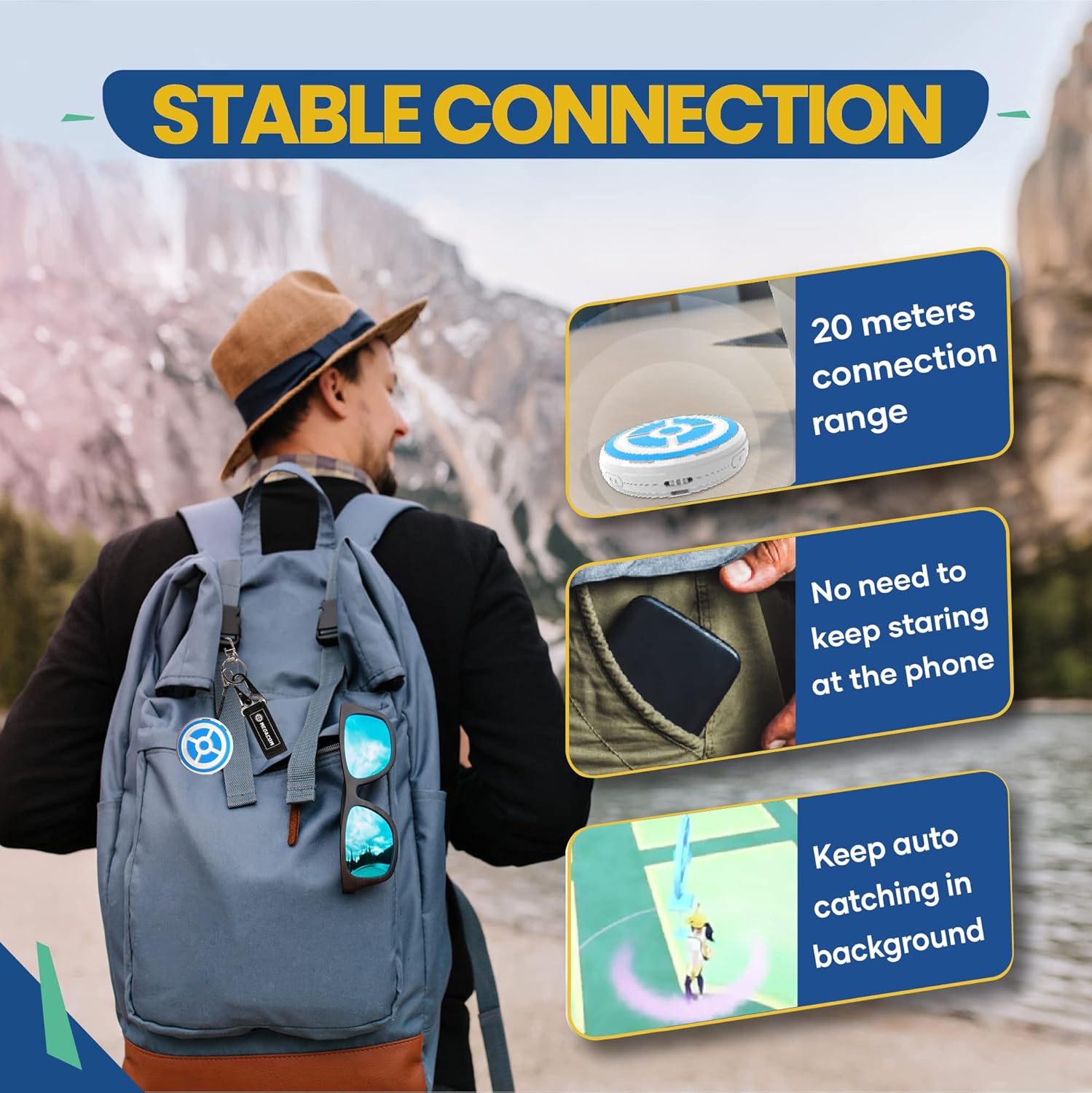
Image: Visual representation of the DuoMon's stable 20-meter connection range and its ability to continue auto-catching while the phone is not actively being used.
4.5. Live Broadcast Notifications
The DuoMon provides real-time voice notifications for important in-game events:
- Quantity Caught/Spin: Notifies you of the number of Pokémon caught or PokéStops spun.
- Холболт тасарсан: Alerts you if the Bluetooth connection is interrupted.
- Item Bag is Full: Informs you when your item bag has reached its capacity, preventing further PokéStop spins.

Image: Diagram showing the DuoMon's live broadcast features, including notifications for quantity caught/spun, lost connection, and a full item bag.
5. Засвар үйлчилгээ
To ensure the longevity and optimal performance of your megacom DuoMon, please follow these maintenance guidelines:
- Цэвэрлэгээ: Төхөөрөмжийг зөөлөн, хуурай даавуугаар арчина. Зүлгүүрийн цэвэрлэгч, уусгагчийг бүү ашигла.
- Зай солих: Replace batteries when the device indicates low power or performance degrades. Always use fresh AAA batteries.
- Хадгалах: Төхөөрөмжийг сэрүүн, хуурай газар, нарны шууд тусгал болон хэт өндөр температураас хол хадгална уу. Удаан хугацаагаар хадгалах бол гоожихоос сэргийлж батерейг нь салгаж авна уу.
- Усны эсэргүүцэл: The DuoMon is not waterproof. Avoid exposure to water or high humidity.
6. Алдаа засах
If you encounter issues with your megacom DuoMon, please refer to the following common problems and solutions:
- Device not connecting to phone:
- Таны утсан дээр Bluetooth идэвхжсэн эсэхийг шалгаарай.
- Check if the DuoMon is powered on and has fresh batteries.
- Restart both the DuoMon and the Pokémon Go app.
- Төхөөрөмжөө утасныхаа Bluetooth тохиргоонд мартаад дахин холбоно уу.
- Not auto-catching or spinning:
- Verify the DuoMon is successfully connected in the Pokémon Go app.
- Check if you have enough Poké Balls in your inventory.
- Ensure your item bag is not full for PokéStop spins.
- Confirm that the auto-catch/spin settings are enabled within the Pokémon Go Plus settings in the app.
- Voice notifications not working:
- Check the sound settings on the DuoMon (Yellow LED setting).
- Ensure your phone's media volume is not muted or too low.
- Батерейны богино хугацаа:
- Өндөр чанартай AAA батерей ашиглаж байгаа эсэхээ шалгаарай.
- Battery life can vary based on usage frequency and environmental conditions.
7. Техникийн үзүүлэлтүүд
| Онцлог | Дэлгэрэнгүй |
|---|---|
| Загварын дугаар | ДМ-1277 |
| Хэмжээ | 2.36 x 2.36 x 0.51 инч (60 x 60 x 13 мм) |
| Жин | 0.95 унц (27 грамм) |
| Эрчим хүчний эх үүсвэр | 2 x AAA батерей (оруулаагүй) |
| Холболт | Bluetooth утасгүй технологи |
| Утасгүй сүлжээ | 20 метр (65 фут) хүртэл |
| Үйлдвэрлэгч | SPERRY корпораци |
| Тохиромжтой байдал | Pokémon Go Plus compatible (iOS and Android) |
8. Баталгаат хугацаа ба дэмжлэг
The megacom DuoMon is manufactured by SPERRY Corporation. For any product inquiries, technical support, or warranty claims, please refer to the contact information provided on the product packaging or visit the official megacom webсайт. Баталгаат хугацааны зорилгоор худалдан авалтын баримтаа хадгална уу.


