1. Танилцуулга
This manual provides detailed instructions for the installation, operation, and maintenance of your LAMTTO C310J Dual 1080P Dash Cam. Please read this manual thoroughly before using the product to ensure proper functionality and safety. This device is designed to record driving footage both in front of and inside your vehicle, offering enhanced security and evidence in case of incidents.
2. Бүтээгдэхүүн дууссанview
The LAMTTO C310J is a compact dash cam featuring dual 1080P cameras for simultaneous front and interior recording. It includes a 1.5-inch display and a range of advanced features to ensure comprehensive coverage.
Гол онцлогууд:
- Dual 1080P Recording: Тунгалаг хоол хүнсийг барьж авдагtage from both the front (170° wide-angle) and interior (140° wide-angle) of the vehicle.
- WDR технологи: Enhances image clarity in varying light conditions, preventing overexposure and underexposure.
- Давталтын бичлэг: Хамгийн эртнийхийг автоматаар дарж бичнэ fileсанах ойн карт дүүрсэн үед тасралтгүй бичлэг хийхийг баталгаажуулдаг.
- G-мэдрэгч: Гэнэтийн цохилт, мөргөлдөөнийг илрүүлж, одоогийн видеог автоматаар түгждэг file дарж бичихээс сэргийлэхийн тулд.
- Зогсоолын хяналт: Activates recording automatically when motion or impact is detected while the vehicle is parked (requires hardwire kit, not included).
- LED Signal Light Compatibility: Records traffic signals without flickering.
- Хэт улаан туяаны шөнийн хараа: Provides clear interior recording even in low-light conditions.
Багцын агуулга:
- LAMTTO C310J Dash Cam Unit
- Машины цэнэглэгч
- USB мэдээллийн кабель
- Сорох цомын уул
- Хэрэглэгчийн гарын авлага
- Pry хэрэгсэл
- 64 ГБ SD карт

Figure 2.1: LAMTTO C310J Dash Cam main unit.

Figure 2.2: Dash Cam highlighting key features.
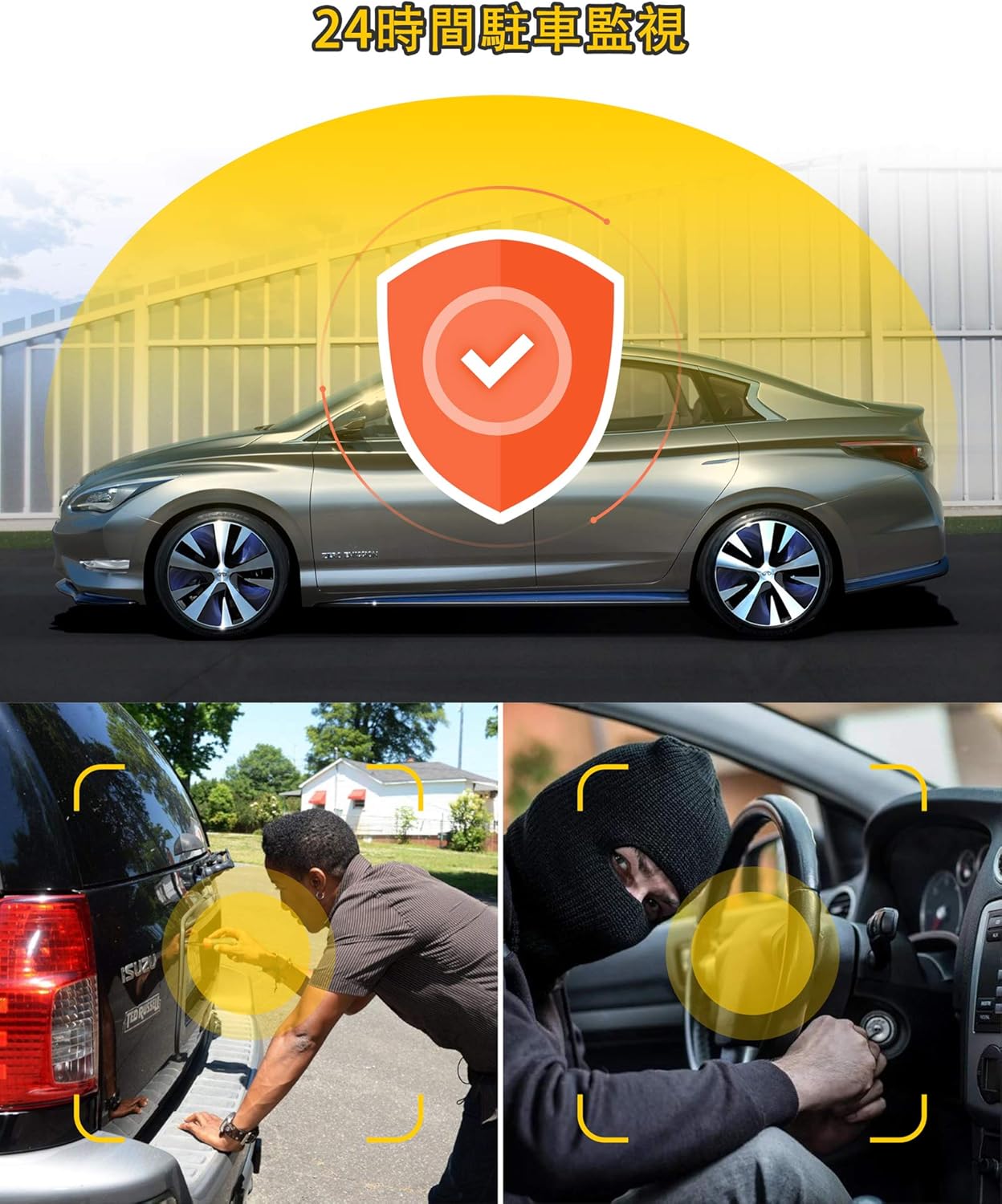
Figure 2.3: All items included in the LAMTTO C310J package.
3. Тохиргоо ба суурилуулалт
Хяналтын камерыг машиндаа зөв суурилуулахын тулд эдгээр алхмуудыг дагана уу.
3.1 Урд камер суурилуулах
- Салхины шилийг цэвэрлэх: Thoroughly clean the area on your front windshield where the dash cam will be mounted. Ensure it is free of dust and grease for optimal adhesion.
- Apply Electrostatic Film (Optional): If desired, apply the electrostatic film to the cleaned area before attaching the mount. This can help protect your windshield and make removal easier.
- Сорох аяганы бэхэлгээг холбоно уу: Secure the suction cup mount to the dash cam unit. Press the mount firmly against the windshield and engage the locking mechanism to ensure it is stable.
- Камерын өнцгийг тохируулах: Once mounted, adjust the camera lens to capture the desired view of the road ahead. The camera can be rotated 270 degrees for optimal positioning.

Figure 3.1: Step-by-step guide for installing the dash cam.
3.2 Rear Camera Installation (if applicable)
- Attach Rear Camera: Secure the rear camera to the rear windshield using its adhesive. Ensure the lens is clean and positioned to capture the desired view. The rear camera can be rotated 360 degrees.
3.3 Cable Routing and Power Connection
- Маршрутын кабель: Carefully route the power cable and any rear camera cables along the edges of your windshield and dashboard. Use the included pry tool to tuck cables neatly into gaps for a clean installation.
- Эрчим хүчийг холбох: Plug the car charger into your vehicle's cigarette lighter socket and connect the other end to the dash cam's power input.

Зураг 3.2: Жишээ ньample of routing cables for a tidy installation.
Суулгах видео:
Video 3.1: Detailed guide on how to install the dash cam.
4. Ашиглалтын заавар
Understand the various functions and settings of your LAMTTO C310J Dash Cam.
4.1 Асаах/унтраах
The dash cam will automatically power on and begin recording when your vehicle's engine starts. It will power off automatically when the engine is turned off.
4.2 Бичлэг хийх горимууд
- Давталтын бичлэг: This feature ensures continuous recording by overwriting the oldest unlocked video files when the memory card reaches its capacity. You can set video segment lengths (1, 2, or 3 minutes).
- G-Sensor (Impact Detection): Суурилуулсан G-мэдрэгч нь гэнэтийн цохилт эсвэл мөргөлдөөнийг илрүүлдэг. Идэвхжсэн үед одоогийн видеог автоматаар түгждэг file, preventing it from being overwritten, and saves it as an emergency file.
- Зогсоолын хяналт: When enabled, if your vehicle experiences a slight vibration while parked (engine off), the dash cam will automatically start recording for 20 seconds and then shut down. This provides surveillance against hit-and-runs or vandalism.
- Хөдөлгөөн илрүүлэх: In standby mode (power ON), the dash cam will start recording automatically when it detects movement in front of the camera.

Figure 4.1: Dash cam display with icons for parking monitoring, motion detection, G-sensor, and loop recording.

Figure 4.2: Illustration of the 24-hour parking monitoring feature.

Figure 4.3: Loop recording ensures continuous footage without manual deletion.

Figure 4.4: The G-sensor automatically locks video fileнөлөөллийн үед.
4.3 Дэлгэцийн горимууд
The 1.5-inch display supports split-screen viewing, allowing you to see both front and interior camera feeds simultaneously. You can switch between front-only, interior-only, or split-screen modes as needed during driving.

Figure 4.5: Front 170° and interior 140° wide-angle recording.

Зураг 4.6: Жишээ ньample of simultaneous front and interior recording.
4.4 Night Vision and WDR
Equipped with WDR (Wide Dynamic Range) technology and 4 infrared lights, the dash cam provides clear recordings even at night or in challenging lighting conditions. It effectively corrects overexposed or underexposed areas, ensuring details like license plates are visible.

Figure 4.7: Comparison of video quality with HDR off vs. HDR on.
4.5 LED Signal Light Compatibility
The recording frame rate is adjusted to 27.5fps (from traditional 30fps) to prevent the flickering phenomenon of LED traffic signals, ensuring clear recording of traffic lights.
5. Програмын холболт
Connect your dash cam to your smartphone via Wi-Fi for easy access to live footage, video playback, and settings adjustments.
- Камер асаах: Ensure your dash cam is powered on.
- Апп татаж авах: Download the 'AUTOSOCT' app from your smartphone's app store.
- Бүртгүүлэх/Нэвтрэх: Open the app and register for an account or log in. New users may need to create an account using an email address.
- Зөвшөөрөл олгох: Allow the app necessary permissions for camera, location, and local network access.
- Wi-Fi-д холбогдох: Go to your phone's Wi-Fi settings and connect to the dash cam's Wi-Fi network (e.g., 'Avylet-A4-XXXX'). The default password is '12345678'.
- Апп-д төхөөрөмж нэмэх: Return to the 'AUTOSOCT' app and click 'Add Dash Cam' or similar option. The app should detect and connect to your dash cam.
- View Амьд Footage & Playback: Нэгэнт холбогдсон бол та боломжтой view live video streams, browse recorded files, and download them to your phone.
App Connectivity Video:
Video 5.1: Guide on smartphone linkage and image confirmation.
Видео 5.2: Богино урьдчилсан мэдээview of viewing real-time video via the app.
6. Засвар үйлчилгээ
Тогтмол засвар үйлчилгээ нь таны хяналтын камерын оновчтой ажиллагаа, удаан эдэлгээг хангана.
6.1 SD картын удирдлага
It is recommended to format the SD card regularly (e.g., once a month) to prevent data corruption and ensure smooth recording. You can format the SD card directly through the dash cam's menu or via the 'AUTOSOCT' smartphone app.
6.2 Цэвэрлэгээ
Wipe the camera lenses and the dash cam body with a soft, dry cloth. Avoid using abrasive cleaners or solvents that could damage the device.
7. Алдаа засах
If you encounter any issues with your LAMTTO C310J Dash Cam, refer to the following common problems and solutions.
- Dash Cam Not Powering On Automatically:
Ensure the car charger is securely plugged into both the cigarette lighter socket and the dash cam. Check if the vehicle's cigarette lighter socket is functioning. - SD Card Error / Recording Stops:
Format the SD card regularly. Ensure you are using a high-quality, compatible SD card (64GB card is included). If the issue persists, try a different SD card. - TV Signal Interference:
Some users have reported interference with car TV signals. This can occur if the dash cam is not adequately shielded against electromagnetic interference. If this is a concern, consider repositioning the dash cam or consulting with a professional installer. - Суурилуулах асуудал:
If the mount is not holding securely, ensure the windshield surface is clean and dry before applying the suction cup. For adhesive mounts, ensure proper pressure is applied during installation. - Видео чанар муу:
Ensure the camera lenses are clean. Check the resolution settings in the dash cam menu or app to confirm it's set to 1080P.
8. Техникийн үзүүлэлтүүд
| Онцлог | Тодорхойлолт |
|---|---|
| Дэлгэцийн хэмжээ | 1.5 инч |
| Өнгө | Хар |
| Батерейнууд багтсан | Тиймээ |
| Батерей шаардлагатай | Тиймээ |
| Брэнд нэр | LAMTTO |
| Үйлдвэрлэгч | LAMTTO |
| Бүтээгдэхүүний загварын дугаар | C310JP |
| Оруулсан бүрэлдэхүүн хэсгүүд | Car charger, User manual, Charging cable |
| Бусад онцлог | G-sensor, Loop recording, Built-in speaker, Internal memory, Night vision |
| Холболтын технологи | USB |
| Дэлгэцийн төрөл | LCD |
| Суурилуулах төрөл | Цавуу |
| Бүтээгдэхүүний хэмжээс | 7 x 14 x 11 см; 370 гр |
| Зүйлийн жин | 0.37 кг |
| Видео бичлэгийн нягтрал | 1080p |
9. Баталгаат хугацаа ба дэмжлэг
Your LAMTTO C310J Dash Cam comes with an 18-month manufacturer's warranty. If you have any questions or require assistance with your product, please do not hesitate to contact us. We also offer a full refund within 1 month of purchase.
For support, please refer to the contact information provided with your purchase or visit the official LAMTTO store on Amazon.


