Танилцуулга
This manual provides detailed instructions for the installation, operation, and maintenance of your Antec P10C Mid Tower ATX PC Case. The P10C is designed for optimal airflow and quiet operation, featuring sound-dampening materials and efficient cooling solutions. Please read this manual thoroughly before beginning assembly to ensure proper setup and functionality.

Зураг: Зүүн урд view of the Antec P10C Mid Tower PC Case, showcasing its sleek, brushed metal-like front panel and overall dark gray aesthetic.
Тохиргоо ба суурилуулалт
Follow these steps to install your components into the Antec P10C PC case.
1. Кейс бэлтгэх
- Хэргийг тогтвортой, тэгш гадаргуу дээр тавь.
- Арын хэсэгт байгаа эрхий хурууны боолтыг тайлж, арагш гулсуулж хажуугийн хавтангуудыг салга.
- The front panel is reversible and swing-open. Gently open it to access the front fan mounts and dust filter.
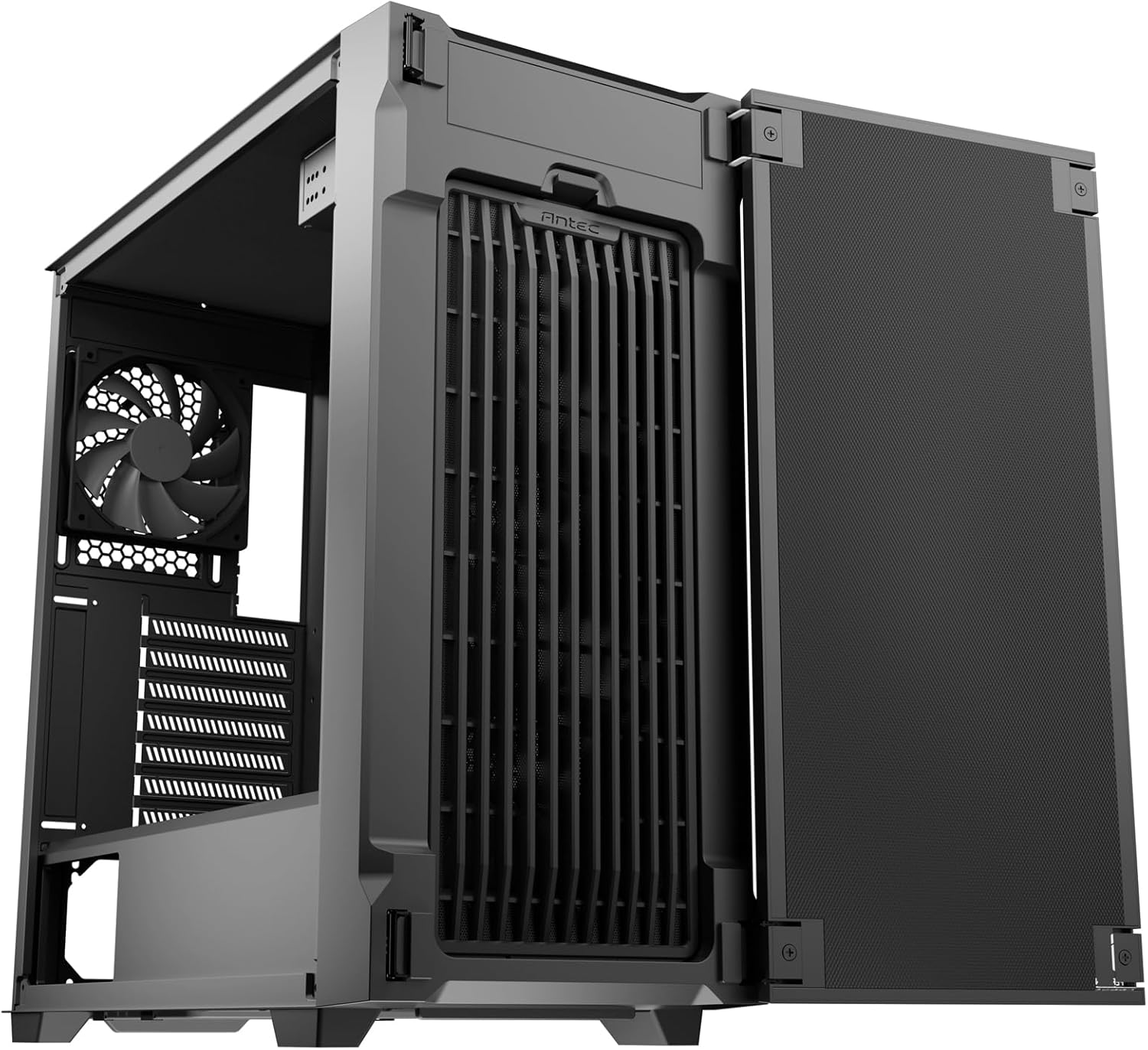
Image: The Antec P10C PC Case with its front panel swung open, revealing the internal fan mounts and the front dust filter for easy access.
2. Эх хавтанг суурилуулах
- The P10C supports ATX, M-ATX, and ITX motherboards. Ensure the standoffs are correctly aligned for your motherboard size.
- Эх хавтангаа тулгуур дээр болгоомжтой байрлуулж, боолтоор бэхлээрэй.
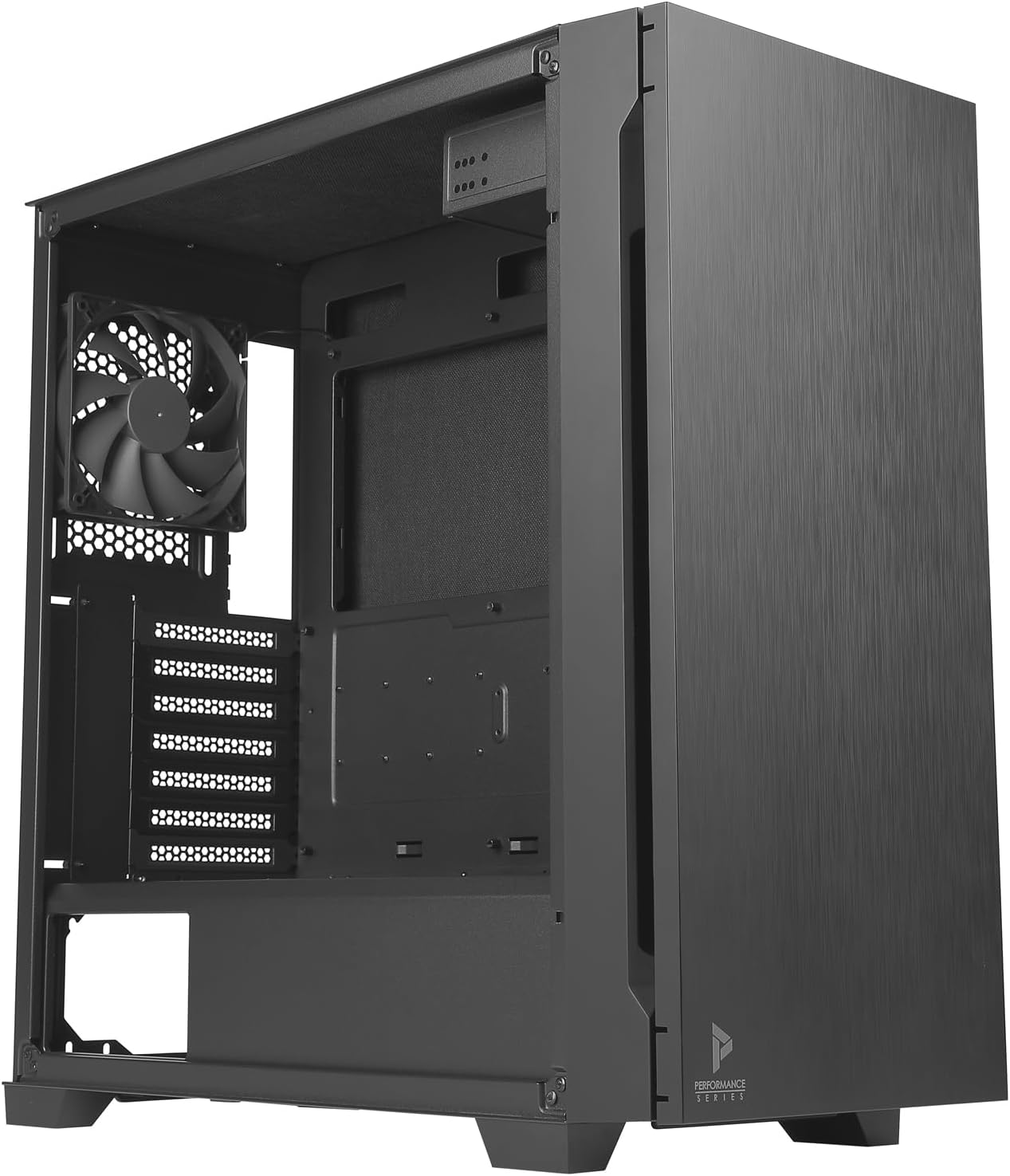
Зураг: Дотоод засал view of the Antec P10C PC Case, showing the spacious motherboard tray, rear exhaust fan, and expansion slots.
3. Драйв суурилуулах
- 3.5" HDD: The case provides three dedicated 3.5" drive bays. Slide the drives into the trays and secure them.
- 2.5" SSD: Three 2.5" SSD mounting locations are available. Secure SSDs using screws.
- 5.25" ODD: A 5.25" optical drive bay is included for an optical disk drive or other compatible devices.
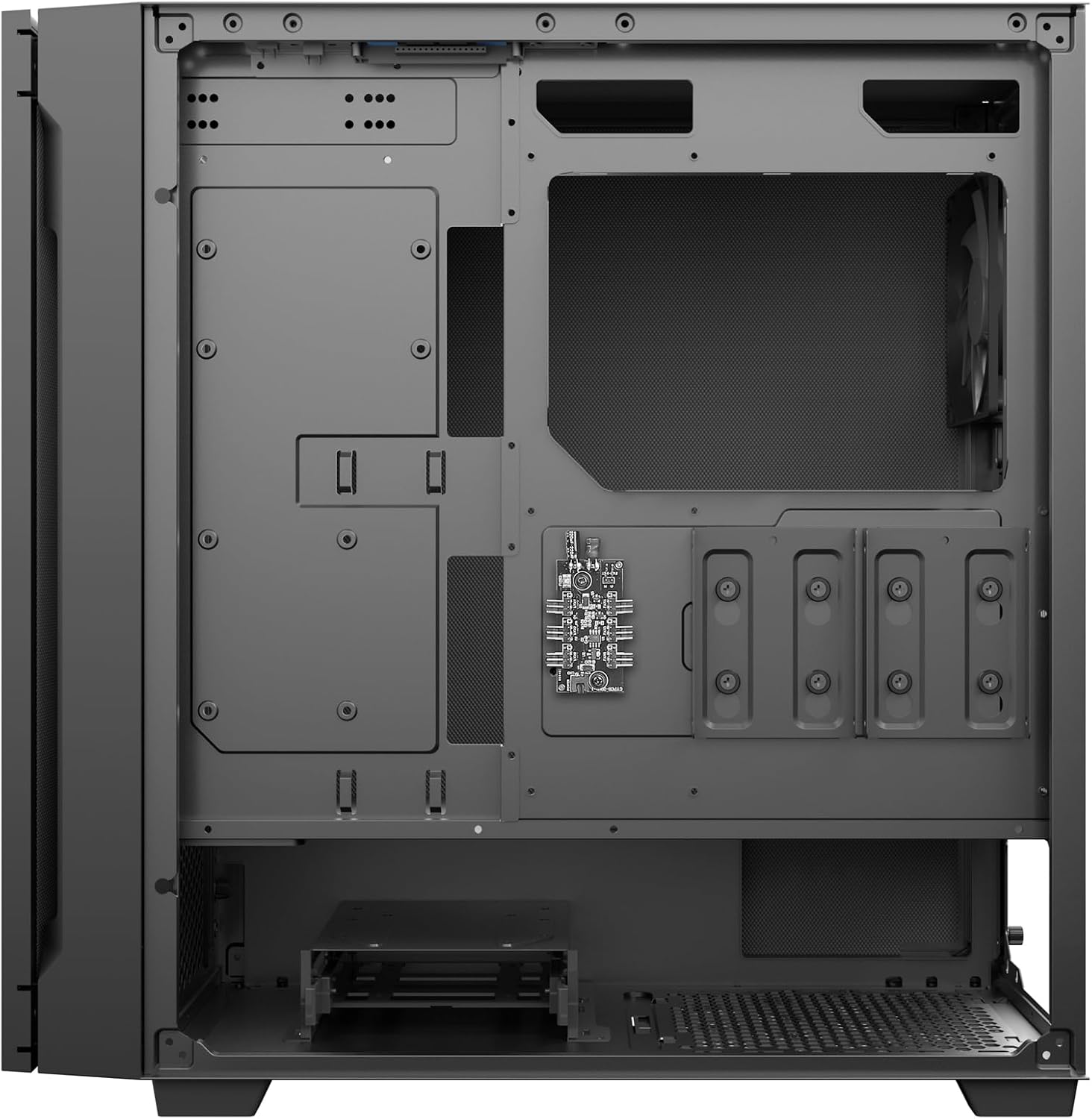
Зураг: Арын дотоод засал view of the Antec P10C PC Case, highlighting the cable management area and the mounting locations for 2.5-inch and 3.5-inch storage drives.
4. Сэнс болон Радиатор суурилуулах
- The case comes with three 120mm fans pre-installed in the front and one 120mm fan in the rear for exhaust.
- For additional cooling, the front supports radiators up to 360mm, and the rear supports a 120mm radiator.
5. Кабелийн менежмент
-г ашиглах ample space behind the motherboard tray to route and secure cables, ensuring optimal airflow and a clean build.
Үйл ажиллагааны онцлог
The Antec P10C is designed with several features to enhance user experience and system performance.
Урд талын I/O самбар
The top-mounted I/O panel provides convenient access to essential ports:
- 2 x USB 3.0 порт
- 2 x USB 2.0 порт
- 1 x USB Type-C порт
- Audio In/Out Jacks
- Цахилгаан товч
- Сэнсний хурдыг хянах товчлуур

Зураг: Ойролцоогоор view of the Antec P10C's top I/O panel, showing the power button, fan speed control, USB 3.0, USB 2.0, audio jacks, and a USB Type-C port.
Чимээгүй ажиллагаа
The P10C incorporates sound-dampening foam on the front door, side panels, and top panel to minimize noise output from your system components.
Агаарын урсгалыг оновчтой болгосон
The case features an air-concentrating front filter design that pulls air from multiple directions, enhancing cooling efficiency for your internal components.
Засвар үйлчилгээ
Тогтмол засвар үйлчилгээ нь таны компьютерын хамгийн сайн ажиллагаатай, удаан эдэлгээтэй байдлыг хангахад тусална.
Тоосны шүүлтүүр цэвэрлэх
- The P10C includes removable dust filters at the front and bottom (for the power supply unit).
- To clean, gently remove the filters. The front filter is accessible by opening the front panel. The bottom filter slides out from the rear.
- Clean the filters using compressed air or by rinsing them with water. Ensure they are completely dry before re-installing.

Зураг: Дотоод засал view of the Antec P10C PC Case, showing the bottom dust filter removed from its slot, indicating ease of access for cleaning.
Алдааг олж засварлах
Энэ хэсэгт тохиргоо эсвэл ашиглалтын явцад тулгарч болох нийтлэг асуудлуудыг авч үзнэ.
- Эрчим хүчгүй:
- Ensure all power cables (motherboard, CPU, GPU, drives) are securely connected.
- Verify the power supply unit (PSU) is switched on.
- Урд самбарын цахилгаан товчийг эх хавтантай холбосон эсэхийг шалгана уу.
- Фэнүүд эргэхгүй байна:
- Сэнсний кабелиуд эх хавтан эсвэл сэнсний хянагчтай зөв холбогдсон эсэхийг шалгана уу.
- Check fan speed settings via the front panel button or motherboard BIOS/software.
- Хэт их дуу чимээ:
- Ensure all components (fans, drives) are securely mounted to prevent vibration.
- Clean dust filters to maintain optimal airflow and reduce fan strain.
- Verify side panels are properly closed and secured.
- USB портууд ажиллахгүй байна:
- Check if the front panel USB headers are correctly connected to the motherboard.
- Ensure motherboard drivers are up to date.
Үзүүлэлтүүд
| Загварын нэр | P10C |
| Хэсгийн дугаар | 0-761345-80102-7 |
| Кейсийн төрөл | Миди цамхаг |
| Эх хавтангийн нийцтэй байдал | ATX, M-ATX, ITX |
| Хэмжээ (LxWxH) | 18.78 x 8.66 x 19.13 инч (477 x 220 x 486 мм) |
| Жин | 16.94 фунт (7.68 кг) |
| Материал | Хайлшин ган, хуванцар |
| Drive Bays | 3 x 3.5" HDD, 3 x 2.5" SSD, 1 x 5.25" ODD |
| Фэнүүд багтсан | 3 x 120mm Front, 1 x 120mm Rear |
| Радиаторын дэмжлэг | Front: Up to 360mm; Rear: 120mm |
| Урд I / O портууд | 2 x USB 3.0, 2 x USB 2.0, 1 x USB Type-C, Audio In/Out |
| Хөргөх арга | Агаар |
| Онцлог шинж чанарууд | Дуу-дampening foam, Reversible front panel, Removable dust filters |
Баталгаат болон дэмжлэг
Antec products are manufactured to high-quality standards. For specific warranty information regarding your P10C PC case, please refer to the warranty card included with your product or visit the official Antec website. For technical support or inquiries, please contact Antec customer service through their official channels.
Та нэмэлт мэдээлэл, тусламжийн эх сурвалжийг эндээс авах боломжтой Амазон дээрх Antec дэлгүүр.


