1. Танилцуулга
Thank you for choosing the iulock Keypad & Key Smart Door Lock, Model IU-30. This advanced door lock provides secure and convenient keyless entry for your home, office, or rental property. Designed for durability and ease of use, it offers multiple access options including keypad codes and traditional keys. This manual will guide you through the installation, setup, operation, and maintenance of your new smart door lock.

Figure 1: The iulock Keypad & Key Smart Door Lock in Matte Black.
2. Бүтээгдэхүүний онцлог
The iulock IU-30 is engineered with a range of features to enhance security and convenience:
- Түлхүүргүй нэвтрэх: Supports up to 50 customizable 1-15 digit user codes for flexible access.
- Удаан эдэлгээтэй барилга: Heavy-duty design with premium metal construction and plating finish for enhanced security and longevity.
- Цаг агаарын эсэргүүцэл: IP65 rated for weather resistance, operating effectively in temperatures from -22°F to 176°F, suitable for outdoor use in various climates.
- Батерейны урт наслалт: Powered by 4 AAA batteries (not included) providing up to 18 months of use, with a low battery alarm for timely replacement.
- Яаралтай тусламж: Features a Type-C USB backup port for emergency power in case batteries run out.
- Хэрэглэгчдэд ээлтэй товчлуур: Clear numbers and soft backlight for day and night operation.
- Уян хатан горимууд: Includes Passage Mode (for unlocked access during specific times) and Silent Mode (to disable keypad beeps).
- Programmable Auto-Lock: Automatically locks the door after a set period, enhancing security.
- Anti-Peeping Code Protection: Allows entry of random digits before or after the actual code to prevent code exposure.
- Detachable Silicone Grip: Provides a more comfortable and secure hold on the knob.
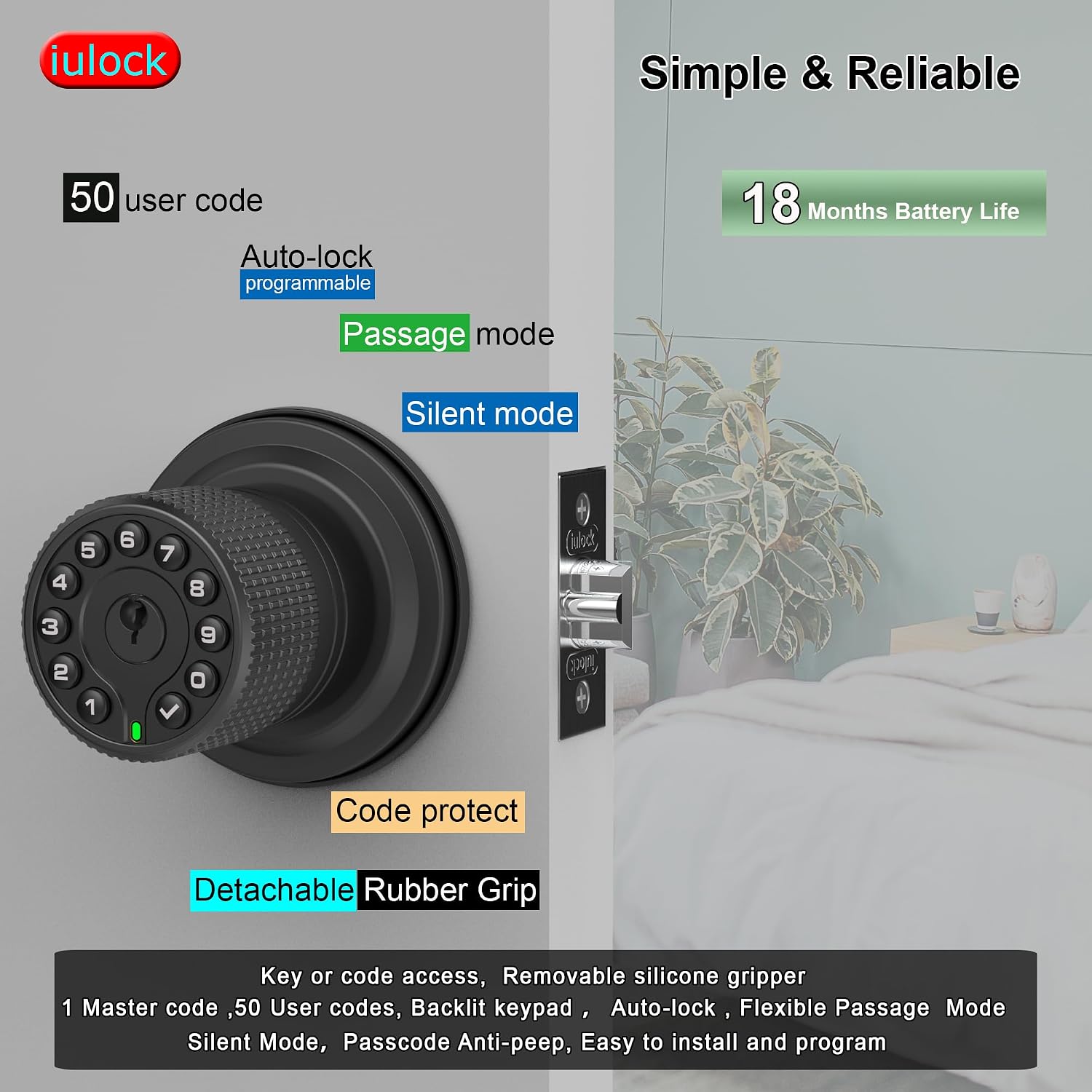
Зураг 2: Илүүview of key features including user code capacity and battery life.

Зураг 3: Нарийвчилсан view of the lock's internal structure, highlighting its robust design and waterproof features.
3. Хайрцагт юу байна
Суулгаж эхлэхээсээ өмнө бүх бүрэлдэхүүн хэсгүүд байгаа эсэхийг шалгана уу:
- Keypad Door Knob Assembly (Exterior)
- Interior Knob Assembly
- Түгжээ Болт
- Ажил хаялтын хавтан
- Шургийн багц
- Түлхүүрүүд (2)
- Хуванцар хайрцаг
- Rubber Grips (2)
- Rubber Seals (2)
- Халив
Тэмдэглэл: 4 AAA батерей шаардлагатай бөгөөд багцад ороогүй болно.

Figure 4: All components included in the iulock IU-30 package.
4. Суурилуулалт
The iulock IU-30 is designed for easy installation with just a screwdriver. It fits doors with a thickness of 1-3/8" to 2-1/2" and features an adjustable latch for 2-3/8" or 2-3/4" backsets. It is suitable for both left and right-handed doors.
4.1 Хаалганы бэлтгэл
- Ensure your door meets the thickness requirements (1-3/8" to 2-1/2").
- Verify the backset measurement (distance from door edge to center of bore hole) is either 2-3/8" or 2-3/4". Adjust the latch if necessary.

Figure 5: Door thickness and latch adjustment guide.
4.2 Суурилуулалтын үе шатууд
- Install the Latch Bolt into the door edge, ensuring the bevel faces the door frame. Secure with screws.
- Insert the Exterior Keypad Knob Assembly through the door, aligning the spindle with the latch bolt. Ensure the rubber seal is properly seated against the door surface.
- Attach the Interior Knob Assembly, connecting the wires and aligning the mounting posts. Secure with the provided screws.
- Install the Strike Plate on the door frame, aligning it with the latch bolt.
- Test the lock's mechanical function before proceeding to programming.

Зураг 6: Суулгах үйл явцын харааны гарын авлага.
5. Тохиргоо ба програмчлал
After installation, you will need to program your lock. All programming is done directly on the keypad.
5.1 Initial Setup: Master Code
The first step is to set a Master Code. This code is used for all programming functions and should be kept confidential.
- Open the battery cover on the interior knob.
- Press the 'Program' button (usually located near the battery compartment).
- Enter your desired new Master Code (4-10 digits) on the keypad.
- Press the 'Lock' button (checkmark symbol) to confirm.
- The lock will beep and the keypad will flash to indicate successful programming.
5.2 Adding User Codes
You can add up to 50 unique user codes for family members or guests.
- Press the 'Program' button.
- Enter your Master Code, then press the 'Lock' button.
- Press '1' (or the designated key for adding user codes).
- Enter the new User Code (4-10 digits).
- Press the 'Lock' button to confirm.
- Repeat for additional user codes.
5.3 Хэрэглэгчийн кодуудыг устгах
To remove a user code:
- Press the 'Program' button.
- Enter your Master Code, then press the 'Lock' button.
- Press '2' (or the designated key for deleting user codes).
- Устгахыг хүссэн хэрэглэгчийн кодоо оруулна уу.
- Press the 'Lock' button to confirm.
6. Түгжээг ажиллуулах
6.1 Хаалганы түгжээг тайлах
- Код ашиглах нь: Enter a valid user code or the Master Code, then press the 'Lock' button. The knob will unlock, allowing you to turn it to open the door.
- Түлхүүр ашиглах: Түлхүүрийн нүхэнд физик түлхүүрээ оруулаад түгжээг тайлахын тулд эргүүлнэ үү.
6.2 Хаалгыг түгжих
- Гараар түгжих: Press the 'Lock' button on the keypad. The door will lock immediately.
- Автоматаар түгжих: The lock will automatically re-lock after a programmed delay (default or user-defined).
6.3 Тусгай горимууд
- Дамжуулах горим: To keep the door unlocked for continuous access, activate Passage Mode. This is useful for high-traffic periods. Refer to your programming instructions for activating and deactivating this mode.
- Чимээгүй горим: To disable the keypad's beeping sounds during code entry, activate Silent Mode. This can be useful in quiet environments.
- Харах эсрэг функц: When entering your code, you can input random digits before or after your actual code. For exampХэрэв таны код 1234 бол та 567123489 гэж оруулж болно. Түгжээ нь урт мөр доторх зөв дарааллыг таних болно.
7. Засвар үйлчилгээ
7.1 Батерейг солих
The lock requires 4 AAA alkaline batteries. When the battery is low, the lock will emit a low battery warning. Replace all four batteries promptly.
- Remove the battery cover on the interior knob.
- Хуучин батерейг салга.
- Insert four new AAA alkaline batteries, ensuring correct polarity.
- Зайны тагийг солих.
Note: In case of complete battery depletion, use a Type-C USB cable to connect to the emergency power port on the exterior knob to temporarily power the lock and gain entry.
7.2 Цэвэрлэгээ
Цоожны гадна талыг зөөлөн, damp cloth. Avoid using abrasive cleaners or solvents, as these can damage the finish and electronic components.
8. Алдаа засах
If you encounter issues with your iulock smart door lock, refer to the following common problems and solutions:
| Асуудал | Боломжит шалтгаан | Шийдэл |
|---|---|---|
| Keypad does not light up or respond. | Дууссан батерейнууд. | Replace all 4 AAA batteries. Use the USB-C backup power if needed to gain entry. |
| Lock does not unlock with a valid code. | Incorrect code entered; Lock is in a specific mode (e.g., Passage Mode off); Mechanical issue. | Ensure the correct code is entered followed by the 'Lock' button. Check if Passage Mode is active. Try using the physical key. |
| Auto-lock feature is not working. | Auto-lock is disabled or set to a long delay. | Refer to the programming instructions to enable or adjust the auto-lock delay. |
| Knob is difficult to turn or feels loose. | Буруу суурилуулалт; Сул боолт. | Check all mounting screws and ensure they are tightened properly. Re-verify installation steps. |
| Keypad beeps are too loud or not present. | Silent Mode is enabled/disabled. | Refer to programming instructions to toggle Silent Mode on or off. |
9. Техникийн үзүүлэлтүүд
| Онцлог | Дэлгэрэнгүй |
|---|---|
| Загварын нэр | IU-30 |
| Брэнд | iulock |
| Түгжээний төрөл | Товчлуур |
| Материал | Rubber, Zinc Alloy |
| Өнгө | Матт хар |
| Хэмжээ (L x W x H) | 7 x 4.5 x 3.1 инч |
| Зүйлийн жин | 2.29 фунт |
| Хаалганы зузаанын нийцтэй байдал | 1-3/8" to 2-1/2" |
| Тохируулах түгжээ | 2-3/8" or 2-3/4" |
| Эрчим хүчний эх үүсвэр | 4 AAA батерей (оруулаагүй) |
| Зайны ашиглалт | 18 сар хүртэл |
| Ашиглалтын температур | -22°F-ээс 176°F хүртэл |
| Усны хамгаалалттай үнэлгээ | IP65 |
| Хэрэглэгчийн кодын багтаамж | 1 Master Passcode, 50 User Passcodes |
| Кодын урт | 1-15 оронтой |
| Яаралтай тусламж | USB-C type backup |
10. Баталгаат хугацаа ба дэмжлэг
10.1 Баталгаат хугацааны мэдээлэл
iulock extends a lifetime limited mechanical and finish warranty and a one-year limited electronics warranty to the original consumer user ("Original User") of our iulock brand product ("Product") against defects in material and workmanship, as long as the Original User occupies the residential premises upon which the Product was originally installed. This warranty is subject to specific terms and conditions. For detailed warranty information and limitations, please refer to the official iulock webсайт дээр www.iulock.com.
10.2 Хэрэглэгчийн дэмжлэг
For any questions, technical assistance, or warranty claims, please contact iulock customer support. Refer to the contact information provided on the iulock website or your purchase documentation for the most current support channels. iulock offers 7x24 efficient service to assist you.


