1. Танилцуулга
This manual provides detailed instructions for the installation, operation, and maintenance of your Newgoal 1 Channel Smart WiFi Relay Switching Module. This wireless switch allows you to remotely control connected home appliances or electrical devices via the eWeLink app, Bluetooth, or voice commands through Amazon Alexa and Google Home. It supports various working modes to suit different applications.
2. Аюулгүй байдлын мэдээлэл
Please read and understand all safety warnings and instructions before installing or operating this device. Failure to follow these instructions may result in electric shock, fire, or serious injury.
- Утас холбохоос өмнө хэлхээний таслуур дээрх цахилгаан тасарсан эсэхийг шалгаарай.
- Бүх утсыг мэргэшсэн цахилгаанчин эсвэл орон нутгийн цахилгааны кодын дагуу хийх ёстой.
- Do not exceed the maximum current and wattage ratings of the device (10A/2000W per channel, 16A/3500W total).
- This device is designed for indoor use only. Avoid exposure to moisture or extreme temperatures.
- The relay is a switch with no output; the power input (AC/DC) is only for the PCBA.
3. Бүтээгдэхүүн дууссанview
The Newgoal Smart WiFi Relay Switching Module is a compact device designed for smart home integration. It features a single channel relay for controlling electrical loads.

Figure 3.1: Newgoal 1 Channel Smart WiFi Relay Switching Module. This image shows the compact design of the smart relay module, highlighting its small form factor suitable for various installations.
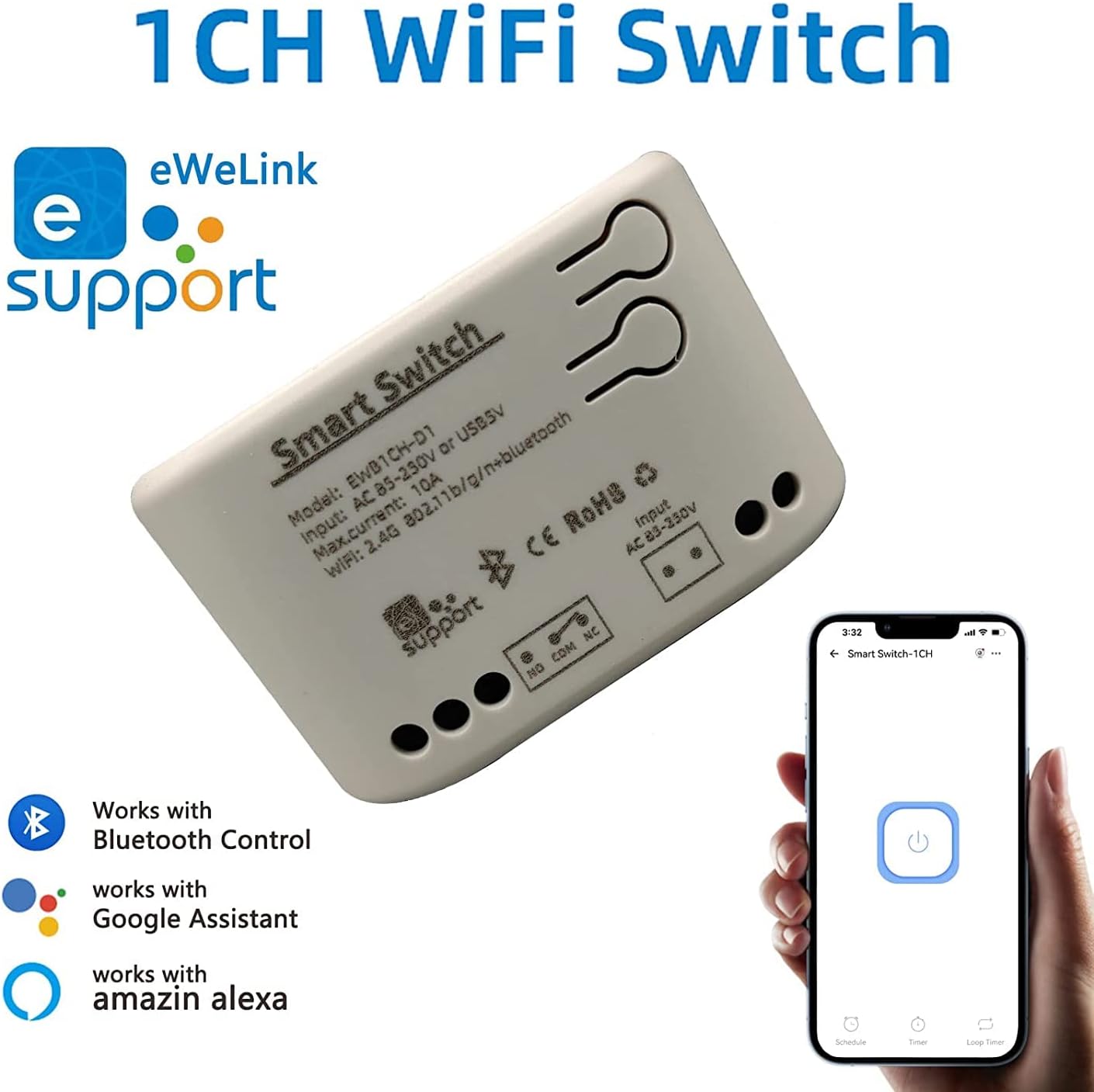
Figure 3.2: Module with eWeLink and Voice Assistant Compatibility. This image illustrates the module's compatibility with eWeLink, Bluetooth, Amazon Alexa, and Google Assistant, emphasizing its versatile control options.
Гол бүрэлдэхүүн хэсгүүд:
- Релей: Controls the connected electrical load.
- Input Terminals (AC85V-250V or USB 5V): For powering the module.
- Output Terminals (NO, COM, NC): For connecting to the device to be controlled.
- Reset/Manual Switch Button: For pairing and manual control.
- Network Indicator/Power Indicator LED: Статусын санал хүсэлтийг өгдөг.

Figure 3.3: Internal Board and Wiring Diagram. This image displays the internal circuit board of the module, clearly labeling the input terminals (AC 85-250V, USB 5V), output terminals (NO, COM, NC), reset/manual switch, network indicator, and the relay component.
4. Техникийн үзүүлэлтүүд
| Параметр | Үнэ цэнэ |
|---|---|
| Оролтын хэмжээtage | AC85V-250V or USB 5V |
| Maximum Current (Single Channel) | 10 А |
| Хамгийн их ваттtage (Single Channel) | 2000 Вт |
| Нийт хүч | 3500W/16A (for 4-channel models, not applicable to this 1-channel model's total) |
| Утасгүй стандарт | Wi-Fi 2.4GHz b/g/n + Bluetooth |
| Алсын удирдлагын давтамж | 2.4G (for optional wireless remote control) |
| Ажлын температур | -20~70° |
| Биеийн материал | Галд тэсвэртэй ABS |
| Хэмжээ | 73 x 46 x 30 мм (2.76 x 1.77 x 1.18 инч) |
| Зүйлийн жин | 2.04 унц |
| Холбоо барих төрөл | Ер нь нээлттэй |
| Терминалуудын тоо | 2 (for relay output) |
| Загварын дугаар | NG8000006ew-RF |
| UPC | 735372698226 |
5. Тохиргоо
5.1 Утас
Before wiring, ensure the power supply to the circuit is completely disconnected. Connect the module according to your application's requirements. The module can be powered by AC85V-250V or USB 5V. The relay output has Normally Open (NO), Common (COM), and Normally Closed (NC) terminals. Connect your device to be controlled to the COM and NO terminals for typical switching applications.
Refer to Figure 3.3 for a visual representation of the wiring terminals.
5.2 Апп суулгах болон хослуулах
To control the module via your smartphone, you need to install the eWeLink app and pair the device.
- eWeLink програмыг татаж авах: хайх "eWeLink" in your mobile device's app store (available for Android and iOS) and install it.
- Бүртгүүлэх/Нэвтрэх: eWeLink аппликейшнийг нээгээд шинэ бүртгэл үүсгэх эсвэл байгаа бүртгэлээрээ нэвтэрнэ үү.
- Power On the Module: Connect the module to a power source (AC85V-250V or USB 5V). The network indicator LED should start blinking.
- Хослуулах горимыг оруулна уу: Press and hold the reset/manual switch button on the module for approximately 5-7 seconds until the network indicator LED blinks rapidly.
- Апп-д төхөөрөмж нэмэх: In the eWeLink app, tap the "+" icon to add a new device. Select "Quick Pairing Mode" or follow the on-screen instructions for Bluetooth pairing.
- Wi-Fi-д холбогдох: Enter your 2.4GHz Wi-Fi network name and password when prompted. (Note: The device only supports 2.4G WiFi networks, not 5.0G WiFi).
- Бүрэн хослуулах: The app will search for and connect to the module. Once connected, you can rename the device and assign it to a room.
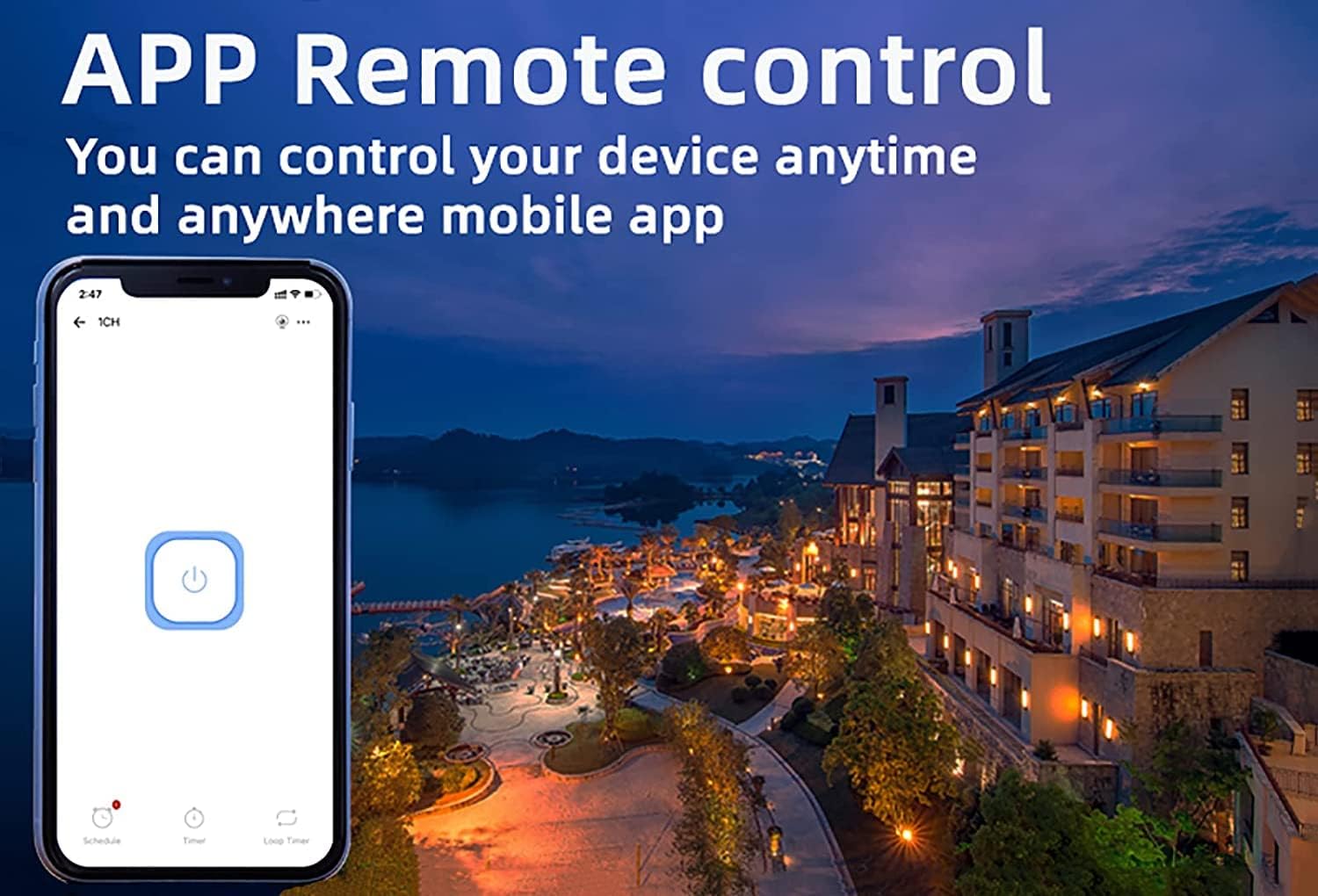
Figure 5.1: eWeLink App Remote Control. This image shows the eWeLink mobile application interface, demonstrating how users can remotely control their devices from anywhere.
6. Ашиглалтын заавар
6.1 Ажлын горимууд
The 1-channel relay module supports two primary working modes: Self-locking and Jog (Inching) mode. These modes can be configured within the eWeLink app.
- Өөрөө түгжих горим: In this mode, the relay acts like a traditional on/off switch. One tap turns the device on, and another tap turns it off. The state remains until manually changed.
- Jog (Inching) Mode: In this mode, the relay will automatically turn off after a set period (0.5 to 3600 seconds) once it's turned on, or automatically turn on after a set period once it's turned off. This is useful for momentary actions like garage door openers or pulse switches. The duration can be customized in the app.

Figure 6.1: Dual Mode Options: Self-locking and Inching. This diagram visually explains the difference between self-locking mode, where channels operate independently, and inching mode, which allows for customizable timed operations.
6.2 Remote Control & Voice Control
Once paired, you can control your device using the following methods:
- eWeLink програм: Remotely turn devices on/off, set schedules, and manage groups from anywhere with an internet connection.
- Bluetooth удирдлага: Control the device at close range even when your Wi-Fi network is disconnected.
- Амазон Алекса / Google Home: Integrate the module with your smart home ecosystem for convenient voice control. Follow the instructions within the Alexa or Google Home app to link your eWeLink account.
- 2.4G утасгүй алсын удирдлага: (Sold separately) For local control without needing a smartphone or internet connection.

Figure 6.2: Multiple Control Modes. This image illustrates the various ways to control the smart switch, including mobile app control, remote control, and manual control.
6.3 Device Sharing & Group Management
The eWeLink app allows for enhanced control and collaboration:
- Төхөөрөмж хуваалцах: Share control of your smart relay with family members or other authorized users through the eWeLink app. This enables multiple mobile phones to control the same smart device.
- Бүлгийн удирдлага: Organize multiple eWeLink devices into groups for simultaneous control.
- Schedules/Timers: Set up schedules or countdown timers for automated on/off operations.

Figure 6.3: Sharing Function in eWeLink App. This image demonstrates the device sharing feature within the eWeLink app, allowing multiple users to control smart breakers from their mobile phones.
7. Засвар үйлчилгээ
The Newgoal Smart WiFi Relay Switching Module requires minimal maintenance. Follow these guidelines to ensure optimal performance:
- Төхөөрөмжийг цэвэр, тоос шороогүй байлга. Цэвэрлэхийн тулд зөөлөн, хуурай даавуу ашиглана уу.
- Шингэн цэвэрлэгч, аэрозоль хэрэглэж болохгүй.
- Ensure the module is installed in a well-ventilated area to prevent overheating.
- Утасны холболтыг тогтмол шалгаж, найдвартай эсэхийг шалгаарай.
8. Алдаа засах
If you encounter issues with your Newgoal Smart WiFi Relay Switching Module, refer to the following common problems and solutions:
| Асуудал | Боломжит шалтгаан ба шийдэл |
|---|---|
| Device cannot connect to Wi-Fi / Flaky connectivity |
|
| Device is offline in eWeLink app |
|
| Voice control (Alexa/Google Home) not working |
|
| Inching mode time is not as expected |
|
| Manual switch button not responding |
|
9. Баталгаат хугацаа ба дэмжлэг
Newgoal products are designed for reliability and performance. For specific warranty information and technical support, please refer to the documentation included with your purchase or contact Newgoal customer service directly. You can typically find contact information on the manufacturer's webсайт эсвэл худалдан авалтын цэгээр дамжуулан.


