1. Танилцуулга
The Technaxx Full HD 1080p Projector TX-177 is a versatile multimedia device designed for high-quality visual and audio experiences. This portable projector offers native 1080P resolution, an integrated 3W speaker, and a long LED lifetime, making it suitable for various applications including home cinema, gaming, and presentations. This manual provides essential information for setting up, operating, and maintaining your projector.

Зураг 1.1: Урд view of the Technaxx Full HD 1080p Projector TX-177.
2. Багцын агуулга
Дараах зүйлсийн нүдийг шалгана уу.
- Technaxx FullHD 1080p Projector TX-177
- AV дохионы кабель
- Remote control (2x AAA batteries included)
- HDMI кабель
- Цахилгаан кабель
- Хэрэглэгчийн гарын авлага (энэ баримт бичиг)

Image 2.1: All items included in the projector package.
3. Бүтээгдэхүүний онцлог
The TX-177 projector is equipped with several features designed to enhance your viewтуршлага:
- Төрөлх 1080P нягтрал: Delivers clear and sharp images for movies, games, and presentations.
- Том төсөөллийн хэмжээ: Capable of projecting images from 50 inches up to 200 inches.
- 3Вт-ын нэгдсэн чанга яригч: Provides basic audio output without the need for external speakers.
- Гараар фокус тохируулах: Allows for precise image clarity.
- Long LED Lifetime: The LED light source has an estimated lifespan of 40,000 hours.
- Олон холболтын сонголтууд: Includes HDMI, VGA, USB, SD card, and AV inputs for broad device compatibility.
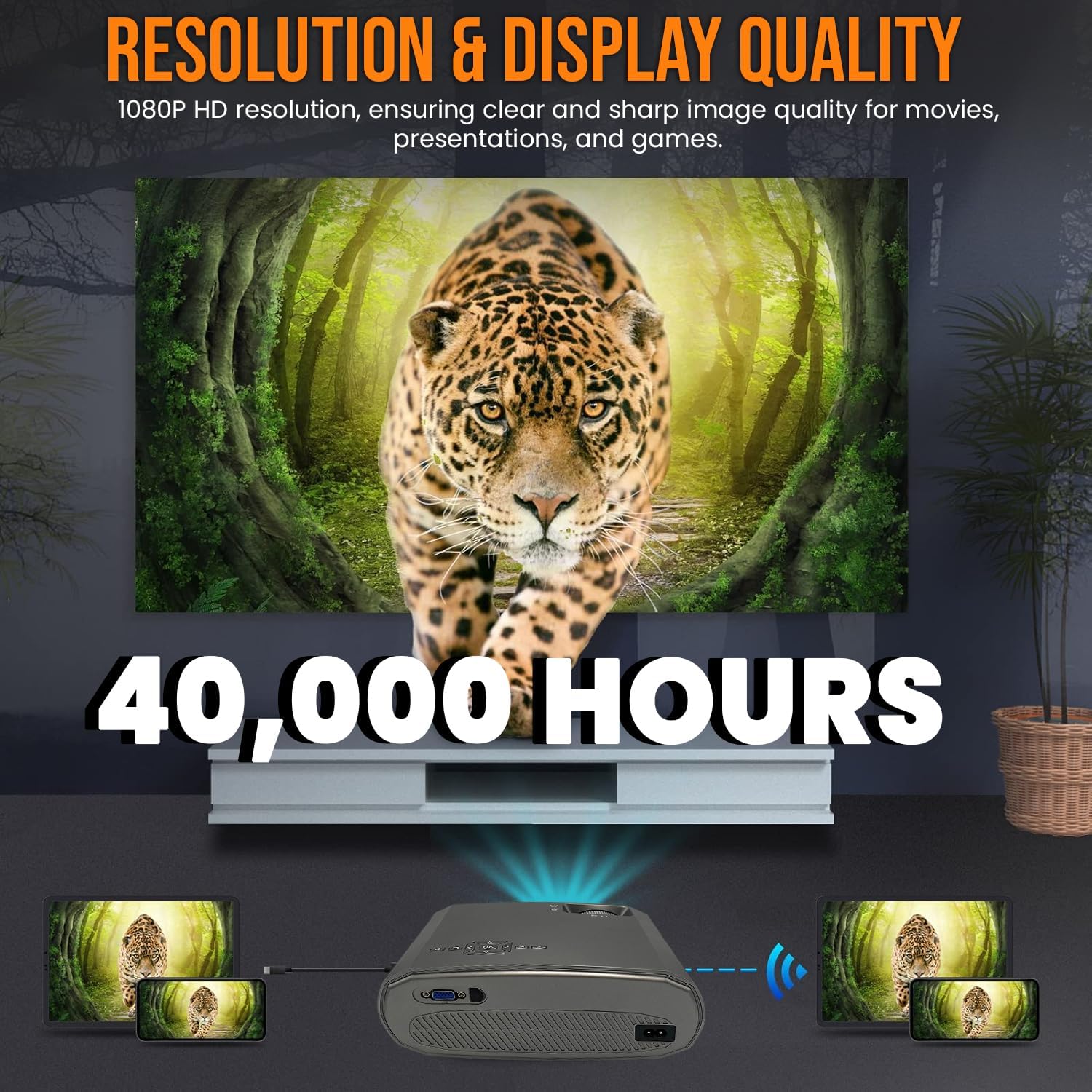
Image 3.1: Highlighting the 1080P resolution and 40,000-hour LED lifespan.

Image 3.2: The integrated 3-watt speaker provides convenient audio.

Зураг 3.3: Дууслааview of the projector's compatibility with various devices via multiple input ports.
4. Тохиргоо
4.1 Байршил
Place the projector on a stable, flat surface. Ensure there is adequate ventilation around the unit to prevent overheating. Position the projector directly in front of the screen or wall for the best image quality. The projection distance will determine the image size.
4.2 Эрчим хүчний холболт
- Цахилгааны кабелийг проекторын цахилгаан оролтын порт руу холбоно уу.
- Цахилгааны кабелийн нөгөө үзүүрийг ердийн цахилгаан залгуурт залгаарай.
4.3 Төхөөрөмжүүдийг холбох
The TX-177 supports various input sources:
- HDMI: Connect Blu-ray players, game consoles, laptops, or streaming devices using an HDMI cable.
- VGA: Хуучин компьютер эсвэл зөөврийн компьютеруудыг VGA кабель ашиглан холбоно уу.
- USB: Insert USB drives for playing media fileшууд.
- SD карт: Insert an SD card for playing media fileшууд.
- OF: Use the included AV signal cable to connect devices with composite video and stereo audio outputs.

Зураг 4.1: Нарийвчилсан view of the projector's various input ports.
4.4 Фокус ба гол чулууны тохируулга
After powering on, adjust the image for clarity and shape:
- Фокус: Rotate the focus wheel near the lens until the image appears sharp and clear.
- Түлхүүр чулууны залруулга: If the image appears trapezoidal (wider at the top or bottom), use the keystone correction wheel to square the image.

Image 4.2: Focus and keystone adjustment wheels for image optimization.

Image 4.3: Labeled diagram of the projector's key adjustable components and ports.
5. Ашиглалтын заавар
5.1 Асаах/унтраах
- Асаахын тулд: Проектор эсвэл алсын удирдлага дээрх асаах товчийг дарна уу. Заагч гэрэл асах болно.
- Унтраахын тулд: Press the power button again. The projector will enter standby mode. Always allow the projector to cool down before unplugging it.
5.2 Оролтын эх үүсвэрийг сонгох
Use the 'Source' button on the remote control or the projector's control panel to cycle through available input sources (HDMI1, HDMI2, VGA, USB, SD, AV). Select the input corresponding to your connected device.
5.3 Цэсийн навигаци
Use the arrow keys and 'OK' button on the remote control to navigate the on-screen display (OSD) menu. Here you can adjust settings such as picture mode, aspect ratio, sound settings, and more.
5.4 Аудио гаралт
The projector has a built-in 3W speaker. For enhanced audio, you can connect external speakers or headphones to the projector's audio output port (3.5mm jack).
6. Засвар үйлчилгээ
Зөв засвар үйлчилгээ нь таны проекторын урт наслалт, оновчтой ажиллагааг хангана:
- Линз цэвэрлэх: Оптик линзэнд тусгайлан зориулсан зөөлөн, хөвөнгүй даавуу хэрэглээрэй. Зүлгүүрийн цэвэрлэгч эсвэл уусгагч хэрэглэж болохгүй.
- C цэвэрлэхasing: Проекторын гадна талыг зөөлөн, хуурай даавуугаар арчина. Зөрүүд толботой бол бага зэрэг чийгтэй даавуугаар арчина.amp даавуу, дараа нь сайтар хатаана.
- Агааржуулалт: Агааржуулалтын нүхнүүд тоос шороо, бөглөрөлгүй байгаа эсэхийг шалгаарай. Тэдгээрийг үе үе зөөлөн сойз эсвэл шахсан агаараар цэвэрлээрэй.
- LED Lamp Амьдрал: LED lamp is designed for 40,000 hours of use and does not require replacement under normal operating conditions.
7. Алдаа засах
Хэрэв та проектортой холбоотой асуудалтай тулгарвал дараах нийтлэг асуудал, шийдлүүдийг үзнэ үү.
| Асуудал | Боломжит шалтгаан | Шийдэл |
|---|---|---|
| Дэлгэц дээр зураг алга | Буруу оролтын эх үүсвэр сонгосон Сул кабель холболт Төхөөрөмж асаагүй байна | Зөв оролтын эх үүсвэрийг сонгоно уу Бүх кабелийн холболтыг шалгаж, хамгаална Ensure the connected device is powered on |
| Зураг бүдэг байна | Фокус тохируулаагүй байна Projection distance too far/close | Adjust the focus wheel Move the projector closer or further from the screen |
| Зураг нь трапец хэлбэртэй байна | No keystone correction Проектор дэлгэцтэй перпендикуляр биш | Adjust the keystone correction wheel Reposition the projector to be directly in front of the screen |
| Дуу алга | Дууны хэмжээ хэт бага Mute function active Audio cable not connected (for AV) Гадаад чанга яригч холбогдоогүй/тэжээлгүй байна | Дууны хэмжээг нэмэгдүүлэх Deactivate mute Ensure audio cables are properly connected Check external speaker connection and power |
| Алсын удирдлага ажиллахгүй байна | Батерей дууссан эсвэл буруу оруулсан байна Алсын удирдлага болон проекторын хоорондох саад тотгор | Replace batteries (2x AAA) Ensure clear line of sight to the projector's IR receiver |
8. Техникийн үзүүлэлтүүд
| Онцлог | Тодорхойлолт |
|---|---|
| Загварын дугаар | TX-177 (4971) |
| Төрөлхийн тогтоол | 1920 x 1080 пиксел (Бүрэн HD 1080p) |
| Гэрэлтүүлэг | 15,000 лм (люмен) |
| Төслийн хэмжээ | 50"-аас 200" (127 см-ээс 508 см) |
| LED ашиглалтын хугацаа | 40,000 цаг |
| Нэгдсэн спикер | 3W |
| Оролтын портууд | 2x HDMI, VGA, USB, SD, AV |
| Бүтээгдэхүүний хэмжээс | 9.21 x 7.36 x 3.78 инч (23.4 x 18.7 x 9.6 см) |
| Зүйлийн жин | 4.07 фунт (1.85 кг) |
| Эрчим хүчний хангамж | Хувьсах гүйдэл 100-240 В, 50/60 Гц |
| Батерей (Алсын) | 2 AAA батерей (дагсан) |
| Үйлдвэрлэгч | TECHNAXX DEUTSCHLAND GMBH |
9. Баталгаат хугацаа ба дэмжлэг
For warranty information and technical support, please refer to the warranty card included with your product or visit the official Technaxx webсайт. Та мөн тусламж авахын тулд жижиглэн худалдаа эрхлэгчтэйгээ холбогдож болно.


