1. Танилцуулга
This manual provides comprehensive instructions for the proper use, setup, and maintenance of your boAt Immortal IM 300 Over-Ear Wired Gaming Headphones. Please read this manual thoroughly before using the product to ensure optimal performance and longevity.

Image 1.1: The boAt Immortal IM 300 Over-Ear Wired Gaming Headphones, showcasinтүүний дизайн болон RGB гэрэлтүүлэг.
2. Багцын агуулга
Таны бүтээгдэхүүний савлагаанд доор жагсаасан бүх зүйл байгаа эсэхийг шалгаарай.
- boAt Immortal IM-300 Gaming Headphones
- Type-C - Type-A кабель
- Type-C - Type-C кабель
- Хэрэглэгчийн гарын авлага (энэ баримт бичиг)
- Баталгаат карт
3. Бүтээгдэхүүн дууссанview
The boAt Immortal IM 300 headphones are designed for an immersive audio experience, featuring advanced drivers, dual microphone options, and customizable settings.
3.1. Үндсэн шинж чанарууд
- 50мм драйверууд: Engineered for a powerful and immersive auditory experience.
- Хос EQ горимууд: Switch between 3D Spatial Sound for gaming and boAt Signature Sound for music and movies.
- RGB LED: Integrated RGB lighting for visual customization.
- Хос микрофон: Includes a detachable boom mic for clear communication and a passive mic for general use.
- Тохируулга: Audio and mic driver settings can be adjusted via boAt Plugin Labz software.
- Тав тухтай дизайн: Lightweight, over-ear design with soft earmuffs for extended wear.
- Утастай холболт: USB Type-C connection for reliable audio transmission.
- Олон платформын нийцтэй байдал: Designed for use with PCs, laptops, smartphones, and gaming consoles.

Зураг 3.1: Дэлбэрэв view illustrating the 50mm audio drivers within the headphone earcups.
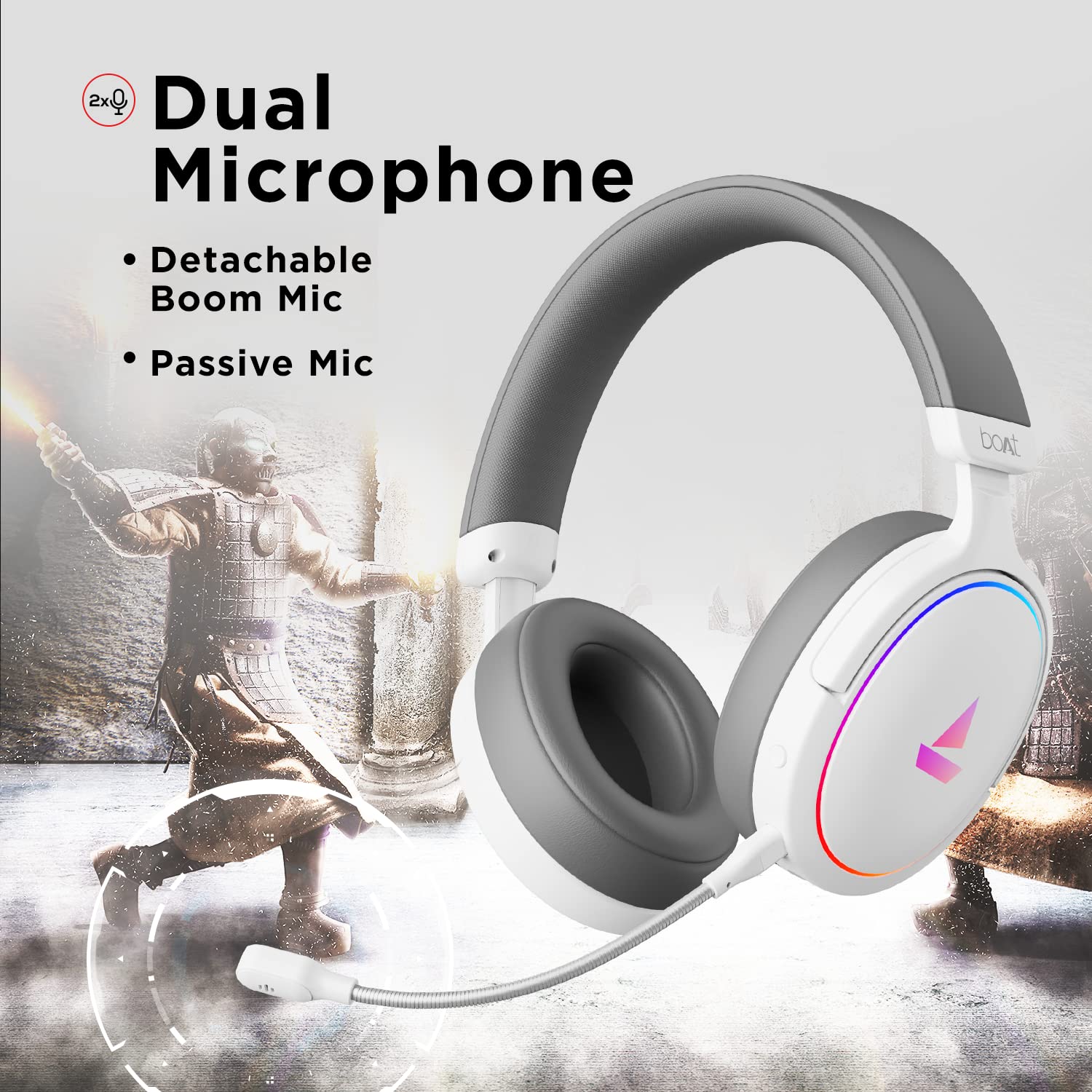
Image 3.2: The headphones featuring the detachable boom microphone, highlighting the dual microphone system.
4. Тохиргоо
4.1. Таны төхөөрөмжид холбогдож байна
The Immortal IM 300 headphones connect via USB. Use the appropriate cable for your device:
- Компьютер/зөөврийн компьютерын хувьд: Use the provided Type-C to Type-A cable. Connect the Type-C end to the headphone and the Type-A end to an available USB port on your computer.
- For Smartphones/Other Type-C Devices: Use the provided Type-C to Type-C cable. Connect one end to the headphone and the other to your device's Type-C port.
Once connected, your device should automatically detect the headphones. You may need to select the "Immortal IM-300" as the audio output and input device in your system's sound settings.
4.2. Boom микрофоныг холбох
The boom microphone is detachable. To attach it, align the microphone's connector with the port on the left earcup and gently push until it clicks into place. Ensure it is securely connected for optimal voice pickup.
Салахын тулд микрофоныг портоос зөөлөн татаж аваарай.
5. Ашиглалтын заавар
5.1. Audio Modes (Dual EQ)
The headphones feature two distinct audio equalization (EQ) modes:
- 3D Spatial Sound Mode: Optimized for gaming, providing enhanced directional audio cues.
- Music Mode (boAt Signature Sound): Тэнцвэртэй аудио мэргэжилтэнfile suitable for listening to music and watching movies.
Refer to the inline remote control or the boAt Plugin Labz software for instructions on switching between these modes.

Image 5.1: Illustration of the Dual EQ Modes, highlighting the 3D Spatial Audio and Music Mode functionalities.
5.2. RGB LED Control
The headphones are equipped with RGB LEDs. These lights can be customized or turned off. Specific controls for RGB lighting are typically located on the inline remote or accessible through the boAt Plugin Labz software.

Image 5.2: The headphones showcasing their RGB lighting, indicating customization options via boAt Plugin Labz.
5.3. Микрофоны хэрэглээ
The Immortal IM 300 offers two microphone options:
- Boom микрофон: For clear and focused voice communication, especially during gaming. Ensure it is positioned correctly near your mouth.
- Passive Microphone: An integrated microphone for casual use when the boom mic is detached.
Use the inline remote to mute/unmute the microphone as needed.
6. Customization via boAt Plugin Labz
For advanced audio and microphone settings, download and install the boAt Plugin Labz software. This application allows you to fine-tune your listening experience and microphone performance.
Please visit the official boAt website for download instructions and compatibility information for the Plugin Labz software.
7. Засвар үйлчилгээ
7.1. Цэвэрлэгээ
- Чихэвчийг зөөлөн, хуурай даавуугаар арчина.
- Химийн хатуу бодис, цэвэрлэгээний уусгагч, хүчтэй угаалгын нунтаг хэрэглэж болохгүй.
- Keep the earcups clean to prevent debris buildup.
7.2. Хадгалах
- Чихэвчийг нарны шууд тусгал, хэт температураас хол, сэрүүн, хуурай газар хадгална.
- Чихэвчэн дээр хүнд зүйл тавихаас зайлсхий.
- When not in use, consider storing them in a protective case to prevent damage.
8. Алдаа засах
| Асуудал | Боломжит шалтгаан | Шийдэл |
|---|---|---|
| Чихэвчнээс дуу гарахгүй. |
|
|
| Микрофон ажиллахгүй байна. |
|
|
| RGB LEDs are not lighting up. |
|
|
9. Техникийн үзүүлэлтүүд
| Онцлог | Дэлгэрэнгүй |
|---|---|
| Загварын нэр | Immortal IM-300 |
| Холболтын технологи | Утастай (USB Type-C) |
| Аудио драйверын хэмжээ | 50 мм |
| Чихэвчний хэлбэр | Чихний дээгүүр аяга |
| Микрофоны формат | Boom (detachable) & Passive |
| Дуу чимээний хяналт | Идэвхгүй дуу чимээг арилгах |
| Давтамжийн хүрээ | 50-10 кГц |
| Зүйлийн жин | 260 грамм |
| Бүтээгдэхүүний хэмжээ (LxWxH) | 20 x 18 x 8 см |
| Тохиромжтой төхөөрөмжүүд | Smartphones, Laptops, Desktops, Gaming Consoles |
| Материал | Хуванцар |
| Хяналтын арга | Алсын удирдлага |

Зураг 9.1: Дууслааview of key features including multi-platform compatibility, lightweight construction, wired connection, and passive noise isolation.
10. Баталгаат хугацаа ба дэмжлэг
Your boAt Immortal IM 300 headphones come with a 1 жилийн баталгаат хугацаа худалдан авсан өдрөөс эхлэн. Баталгаат хугацааны нэхэмжлэлийн хувьд худалдан авалтын баримтаа хадгална уу.
For technical support, warranty claims, or further assistance, please contact boAt customer service through their official webсайт эсвэл таны баталгаат картанд заасан холбоо барих мэдээлэл.
Дэлгэрэнгүй мэдээллийг албаны хүнээс авна уу boAt Store.


