1. Танилцуулга
Худалдан авалт хийсэнд баярлалааasing the KAGO 4K HDMI Splitter 1 in 10 Out, Model 4K1010. This device is designed to distribute a single HDMI source signal to ten HDMI displays simultaneously. It supports high-resolution video up to 4K@30Hz, 3D visual effects, and various digital audio formats, ensuring a high-quality audio and video experience across multiple screens. This manual provides detailed instructions for setup, operation, and troubleshooting to help you maximize the performance of your HDMI splitter.
2. Аюулгүй байдлын мэдээлэл
- Тэжээлийн адаптер нь том хэмжээтэй таарч байгаа эсэхийг шалгаарайtage requirements of your region.
- Төхөөрөмжийг ус, чийг, хэт өндөр температурт бүү тавь.
- Төхөөрөмжийг дулааны эх үүсвэрийн ойролцоо эсвэл нарны шууд тусгалд байрлуулахаас зайлсхий.
- Төхөөрөмжийг өөрөө нээх, засах гэж бүү оролдоорой. Бүх үйлчилгээг мэргэшсэн боловсон хүчинд шилжүүлээрэй.
- Аянга цахилгаантай шуургатай үед эсвэл удаан хугацаагаар ашиглаагүй үед цахилгааныг салга.
- Зөвхөн өгсөн тэжээлийн адаптерийг ашиглана уу.
3. Багцын агуулга
Таны багцад бүх зүйл байгаа эсэхийг шалгана уу:
- KAGO 4K HDMI Splitter 1 in 10 Out (Model: 4K1010)
- Цахилгаан хувиргагч (DC 12V/2A)
- Хэрэглэгчийн гарын авлага
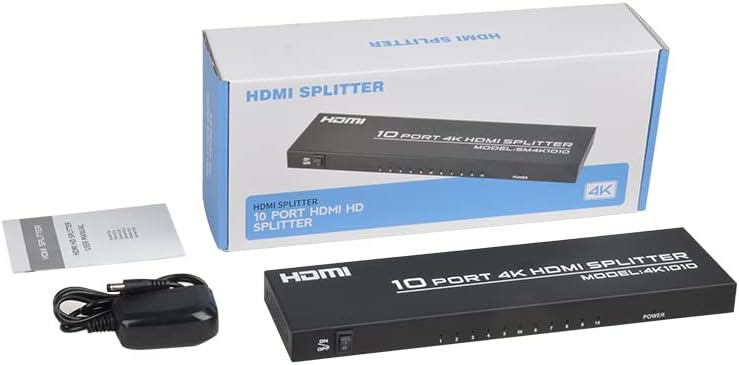
Image: The KAGO 4K HDMI Splitter, its power adapter, and the instruction manual are shown alongside the product packaging.
4. Бүтээгдэхүүн дууссанview
The KAGO 4K HDMI Splitter 1 in 10 Out features a robust design with clear labeling for easy connection and operation.
Урд самбар:
- ON/OFF унтраалга: Төхөөрөмжийн тэжээлийн хяналт.
- Output Indicators (1-10): LEDs that illuminate when an HDMI output is connected and active.
- Эрчим хүчний үзүүлэлт: LED that illuminates when the device is powered on.
Арын хэсэг:
- HDMI IN: Port for connecting your single HDMI source device.
- HDMI OUT 1-10: Ten ports for connecting your HDMI display devices.
- DC 5V: Оруулсан тэжээлийн адаптерийн тэжээлийн оролтын порт.

Зураг: дээд view showing the power switch and ten output indicator LEDs. Bottom view showing the HDMI input, ten HDMI output ports, and the DC power input.
5. Тохируулах заавар
Follow these steps to set up your KAGO 4K HDMI Splitter:
- HDMI эх үүсвэрийг холбох: Connect an HDMI cable from your source device (e.g., PC, laptop, game console, Blu-ray player) to the HDMI оролт хуваагч дээрх порт.
- HDMI дэлгэцүүдийг холбох: Connect HDMI cables from your display devices (e.g., HDTVs, monitors, projectors) to the HDMI OUT 1-10 ports on the splitter. You can connect up to ten displays.
- Эрчим хүчийг холбох: Plug the included DC 12V/2A power adapter into the DC 5V port on the splitter, then plug the adapter into a power outlet.
- Асаах: Flip the ON/OFF switch on the front panel to the 'ON' position. The power indicator and active output indicators will light up.
- Холболтыг баталгаажуулах: Ensure all connected displays are receiving the signal from your source device.
This device is designed for plug-and-play operation, requiring no additional drivers or software installation.

Image: A visual representation of connecting an HDMI source to the splitter's input and ten HDMI displays to its outputs.
6. Ашиглалтын заавар
The KAGO 4K HDMI Splitter operates automatically once connected and powered on. It duplicates the single HDMI input signal to all connected HDMI outputs.
- Нэгэн зэрэг харуулах: All ten connected displays will show the exact same audio and video content from the single HDMI source.
- Шийдвэрлэх дэмжлэг: The splitter supports resolutions up to 4K (3840x2160) at 30Hz, as well as 1080P, 1080i, 720p, 576p, 576i, 480P, and 480i. It also supports 3D images.
- Аудио синхрончлол: The device ensures audio and video are synchronized, supporting various digital audio formats including DTS-HD, Dolby-trueHD, LPCM 7.1, DTS, Dolby-AC3, and DSD.
- Тохиромжтой байдал: Compatible with a wide range of HDMI-integrated devices and operating systems, including Windows, MS-DOS, Linux, Android, and Mac OS.

Image: A visual example of ten monitors simultaneously displaying the same content, illustrating the splitter's core function.

Image: Demonstrates support for 4K high-definition and 3D visual effects.
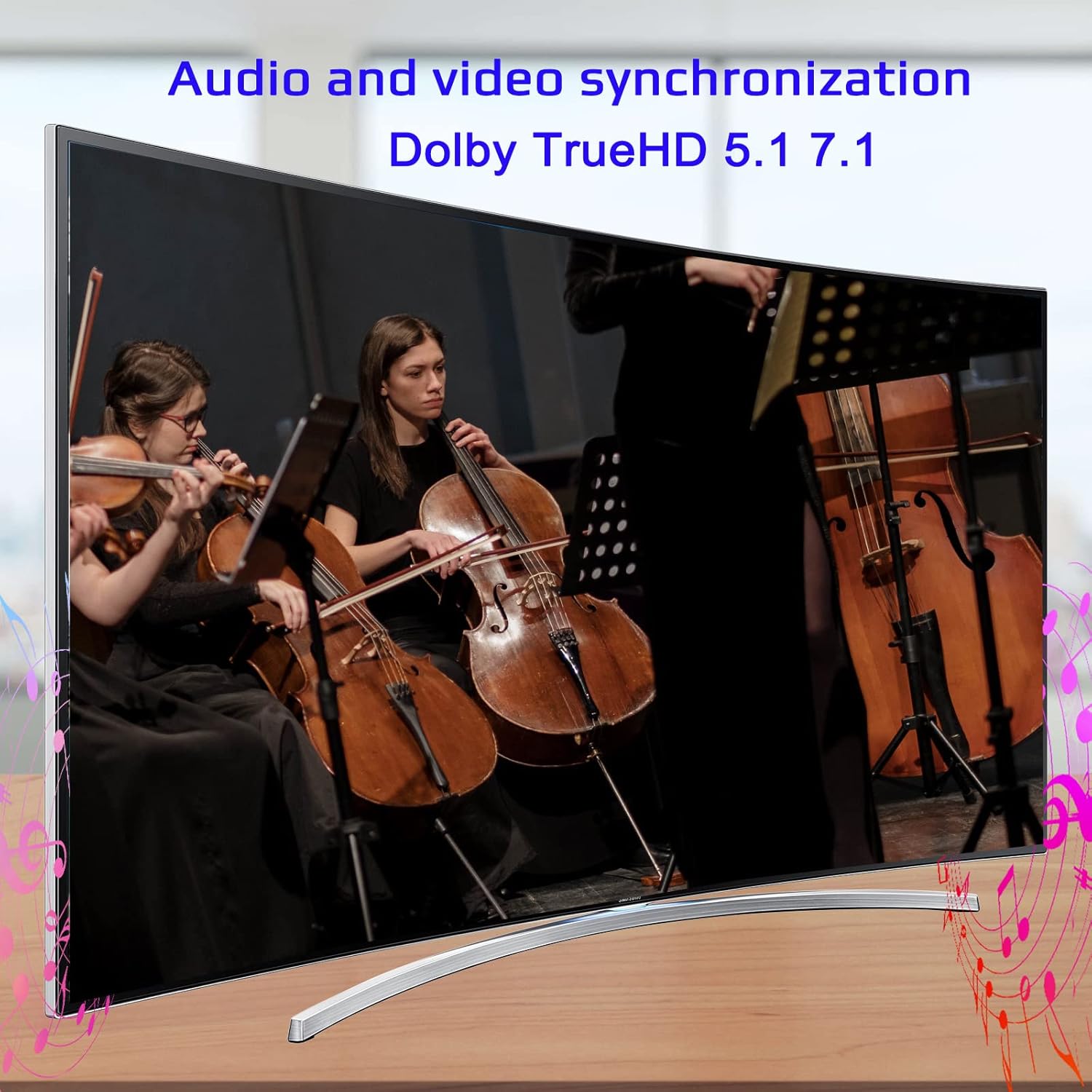
Image: Illustrates the audio and video synchronization capabilities, including Dolby TrueHD 5.1/7.1.

Image: Highlights the splitter's compatibility with various operating systems and its plug-and-play functionality.
7. Алдаа засах
If you encounter issues with your KAGO 4K HDMI Splitter, please refer to the following common solutions:
| Асуудал | Боломжит шалтгаан | Шийдэл |
|---|---|---|
| Дэлгэц дээр дохио алга байна | Loose HDMI cables, incorrect input selection on TV, power issue. | Check all HDMI cable connections. Ensure the TV input is set to the correct HDMI port. Verify the splitter is powered on and the power indicator is lit. Try a different HDMI cable. |
| Анивчих эсвэл гажуудсан зураг | Poor quality/lengthy HDMI cables, resolution incompatibility. | Use high-quality HDMI cables (19+1AWG26 standard recommended). Ensure cable lengths are within recommended limits (input 1-10M, output 1-15M). Try a lower resolution on the source device. |
| Аудио байхгүй | Audio settings on source/display, faulty HDMI cable. | Check audio settings on your source device and display. Ensure the HDMI cable supports audio transmission. Try a different HDMI cable. |
| Only some outputs work | Faulty output port, issue with specific display/cable. | Test the non-working output with a known good display and cable. Ensure the output indicator LED for that port is lit. |
8. Техникийн үзүүлэлтүүд
| Онцлог | Дэлгэрэнгүй |
|---|---|
| Загварын дугаар | 4K1010 |
| Бүтээгдэхүүний хэмжээс | 11.1 x 3.1 x 1 инч |
| Зүйлийн жин | 1.48 фунт |
| Холбогч төрөл | HDMI |
| Дэмжигдсэн тогтоолууд | Up to 4K (3840x2160@30Hz), 1080P, 1080i, 720p, 576p, 576i, 480P, 480i |
| 3D дэмжлэг | Тиймээ |
| Digital Audio Formats | DTS-HD/Dolby-trueHD/LPCM7.1/DTS/Dolby-AC3/DSD |
| Дамжуулах зурвасын өргөн | 10.2 Gbps |
| Эрчим хүчний адаптер | Оролт: AC (50HZ, 60HZ) 100V-240V; Гаралт: DC12V/2A |
| Санал болгож буй HDMI кабелийн урт | Input: 1-10M (16ft); Output: 1-15M (48ft) |
| Үйлдвэрлэгч | Siying |
9. Засвар үйлчилгээ
To ensure the longevity and optimal performance of your KAGO 4K HDMI Splitter, follow these maintenance guidelines:
- Цэвэрлэгээ: Төхөөрөмжийн гадна талыг цэвэрлэхийн тулд зөөлөн, хуурай даавуугаар цэвэрлээрэй. Шингэн цэвэрлэгч, аэрозоль хэрэглэж болохгүй.
- Агааржуулалт: Ensure the device has adequate ventilation. Do not block the ventilation holes. The design promotes efficient heat dissipation to prevent overheating during extended use.

Image: A visual representation of the splitter's heat dissipation design, indicating it remains cool during operation.
10. Баталгаат хугацаа ба дэмжлэг
KAGO products are designed for reliability and performance. For warranty information or technical support, please refer to the contact details provided with your purchase or visit the official KAGO webсайт. Аливаа баталгаат нэхэмжлэлийн хувьд худалдан авалтаа нотлох баримтаа хадгална уу.


