1. Бүтээгдэхүүн дууссанview
This manual provides instructions for the JENSEN USB 3.1 Type-C cable, model JU832CC3V. This cable is designed for efficient data transfer and charging of compatible devices. It features reversible connectors and supports data transfer speeds up to 5 Gigabits Per Second (Gbps).
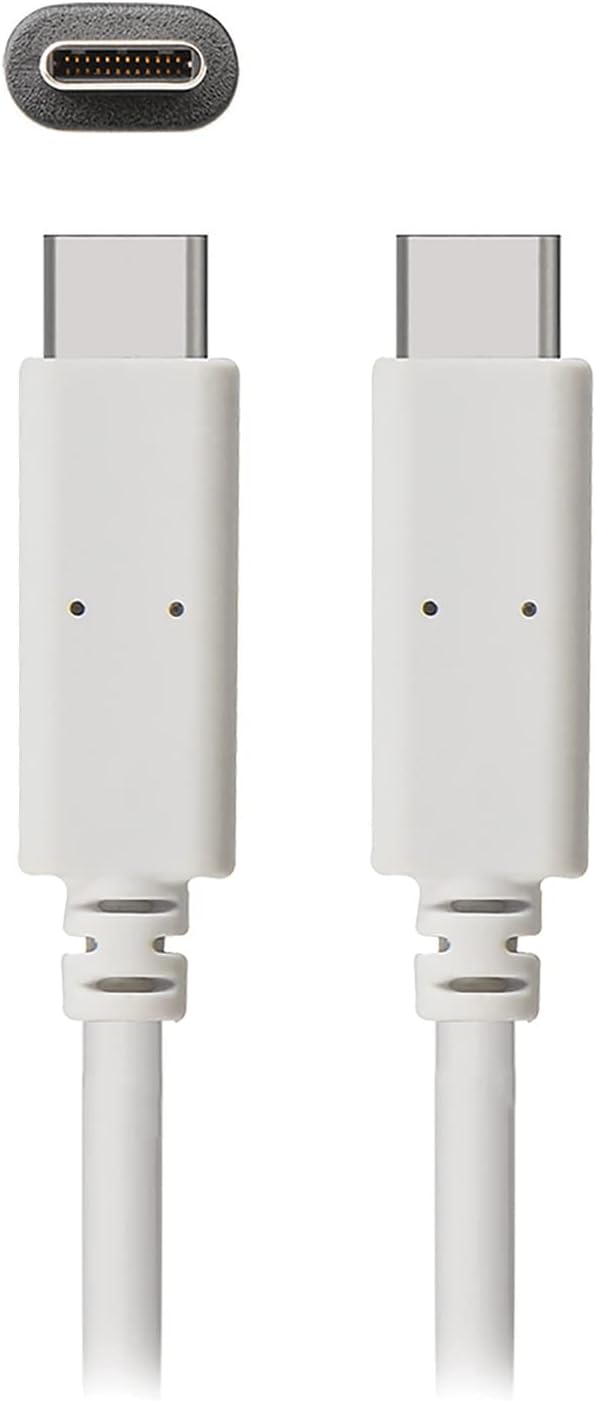
Зураг 1: The JENSEN USB 3.1 Type-C cable, showcasing its durable, reversible connectors. This image displays both ends of the white cable, highlighting the USB-C connector design.
Гол онцлогууд:
- USB 3.1 Type-C Compatibility: Орчин үеийн төхөөрөмжүүдтэй өргөн нийцтэй байдлыг хангадаг.
- Durable Molded Ends: Designed for longevity and reliable connection.
- Уян кабель: Allows for easy routing and reduces strain.
- Reversible Connectors: Enables convenient plug-in without concern for orientation.
- Өгөгдөл дамжуулах өндөр хурд: Supports up to 5 Gbps for fast file синхрончлол.
2. Тохиргоо ба холболт
The JENSEN USB 3.1 Type-C cable is designed for simple plug-and-play operation. No special drivers or software are required for basic functionality.
Кабель холбох:
- Портуудыг тодорхойлох: Locate the USB Type-C port on your host device (e.g., computer, power adapter) and the peripheral device (e.g., smartphone, external hard drive).
- Insert Connector 1: Gently insert one end of the JENSEN USB 3.1 Type-C cable into the USB Type-C port of your host device. The reversible design means there is no "up" or "down" orientation.
- Insert Connector 2: Insert the other end of the cable into the USB Type-C port of your peripheral device. Ensure both connections are secure.
Once connected, your devices should automatically recognize the cable for charging or data transfer, depending on their capabilities and configuration.
3. Ашиглалтын заавар
3.1. Цэнэглэх төхөөрөмжүүд
To charge a compatible device using the JENSEN USB 3.1 Type-C cable:
- Connect one end of the cable to a USB Type-C power adapter or a powered USB Type-C port on a computer.
- Connect the other end of the cable to your device requiring charge.
- Verify that your device indicates it is charging. Charging speed may vary based on the power source and device specifications.
3.2. Өгөгдөл дамжуулах
To transfer data between compatible devices using the JENSEN USB 3.1 Type-C cable:
- Connect one end of the cable to a USB Type-C port on your computer or host device.
- Connect the other end of the cable to your peripheral device (e.g., external hard drive, smartphone).
- Your computer or host device should recognize the connected peripheral. Follow the operating system's prompts to access and transfer files.
Note: The cable supports USB 3.1 Gen 1 speeds, offering data transfer rates up to 5 Gbps. Actual transfer speeds may vary based on connected devices and file төрөл.
4. Засвар үйлчилгээ
Proper care will extend the life of your JENSEN USB 3.1 Type-C cable.
- Цэвэрлэгээ: Use a soft, dry cloth to gently wipe the cable and connectors. Avoid using harsh chemicals or abrasive materials.
- Хадгалах: Кабелийг сэрүүн, хуурай газар, нарны шууд тусгал болон хэт өндөр температураас хол хадгална уу. Дотор талын гэмтэлээс сэргийлж, кабелийг хурц өнцгөөр чанга ороох эсвэл нугалахаас зайлсхий.
- Харьцуулах: Кабелийг залгах эсвэл салгахдаа кабелийг өөрөө татахын оронд холбогчийг үргэлж барьж байгаарай.
5. Алдаа засах
If you encounter issues with your JENSEN USB 3.1 Type-C cable, consider the following:
- Төхөөрөмж цэнэглэхгүй байна:
- Кабелийн хоёр төгсгөл найдвартай холбогдсон эсэхийг шалгаарай.
- Verify that the power adapter or USB port is functional and providing sufficient power.
- Асуудлыг тодорхойлохын тулд кабелийг өөр тохирох төхөөрөмж эсвэл тэжээлийн эх үүсвэрээр туршина уу.
- Удаан өгөгдөл дамжуулах:
- Confirm that both connected devices support USB 3.1 (or higher) for optimal speeds.
- Ensure the ports on both devices are USB 3.1 compatible. Connecting to a USB 2.0 port will limit speeds to USB 2.0.
- Check for other active processes on your computer that might be consuming bandwidth.
- Завсарлагатай холболт:
- Холбогчдод харагдахуйц гэмтэл, хог хаягдал байгаа эсэхийг шалгана уу.
- Төхөөрөмжүүд дээрээ өөр портууд руу холбогдож үзээрэй.
If problems persist, refer to the support section for further assistance.
6. Техникийн үзүүлэлтүүд

Зураг 2: Retail packaging for the JENSEN USB 3.1 Type-C cable, highlighting key features such as 3ft length, reversible connectors, and 5 Gbps data transfer.
| Загварын дугаар | JU832CC3V |
| Брэнд | Женсен |
| Холбогч төрөл | USB Type C (Male-to-Male) |
| Кабелийн төрөл | USB 3.1 |
| Өгөгдөл дамжуулах хурд | Секундэд 5 Гигабит хүртэл (Гбит/с) |
| Кабелийн урт | 3 фут (ойролцоогоор 0.91 метр) |
| Өнгө | Цагаан |
| Тохиромжтой төхөөрөмжүүд | Chargers, Personal Computers, and other USB Type-C enabled devices |
| Онцлог шинж чанар | Data Transfer, Reversible Connectors |
| Үйлдвэрлэгч | VOXX INTERNATIONAL |
| Бүтээгдэхүүний хэмжээс | 2.95 x 0.12 x 5.91 инч |
| Зүйлийн жин | 0.704 унц |
| UPC | 044476141812 |
7. Баталгаат хугацаа ба дэмжлэг
This JENSEN product is manufactured by VOXX INTERNATIONAL. For information regarding warranty coverage, terms, and conditions, please refer to the warranty documentation included with your purchase or visit the official Jensen webсайт.
For technical support or customer service inquiries, please contact the manufacturer directly. Contact information can typically be found on the product packaging or the official Jensen support portal.
You can visit the Jensen Store for more products and information: Jensen Store on Amazon


