1. Танилцуулга
Худалдан авалт хийсэнд баярлалааasing the BYINTEK R17 Pro Portable Smart 3D DLP Projector. This manual provides essential information for safe and effective use of your device. Please read it thoroughly before operation and retain it for future reference.
The BYINTEK R17 Pro is a versatile portable projector featuring Android 9.0 OS, 4K decoding support, 3D capabilities, and a built-in battery, making it ideal for various entertainment and presentation needs. It also supports multiple languages including English, Russian, Arabic, Korean, Japanese, French, German, Italian, Spanish, Chinese, Vietnamese, Polish, and Traditional Chinese.
2. Аюулгүй байдлын мэдээлэл
- l байх үед проекторын линз рүү шууд харж болохгүйamp асаалттай байна.
- Keep the projector away from water or other liquids to prevent electric shock.
- Хэт халалтаас сэргийлэхийн тулд агааржуулалтын нүхийг хааж болохгүй.
- Зөвхөн үйлдвэрлэгчийн өгсөн цахилгаан адаптерийг ашиглана уу.
- Проекторыг тогтворгүй гадаргуу дээр байрлуулахаас зайлсхий.
- Проекторыг өөрөө задлах эсвэл засах гэж бүү оролдоорой. Мэргэшсэн үйлчилгээний ажилтантай холбогдоно уу.
- Проекторыг ашиглаагүй үед сэрүүн, хуурай газар хадгална.
3. Багцын агуулга
Бүх зүйл байгаа эсэхийг шалгахын тулд хайрцгийг задлахдаа багцын агуулгыг шалгана уу:
- BYINTEK R17 Pro Projector
- Эрчим хүчний адаптер
- Алсын удирдлага
- Хэрэглэгчийн гарын авлага (энэ баримт бичиг)
- HDMI кабель (бүс нутгаас хамаарч өөр өөр байж болно)

Зураг: Нарийвчилсан тал view of the BYINTEK R17 Pro projector, highlighting its compact and portable design.
4. Тохируулах гарын авлага
4.1 Асаах/унтраах
- Эрчим хүчийг холбох: Plug the power adapter into the projector's DC input port and then into a power outlet.
- Асаах: Проектор эсвэл алсын удирдлага дээрх асаах товчийг дарна уу. Заагч гэрэл асах болно.
- Унтраах: Асаах товчийг дахин дарна уу. Асуувал унтраахыг баталгаажуулна уу.
4.2 Байршил, төсөөлөл
Position the projector on a stable, flat surface. Ensure there are no obstructions in front of the lens. The ideal projection distance ranges from 1 to 8 meters, producing a screen size of 30 to 300 inches.
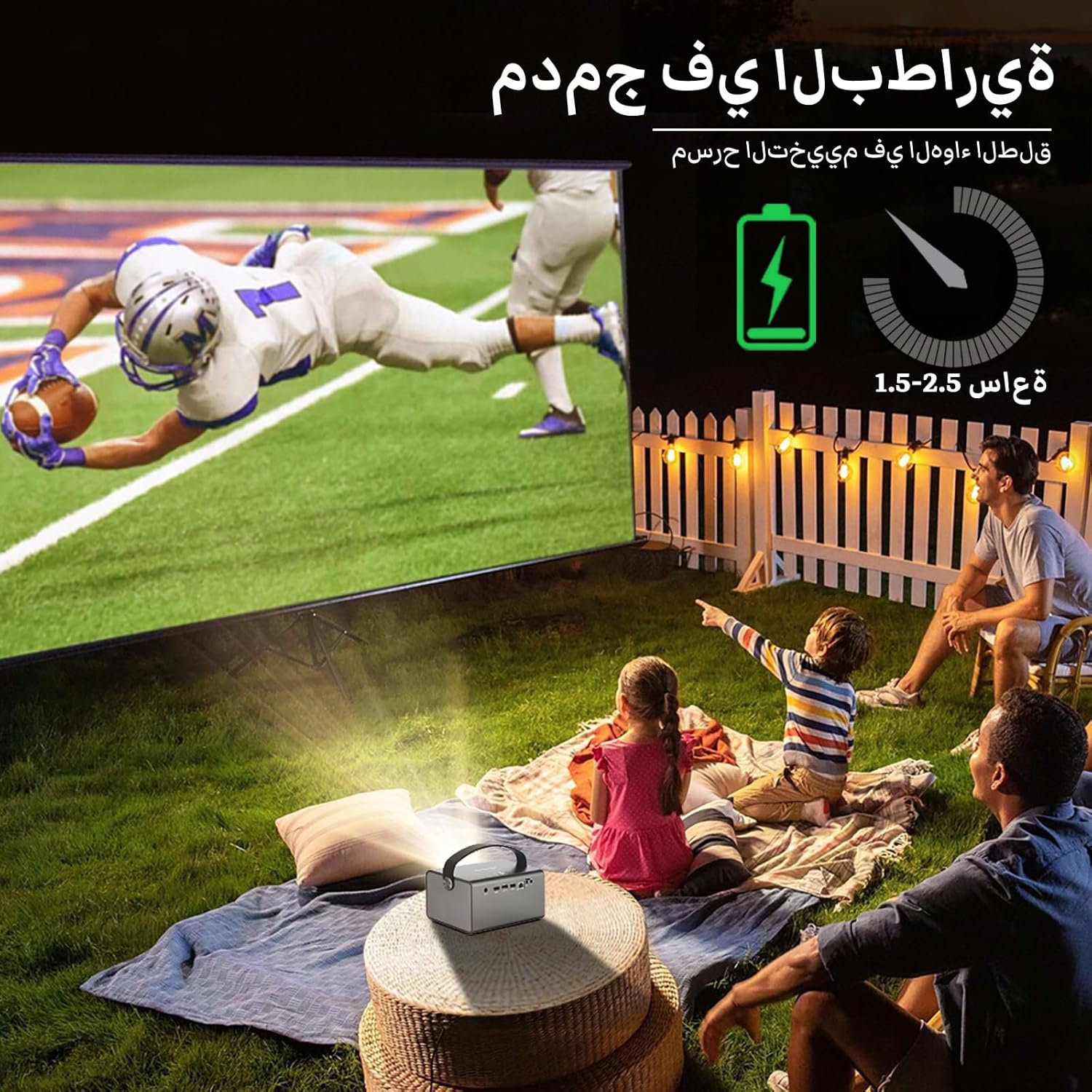
Image: The BYINTEK R17 Pro projector in an outdoor setting, demonstrating its portable use for entertainment. The image shows a football game projected onto a large screen, with people watching comfortably. This highlights the projector's battery life and suitability for outdoor events.
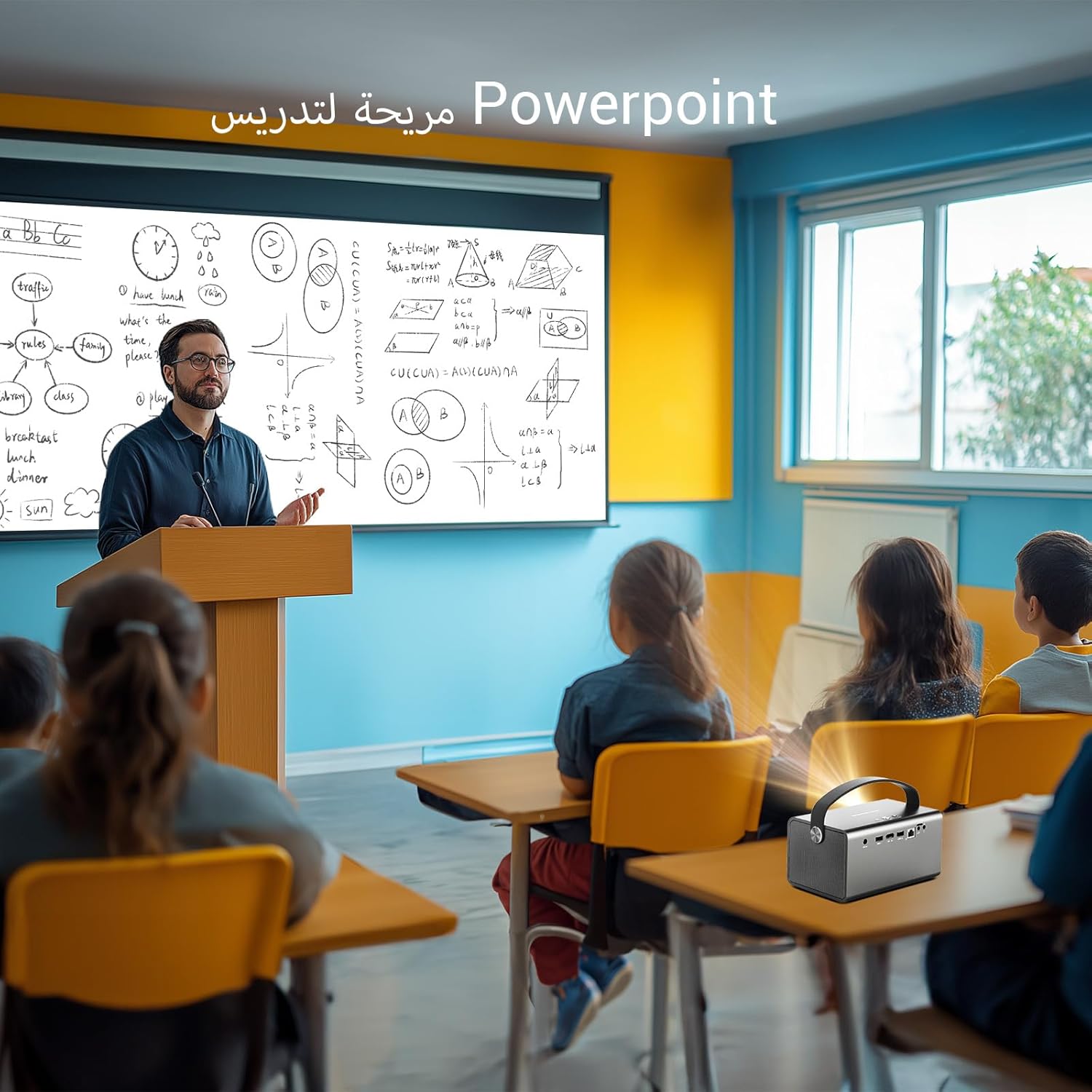
Image: The BYINTEK R17 Pro projector being used in a classroom to display a PowerPoint presentation. This illustrates its utility for educational purposes and presentations in various environments.
4.3 Төвлөрөл ба гол чулууг засах
- Цахилгаан фокус: Use the remote control to adjust the focus until the image is clear.
- Түлхүүр чулууны автомат залруулга: The projector supports automatic vertical keystone correction.
- Түлхүүр чулууг гараар засах: For side projections or specific adjustments, use the manual keystone correction feature via the settings menu. This includes corner keystone correction.
5. Үйл ажиллагаа
5.1 Navigating the Android 9.0 System
The BYINTEK R17 Pro runs on Android 9.0, providing a smart interface. Use the remote control or a connected air mouse to navigate through menus, launch applications, and adjust settings.
- Үндсэн дэлгэц: Access pre-installed apps and system settings.
- App Store: Download additional applications for streaming, productivity, or gaming.
- Тохиргоо: Configure Wi-Fi, Bluetooth, display, sound, and other system preferences.
5.2 Медиа тоглуулах
The projector supports various media formats and sources:
- USB санах ой: Connect a USB drive or SSD (up to 32GB) to play videos, music, or view гэрэл зураг.
- Онлайн дамжуулалт: Use pre-installed or downloaded streaming apps via Wi-Fi.
- 3D контент: The projector supports Blu-ray 3D. Ensure your 3D content and glasses are compatible.

Image: A couple enjoying a Blu-ray 3D movie projected by the BYINTEK R17 Pro. The image showcases the projector's ability to display immersive 3D content with vivid colors.
5.3 Screen Mirroring (Wi-Fi Display)
Mirror your smartphone, tablet, or computer screen wirelessly to the projector using Airplay, Miracast, or DLNA (Eshare app is pre-installed).
- Ensure both your device and the projector are connected to the same Wi-Fi network.
- Open the Eshare app on the projector.
- On your mobile device, activate screen mirroring (e.g., Airplay for iOS, Smart View/Screen Cast for Android).
- Боломжтой төхөөрөмжүүдийн жагсаалтаас проекторыг сонгоно уу.

Image: The BYINTEK R17 Pro projector wirelessly displaying a racing game from a smartphone. This demonstrates the screen mirroring feature for gaming and mobile content.
6. Холболт
The BYINTEK R17 Pro offers multiple connectivity options:
- HDMI2.0: Connect external devices like game consoles (e.g., PS4), computers, Blu-ray players, or TV boxes. Supports up to 4K input.
- USB 2.0 / USB 3.0: For connecting USB storage devices, external mice, game controllers, or 2.4GHz air mice.
- Аудио гаралт: Сайжруулсан дууг сонсохын тулд гадаад чанга яригч эсвэл чихэвч холбоно уу.
- Wi-Fi (2.4GHz/5GHz): For internet access and wireless screen mirroring.
- Bluetooth 5.0: For connecting Bluetooth speakers, headphones, or other compatible accessories.
7. Засвар үйлчилгээ
7.1 Линзийг цэвэрлэх
Оптик линзэнд тусгайлан зориулсан зөөлөн, хөвөнгүй даавуу хэрэглээрэй. Зүлгүүрийн цэвэрлэгч эсвэл хэт их хүч хэрэглэж болохгүй, учир нь энэ нь линзийг зурж болзошгүй.
7.2 Проекторын их биеийг цэвэрлэх
Wipe the exterior of the projector with a soft, dry cloth. Avoid using chemical cleaners that may damage the finish.
7.3 Хадгалалт
When not in use for extended periods, store the projector in its original packaging or a protective case in a cool, dry, dust-free environment.
8. Алдаа засах
| Асуудал | Боломжит шалтгаан | Шийдэл |
|---|---|---|
| Зураг харагдахгүй байна | Цахилгаан холбогдоогүй байна; оролтын эх үүсвэр буруу байна; линзний таг бөглөөтэй байна. | Check power connection; select correct input source (HDMI, USB, etc.); remove lens cap. |
| Зураг бүдэг байна | Focus not adjusted; projector too far/close. | Adjust electric focus using the remote; reposition the projector within optimal distance. |
| Зураг гажсан (трапец хэлбэртэй) | Түлхүүр чулуун засвар шаардлагатай. | Use auto or manual keystone correction in settings. |
| Дуу алга | Volume too low; external speakers not connected/configured; audio output muted. | Increase volume; check external speaker connection; unmute audio. |
| Wi-Fi холболтын асуудал | Нууц үг буруу; хүрээнээс гадуур; чиглүүлэгчийн асуудлууд. | Verify password; move closer to router; restart router and projector. |
| Проектор гэнэт унтарна | Хэт халалт; батерей бага байна. | Ensure ventilation is clear; charge the battery or connect to power. |
9. Техникийн үзүүлэлтүүд
| Онцлог | Дэлгэрэнгүй |
|---|---|
| Брэнд | BYINTEK |
| Загвар | R17 Pro |
| Хөнгөн хөдөлгүүр | TI 0.47 inch DMD WVGA |
| Гэрлийн эх үүсвэр | OSRAM RGB 3LED |
| Хөнгөн амьдрал | 50,000 цаг |
| Гэрэлтүүлэг | 750 ANSI люмен |
| Ялгаатай харьцаа | 10,000:1 |
| Төрөлхийн тогтоол | 1280 x 800 (supports up to 4K input) |
| Харьцаа | 16:10 / 16:9 / 4:3 |
| Тэнхлэгээс гадуур | 100% |
| Шидэх харьцаа | 1.2:1 |
| Төслийн хэмжээ | 30-300 инч |
| Проекцийн зай | 1 - 8 метр |
| Фокус горим | Electric Motor Focus |
| Томруулах | Remote Electric Zoom |
| Тулгуур чулууг засах | Auto/Manual Vertical, Manual Corner |
| Үйлдлийн систем | Android 9.0 |
| CPU | MTK Contex A53 Quad-core |
| GPU | Мали-G52 |
| RAM | 2 ГБ DDR3 |
| ROM | 32 ГБ EMMC |
| Wi-Fi | Хос зурвасын 2.4GHz / 5GHz |
| Bluetooth | Bluetooth 5.0 |
| Wi-Fi дэлгэц | Airplay, Miracast, DLNA (Eshare pre-installed) |
| Батерей | Built-in 11.1V 5200mAh (15600mAh equivalent) Lithium-ion, 1.5-2.5 hours life |
| Илтгэгчид | 2 x 5W стерео чанга яригч |
| Оролтын портууд | HDMI 2.0 (supports 4K input), USB 2.0, USB 3.0 |
| Гаралтын портууд | Аудио гаралт |
| Бүтээгдэхүүний хэмжээс | 19.3 x 12.3 x 10 см |
| Зүйлийн жин | 2.34 кг |
| Онцлог шинж чанарууд | Auto Focus, Built-in Wi-Fi Receiver, Built-in 3D Display, Portable, Built-in Speaker |
10. Баталгаат хугацаа ба дэмжлэг
BYINTEK products come with a standard manufacturer's warranty. Please refer to the warranty card included in your package for specific terms and conditions. For technical support, service, or warranty claims, please contact BYINTEK customer service or visit the official BYINTEK webсайт.
BYINTEK has a service center in Saudi Arabia to provide professional after-sales service. For more information, please visit the BYINTEK Store on Amazon.


