1. Танилцуулга
Худалдан авалт хийсэнд баярлалааasing the EVICIV 17.3-inch 2K 144Hz Portable Monitor. This manual provides essential information for setting up, operating, and maintaining your device. Please read it thoroughly before use and keep it for future reference.
2. Бүтээгдэхүүний онцлог
- Зөөврийн дизайн: 17.3-inch large screen with a thin and lightweight design, ideal for portability.
- Өндөр нягтралтай ба сэргээх хурд: 2560x1440 (2K QHD) resolution with a 144Hz refresh rate for smooth visuals and immersive gaming.
- IPS самбар: 178 ° өргөн viewing angle IPS panel ensures vivid image quality from various perspectives.
- Color Accuracy & Brightness: 100% sRGB color gamut for excellent color reproduction, 350nit high brightness, and 1000:1 contrast ratio for clear visibility in bright environments.
- Баригдсан тавиур: Integrated stand allows for stable viewing angle adjustment without additional accessories.
- Олон талт холболт: Equipped with Type-C and mini HDMI ports, compatible with various devices including laptops, gaming consoles (X-BOX, Switch), PCs, and Macs.
- Дан кабелийн холболт: Supports single Type-C cable for video signal and power delivery with compatible devices.
- VESA холболттой нийцтэй: Features VESA mounting holes (75x75mm) for wall or arm bracket installation.
- Баригдсан чанга яригч: Integrated speakers provide audio for an enhanced viewтуршлага.
3. Багцын агуулга
Дараах зүйлсийн багцад байгаа эсэхийг шалгана уу.
- EVICIV 17.3-inch Portable Monitor
- USB Type-C-Type-C кабель
- Mini HDMI -ээс HDMI кабель
- USB А хэлбэрийн цахилгаан кабель - C хэлбэрийн цахилгаан кабель
- Эрчим хүчний адаптер
- Хэрэглэгчийн гарын авлага
4. Over Monitorview
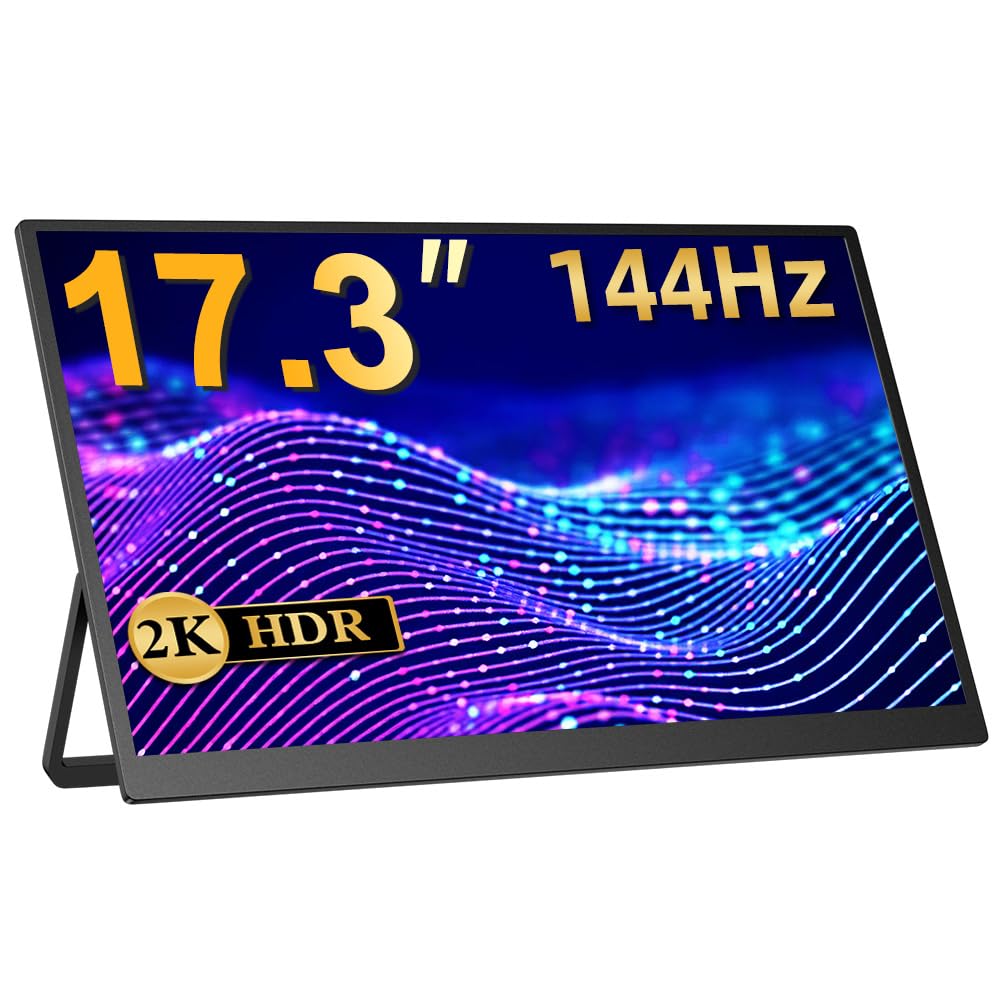
Зураг 1: Урд view of the EVICIV 17.3-inch Portable Monitor.
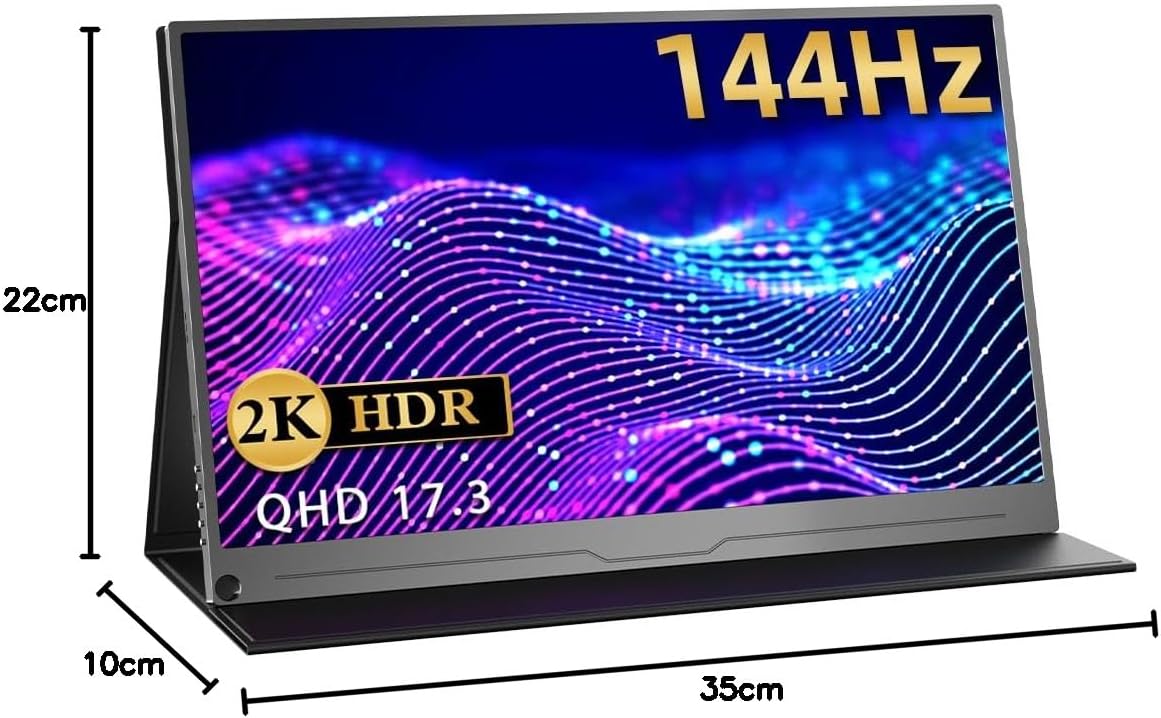
Зураг 2: Ар талд view of the monitor, highlighting the VESA mount compatibility (75x75mm).

Зураг 3: Side profile illustrating the thin and lightweight design of the monitor.

Figure 4: Close-up of the monitor's slim bezel, approximately 4mm, for an expansive viewтуршлага.

Figure 5: Detail of the built-in speakers, providing integrated audio.
5. Тохиргоо ба холболтууд
5.1 Асаах
- Цахилгаан адаптерийг мониторын тэжээлийн оролтод холбоно уу.
- Дэлгэцийг асаахын тулд цахилгаан товчийг дарна уу.
5.2 Төхөөрөмжүүдэд холбогдох
Монитор нь янз бүрийн холболтын аргуудыг дэмждэг:
- USB Type-C (Бүрэн боломжит): For compatible devices (e.g., laptops, smartphones, some gaming consoles), a single Type-C cable can transmit video, audio, and power. Ensure your device's Type-C port supports DisplayPort Alternate Mode and power delivery.
- Мини HDMI: Use the provided Mini HDMI to HDMI cable to connect to devices like PCs, laptops, or gaming consoles (e.g., X-BOX, Switch). An additional power source (via Type-C) may be required.

Figure 6: Monitor connected to a smartphone via a single Type-C cable, demonstrating video and power transmission.

Figure 7: Monitor connected to a Nintendo Switch for an enhanced gaming experience.
6. Ашиглалтын заавар
6.1 Дэлгэц дээрх дэлгэц (OSD) цэс
The OSD menu allows you to adjust various display settings. Use the control buttons on the side of the monitor to navigate and select options.
- Гэрэлтүүлэг/Ялгарал: Adjust image brightness and contrast levels.
- Өнгөний тохиргоо: Өнгөний температур, өнгө болон ханалтыг өөрчлөх.
- Оролтын эх сурвалж: Manually select the input source (Type-C, HDMI).
- Харьцаа: Choose between different aspect ratio modes.
- HDR горим: Enable or disable HDR (High Dynamic Range) for compatible content.
- Эзлэхүүн: Суурилуулсан чанга яригч эсвэл холбогдсон чихэвчний дууны түвшинг тохируулна уу.
6.2 Суурилуулалтын тохируулга
The integrated stand allows for flexible angle adjustments to suit your viewing preference. Simply unfold the stand to the desired angle for stable positioning.
7. Хэрэглээний хувилбарууд
7.1 Dual Display for Productivity
Extend your laptop or PC screen to create a dual-monitor setup, enhancing multitasking and workflow efficiency. Ideal for remote work, presentations, and creative tasks.

Figure 8: Monitor used to extend a laptop display for increased productivity in a work environment.
7.2 Immersive Gaming
Connect to your gaming console (PS5, X-BOX, Switch) via HDMI or compatible Type-C for a larger, more immersive gaming experience with the 144Hz refresh rate.

Figure 9: Monitor displaying a game, illustrating a smooth gaming experience.
7.3 Хэвлэл мэдээллийн хэрэглээ
Enjoy movies, videos, and other media content on the vibrant 2K display. Connect your smartphone or tablet for a larger viewing талбай.
Video 1: This video demonstrates the EVICIV 17.3-inch portable monitor (FHD 1920x1200 model) being used for media consumption and gaming. Please note that the resolution shown in the video is FHD (1920x1200), while this product is a 2K (2560x1440) model.
8. Техникийн үзүүлэлтүүд
| Брэнд | EVICIV |
| Загвар | EVC-1704 |
| Дэлгэцийн хэмжээ | 17.3 инч |
| Шийдвэр | 2560 x 1440 (QHD 2K) |
| Сэргээх хурд | 144 Гц |
| Самбарын төрөл | IPS |
| Гэрэлтүүлэг | 350 нит |
| Өнгөний хүрээ | 100% sRGB |
| Харьцаа | 16:9 |
| Гадаргуугийн боловсруулалт | Гэрэлтдэггүй |
| Холболт | 2x Type-C, 1x Mini HDMI |
| Аудио | Built-in Speakers, 3.5mm Audio Jack |
| VESA уул | 75 х 75 мм |
| Хэмжээ | 44.9 x 29.3 x 6.9 cm (Packaged) |
| Жин | 1.89 kg (Packaged) |
9. Алдаа засах
9.1 Дохио байхгүй / Хар дэлгэц
- Ensure the monitor is powered on and the power adapter is securely connected.
- Verify that the video cable (Type-C or HDMI) is correctly connected to both the monitor and your source device.
- Check if your source device is outputting a video signal. Try connecting it to another display if possible.
- If using a single Type-C cable, ensure your device's Type-C port supports DisplayPort Alternate Mode and power delivery. Try connecting the monitor to an external power source.
- Try switching input sources manually via the OSD menu.
9.2 Image Flickering or Distortion
- Видео кабель гэмтсэн эсвэл холболт суларсан эсэхийг шалгана уу. Боломжтой бол өөр кабель туршиж үзнэ үү.
- Ensure the monitor is receiving sufficient power. Use the provided power adapter.
- Adjust the resolution and refresh rate settings on your source device to match the monitor's capabilities (2560x1440, 144Hz).
- Disable any FreeSync or adaptive sync settings on your source device if experiencing issues, as noted in some user reviews.
9.3 Аудио байхгүй
- Increase the volume on both the monitor (via OSD menu) and your source device.
- Ensure the correct audio output device is selected on your source device.
- If using headphones, ensure they are properly connected to the 3.5mm audio jack.
10. Засвар үйлчилгээ
- Дэлгэц цэвэрлэх: Gently wipe the screen with a soft, lint-free cloth. For stubborn marks, use a screen-cleaning solution specifically designed for displays, applied to the cloth, not directly to the screen.
- Биеийг цэвэрлэх: Use a soft, dry cloth to wipe the monitor's body. Avoid abrasive cleaners or solvents.
- Хадгалах: When not in use, store the monitor in a cool, dry place, away from direct sunlight and extreme temperatures. Use the protective sleeve or original packaging for transport.
- Харьцуулах: Дэлгэц дээр хэт их даралт үзүүлэх эсвэл дэлгэцийг унагаахаас зайлсхий.
11. Баталгаат хугацаа ба дэмжлэг
EVICIV products typically come with a manufacturer's warranty. For specific warranty terms, duration, and support inquiries, please refer to the warranty card included in your product packaging or visit the official EVICIV webсайт. Мөн та худалдагчтай шууд холбогдож тусламж авах боломжтой.
For further support, please visit the EVICIV store on Amazon: EVICIV Amazon Store


