1. Бүтээгдэхүүн дууссанview
The XYAB Ultimate NGC Joystick Controller is designed to provide a responsive and comfortable gaming experience for Nintendo GameCube and Nintendo Wii consoles. This controller features a classic layout with sensitive optical joystick sensors and a durable 5-foot cable.
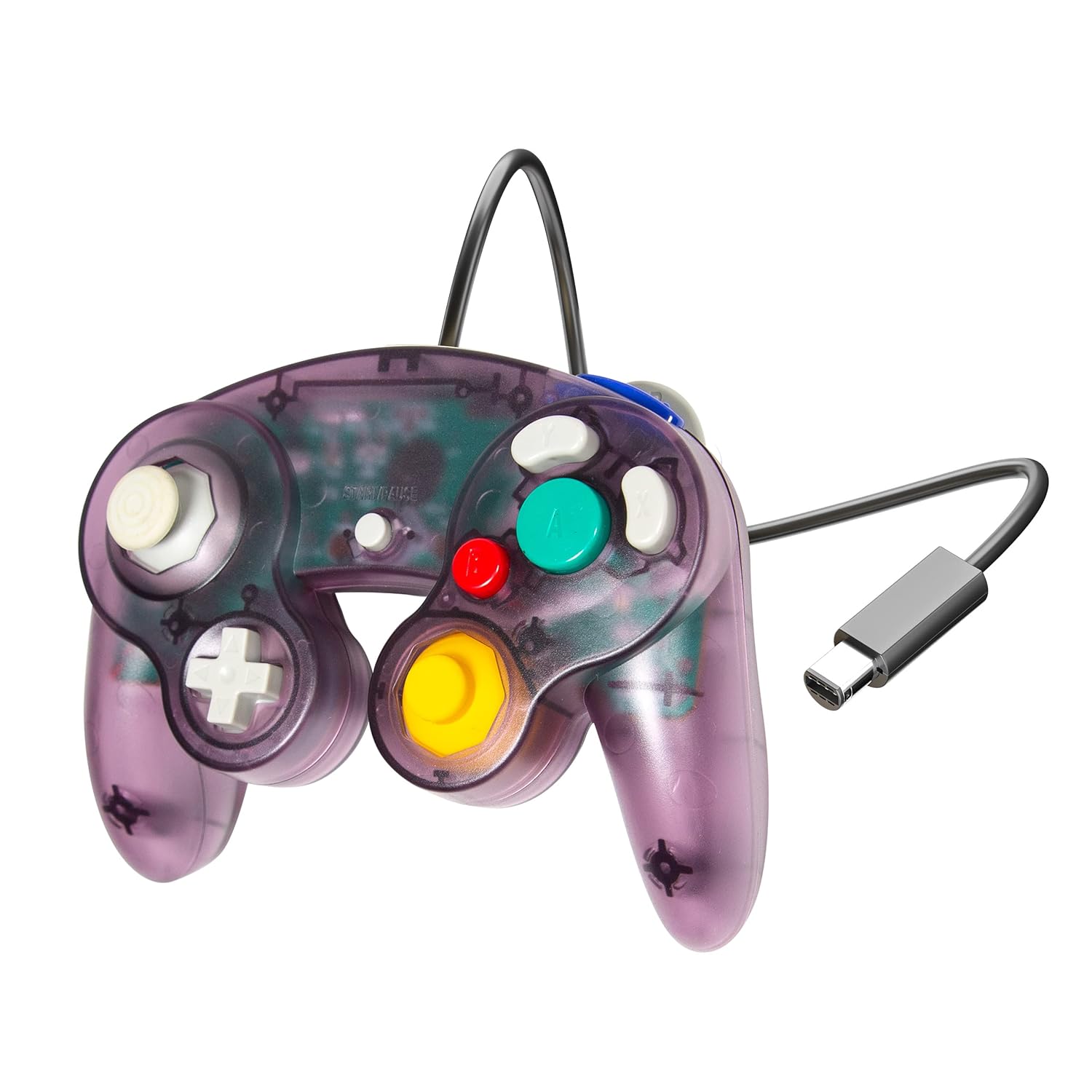
Image 1.1: XYAB Ultimate NGC Joystick Controller (Atomic Purple)
This image displays the XYAB Ultimate NGC Joystick Controller in its Atomic Purple translucent casing, showcasing the main control stick, C-stick, D-pad, and action buttons (A, B, X, Y, Z, L, R, Start/Pause). The controller's wired connection with a standard GameCube connector is visible.
Гол онцлогууд:
- Хариу үйлдэл үзүүлдэг хяналтууд: Equipped with sensitive optical joystick sensors for precise input.
- Өргөн нийцтэй байдал: Compatible with Nintendo GameCube and Nintendo Wii consoles.
- Өргөтгөсөн кабель: Features a 5-foot cable for flexible gaming setups.
- Сонгодог дизайн: Ergonomic design for comfortable use during extended play sessions.
2. Тохируулах заавар
Follow these steps to connect your XYAB Ultimate NGC Joystick Controller to your console.
Connecting to Nintendo GameCube:
- Locate an available controller port on the front of your Nintendo GameCube console.
- Align the GameCube connector of the XYAB controller with the port.
- Gently push the connector into the port until it clicks securely into place.
- Power on your GameCube console. The controller is now ready for use.
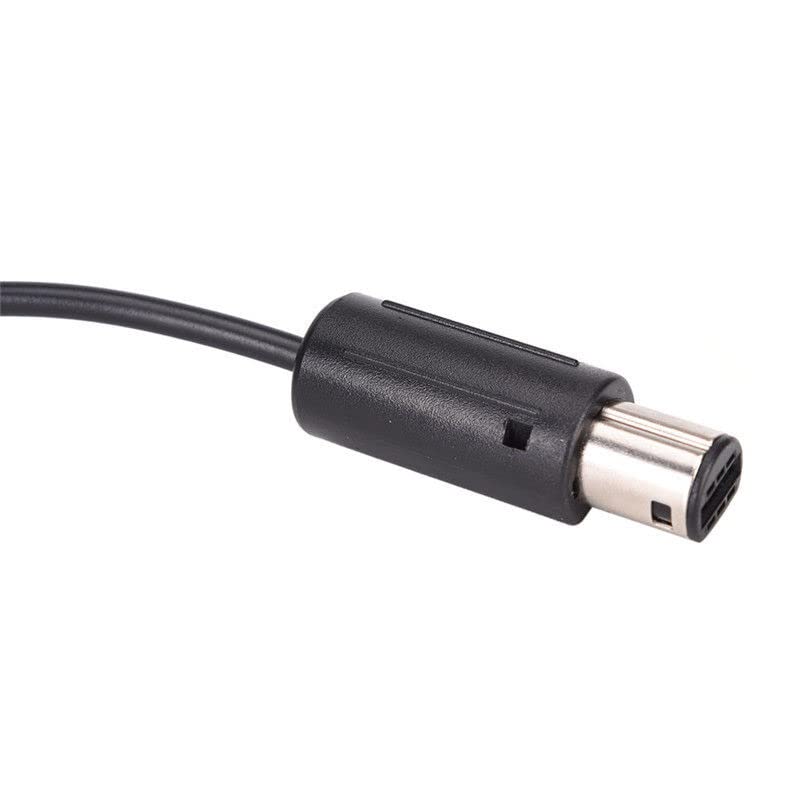
Image 2.1: GameCube Controller Connector
This image shows a close-up of the standard GameCube controller connector, which plugs directly into the console's controller port.
Connecting to Nintendo Wii:
- Open the GameCube controller port cover located on the top side of your Nintendo Wii console (when oriented horizontally).
- Locate an available controller port.
- Align the GameCube connector of the XYAB controller with the port.
- Gently push the connector into the port until it clicks securely into place.
- Power on your Wii console. The controller is now ready for use with compatible GameCube titles or Virtual Console games that support GameCube controllers.
Using with Nintendo Wii U or Nintendo Switch:
To use this controller with a Nintendo Wii U or Nintendo Switch console, a separate GameCube Controller adapter (sold separately) is required. Refer to the adapter's instruction manual for specific setup procedures.
3. Ашиглалтын заавар
The XYAB Ultimate NGC Joystick Controller features the standard button layout of a Nintendo GameCube controller.
Хянагчийн зохион байгуулалт:
- Control Stick (Left Analog Stick): Used for primary movement and navigation.
- C-Stick (Баруун талын аналог саваа): Often used for camera control or specific in-game actions.
- D-Pad (Чиглүүлэгч дэвсгэр): Used for menu navigation or specific directional inputs.
- A Button (Large Green): Primary action button, typically for confirmation or main attacks.
- B Button (Small Red): Secondary action button, often for canceling or secondary attacks.
- X Button (Gray): Auxiliary action button.
- Y Button (Gray): Auxiliary action button.
- Z Button (Purple, Top Right Shoulder): Often used for specific in-game functions.
- L Button (Left Shoulder): Analog trigger, often used for shielding or aiming.
- R Button (Right Shoulder): Analog trigger, often used for shielding or aiming.
- Start/Pause Button (Center): Used to pause games or access in-game menus.
Refer to your game's specific instruction manual for detailed button assignments and controls.
4. Засвар үйлчилгээ, арчилгаа
Зөв арчилгаа хийснээр хянагчийн ашиглалтын хугацааг уртасгах болно.
Цэвэрлэгээ:
- Disconnect the controller from the console before cleaning.
- Use a soft, dry cloth to wipe the surface of the controller.
- Зөрүүд шороонд бага зэрэг dampдаавуугаар усаар. Хүчтэй химийн бодис, зүлгүүрийн цэвэрлэгч хэрэглэхээс зайлсхий.
- Do not allow liquids to enter the controller's internal components.
Хадгалах:
- Удирдагчийг нарны шууд тусгал, хэт температураас хол, сэрүүн, хуурай газар хадгална.
- Avoid wrapping the cable too tightly around the controller to prevent damage to the wiring.
- Keep the controller away from dust and debris when not in use.
5. Алдаа засах
If you encounter issues with your controller, try the following solutions.
Хянагч хариу өгөхгүй байна:
- Ensure the controller cable is securely plugged into the console's GameCube controller port.
- Try plugging the controller into a different GameCube controller port on the console.
- Restart your console and try again.
- Test the controller with a different game to rule out game-specific issues.
Товчлуур эсвэл Жойстик зөв ажиллахгүй байна:
- Check for any visible obstructions or debris around the buttons or joysticks.
- Ensure the controller is clean (refer to the Maintenance section).
- If a joystick is exhibiting drift or incorrect input, it may indicate wear. Consider recalibrating if your console or game offers such an option, or contact support if the issue persists.
Тохиромжтой байдлын асуудал:
- Confirm that the game you are playing supports GameCube controllers. Not all Wii games support GameCube controllers.
- For Wii U or Switch, ensure you are using a compatible GameCube Controller adapter and that it is correctly installed and configured.
6. Техникийн үзүүлэлтүүд
| Онцлог | Дэлгэрэнгүй |
|---|---|
| Загвар | Ultimate NGC Joystick Controller |
| Брэнд | XYAB |
| Тохиромжтой байдал | Nintendo GameCube, Nintendo Wii (GameCube compatible titles) |
| Холболт | Wired (GameCube connector) |
| Кабелийн урт | 5 фут (ойролцоогоор 1.5 метр) |
| Бүтээгдэхүүний хэмжээс | 7.5 x 2.5 x 8 инч (19.05 x 6.35 x 20.32 см) |
| Зүйлийн жин | 8.5 унц (240.97 грамм) |
| Өнгө | Atomic Purple |
7. Баталгаат хугацаа ба дэмжлэг
Баталгаат мэдээлэл:
This product is covered by a limited warranty against manufacturing defects. Please retain your proof of purchase for warranty claims. Specific warranty terms and duration may vary by region and retailer. For detailed warranty information, please refer to the documentation provided at the time of purchase or contact customer support.
Хэрэглэгчийн дэмжлэг:
If you have any questions, require technical assistance, or need to report an issue with your XYAB Ultimate NGC Joystick Controller, please contact our customer support team. Contact information can typically be found on the product packaging or the official XYAB webсайт.


